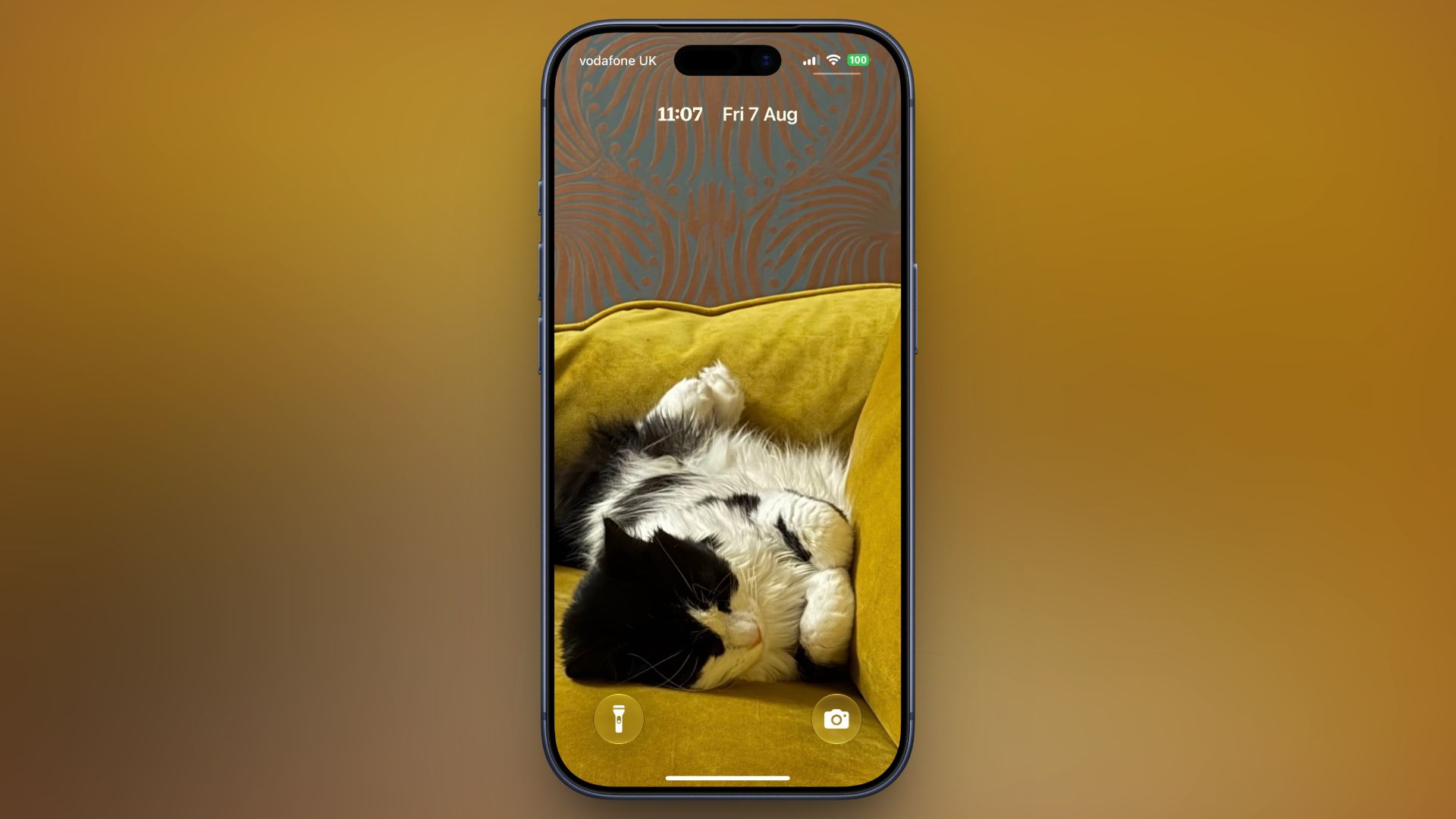
In iOS 26, Apple let you stretch the Lock Screen clock down your iPhone's display until it dwarfed everything else. In iOS 27, Apple has a new clock option that does the opposite, with the introduction of a compact mode that shrinks the time to roughly the size of the date and tucks it into the row at the top of the screen. The result is a Lock Screen that genuinely shows off your wallpaper, while still displaying the time and date. If you picked a photo that looks better in its complete framing, this is the first time iOS gives you the opportunity to see more of it unimpeded. How to Switch to the Compact Clock The following steps show you how it's done. Touch and hold the Lock Screen, then tap Customize. Tap inside the currently set clock frame to open the Font & Color panel. Tap the new icon made of two horizontal bars in the top-right corner of the panel to set the clock to compact mode. If you're happy with the new look, tap anywhere else on the wallpaper, then tap Done in the top-right corner of the screen. You'll see that the clock shrinks immediately and moves up beside the date, so you can judge the effect against your wallpaper before saving. To go back, simply tap the same icon in the Font & Color panel again. The clock will return to its previous position and size. Customizations The new compact clock keeps your existing clock customizations like font, weight, and color, and these can still be adjusted, but you do lose access to the Liquid Glass slider in compact mode. Bear in mind that the option applies to individual Lock Screens rather than being a global setting, so you can have a compact clock on one wallpaper and a full-size one on another – for a Focus mode, for example. iOS 27 is currently in public beta with general availability expected in September. Popular Stories25 New Things Your iPhone Can Do in iOS 27Thursday July 30, 2026 6:10 am PDT by Tim HardwickApple will release iOS 27 in September, and despite the company's focus this year on refining its flagship operating system and nixing bugs, there are still many additional features on the way, not least of which is Apple's new context-aware Siri, re-tooled for the generative AI era. This year's major iPhone software update isn't all about AI, though, as the following feature list...iOS 27 Brings These Five New Features to Your iPhone Lock ScreenThursday July 23, 2026 4:05 am PDT by Tim HardwickApple unveiled iOS 27 at WWDC this week, and while the headline-grabbing Siri overhaul has received the most attention, the Lock Screen has picked up several refinements that you may have missed. Some are brand-new additions, while others are tweaks to features Apple introduced in iOS 26, but together they give you more control over how your Lock Screen looks and behaves. Here are five...Apple Says These iOS 27 Features Require $9.99/Month SubscriptioniOS 27 includes new Apple Intelligence features for compatible cameras in Apple's Home app, but only if you have an iCloud+ plan with at least 2TB of storage. This limitation effectively means that the new features are only available with a minimum $9.99/month subscription, even though the centerpiece of the subscription is the 2TB of storage. The features include AI descriptions for...
iOS 27's New Compact Clock Gives Your Wallpaper Room to Breathe
Full Article
Original Source
Read the full article at Macrumors →KhanList aggregates and links to publicly available news content. We do not host full articles from third-party sources. Always verify important information with original sources.