
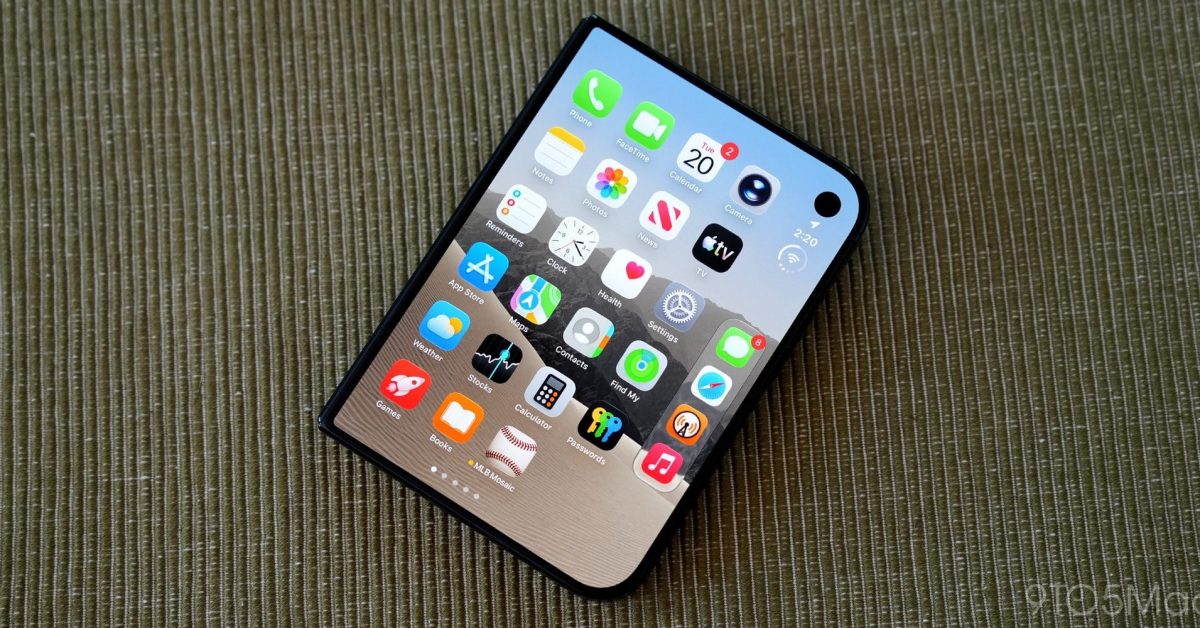
In today’s iOS 27.3 beta release, Apple is introducing two changes for iPhone Duo users. Most notably, it adds a new face recognition option that lets you unlock your iPhone Duo by looking at it. Apple is also adding an option to have your iPhone Duo lock when you close it. Face unlock comes to iPhone Duo You can enable the new option to unlock your iPhone Duo with the front camera in Settings, under Touch ID & Passcode, after updating to iOS 27.3. When enabled, your iPhone Duo will unlock after recognizing your face. In the Settings app, Apple says: Use the front camera, along with a recent Touch ID or passcode authentication, to quickly unlock iPhone Duo when it’s closed. Face recognition data never leaves your device. This isn’t Face ID. This new option on iPhone Duo uses the front camera on the outer iPhone Duo display to recognize your face. The iPhone Duo doesn’t have the hardware needed for Face ID. Because this isn’t as secure as Face ID, Touch ID, or your passcode, Apple has implemented a few guardrails. First, the setting only works to unlock your iPhone Duo. To use Apple Pay, access your passwords, unlock apps, and do other things that require authentication, you’ll have to use Touch ID or enter your passcode. This face recognition feature also has a time-based limitation. After 45 minutes of inactivity, you have to authenticate with Touch ID or your passcode. That is, if you go 45 minutes without unlocking your iPhone Duo, the facial recognition feature is disabled until you enter your passcode or use Touch ID. Finally, this new feature also doesn’t work when using the iPhone Duo unfolded. When unfolded, you still have to use Touch ID or your passcode to unlock the device. Lock when closed Second, iOS 27.3 adds an option to lock your iPhone Duo when you close it. You can enable this in Settings, under Display & Brightness. Once enabled, your iPhone Duo will lock when you fold, rather than transition from the inner display to the outer display. Many iPhone Duo users (myself included) have said Apple should do this. Personally, I’ve been using a shortcut to mimic this behavior, but I’m glad to see that Apple has listened to user feedback and added a default setting for it. My favorite Apple deals right now: Apple Watch Series 12: from $329 (Reg. $399) AirPods Pro 3 $179 (Reg. $249) M5 MacBook Air Up to $250 off M6 Mac mini: up to $150 off Order the new Apple TV 4K and HomeView Follow Chance: Threads, X, and Instagram FTC: We use income earning auto affiliate links. More.
iOS 27.3 adds new face unlock feature for iPhone Duo
Full Article
Original Source
Read the full article at 9to5mac →KhanList aggregates and links to publicly available news content. We do not host full articles from third-party sources. Always verify important information with original sources.