
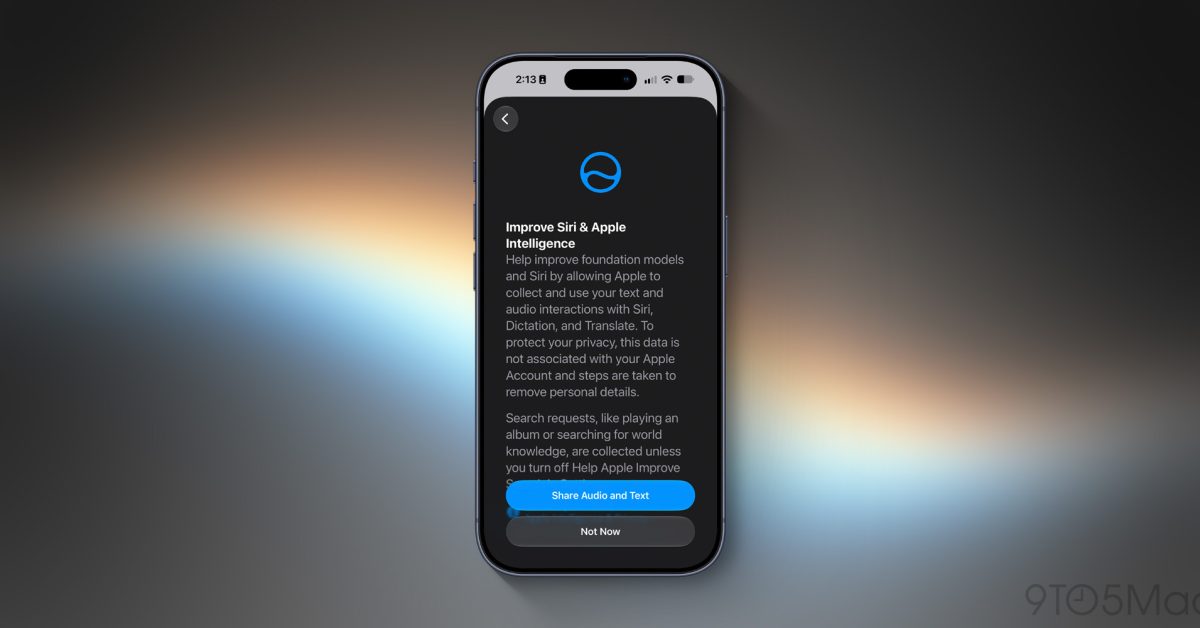
After several months of beta testing, Apple released Siri AI to the public today as part of iOS 27 and its other OS updates. During setup, users will see a new prompt asking whether they’d like to opt in to improve Siri and Apple Intelligence. Here’s what that means. Before today, users were asked during setup whether they wanted to help improve Siri and Dictation. If they opted into that, audio and transcripts from Siri and Dictation would be shared with Apple. Starting today, when a user enables Siri AI, they will see a setup screen asking whether they want to opt in to “improve Siri and Apple Intelligence,” with two options: “Share Audio and Text” or “Not Now.” Apple says: Improve Siri & Apple Intelligence Help improve foundation models and Siri by allowing Apple to collect and use your text and audio interactions with Siri, Dictation, and Translate. What’s important to note here is that nothing is changing about the type of data Apple collects if you opt in to this setting. What’s changing is that Apple will now use the data to train and refine its Foundation Models, as well as Siri and Dictation like before. Even people who previously opted in under the old setting will be asked again when they enable Siri AI. This gives them an opportunity to reevaluate their preference now that the data will also be used to train Apple Foundation Models. When asking users if they’d like to opt in, Apple makes its privacy protections clear. The company says that Siri audio data, transcripts, and related data are tied to a “random, device-generated identifier that rotates multiple times per hour.” It is not tied to your Apple Account or email address. Apple does not use the data to build a marketing profile or sell it to anyone. You can change your preference by going to Settings > Privacy & Security > Analytics & Improvements > Improve Siri & Apple Intelligence, and toggling it on or off. Apple has also published a new support document detailing these settings across all of its platforms. My favorite iPhone 18 Pro accessories | Official Apple cases: Silicone, Clear, and TechWoven Apple Wrist Strap for iPhone and AirPods Apple 40W Dynamic Power Adapter with 60W Max USB-C cable with built-in LED display Beats Woven USB-C in many colors Follow Chance: Threads, Bluesky, Instagram, and Mastodon. FTC: We use income earning auto affiliate links. More.
iOS 27 adds new opt-in setting for sharing data to improve Apple’s Foundation Models
Full Article
Original Source
Read the full article at 9to5mac →KhanList aggregates and links to publicly available news content. We do not host full articles from third-party sources. Always verify important information with original sources.