
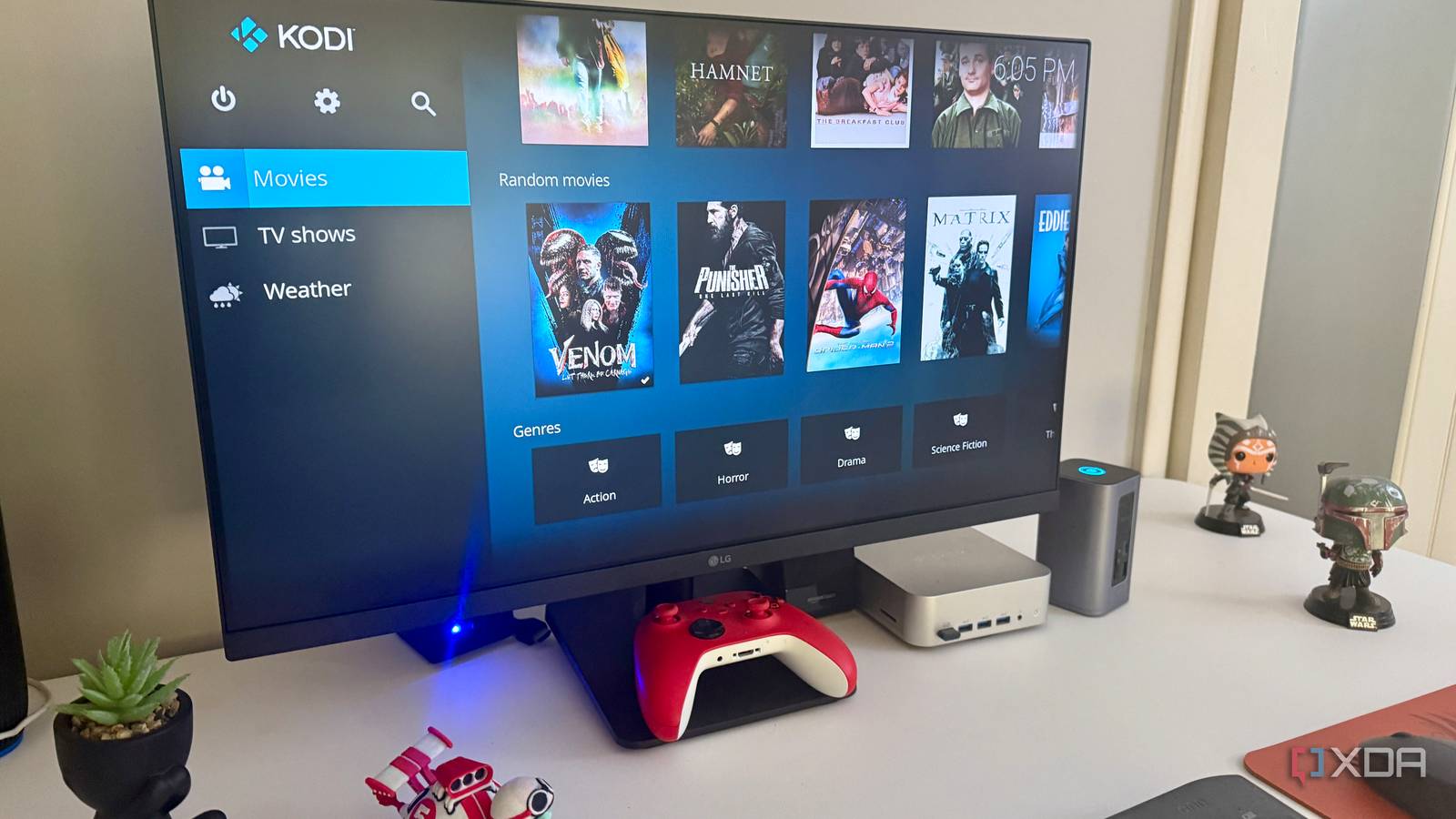
Whenever self-hosted media comes up, the conversation almost immediately turns into a Plex-versus-Jellyfin debate. I’ve had that discussion plenty of times myself, and there are good reasons for it. Both are excellent media servers with very different ideas about how the experience should work. Still, the more I’ve used Kodi alongside that kind of setup, the stranger its absence from the conversation has become. If you stop assuming every media collection needs a server in the middle, Kodi turns out to cover quite a bit of ground that neither Plex nor Jellyfin is really trying to cover. Kodi starts with your files instead of a server That simple difference changes how the whole setup works The first thing I had to get out of my head about Kodi was the assumption that I needed to build something behind it. You can point it at a local drive, an SMB share, an NFS share, or another supported source and let it build a library from what's already there. There's no need to install a separate server, create users, or maintain another service just so one TV can browse a folder full of movies. Once I stopped treating Kodi like another Plex or Jellyfin client, that simplicity made a lot more sense. That distinction sounds minor on paper, but it's noticeable when you're actually setting things up. Plex and Jellyfin expect a server to catalog media, expose the library, track users, and handle tasks like transcoding, even if you only care about watching files on one screen. Kodi can open the shared file and play it. I've built enough unnecessary services around perfectly ordinary tasks to appreciate software that doesn't make me add another one unless I actually need it. It also means your media doesn't have to revolve around one permanent server. Kodi can pull from network shares, local storage, removable drives, or several sources at once without making any of them the center of the setup. That's handy for secondary systems, temporary boxes, or a collection you don't care enough about to fold into a larger library. Sometimes I want a media folder to show up nicely on a TV, and Kodi is unusually comfortable with that level of ambition. Kodi gives you far more control over playback The player itself is a big part of the appeal Plex and Jellyfin have become very capable playback platforms, but their clients still feel like clients because that's exactly what they are. Kodi puts much more emphasis on the device doing the actual playback, and I notice that every time I start digging through its options. Audio tracks, subtitles, display behavior, library settings, and interface choices are all right there, rather than split between the client and whatever the server is doing behind the scenes. You can absolutely spend too much time tweaking Kodi, and I have, but at least the knobs are there when something annoys you. The customization also goes much deeper than changing a background or rearranging a row of shortcuts. Skins can substantially change how the library is presented, while add-ons can extend the media center without requiring me to spin up another container somewhere else. Kodi also handles music, photos, live TV integrations, and other media from the same general interface. Plex and Jellyfin touch some of those areas too, but Kodi feels much more focused on the media center itself than on making everything orbit a server. That approach clicks particularly well with hardware dedicated to a single screen. If I've got a box connected to a television, I don't necessarily want to think about which other machine is serving it, whether a particular client exposes some setting, or what the server thinks should happen. I want the box in front of me to handle playback well and give me control over what I see. Kodi does that without bringing the rest of my network into the conversation every time I want to watch something. Kodi can also make Plex and Jellyfin better It works surprisingly well as the front-end layer This is where the usual Plex-versus-Jellyfin framing starts to fall apart. Kodi doesn't have to replace either of them because it can also serve as the interface for a server-based setup. Depending on how you configure it, you can keep the centralized library you already built and use Kodi for playback on a particular system. Once I looked at it that way, the question stopped being which platform had to win. A media server and a media player aren't really solving the same problem anyway. Jellyfin might be exactly what you want for organizing a household library, separating users, and making the same collection available across different devices, while Kodi is still the interface you prefer on one television. The same basic logic applies if Plex is already doing the server work. There's no prize for forcing every screen in the house to use the same client just because the files ultimately come from the same place. You don’t have to choose between Kodi and a media server. Kodi can still serve as the playback interface on a particular device while Plex or Jellyfin handles the centralized library, users, and remote access elsewhere. That flexibility is probably the part of Kodi that gets overlooked most often. It can run as a standalone media box, browse ordinary network shares, or act as the front end for media managed elsewhere. You can even mix those approaches instead of choosing one and rebuilding everything around it. Asking whether Kodi can replace Plex or Jellyfin everywhere is less useful than asking which parts of your setup actually benefit from having a server. There are good reasons Plex and Jellyfin dominate Server features still matter once you leave home regularly None of that changes the fact that Plex and Jellyfin are better fits for many setups. Once several people and devices need consistent access to the same library, centralized user accounts, watch history, remote access, server management, and transcoding stop being optional conveniences. Kodi can fit into that environment, but it isn't trying to be the entire backend. If I were building a personal streaming service for several people, I'd still want an actual media server to handle that work. The gap becomes even clearer when you're away from home. Plex or Jellyfin can sit in one place and keep the library available while phones, tablets, computers, and streaming boxes connect from elsewhere. That's a straightforward model, and once it's working, it's easy to see why people stick with it. Kodi's strengths are much easier to appreciate when the device and storage are on the same network, or when remote streaming isn't the main goal. There's also no pretending Kodi is always the easier option. Plex, in particular, has spent years smoothing out the client experience, while Jellyfin has grown a broad base of clients without abandoning its open-source approach. Kodi can present a lot of options, especially once you start exploring skins, add-ons, network sources, and deeper playback settings. I like having those choices, but there have definitely been times when I would've preferred one obvious button and fewer menus to navigate. That limitation doesn’t make Kodi the lesser option Kodi solves a broader set of local media problems Where I think the comparison goes wrong is treating remote streaming and centralized management as the only things that matter. Much of my media use happens in the same house, with storage already on the network and no need to transcode or route requests through another layer. In that situation, Kodi's lack of a mandatory server isn't something I have to work around. It's one less thing I have to maintain for a job that didn't require it in the first place. I also like that Kodi doesn't force every device to follow the same architecture. One television can use Kodi directly with a NAS; another device can use a Jellyfin client; and a laptop can access the same files another way if that's what works there. I've become less interested in making every piece of a home lab look perfectly uniform just for the sake of it. If the storage is accessible and each device has a good way to play the media, that's usually enough. More importantly, Kodi handles local media tasks that Plex and Jellyfin aren’t focused on. It's a full media-center environment with direct file access, substantial interface control, extensibility, and the option to work with server software rather than replace it. That's a broader job description than serving a library to a collection of remote clients. Judge Kodi only by how well it copies Plex or Jellyfin, and most of the interesting parts are left out of the comparison. Kodi deserves more credit than the server debate gives it Plex and Jellyfin deserve their popularity, and choosing between them still matters if you're building a centralized media server. I've used that model enough to know how useful it is, but I also don't think every screen or every pile of media needs to be pulled into it. Kodi can skip the server, browse network storage directly, turn one device into a deeply configurable media center, or sit in front of the server you already have. I keep coming back to it because I don't have to reorganize everything else to find a useful place for it. That's why Kodi feels oddly missing whenever the self-hosted media argument starts up again. It isn't better than Plex or Jellyfin at doing exactly what they were built to do, and I don't think it needs to be. Kodi solves a different, and in some ways broader, set of playback problems by starting with the device in front of you rather than the server somewhere else. The next time someone asks me whether Plex or Jellyfin is the better choice, I'm probably going to be annoying and ask whether they actually need either one. Kodi Kodi is such a capable media streaming platform that you may not need Plex or Jellyfin if your main concern is simply playing your movies at home.
In the Plex vs Jellyfin debate, everyone forgot the media player that works without either
Full Article
Original Source
Read the full article at Xda-developers →KhanList aggregates and links to publicly available news content. We do not host full articles from third-party sources. Always verify important information with original sources.