
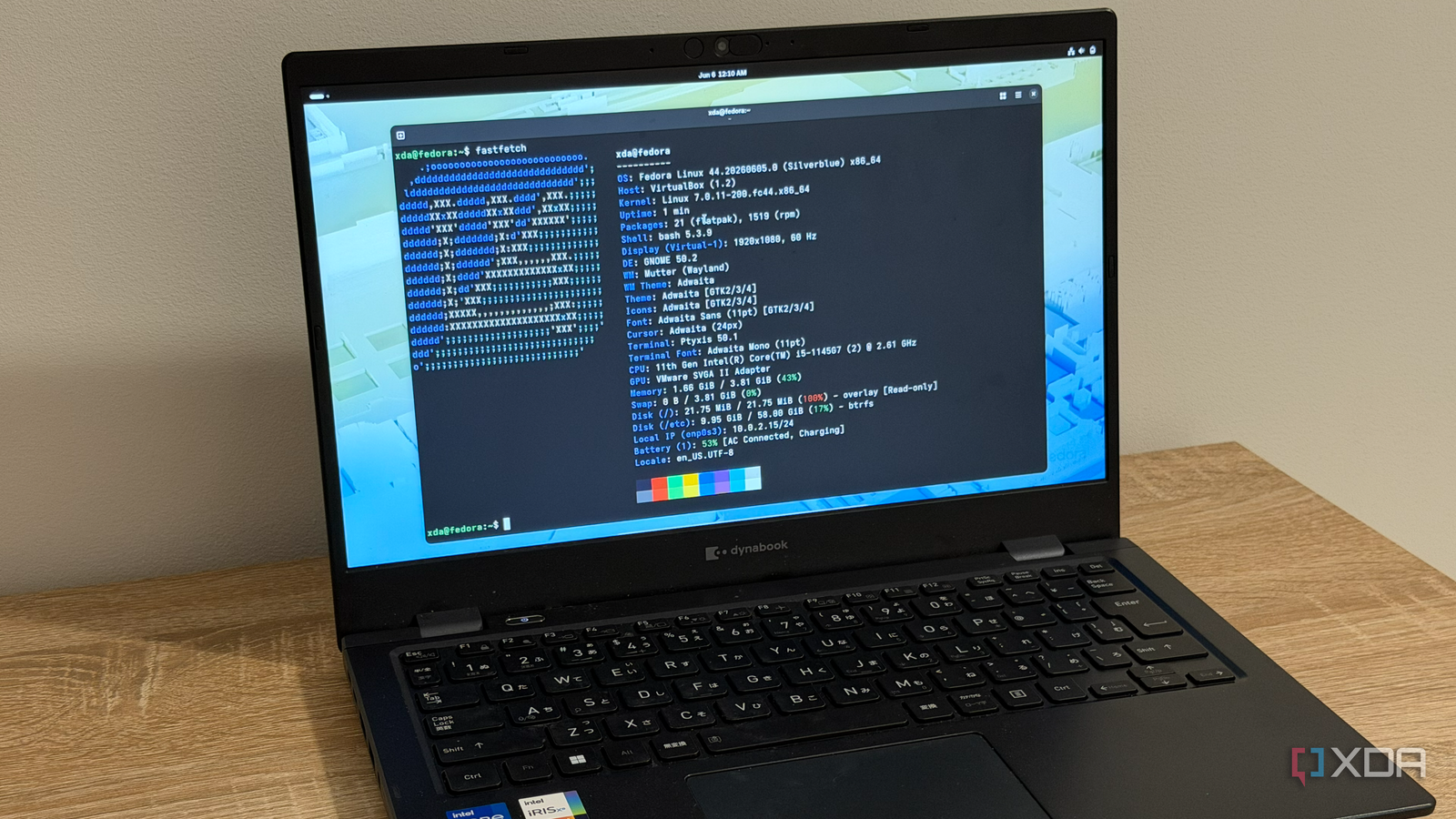
Published Sep 13, 2026, 9:00 AM EDT Simon is a Computer Science BSc graduate who has been writing about technology since 2014, and using Windows machines since 3.1. After working for an indie game studio and acting as the family's go-to technician for all computer issues, he found his passion for writing and decided to use his skill set to write about all things tech. Since beginning his writing career, he has written for many different publications such as WorldStart, Listverse, and MakeTechEasier. However, after finding his home at MakeUseOf in February 2019, he would eventually move on to its sister site, XDA, to bring the latest and greatest in Windows, Linux, and DIY electronics. I remember when I first learned about immutable distros. I'm a big fan of Fedora operating systems, and one day, I decided to check out all the spins you can download. One of them was Fedora Silverblue, the immutable GNOME version of the operating system. I had no idea what an immutable OS was, and the more I researched what they were, the more convinced I was that they were a flat downgrade to a mutable one. So, of course, I had to see what the fuss was about. I gave Silverblue a spin, and while all of the downsides were just as I imagined them, navigating around them was far easier than I expected. Not only that, but I actually came around to love immutable distros and what they stand for. On paper, immutable distros sound like a terrible idea... I didn't know why they were even a thing at first If you're not sure what an immutable system is, it's when an operating system doesn't allow anything to edit the system files. The benefits of this are that installers and software don't dig through your system files and fill them with crud, meaning your computer stays quicker for longer and doesn't require nearly as many reinstalls to keep things fresh (if any). It's also pretty good against malware, because the immutable distro has a policy that nothing can edit the system files, so there are no higher permissions a virus can exploit to worm its way in. The cost here is that an immutable distro bars everything from the system files; yes, even you. This means that installing apps the regular way is off the table, such as downloading installers or using a repo via your terminal. It also means you're not allowed to tweak the system files in any way. If you do need to install software, you need to go through a layering process, which is a bit more complex than just hitting "install" or typing in a command. So, you get a system you can't edit and can't install specific apps on without doing a strange layering process. In exchange, you get...less gunk in your system files. Didn't seem worth it to me. How was I meant to even run my favorite apps on an immutable distro if it would block everything? ...in practice, they're far easier to handle than I expected Within a week, I was eating crow over my previous opinions Well, I was partly right. Sure enough, if I wanted to use something you can't download anywhere else (like fastfetch or Docker), I had to go through the layering process. It took a little longer, and working out how to remove them again was a bit of a pain, but once they were layered into the OS, I didn't have to worry about them anymore. But what about my daily driver software, like my browser, my social media apps, and my games? Well, it turns out that the solutions Linux has had for years now work just fine in my immutable environment. If it was on Discover, it was an easy grab; the Flatpak runs in a container, so it didn't need to install itself or tweak the system files at all. If it wasn't on Discover, I could use the AppImage instead. All I had to do was grab Gear Lever from Discover, and suddenly, getting AppImages properly registered on my system became a breeze. Before long, I had all my comfort apps installed and had properly settled in with the immutable life. I no longer felt the downsides of using it, and because of that, I was ready to reap pure reward. Immutable systems often come with an atomic architecture It's something I didn't consider when I first downloaded Silverblue There is one other thing that makes an immutable system great. These distros usually—but not always—use an atomic method for downloading updates. After all, its immutable nature means that a system updater physically cannot alter the core files, meaning the atomic way is the easiest method for handling upgrading the OS. An atomic OS doesn't install the new updated files over the old ones. Instead, it creates a whole new snapshot that includes the new files and keeps the previous snapshot around. When you reboot your PC, all your distro does is 'change the tracks, ' so instead of loading into your previous snapshot, you load into the new one. Because there's no need to edit the system files, zero screens ask you to wait while it sorts out an update during a restart. You download the new files, reboot normally, and when you return, you're on the new files. If something goes wrong, the previous snapshot is still on your system, so you can just tell your distro to swap back to it for the time being. Immutable systems are well worth a try if you haven't At first, immutable systems sound like more hassle than they're worth. However, once you've gotten used to them, you have a nigh-unbreakable OS that rarely needs reinstalling, if ever.
Immutable Linux distros sound terrible on paper, but a month of Silverblue proved me wrong
Full Article
Original Source
Read the full article at Xda-developers →KhanList aggregates and links to publicly available news content. We do not host full articles from third-party sources. Always verify important information with original sources.