
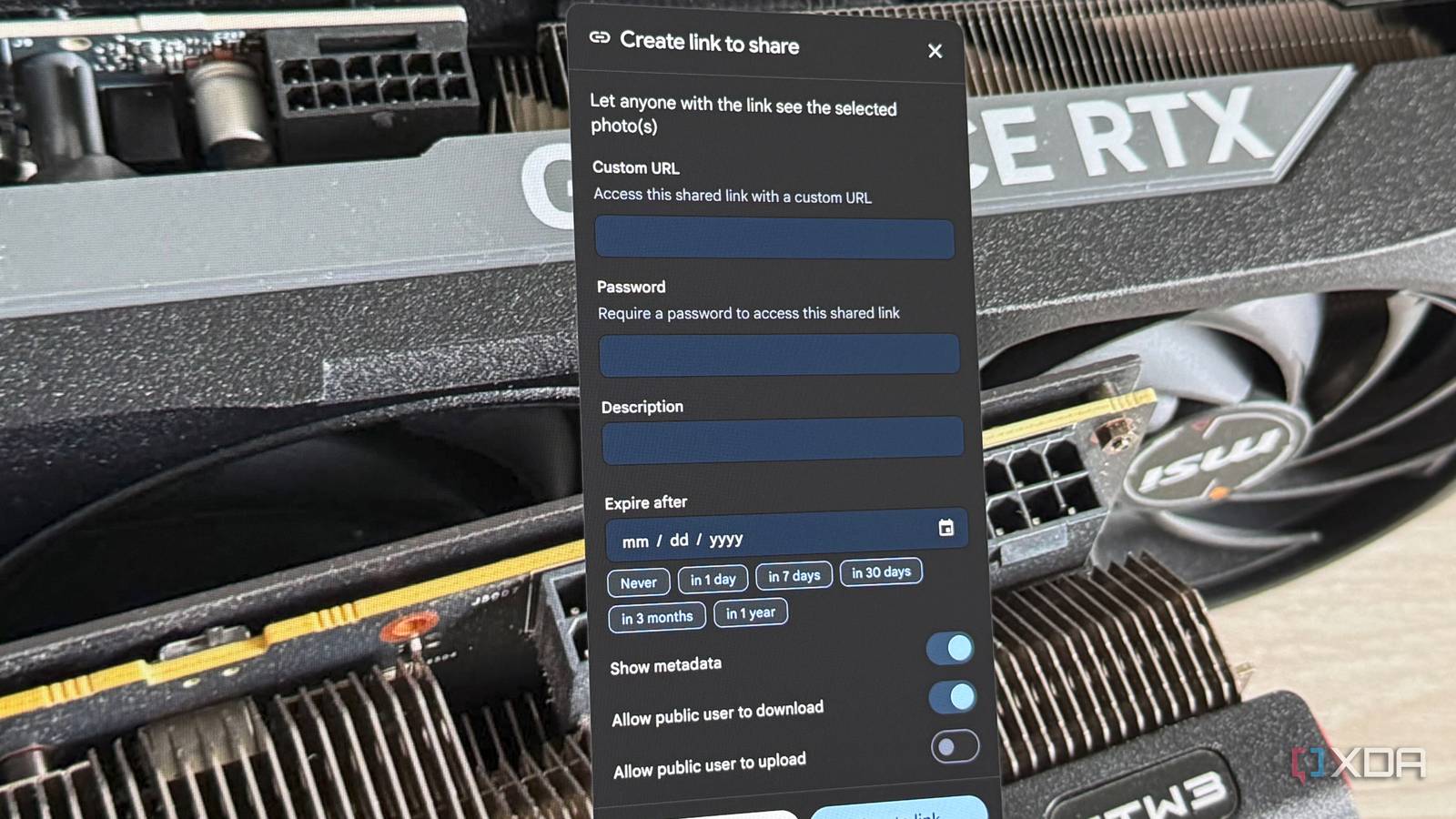
Published Aug 27, 2026, 7:31 AM EDT His love of PCs and their components was born out of trying to squeeze every ounce of performance out of the family computer. Tinkering with his own build at age 10 turned into building PCs for friends and family, fostering a passion that would ultimately take shape as a career path. Besides being the first call for tech support for those close to him, Ty is a computer science student, with his focus being cloud computing and networking. He also competed in semi-pro Counter-Strike for 8 years, making him intimately familiar with everything to do with peripherals. After a large family event or outing, I would often be hounded for any photos that I or others had taken, and the usual process of sharing those photos involved sharing large-ish files over email, with a Google Drive link, or if they were on my phone, sent through iMessage, which rips through everyone's storage. I recently started self-hosting Immich to replace my monthly storage subscriptions, and while the experience has been great for me individually, it's arguably been better for my friends and family who don't even store their own photos on my server. Sharing photos with one link has been a game-changer, and it's one of Immich's most underrated features. Immich sorts the photos, so the link is the easy part A few clicks and I'm done Credit: Immich supports sharing through the created accounts on the service itself, but beyond that, it is possible to share photos with a single link. In any album or selection of photos, you can create a custom link with a custom URL, and the latter approach is especially useful in this context. My Immich instance will use the GPU in my home lab to run facial recognition on any photo I upload. This helps immensely with sharing, because it means I can simply sort by that person, select all of those photos from the event in question, and share them with a link. I don't even have to create an album—all that's necessary is a selection. Everyone can have a gallery of their own without me needing to handpick a ton of images and send them piecemeal. Each link I create gets a long, random key in the URL. If it weren't for the reverse proxy and authentication I have setup, that's all that would be standing between the photos and the public, so if you don't intend on putting a password on it, treat that link with care. When you create a link, you can also add an expiration, toggle whether metadata is shown, and choose if visitors can download and upload. You can change the slug as well, which is useful. One configuration note for anyone whose links come out weird: the external domain field in server settings overrides the origin Immich uses when it builds a share URL. If you always access Immich at its public hostname, the link inherits that host correctly, but if you create links while browsing over the LAN, you'll get a private IP address in the URL and a confused relative. You can also substitute your public hostname in for any links created on the local LAN and it'll work. Your family sees a clean, polished gallery The Immich experience in a browser is solid When a family member opens the link and types the passwords, they see all the photos and videos in whatever browser they have it open in. There's no account creation and no app install required. They get a scrolling gallery that's intuitive with all the features Immich is known for, and that's perhaps the biggest difference between this and a large zip file sent to the family. If family members do want to download, if the files are large enough, the archives get split into 4GB chunks. They can also upload photos of their own to the shared album if you wish to enable it with the toggle. Uploaders cannot delete what they upload, however. The link is only as good as your remote access This is all predicated on your server's remote access capabilities Here's the catch with all of this: if your Immich instance isn't exposed, the link you share with your family will resolve to nothing. Your server much be reachable externally. This isn't a trivial requirement either, especially if you're behind CGNAT like I am. No routable address means no port forwarding, but it doesn't mean I can't self-host at all. My workaround is a VPS running a self-hosted NetBird instance, which houses Traefik. The VPS handles the routing, and the NetBird instance handles one portion of the authentication. Users must use a password to access the Immich instance, and then once they reach the instance, another password is required to open the share. This is a little confusing to the less computer savvy, but it's better than exposing your entire library to the internet with only Immich's authentication measures standing in the way. When I'm not actively sharing any links, I simply turn the Immich resource in NetBird to "NetBird Only access", which allows me to completely close the door to anyone who isn't connected as a peer to the VPN mesh. Putting everyone on the VPN is certainly the most secure option, but for mass sharing to those who don't even know what VPN stands for, this might be asking a lot. It beats zipping a folder and sending it out one-by-one There's quite a bit of technical legwork that will need to happen if your Immich instance isn't ready for external access, but once it is, it's the best way to share photos. One link, locked down with a couple of complex passwords, and you can pick and choose which photos go to which people. No more Google Drive links, and no more massive attachments sent via messaging apps!
Immich has a hidden feature you're not using, and it changed the way I share photos with family
Full Article
Original Source
Read the full article at Xda-developers →KhanList aggregates and links to publicly available news content. We do not host full articles from third-party sources. Always verify important information with original sources.