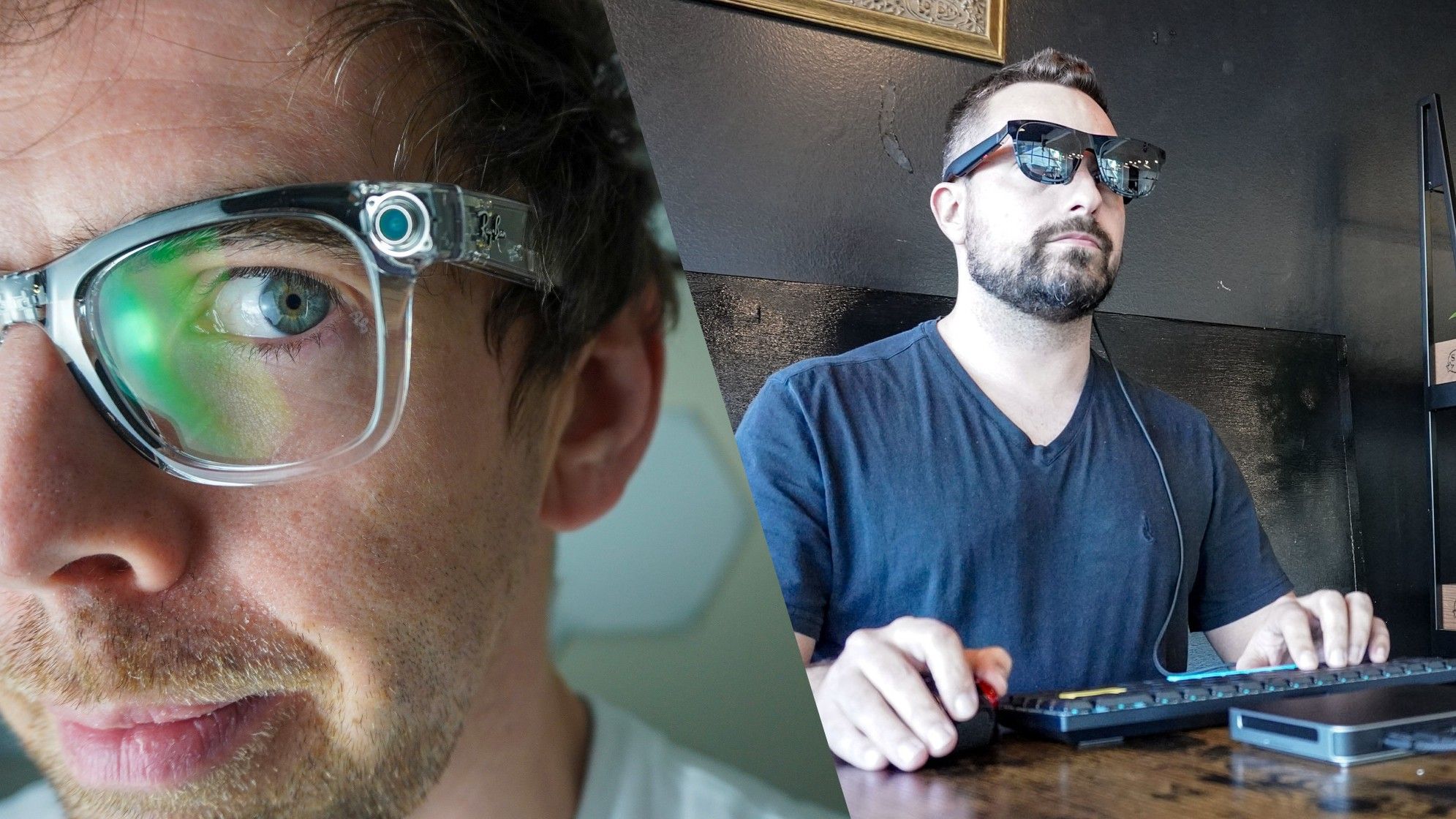
(Image credit: Tom's Guide) Following the success of Meta’s Ray-Bans and with Google's Intelligent Eyewear right around the corner, smart glasses suddenly feel inevitable. However, growing privacy concerns around these so-called ‘pervert glasses’ make the glassholes of yesteryear feel like a welcome throwback.If it wasn’t for the tech industry's obsession with slapping AI onto everything from electric toothbrushes to bird feeders, maybe there wouldn’t be such a push to add cameras to smart glasses. Now that big tech firms have seen what they’re capable of, though, of course we need two or even three cameras strapped to our faces at all times.Unfortunately for myself and others, the best smart glasses aren’t the only high-tech eyewear in town. Unlike a pair of Oakley Meta Vanguards or Rokid Glasses that can capture the world around you in crystal clear video, the specs I prefer are designed to do just the opposite. Instead of recording video, these devices — often marketed as AR or XR glasses — act as a massive private display that sits inches from your face. Best Smart Glasses of 2026 | Best Athletic, AI, Affordable and More! - YouTube Watch On From your favorite shows and movies to video games or browser tabs from your work laptop, these wearable displays are a game changer for both entertainment and productivity. However, as backlash continues to grow around camera-equipped smart glasses, I’m worried that wearing any high-tech frames in public won't be met with the same enthusiastic reactions I’ve received in the past.That’s a real shame, because I don’t leave home without my Xreal One or Viture Luma Pro glasses when traveling, and they’re just as useful around the house.A truly private workspace (Image credit: Tom's Guide)Back when I first tested out the original Khadas Mind mini PC, I couldn’t get over the fact that you could power it via USB-C as opposed to using a bulky power adapter. That got me thinking: could I turn it into a portable workstation I could take with me anywhere? Sure, I could’ve just plugged in a portable monitor and called it a day—but where’s the fun in that?I’m always looking for new devices to test out, so with the help of my colleague Jason England and Xreal’s legendary Ralph, I soon had a pair of AR glasses in hand to complete my vision. I’d tried VR headsets in the past with limited success, but once I donned a pair of Xreal One glasses, it was a perfect fit — both for my face and my workflow.Get instant access to breaking news, the hottest reviews, great deals and helpful tips.Armed with a massive power bank, that pocketable mini PC, and my AR glasses, I was able to take my portable workstation everywhere. And I did. After working at a coffee shop near my house and on a plane to and from New York for the unveiling of the Nintendo Switch 2, I did the unthinkable: I left my laptop at home and relied on this novel setup for an entire week at Computex in Taiwan.Doing so made on-the-ground reporting slightly more difficult, but I didn’t regret my decision one bit. In fact, while working in the press room at the conference, a Taiwanese TV crew actually came up and asked to interview me about them. It was a completely different reaction than the side-eyes you’d get with a pair of camera-equipped smart glasses. (Image credit: Tom's Guide)The secret to the setup's simplicity is USB-C DisplayPort Alt Mode. A single cable delivers both video and power to these wearable displays, keeping them remarkably lightweight since they don't need internal batteries or constant charging. You just plug them into a compatible device and you’re instantly greeted with a massive screen that’s far larger than what you’d get on any portable monitor or laptop.These glasses have another trick up their sleeve, too. Thanks to electrochromic dimming, the push of a button lets you switch from an immersive, blacked-out background to a completely transparent lens. Transparent displays have always seemed like a piece of science fiction we’d eventually get in our homes. Now, not only did I have one, but I could wear it on my face. It’s like VR passthrough, except instead of a camera feed replacing reality, you're looking right through the glass at the world around you.Big-screen on the go (Image credit: Tom's Guide)Keeping yourself busy or entertained on a long flight has always been a struggle. Sure, you can poke around for something to watch on the in-flight entertainment system or pull out your laptop, but both come with downsides. Constant announcements from the flight crew interrupt your movie right when it gets good, and with a laptop, you’ve always got a neighbor peeking over your shoulder at your screen.With a pair of wearable displays, only you can see what’s on screen. They come equipped with built-in speakers, though on a plane, I usually route my device's audio through a pair of Bluetooth earbuds instead. At home, though, it’s a whole different story. (Image credit: Tom's Guide)After unboxing those Xreal glasses, the very first thing I did was plug them into an iPad mini. Even though Apple doesn’t make specs like these, it just worked. Suddenly, I was watching YouTube videos blown up to massive proportions without having to configure or adjust a single setting. All I had to do was plug them in to get a full home theater experience strapped to my face.That’s another massive perk of wearable displays: they’re platform agnostic. Whether you’re running one of the best MacBooks, a Windows laptop, or an Android tablet, you’re good to go as long as the device has a USB-C port with DisplayPort Alt Mode. In an increasingly overcomplicated tech landscape, dealing with a truly plug-and-play device feels like a breath of fresh air. (Image credit: Tom's Guide)The same plug-and-play simplicity applies to handheld gaming on devices like the Steam Deck or Asus ROG Xbox Ally too. Plug the glasses in, and it instantly feels like you're playing on a massive TV while using the handheld as a controller. You can't do that natively with a PS5 or Xbox, but companies like Xreal and Viture have come up with clever dock-like workarounds.Returning to that Switch 2 reveal — while I loved most of the upgrades Nintendo made to its new handheld, one design choice left me scratching my head. Having an extra USB-C port on top of the device for charging is great, but that secondary port isn’t capable of standalone video output. (Image credit: Tom's Guide)That’s where Viture’s Pro Mobile Dock comes in. Pair it with a set of AR glasses, and I was able to play Mario Kart World on a virtual 135-inch display while sitting poolside on vacation. When the day wound down, everyone else gathered around the hotel TV while I kept that same big-screen setup going indoors. Electrochromic dimming came in clutch here, too — a quick push of a button let me check my surroundings without ever having to pause the game.Smarter isn’t always better (Image credit: Tom's Guide)Don’t get me wrong, I completely understand both the appeal and the privacy concerns of smart glasses. Having a mobile device that can see and help you interact with the world around you also sounded like science fiction just a few years ago. Now, it’s a reality whether or not we’re prepared to meet it.From traveling to just documenting your day to day life from a first-person perspective, there are definitely people who can really benefit from a pair of smart glasses. Right now though, they’re still very much in their adolescent period. Google Glass stumbled so that the Meta Ray-Bans and Intelligent Eyewear could run. However, while you may very much like your new smart glasses and everything they can do, others around you definitely might not.In a world where everyone is glued to their smartphones and recording tons of videos at concerts they’ll never watch again, smart glasses could help bring a bit more reality to our digital lives. The problem is that, as we’ve seen, safeguards like recording LEDs can easily be bypassed. Meta and even Samsung are working on ways to address this but like we saw with Apple’s iPhone and now with AI, there will always be a jailbreak.Personally, I’m holding out for smart contact lenses because by that point, all of the kinks and stigma of wearing smart glasses will hopefully be worked out. In the meantime, I love that I can just plug in a cable and have one large 16:9 or even an ultrawide screen anywhere I go.Saved by a wire (for now) (Image credit: Tom's Guide)Ironically enough, at a time when every gadget in my desk setup is wireless, the wire that connects my display glasses to whatever device I’m using is actually their saving grace. While people might have qualms about others wearing a pair of smart glasses out in public or even around their house, that visible relic is a telltale sign that I’m not recording what they thought was a private interaction.Given that Xreal, Viture, and others have been making display-equipped glasses like this for some time now, I don’t think they’re going to drastically mix up the formula anytime soon. It’s just a shame that such a useful productivity and entertainment accessory is now mixed up in this whole camera-equipped smart glasses debate over a naming convention.When you’re watching a film in your glasses or playing a game, you’re not really extending reality. Instead, you’re escaping it for a few minutes here and there — so "XR glasses" doesn’t really work. Likewise, you’re not augmenting it either, which is why "AR glasses" falls short too. I get that companies wanted that instant name recognition you’d get from associating their product with VR, but I still wish there was another name for these particular kinds of glasses. Display glasses is the most accurate, but that doesn’t roll off the tongue either.For now though, I’m going to keep wearing mine in public because that’s where I find them the most useful. I’ll just continue to do so with their cord clearly visible. Follow Tom's Guide on Google News and add us as a preferred source to get our up-to-date news, analysis, and reviews in your feeds. Subscribe to Tom's Guide on YouTube and follow us on TikTok.More from Tom’s GuideI wore Ray-Ban Meta Display smart glasses to watch the Super Bowl halftime show — and understood Bad Bunny in real timeI found a free Mac app that solves the worst thing about USB-C cablesTested: Xreal Aura DOES work with Nintendo Switch over USB-C — but they won’t tell me how they did it Anthony Spadafora is the managing editor for security and home office furniture at Tom’s Guide where he covers everything from data breaches to password managers and the best way to cover your whole home or business with Wi-Fi. He also reviews standing desks, office chairs and other home office accessories with a penchant for building desk setups. Before joining the team, Anthony wrote for ITProPortal while living in Korea and later for TechRadar Pro after moving back to the US. Based in Houston, Texas, when he’s not writing Anthony can be found tinkering with PCs and game consoles, managing cables and upgrading his smart home.
I'm worried smart glasses might ruin wearable displays — and of course it's the cameras
Full Article
Original Source
Read the full article at Tomsguide →KhanList aggregates and links to publicly available news content. We do not host full articles from third-party sources. Always verify important information with original sources.