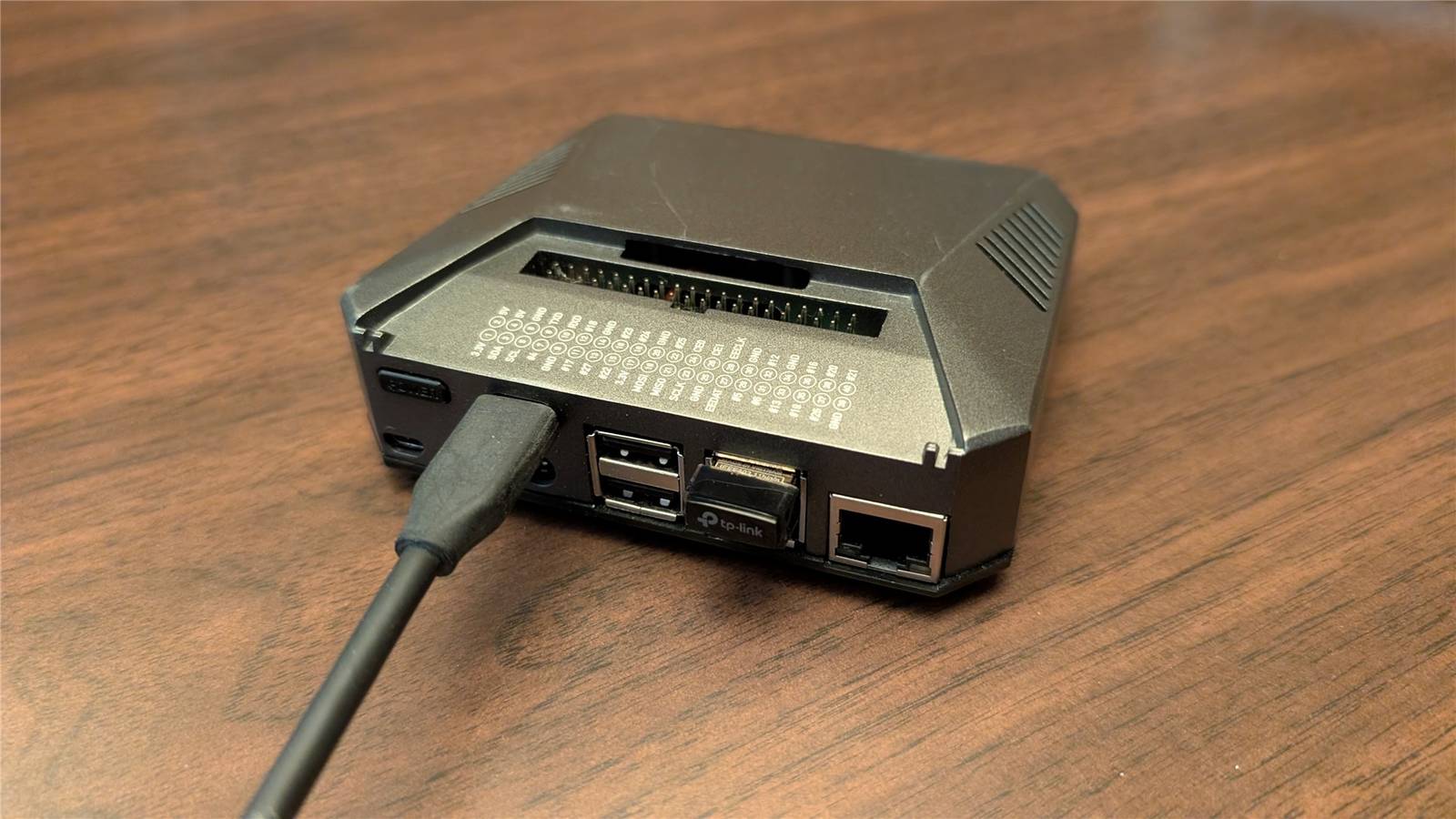
Published Aug 7, 2026, 7:00 AM EDT Nick Lewis is an editor at How-To Geek. He has been using computers for 20 years --- tinkering with everything from the UI to the Windows registry to device firmware. Before How-To Geek, he used Python and C++ as a freelance programmer. In college, Nick made extensive use of Fortran while pursuing a physics degree. Nick's love of tinkering with computers extends beyond work. He has been running video game servers from home for more than 10 years using Windows, Ubuntu, or Raspberry Pi OS. He also uses Proxmox to self-host a variety of services, including a Jellyfin Media Server, an Airsonic music server, a handful of game servers, NextCloud, and two Windows virtual machines. He enjoys DIY projects, especially if they involve technology. He regularly repairs and repurposes old computers and hardware for whatever new project is at hand. He has designed crossovers for homemade speakers all the way from the basic design to the PCB. Nick enjoys the outdoors. When he isn't working on a computer or DIY project, he is most likely to be found camping, backpacking, or canoeing. Between work and my own hobbies, I basically always need access to a PC. So, after a recent power outage, I decided to repurpose an old Raspberry Pi and an Anker Power Station to work as a small backup Linux desktop in an emergency. Despite the meager hardware specs, it actually works better than I'd hoped, and I can still use it for my other projects in the meantime. I used a Raspberry Pi 4 And some essential peripherals For this setup, I've paired a Pi 4 B (8GB) with a SSD in an external USB enclosure, a small portable monitor, and a few other essential peripherals. Since the goal is to be able to function without power or internet during an outage, I've also taken an offline-first approach to software. I installed LibreOffice, Joplin, and migrated a bunch of media files over so I wouldn't rely on streaming or my local media server, which is going to be off. When it isn't working as a backup desktop, I use the exact same setup for testing low-power Linux distros, some self-hosted applications, and more—a backup desktop doesn't need to tie up your equipment permanently. Why the Pi 4 wins on watts and on power delivery The Pi 5 is certainly more performant than the Pi 4, but the Pi 4 consumes less in terms of pure power. The Pi 4 has an idle draw around 3 watts (W) (with peripherals), and the Pi 5 can reach nearly 9W under load, while the Pi 4 tops out around 7W. Because of that limitation, the Pi 4 will happily run on a standard 15W power supply, while the Pi 5 theoretically requires up to 27W. Depending on which battery bank you use for a backup, that could be an issue. The Pi 4 runs comfortably off a USB-C port on my power bank, which is actually an important way to minimize power draw. I'd get a Pi 5 if I were doing this over again Of course, the Pi 5 is between two and three times faster than a Pi 4, which tends to be most obvious when you're launching apps or booting up. It also has a PCIe lane that can be exposed via an optional hat, which is incredible if there are any high-speed devices in the mix. The extra power used—and larger power supply requirement—are probably worth the tradeoff if you can get a Pi 5 at a reasonable price. However, I already own a PI 4, which made the cost proposition a no-brainer. Everything runs on a battery and some solar The battery alone runs for days; the solar makes it last indefinitely If you're buying new, you should size your battery against a measured draw or the maximum theoretical draw, not a runtime chart provided by the manufacturer. They tend to be optimistic, which can be a problem for something you rely on. For example, assuming my whole setup pulls 12W, a 1000 watt-hour battery will be able to power things for 83 hours, or about 3.5 days. The same battery would be able to run my desktop for only a few hours (if I'm lucky) or a laptop for a day or so. Watch out for the inverter Large power stations usually have two very different types of output: AC and DC. DC outputs include things like USB type A, USB-C, and 12-V auxiliary power (cigarette lighter) ports. Those ports tend to have fairly little overhead. AC ports are a completely different situation. Batteries output DC power, which means that your power station must first convert DC to AC before you can actually use it. The conversion process uses an inverter, which can easily use 10W to 30W while it is idle but switched on. When they're in use, conversion isn't perfect either. Some energy is lost during the process, often between 5% and 15% of the total draw. So, if you're powering a device that only requires 10-12W DC, the overhead from the AC inverter could triple your energy consumption. You should run the Pi directly from the station's DC or USB-C output and leave the inverter off unless you actually need it. The solar panels let me run indefinitely I have five 100W solar panels that I can attach to my battery whenever I need them, which produce more than 5x as much as my setup's real-world draw in a 24-hour period. In practice, that gives me margin to cover cloudy days without worrying about running down the battery. A Starlink Mini keeps me connected The Mini consumes more power than the rest of the system I have a Starlink Mini on hand for emergencies and when I travel anywhere without cell service. It has proven to be indispensable when there is an outage and I need to get online to check for updates or work. The Starlink Mini draws somewhere around 20W while operating, but it can surge up to 60W while it first acquires a signal. Just like the Pi (and any other devices, really), you should run the Mini directly off of DC if you can. Depending on your system, you may have a USB-C port that can meet its power requirements. Otherwise, a cigarette lighter port is probably your best option. On the road or during emergencies I initially cobbled together my solar-powered Pi with a powerbank for emergencies, but I've also used the same setup on the road a handful of times. The Pi can also function like a media server, a NAS, a VPN, and a Pi-hole if you set up your storage correctly. Even if you're using a laptop rather than a Pi, the same general principles apply. Use power-saving mode when you can, and try to minimize your network usage. Cellular, Wi-Fi, and Bluetooth all add to your power draw. Additionally, if you can charge your laptop using a USB-C port rather than the power station's AC port, you should—it'll make a noticeable difference in your battery life.
I'm preparing for my next power outage by turning a Raspberry Pi into a super-low-power desktop PC
Full Article
Original Source
Read the full article at Howtogeek →KhanList aggregates and links to publicly available news content. We do not host full articles from third-party sources. Always verify important information with original sources.