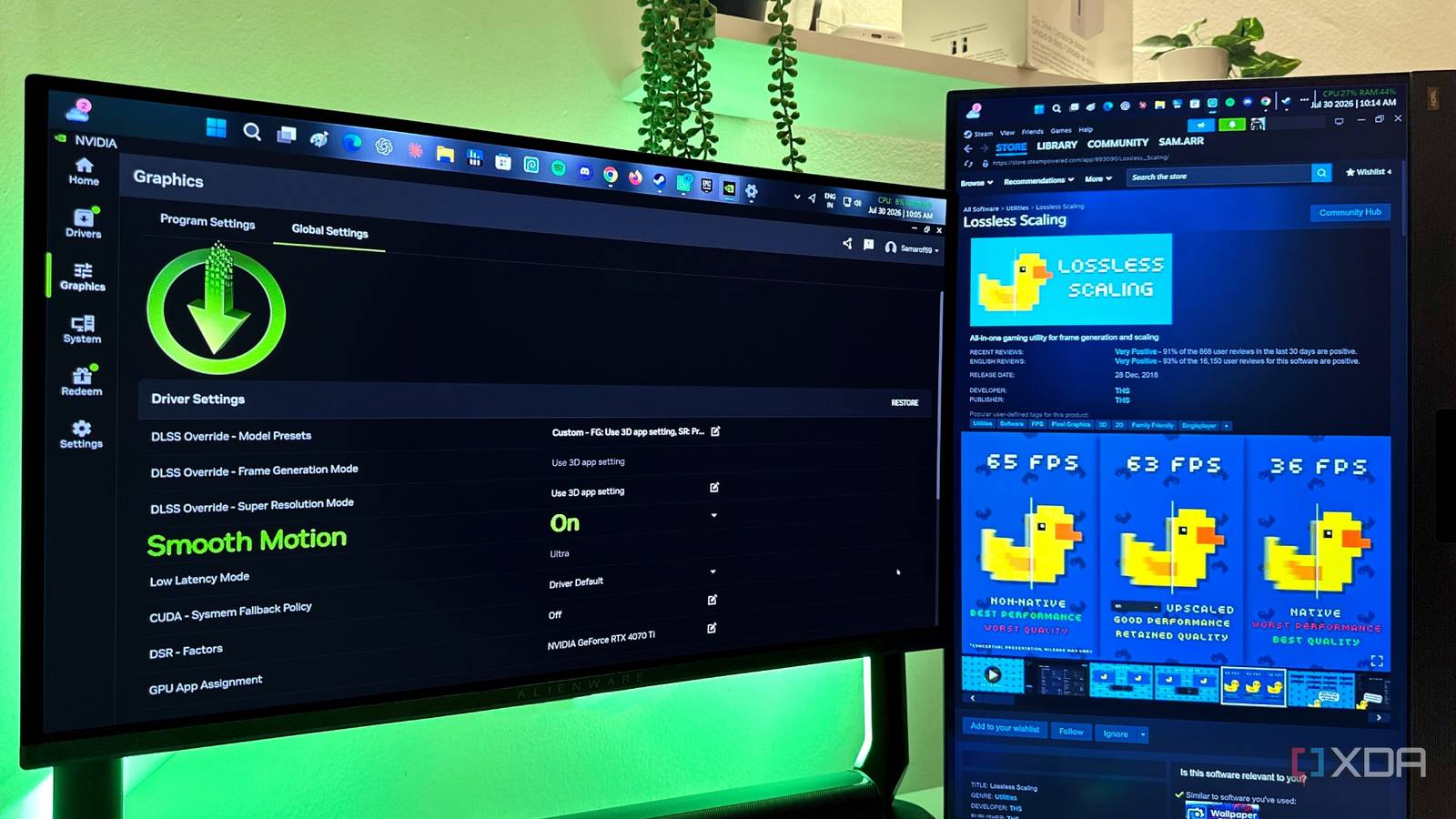
Published Jul 31, 2026, 2:30 PM EDT Gaming has been Samarveer’s greatest passion, and the Literature graduate in him takes immense joy in dissecting games for their themes, messages, and impact. Samarveer holds a deep appreciation of gaming, and considers the platform to be the most immersive and impactful across all media. He can be found engaging with gaming communities online, always ready to debate the finer points of ray tracing or itching to write an 8-page collegiate thesis on any game that impacts him emotionally. Summary Nvidia’s Smooth Motion on my RTX 40 replaced the need to buy Lossless Scaling. I use Smooth Motion for old DirectX games, newer titles, and many indie games. Lossless Scaling still helps most PCs without frame-generation GPUs; for me it's redundant. Despite having an RTX 40 series GPU that supports 2x DLSS Frame Generation, I'd always assumed that I'd still have to buy Lossless Scaling. After all, barely any games released before 2022 support native frame generation, and even fewer released before 2020 support DLSS upscaling. That's why, for a handful of dollars on Steam, Lossless Scaling has built a reputation for being a no-brainer, non-negotiable purchase for any self-respecting gamer. Nvidia, however, had other plans for me, as they expanded the previously RTX 50 series-exclusive Smooth Motion to RTX 40 series GPUs as well. I'd already spent enough time testing the feature to know exactly what it could and couldn't do. The more I used it, the more I realized that the one feature that made Lossless Scaling so appealing was just sitting there inside the Nvidia App, without costing me another cent. I almost bought Lossless scaling until Nvidia made the decision for me I was about to pay for something I already had Lossless Scaling has certainly earned its reputation for good reason. It offers upscaling, frame limiting, performance overlays, HDR support, and plenty of tweaking options for enthusiasts who enjoy dialing in every last setting. Of course, if we're being honest, universal frame generation has always been Lossless Scaling's biggest selling point, and that's the one feature Smooth Motion effectively replaces for me. That's why it fills a surprisingly large gap while revisiting a decade-old classic, firing up an emulator, or even playing a modern title that doesn't ship with native frame generation. Plus, for the $7 entry fee, Lossless Scaling has always been a ridiculously easy recommendation. It had been sitting in my Steam cart for months, and it was only ever a matter of time before I ended up purchasing it. However, Nvidia brought Smooth Motion to RTX 40 series GPUs, and just like that, any reason I had to buy Lossless Scaling disappeared. Since both technologies generate intermediate frames without access to game engine motion vectors, they ultimately solve the same problem, meaning I had no reason to buy an app whose entire USP was a duplicate of a feature my GPU already offered. Smooth Motion covers almost every scenario I care about The universal frame generation tool I already owned Smooth Motion has been out on the RTX 40 series for a year now, and yet, I had never treated it as anything more than just a fallback. It's only now that I've realized just how versatile Smooth Motion is, especially in older DirectX games that never received modern upscaling features, newer titles without native frame generation, and even a ton of indie games. Moreover, since it's injected at the driver level instead of relying on any official developer support, I've been enabling it in exactly the same situations where most users would instinctively recommend Lossless Scaling. In a handful of games, I even managed to stack Smooth Motion on top of native 2x Frame Generation. This is definitely not a guaranteed trick, and compatibility between Smooth Motion and Frame Generation is hit or miss, but when it does work, the result is effectively 3x frame generation without touching a third-party application. That's the entire point here for RTX 40 and 50 series users — there is zero friction in getting driver-level frame generation, because Smooth Motion lives inside the Nvidia App and requires a simple toggle that takes a few seconds to turn on. Lossless Scaling, on the other hand, will always remain a third party application that you have to install, configure, keep updated, and launch alongside your games. Lossless Scaling is still an easy recommendation for over half of the Steam user base Just not for my graphics card anymore It's worth remembering that native frame generation is still limited to a relatively small slice of the PC gaming market. Today, that's the RTX 40- and 50-series GPUs with DLSS Frame Generation, Radeon RX 6000- and 7000-series cards with AMD Fluid Motion Frames, and Intel's Arc Battlemage, Alchemist, Core Ultra, and Core Ultra 2 GPUs with XeSS-FG. Some Radeon APUs also support AFMF, but they are mixed with other non-RDNA APUs from AMD in the Steam Survey. That's precisely why Lossless Scaling continues to earn every bit of its reputation with its frame generation tech. According to the latest Steam Hardware and Software Survey, over 57% of Steam users have GPUs that aren't the aforementioned graphics cards. For those users, Lossless Scaling is the easiest way to breathe new life into demanding games without spending hundreds of dollars on a hardware upgrade. I just happen to fall into the smaller group of 34.4% users (with RTX 40 and 50 series cards) that Nvidia handed an alternative as compelling as Lossless Scaling, and that too, for free. Had Smooth Motion never arrived on my RTX 4070 Ti, Lossless Scaling would've been installed in my Steam Library with over a hundred hours logged. Gigabyte GeForce RTX 5070 Ti Eagle OC Ice SFF An upgrade I haven't had to buy Lossless Scaling is a genuinely useful tool that fills a gap in older systems, and for RTX 40- and 50-series users, that problem has already been solved and shipped with a GeForce driver update. If another utility comes along tomorrow and genuinely does something that my hardware can't, I would be more than happy to pay for it. Until then, however, I'd rather spend my money on games instead of duplicate features I already have.
I'm never paying $7 for Lossless Scaling, because the Nvidia App offers its best feature for free
Full Article
Original Source
Read the full article at Xda-developers →KhanList aggregates and links to publicly available news content. We do not host full articles from third-party sources. Always verify important information with original sources.