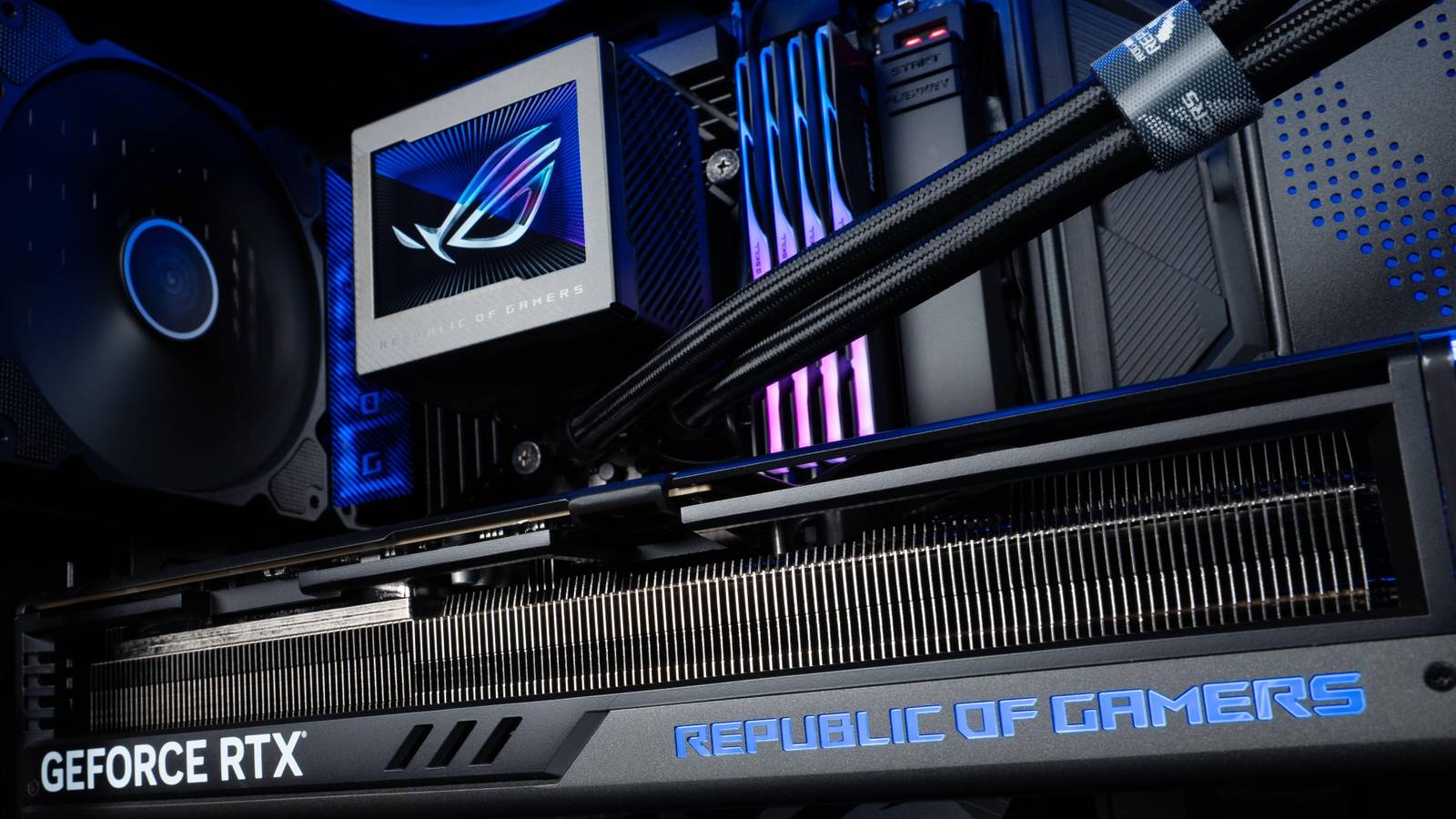
Published Aug 7, 2026, 5:30 PM EDT Abhinav pivoted from a career in banking to pursue his first love in writing. Even while working full-time, he continued contributing as an editor-at-large, a role he has held for more than 7 years. A lifelong tech enthusiast who has built three gaming and productivity powerhouse PCs since 2018, his passion for technology keeps him closely following the semiconductor industry, from NVIDIA and AMD to ARM. His MSc dissertation explored how artificial intelligence will reshape the future of work, reflecting his curiosity about the wider social impact of emerging technologies. Assembling a PC is perhaps the most exciting undertaking an enthusiast looks forward to, right from the moment they buy the first component that goes into it. I've been through that same exhilarating feeling countless times, and each time, the journey has been as rewarding as the first. It also means dealing with the less-exciting parts, though, and cable management is something no one looks forward to. My first build, a 2019 mid-tower ATX, ended in a jungle of wires I could barely close the panel over. So, in 2024, I went in a little wiser, picking up a dual-chamber chassis with a modular PSU, which should've given me all the space I needed. I got cocky, rushed it, and ended up with something Linus Sebastian would refer to as "a rat's nest" on the other side. I am confident, though, that the third time's the charm, because the answer to this problem has got to do with the motherboard, and choosing the right one decides more than the aesthetics. And I have found just the right solution to this problem. I've built two PCs for myself, and cable management beat me both times Managing the clutter is not for the faint of heart Before assembling their first build, nearly everyone goes through a YouTube explainer to not make any catastrophic, expensive errors. What most of these explainers would never warn you about, however, is that cable management isn't something that gets easier with experience. In 2019, when I assembled my first ATX build, I went in not knowing any better, and was just happy to hit the POST screen, with no regard for aesthetics, airflow, or temperature management. This happened to be something that reflected in my choice of components, too. A mid-tower ATX form-factor coupled with a non-modular power supply in an era with huge dependence on wired SATA SSDs as secondary drives meant that, once the whole thing was assembled, I'd be lucky to just get the back-panel shut in place. With a little bit of luck and a lot of cable ties, it did, but it was nowhere near optimal. Looking back, the rig ran hotter than any PC with a Ryzen 5 3600 and an RTX 2070 Super had business running. In hindsight, the cable management may have had something to do with it. Five years later, I was better prepared. I went for a dual-chamber Corsair 2500X to exile the clutter to the second compartment, and a modular PSU, so I'd only have to run what I used. Overestimating the amount of space I had, I installed 9 non-daisy-chainable fans, and a dozen other RGB connectors. When I was done, all the clutter from the first compartment had moved to the other side, and I still struggled to get the back panel shut in place. This is something that made me realize that no amount of practice, zip ties, or cable management discipline would fully resolve the issue. What I needed was a motherboard that would eliminate the need for additional wires in either compartment in the first place, and hide the clutter where necessary. Such a solution already existed, in the form of back-connect motherboards. Back-connect motherboards do more than just look good Improved airflow, better building experience, and more headroom for peripherals Source: ASUSSource: Gigabyte Although the clean, minimalist look inside the chassis would itself make for an excellent selling point for anyone eyeing this motherboard, it's not the only reason I'm interested in one for my next build. There are a few major things that you get with a back-connect motherboard, and each of them has a role to play in how your PC feels (while you're building it), performs (when you're done building it), and provides you with (long after you're done building it). First and foremost, the airflow gets even more unobstructed. Experienced builders will know that any amount of reduction in the internal chassis means a net increase in the air that hits your motherboard, and in the process, the VRMs. This also provides more room for the GPU's fans, which end up performing better in consonance with the case fans owing to the lack of obstruction. Then, of course, there's the build itself. With power delivery, fans, USB connectors, and front-panel connectors all behind the tray and away from sight, you're plugging cables where nothing needs hiding. It wouldn't help me escape from all cable management, per se, but it'll certainly make it more manageable. And then lastly, there is the matter of the peripheral upgrade headroom, and it's the part that convinced me that this isn't just a pure aesthetic nightmare kind of issue, but rather a functionality problem. Of the three RGB hubs I've installed in my current build, only one is exposed and accessible. When I install a new peripheral that needs an RGB hub or a USB connector, I have to navigate an entire bird's nest to even run or pass through a simple connection. This actively discouraged me from installing an RGB strimer that would've been solved with a motherboard that exposes these connectors in a place where they are within reach. Aren't back-connect motherboards just moving the problem elsewhere? Not exactly, because there's one more trick Source: Gigabyte Anyone reading this would wonder that these motherboards, however aesthetically pleasing, serve no utility because they end up trading chassis space in one compartment and moving it to another. That's not necessarily true, and the reason for that isn't widely known, because it isn't widely marketed. Motherboard manufacturers are coming up with more unique and crafty ways to reduce reliance on visible wires for power delivery inside the PC. For example, Gigabyte's Project Stealth and ASUS BTF variants allow GPUs to draw power straight from the motherboard as they're slotted into the PCIe, thanks to secondary gold-finger connectors that allow for rear power delivery connections. They don't limit you to a particular GPU tier either, which was something I was concerned about, as both BTF 2.0 and BTF 2.5 standards deliver "up to 600 watts" through the board. For context, the most power-hungry consumer GPU, the RTX 5090, has a peak TDP of 575W under normal operating conditions. If you're great at cable management, you could still avoid the cost Of course, all the aspects of the back-connect motherboards sound great until one factors in the actual problem they're solving, and there's no two ways to look at it. Realistically, anyone who is great at cable management and doesn't mind the additional heat inside the chassis can forgo this upgrade path and perhaps invest in a better chip combination. But that's an argument that could be made regarding any aesthetically appealing product, whether it's a motherboard or any other peripheral. For me, it stands to eliminate a persistent headache in the build journey and provide more room for other peripherals that I may wish to add later, and given the fact that motherboards are cheaper than ever right now, the time is ripe for an upgrade.
I'm building a PC with a back-connect motherboard, so I'll never have to thread cables behind the tray again
Full Article
Original Source
Read the full article at Xda-developers →KhanList aggregates and links to publicly available news content. We do not host full articles from third-party sources. Always verify important information with original sources.