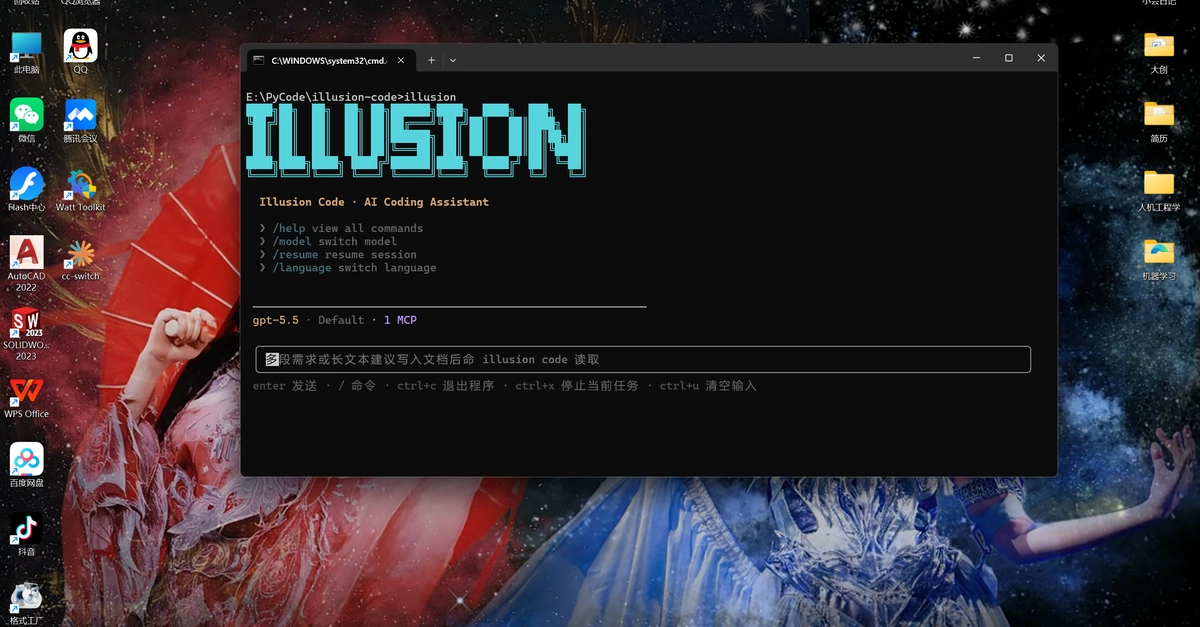
https://github.com/YunTaiHua/illusion-code 📖 Introduction IllusionCode is an open-source AI-powered command-line programming assistant that brings together the best ideas from many projects and adds its own innovations. It inherits Claude Code's complete prompt system and tool architecture, draws inspiration from OpenHarness's Python architecture design, uses the same Cron task scheduling architecture as OpenClaw, and implements flexible proxy routing through cc-switch. On this foundation, IllusionCode provides deep Windows optimization, full bilingual (Chinese/English) interface support, and more comprehensive Markdown terminal rendering than comparable projects. Core Features 🪟 Deep Windows Optimization - Auto-detect Git, PowerShell support, path compatibility optimization 🖥️ Zero Terminal Flicker - Stable rendering based on Ink Static component, suppressing resize event interference 🌍 Bilingual Interface - All CLI output automatically switches between Chinese and English based on ui_language setting 📝 Comprehensive Markdown Rendering - Box-drawing tables, rounded card-style code blocks, multi-color rich text, links and more 📂 Project-Level Config Friendly - Auto-generate skills, rules, mcp, plugins directories, project-level skills override global ones 🤖 Multi AI Provider Support - Anthropic Claude, OpenAI, GitHub Copilot, OpenAI Codex, and any OpenAI-compatible endpoint 🛠️ Rich Toolset - 34 built-in tools + MCP dynamic tool extension ⌨️ 51 Slash Commands - Covering session management, configuration, project operations, task scheduling, etc. 🧠 Multi-Agent Collaboration - 7 built-in specialized Agents, supporting task orchestration 🔌 Flexible Extension System - Plugins, hooks, skills, MCP servers 🔐 Comprehensive Permission Control - Three modes + fine-grained rules + Always Allow one-click approval 💾 Memory & Context - Project knowledge persistence and dynamic retrieval 🎨 Modern Terminal Interface - React + Ink component-based TUI Design Origins & Innovations Inherited from Claude Code: Complete injection of Claude Code's system prompts, tool definitions, permission model, and multi-agent coordination architecture, ensuring behavioral consistency. Inspired by OpenHarness: Python architecture design references OpenHarness's ideas. Cron Architecture Aligned with OpenClaw: The scheduled task system uses the same scheduler architecture as OpenClaw, supporting independent session execution, execution history tracking, and consecutive error monitoring. cc-switch Proxy Routing: Local proxy routing through the cc-switch reverse proxy tool, supporting request forwarding to different AI providers. Deep Windows Optimization: Auto-detect Git installation path, unified PowerShell and Bash tool processing, automatic path separator compatibility, out-of-the-box experience for Windows users. Zero Terminal Flicker: Uses Ink component architecture, static rendering for completed messages, dynamic rendering for streaming messages, completely solving terminal flicker issues. Bilingual Interface: All CLI output (auth, mcp, plugin, cron, session, etc.) automatically switches language via the i18n system based on the ui_language field. Language preference can be selected on first run. Comprehensive Markdown Rendering: Full rendering of box-drawing tables, rounded card-style code blocks, multi-color rich text (bold, italic, inline code, links), significantly improving AI response readability. Project-Level Config Automation: Auto-generate /.illusion/rules/ and /.illusion/skills/ directories, project-level configuration takes precedence over global configuration, facilitating team collaboration. 🚀 Quick Start Requirements Python >= 3.10 Node.js (for frontend TUI) Supports Windows, macOS, Linux Windows users: Auto-detect Git, no manual PATH configuration needed Installation git clone https://github.com/your-repo/illusion-code.git cd illusion-code uv sync Enter fullscreen mode Exit fullscreen mode Note: uv sync only creates a virtual environment within the project directory and does NOT register the illusion command globally in your PATH. To use illusion from any directory, use one of: # Option 1: Use uv run from the project directory cd illusion-code uv run illusion # Option 2: Activate the virtual environment first # Windows .venv\Scripts\activate # macOS / Linux source .venv/bin/activate illusion # Option 3: Install globally with pip pip install -e . Basic Usage First-time setup: Run uv run illusion auth login first to configure your API credentials. Without authentication (or if the model is unavailable), the program may exit with an error code. # First-time: configure authentication uv run illusion auth login # Start interactive session (recommended) illusion # Non-interactive print mode illusion -p "Analyze the structure of this project" # Specify model illusion -m env_1.model_2 # Continue most recent session illusion --continue # Restore specific session illusion --resume # Set permission mode illusion --permission-mode full_auto # Specify API format illusion --api-format openai Enter fullscreen mode Exit fullscreen mode
IllusionCode — A Python implementation of Claude Code
Full Article
Original Source
Read the full article at Dev →KhanList aggregates and links to publicly available news content. We do not host full articles from third-party sources. Always verify important information with original sources.