
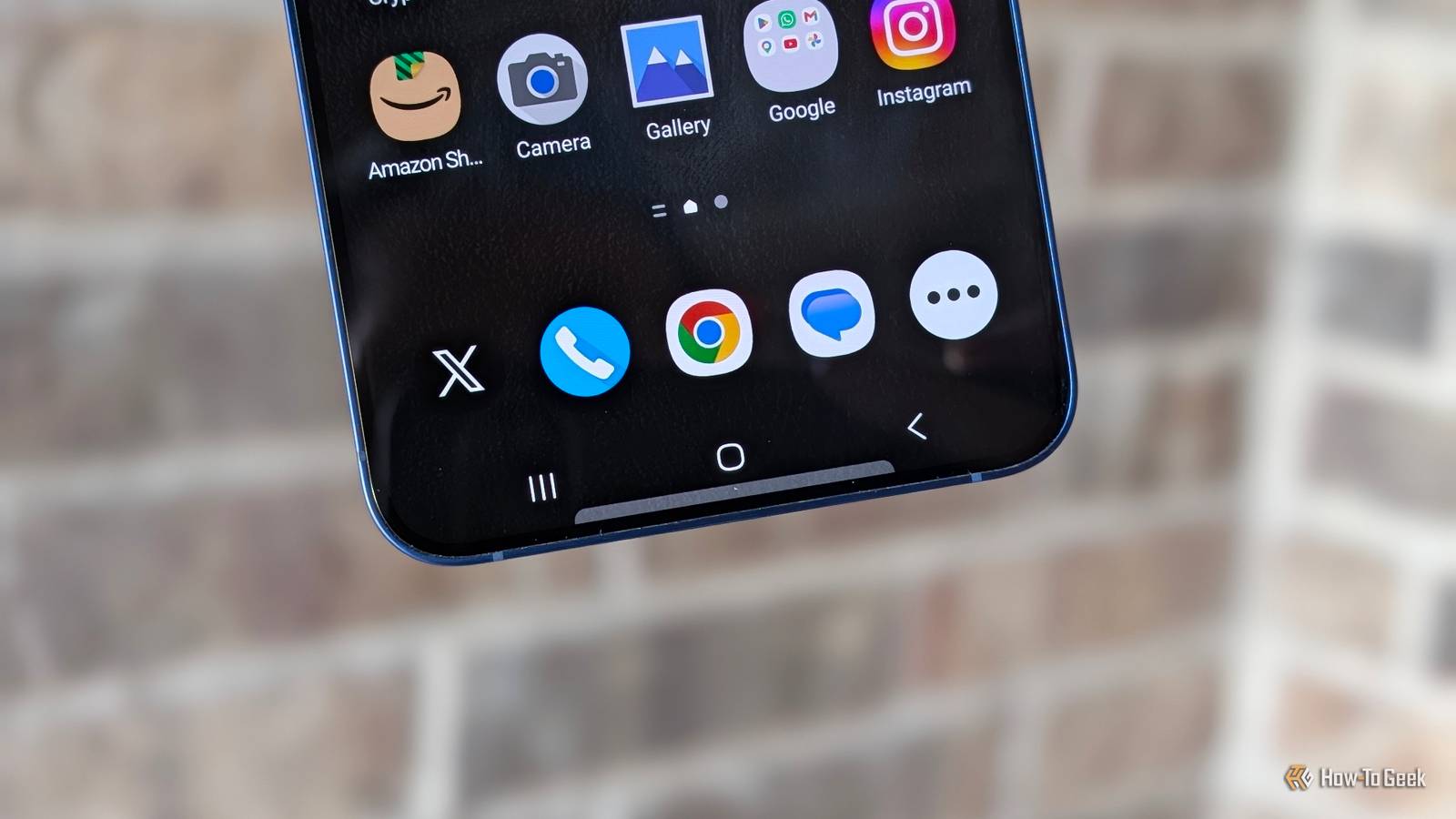
Published Nov 11, 2026, 9:00 AM EST Cory Gunther is a senior author and Newsletter Editor at Valnet, covering cutting-edge tech, Android, and more for How-To Geek. He's covered Android, cars, and technology for over a decade. When he's not reviewing the latest gadget, you can find him off-roading in his Toyota truck, fixing said truck, or doing something outdoors with friends and family. He's covered CES, SEMA, and MWC and reviewed countless phones, TVs, speakers, EVs, e-bikes, and more. Before Valnet, Cory worked for GottaBeMobile. His writing has also appeared on SlashGear, InputMag, and AndroidCentral. He's written over 9,000 articles. Full-screen gesture navigation was supposed to be the future when Google followed Apple's lead and added it to Android in 2018, but 3-button navigation is better, and I'd argue it's still objectively faster. Nothing beats the instant muscle memory of an actual dedicated button. Here's why I'm never giving them up. My co-workers call me a monster that needs to get with the times whenever I bring up the 3-button preference, but I know I'm not the only one. The 3-button layout doesn't break apps or accidentally trigger side menus, and no gesture will replace the double-tap fast app switching. There are several reasons I'll never switch to gestures, and here are a few. Fast app switching with the Recents button Like Alt+Tab on a PC, but better Credit: Justin Duino / How-To Geek Before I begin, if you're using gesture navigation on Android, likely because it was the default when you got your phone, here's how to switch back to the old button method. Head to Settings > System > Navigation mode. Or, for Samsung owners, go to Settings > Display > Navigation bar. Bonus tip: switch the back button to the right side, where it should be, instead of on the left. Ok, where was I? Multitasking! Every PC user knows the fastest way to switch between apps or windows is to press Alt+Tab, which instantly switches to your most recently used app. On a Mac, it's Command+Tab, and this is a functionality most people take for granted. On Android, if you're browsing the web, fire up Gmail or YouTube, then want to go back to your browser, simply double-tap the "Recents" button and it'll instantly take you back. It's magical, something I use dozens of times a day, and not possible with gesture navigation. This feature is one of the biggest reasons I'll keep saying that 3-button nav beats gestures every time. It's fast, easy, and works without fail. With gestures, you have to do this delicate song and dance with your thumb: swipe up toward the middle of the screen, but not too far, then let go, then swipe to your previous app, then tap. Talk about three steps backward. And sure, those with gestures can swipe left or right directly along the bottom navigation bar/line to cycle through recently used apps, but I've never found that reliable, and I've accidentally deleted entire text message threads or emails when it fails to register. What a hassle. 3-buttons are more reliable Muscle memory is a big deal I've never accidentally deleted a text thread while trying to multitask, because I have a button instead of a little nav bar at the bottom of the screen. Have you ever accidentally triggered a side button or menu with gestures, going back and completely wiping out a form you were filling out, or tried to do a specific gesture and ended up doing something else? Yeah, me too, back when I briefly tried gesture navigation. With Android's aging 3-button navigation, I know exactly what I'll get every single time. Going home is fast and easy, and I don't accidentally launch Samsung Wallet with the swipe-up gesture, because I have a dedicated home button on my screen. Hitting back is easy, precise, and done only when necessary. A big part of the reason I'm stuck in the past with these three buttons is that I'm a creature of habit, but it's also because they're more reliable. Muscle memory is a real thing, and when we use our devices hundreds of times a day, that muscle memory comes in clutch. Buttons are fast, easy, consistent, and never let me down. Circle to Search and using the keyboard Buttons are better I wanted to mention a few more reasons why I love Android's old 3-button navigation. For starters, one of the few AI features I genuinely enjoy on my phone is Google's Circle to Search. Whether I'm shopping, browsing the web, or looking at photos, a long-press on my home button instantly fires up Circle to Search, and I'll have results or answers in seconds. If you're using gesture navigation, you have to tap and hold that tiny navigation bar/line at the bottom of the screen to call up Circle to Search, and it's extremely inconsistent. Sometimes it just sends me home; other times it taps something on the screen instead of the bar — frustrating. Again, buttons are consistent. I know that's a nitpick, but I use this functionality far more than I ever expected. And finally, I love having a dedicated button to collapse the on-screen keyboard when I'm filling out a form or doing other tasks on my phone. It's a well-known pain point on both iOS and Android when using gestures, especially since Android doesn't always show the little "down arrow" to dismiss the keyboard. And I don't always trust the back gesture to dismiss the keyboard, but that's just me. Leave my buttons alone You can pry the Back, Home, and Recents buttons from my cold, dead thumbs. They only became the default to follow Apple's footsteps and, sure, to offer a full-screen, edge-to-edge experience in our pockets. But these days, our phones are bigger than ever, and I'd much rather have my reliable, fast, and accurate buttons take up a tiny bit of space than fumble with gestures. At the end of the day, it's all about personal preference. I still find 3-button navigation to be the better, more intuitive option.
I'll use Android’s 3-button navigation until the day I die
Full Article
Original Source
Read the full article at Howtogeek →KhanList aggregates and links to publicly available news content. We do not host full articles from third-party sources. Always verify important information with original sources.