
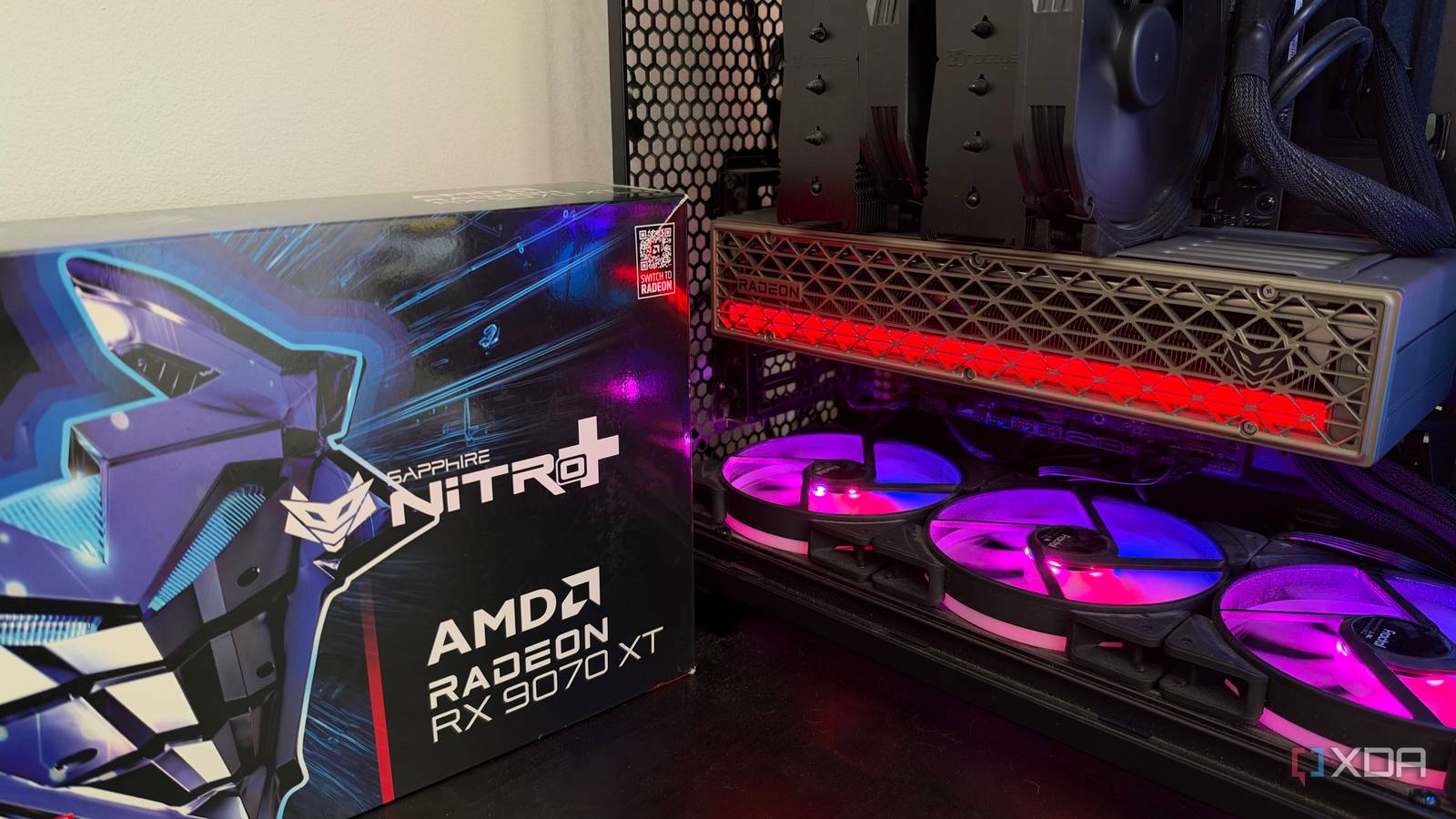
Published Sep 24, 2026, 4:30 PM EDT His love of PCs and their components was born out of trying to squeeze every ounce of performance out of the family computer. Tinkering with his own build at age 10 turned into building PCs for friends and family, fostering a passion that would ultimately take shape as a career path. Besides being the first call for tech support for those close to him, Ty is a computer science student, with his focus being cloud computing and networking. He also competed in semi-pro Counter-Strike for 8 years, making him intimately familiar with everything to do with peripherals. Building a PC from entirely new parts in the current hardware landscape is a tall ask if you're on a budget. RAM is the headline cost, with kits costing double or even triple what they used to for the same capacity, but GPUs have also become incredibly pricey, and it's easy to feel numb to that if you're an enthusiast. GPUs have been selling for well above MSRP far more than they've been selling near those prices, but there's one card in particular that stands out. It, too, sells at above its launch MSRP, but it's impossible to ignore the value proposition. AMD's Radeon RX 9070 XT is far and away the best bang-for-buck GPU available at the moment if you're buying new and targeting high-resolution, high refresh-rate gaming. It certainly has its software warts compared to its direct competitor, the RTX 5070 Ti, but it beats it so handily on price that it's difficult to justify the extra cost. The price gap is just too wide The RTX 5070 Ti costs over 50% more for single-digit gains At launch, the RX 9070 XT and the RTX 5070 Ti were priced within $150 of each other. Whether you were actually able to buy either card at those MSRPs is another question, but those were the prices on paper. With regard to performance, they're really close, but most recent gaming benchmark data puts them within a few percent of each other. Hardware Unboxed's recent 52-game retest comparing the two GPUs in May 2026 corroborated that, with the RX 9070 XT just behind the RTX 5070 Ti by a few average frames in both 4K and 1440p. 9070 XT at 1440p 5070 Ti at 1440p Premium at 1440p 9070 XT at 4K 5070 Ti at 4K Premium at 4K Launch MSRP ($599 vs. $749) $4.37 $5.39 +23% $7.40 $8.92 +21% Current ($749 vs. $1,149) $5.47 $8.27 +51% $9.25 $13.68 +48% Looking at pure cost-per-frame based on Hardware Unboxed's numbers, the Radeon card wins at its original MSRP, but the numbers get quite stark once you look at current pricing. You can find an RX 9070 XT for anywhere between $750 and $850, but any RTX 5070 Ti you look at will be at least $1,150—and that's if they're in stock at all. The savings here are crucial for the rest of your build The RX 9070 XT enables you to get the parts you want elsewhere in your build Roughly, you'll save around $400 by buying the Radeon card with current pricing, which you can pocket and choose the parts you were going to choose with the 5070 Ti, but if you want to spend that $400 on your build, it can make a massive difference. That $400 can be the difference between running single-channel or dual-channel DDR5, a bigger SSD, a CPU upgrade, or even a monitor resolution bump. All of those can be truly transformative for your day-to-day usage experience, especially leveling-up the RAM and CPU. The difference between something like a Ryzen 7 9700X and a Ryzen 7 9850X3D in CPU-bound games can be truly night-and-day, and two DDR5 sticks versus one can be just as big of a leap in certain scenarios. Certainly bigger than a few percent, that's for sure. The software conversation needs to be had In 2026, you're buying a software suite, not just a graphics card There's an elephant in the room, and that's the software and driver stack of both cards. Nvidia drivers have certainly had their issues since the launch of Blackwell, but since then, it's largely been smooth sailing for most RTX owners. As someone who daily-drives an RTX 5080, there have been a few hiccups with specific driver versions, but they're remedied relatively quickly, and the day-to-day use of things like the Nvidia App and all the ecutraments of the Green Team software stack is smooth. Then there's AMD's drivers and software stack, which mostly has feature parity, but is just a bit rougher around the edges, and that can be said for many parts of the experience. For starters, myself and many other users experience driver timeouts consistently, and the cause is difficult to nail down. It can be a conflicting program, a hardware issue, an issue with the driver itself, and it can differ from person to person, making it hard for AMD themselves to nail it down. Just search "adrenalin" or "drivers" on r/Radeon and you'll see what I mean: hundreds of posts describing various issues that you seldom experience on an Nvidia GPU. In my experience using Adrenalin, it's been hit-and miss. Features like FreeSync, AFMF (AMD's Smooth Motion equivalent), Radeon Anti-Lag, and others absolutely can work flawlessly, but certain setups and settings combinations seem to cause performance issues in certain games. For example, using FreeSync on my 240Hz display introduced unplayable stuttering to every title I tried it on, and this is enabled by default. Turning it on or off for both of my displays concurrently is the only thing that fixed it, while on my Nvidia card, I can use G-SYNC on one monitor at a time if I like with no performance hit. It's the small things like that which make the Nvidia software suite a lot more tolerable. Then there's the upscaling conversation, but to AMD's credit, their offering has improved significantly with FSR 4—it's just a question of if your chosen game actually supports it. DLSS 4.5 and its Transformer model is supported across all titles that supported DLSS 4, and you'd be hard pressed to find a modern game that doesn't support DLSS 4. FSR 3 has similar support, but the newer version is a bit more sparse, which is frustrating when its a headline feature of the RX 9000 series. AMD does have its own software benefits for certain operating systems Linux support is rock solid Ironically, my experience with my AMD card on Linux has been way more stable than on Windows 11, and that speaks to the work AMD has done in that space. AMD's kernel driver is part of Linux itself and its Vulkan driver ships with Mesa, so there's nothing separate to install or keep in sync after updates. FSR 4 works through Proton, too. Nvidia support here has improved a lot and will continue to, but right now, if you're buying a GPU specifically for Linux, Radeon is the way to go. Which GPU should you buy If you're willing to do some troubleshooting and occasionally chase driver ghosts, the RX 9070 XT is currently the best value GPU on the market, despite the fact that it's well over its MSRP. The RTX 5070 Ti simply can't compete in cost-per-frame, but it is a much easier card to slot-in and get gaming quickly, with most of the headline features probably being supported in your game of choice.
If you’re building a new PC, there’s really only one GPU worth buying right now
Full Article
Original Source
Read the full article at Xda-developers →KhanList aggregates and links to publicly available news content. We do not host full articles from third-party sources. Always verify important information with original sources.