
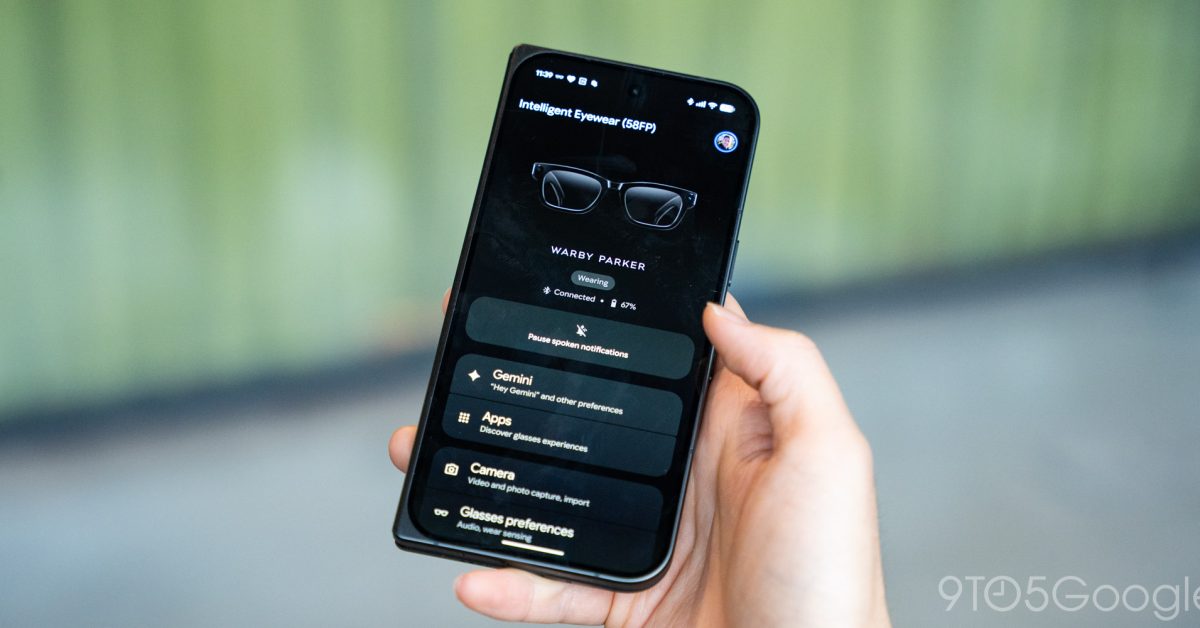
In trying out Google’s Intelligent Eyewear Android XR glasses for the first time, one of my main takeaways is that it’s the app, not necessarily the glasses themselves that would push me into using them over the mainstay Meta Ray-Bans. One of the inherent advantages that Android XR glasses were always going to have over third-party options is native integration. It’s something we see frequently, and perhaps most well-known on smartwatches. The “Glasses” app on Android/Pixel, iOS, and Samsung Galaxy devices is dead simple. While we can’t show you the full app just yet as the one we were able to try was not completely final, it’s a very simple experience. The app opens to an overview of your glasses to show their connection and battery status, with settings below for Gemini, apps, the camera, and more. You’ll also be able to see things such as what the various lights on the glasses mean, tutorials, and more. There’s no bloat and no messing around – it’s a utility to just make adjustments or control the glasses as needed. You’ll probably be using this app mostly to view the photos and videos captured on Android XR glasses. Google has this set up to auto-import photos in nearly real-time. It only takes about 4 seconds to import and the process starts immediately for photos. Videos, on the other hand, take longer and may need to be manually imported (for the sake of battery in part, Google mentioned). Across the three main platforms, there are some differences. The iPhone app doesn’t import photos quite as fast, and Samsung has its own app to fit in with One UI’s design language for Galaxy users, but the core premise is the same across all three. While we’ll have to see how this works in real life, I was blown away by how simple it all was, though that might be because the bar is below the floor. Meta’s Ray-Bans (and newer Meta Glasses) dominate the smart glasses conversation, and I think that the app is one of the biggest problems. It’s certainly one of the biggest reasons I’ve barely touched my Wayfarers in recent months. That’s because, in early 2025, Meta replaced its dedicated “View” app for its glasses with a Meta AI app, which is just invasive and distasteful in my book. Meta is no stranger to shoving AI down the throat of its existing users. Another well-known move was converting Facebook and Instagram search into AI search boxes with creepy levels of context and invasive actions – it makes Google’s AI Overviews look tame by comparison. But I’d argue the most aggressive was this move with its glasses. Something as simple as tweaking a setting or importing a photo now forces you to dodge an AI chatbot. Truly, Meta’s app is the worst, and I applaud Google for building a very simple utility for Android XR glasses instead. More on Android XR: Google launches Intelligent Eyewear glasses: $395+, pre-order today, ships Dec. 10 Hands-on: Google and Samsung’s vision for Android XR glasses is 20/20 Here’s how Google’s Android XR glasses are handling the camera & privacy The price of your Android XR glasses can quickly skyrocket with add-ons Follow Ben: Twitter/X, Threads, Bluesky, and Instagram FTC: We use income earning auto affiliate links. More.
I’d rather use Android XR glasses over Meta Ray-Bans for the app alone
Full Article
Original Source
Read the full article at 9to5google →KhanList aggregates and links to publicly available news content. We do not host full articles from third-party sources. Always verify important information with original sources.