
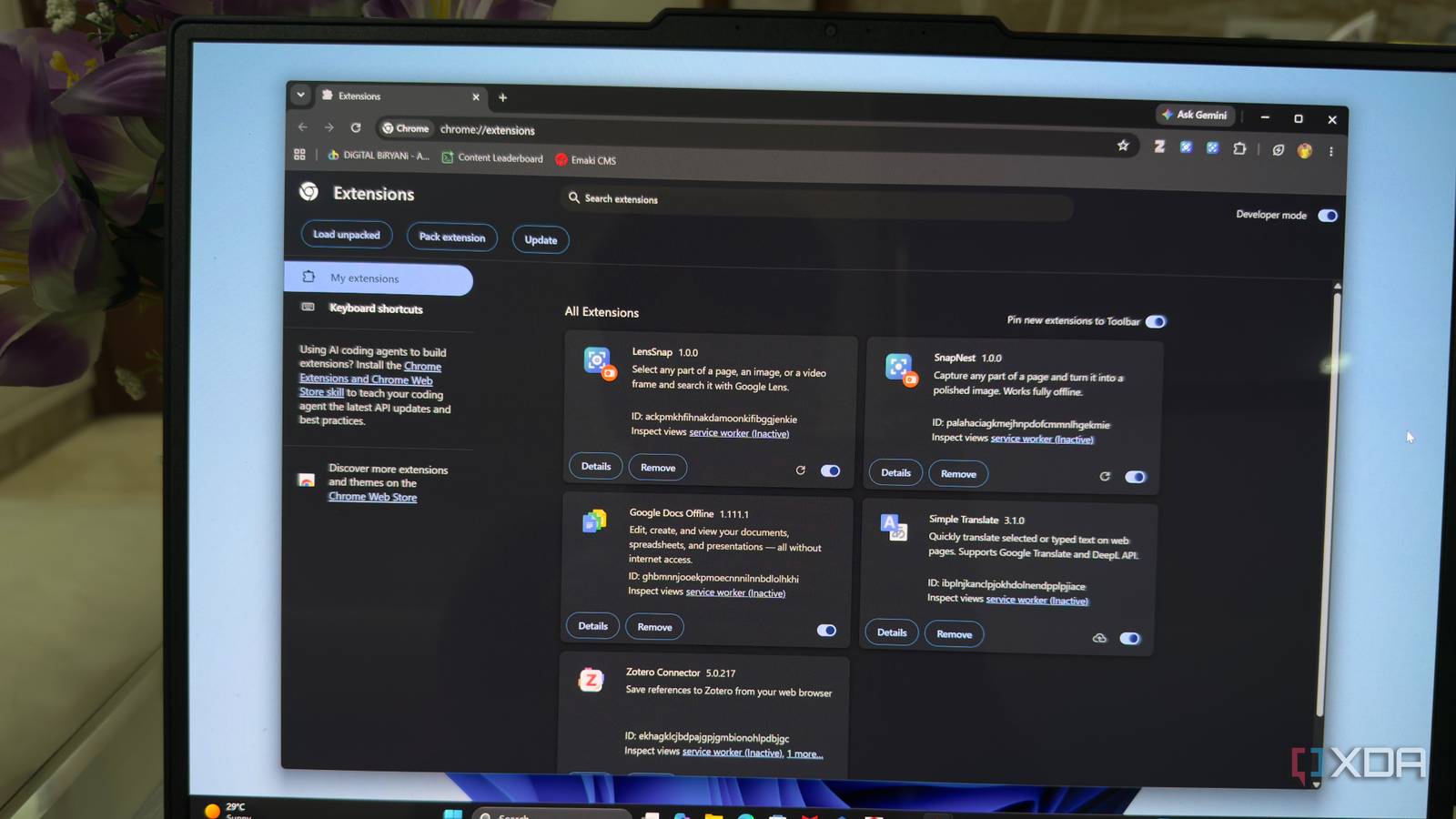
Published Oct 25, 2026, 4:00 PM EDT Beginning his professional journey in the tech industry in 2018, Yash spent over three years as a Software Engineer. After that, he shifted his focus to empowering readers through informative and engaging content on his tech blog – DiGiTAL BiRYANi. He has also published tech articles for MakeTechEasier. He loves to explore new tech gadgets and platforms. When he is not writing, you’ll find him exploring food. He is known as Digital Chef Yash among his readers because of his love for Technology and Food. I never expected to build my own Chrome extensions. Like most people, I preferred finding a ready-made tool that solved a problem without requiring much effort. But when a few extensions I relied on ended up in the hands of new owners and turned malicious, I started questioning how much I could trust the tools in my browser. Instead of jumping from one extension to another, I decided to try something different. With Claude Code and a few detailed prompts, I built replacements tailored to my needs. The process was much easier than I expected. Chrome extensions can quietly change owners without you knowing You rarely know when an extension changes hands Chrome extensions are often the easiest way to turn a small idea into a usable product. For many developers, it's a great starting point. I've always liked this simplicity. I can find an extension that does one thing well, install it in seconds, and make it part of my daily workflow. If it saves me time, I don't think twice about keeping it around for years. I rarely check who maintains it or whether the original developer is still involved. But I overlooked something about this convenience for a long time. The person who builds an extension today isn't necessarily the one responsible for it tomorrow. Extensions can be sold to new owners, just like other digital products. For the original developer, selling an extension can be a way to earn money from something they've built. For the buyer, an established extension with an existing user base can be an attractive business opportunity. The problem is that users might not pay attention to these ownership changes. I certainly didn't. I assumed the tools I trusted would continue operating under the same intentions that made me install them in the first place. A few extensions I used daily were quietly sold From useful tools to security risks Credit: monxresearch-sec/github.com QuickLens and ShotBird had become a regular part of my workflow, so I never thought much about who owned them or who was responsible for their updates. That changed when I learned that both extensions had been acquired and later turned malicious. Both were originally created by the same developer, but they turned malicious after being sold to new owners. Chrome extensions can access sensitive browser data depending on the permissions they have. If a new owner pushes a malicious update, an extension that once worked perfectly can become a security risk. Users might not even notice anything unusual because the extension still looks familiar and continues to offer its original features. After seeing what happened with QuickLens and ShotBird, I didn't feel comfortable relying on alternatives I couldn't control. So I built my own alternatives. I built my own replacements Vibe-coding made this super easy. Instead of searching for more extensions and hoping their new owners would maintain them responsibly, I decided to build my own replacements. I wanted tools that did exactly what I needed without unnecessary features or permissions. The best part? I didn't have to write everything from scratch. I used Claude Code to vibe-code both extensions, guiding it with detailed prompts that explained what I wanted, how each feature should work, and what privacy and security rules it needed to follow. I described the functionality, refined the requirements, tested the results, and asked Claude Code to fix issues along the way. My first extension, LensSnap, lets me select any part of a webpage, image, or video frame and search it with Google Lens. I can also send captures to shopping searches, copy them, or save them as PNG files. It includes a small history of recent captures and shortcuts to make the process quicker. The second, SnapNest, focuses on screenshots. I can capture a specific region, an entire webpage, or an individual element and turn it into a polished image. It also includes an editor with gradients, backgrounds, annotations, blur tools, and different export formats. That makes it useful when I need screenshots for my articles or social media posts. I also made privacy a priority while building both tools. LensSnap doesn't request broad website access, and it doesn't include analytics or remote code. SnapNest processes captures locally and makes no network requests. Both use permissions designed to limit access to the active tab when I invoke them. Vibe-coding made the process much easier than I expected. I could focus on describing the experience I wanted instead of spending all my time writing code. More importantly, I now have two lightweight extensions built around my needs, with code and permissions I can inspect myself. Sometimes, the best tool is the one you build yourself I still appreciate the work developers put into making useful browser extensions, but I no longer take their long-term reliability for granted. Digital tools can change hands, priorities can shift, and users are often left dealing with the consequences. Building my own replacements gave me a way to keep the features I needed without depending entirely on someone else's decisions. You don't have to build everything yourself, but knowing you have that option can make all the difference.
I wrote my own Chrome extensions after my trusted tools were sold to new owners
Full Article
Original Source
Read the full article at Xda-developers →KhanList aggregates and links to publicly available news content. We do not host full articles from third-party sources. Always verify important information with original sources.