
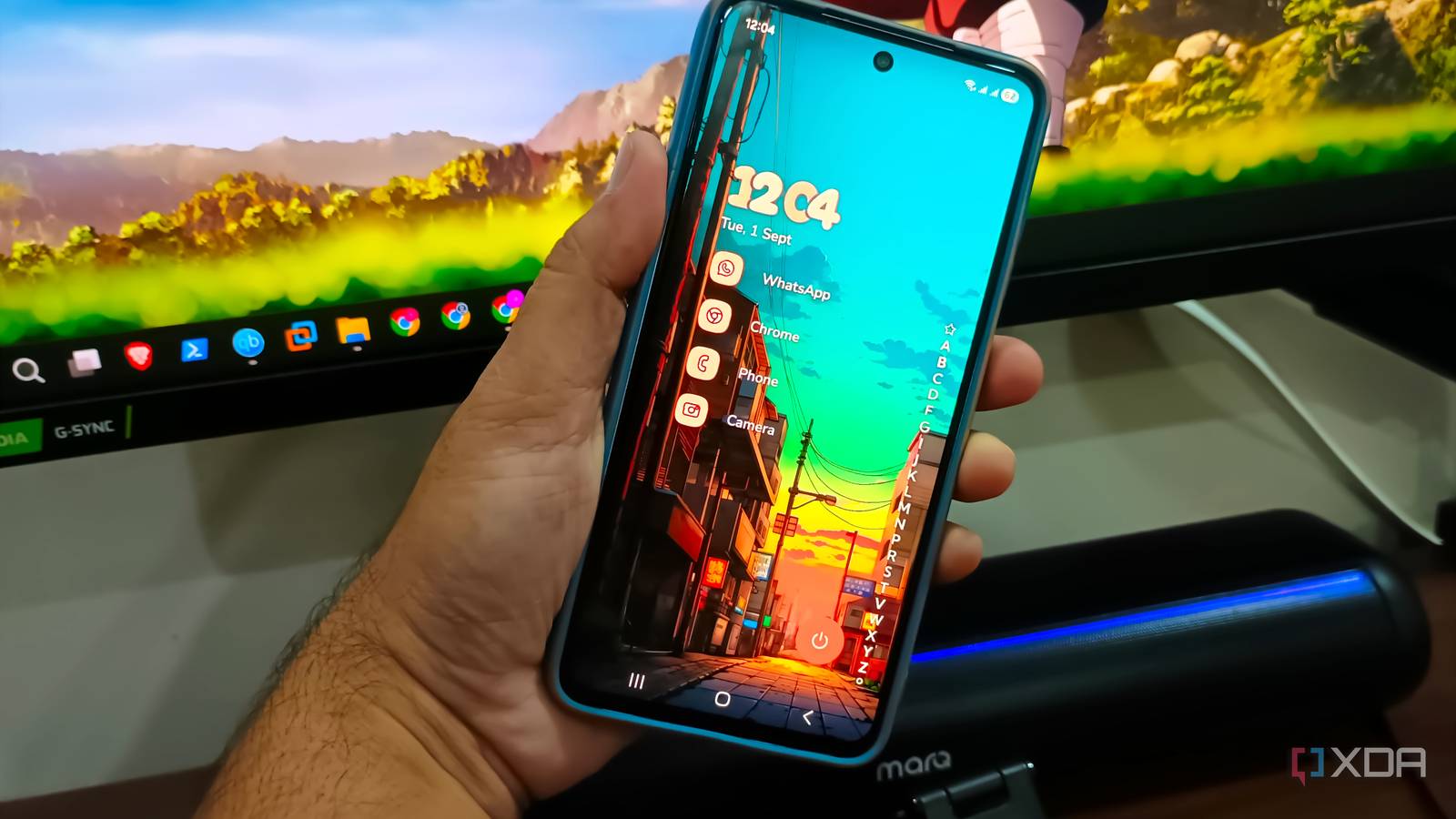
Published Sep 1, 2026, 12:31 PM EDT Abhishek is an author at XDA who covers computing. He has loved computers since he got the Lenovo G570 in 2012. Abhishek holds a master's degree in computer applications and began his writing career in 2018. He loves writing how-to articles, listicles, and informational posts on popular operating systems and web services. He closely follows the Windows Insider program and tests new Insider builds to discover upcoming experimental features and upgrades. His past work includes long-term collaborations with reputed publications like Tom's Hardware, and Windows Latest. When not writing anything, he is busy watching new episodes of One Piece or searching for something binge-worthy. Default apps on Android phones have a bad reputation for being mediocre attempts at fulfilling the core demands of usersr. Ever since I bought my first Android smartphone, I have been neglecting almost all the default apps because they have mundane designs, limited feature sets, excessive tracking, and numerous promotions. These apps never improve or build upon their original features and don't fix their shortcomings. Samsung tried to update its default apps, but they are nowhere near the experience some third-party apps offer. Unlike in the old days, I actually use a few of the default apps on my current phone, but third-party apps still rule. If you cannot bear with the default apps on your phone, have a look at some options that I use. Samsung Video Player needs refinements I have had quite a bad experience with default video players. The biggest gripe was copying videos to the phone and then trying to play them with the built-in video player, only to discover that it didn’t support the format. It was always hit-or-miss with multiple video players, including some third-party ones. But VLC never faced this problem and has been playing my media files, videos from family functions, vacations, and other sources without any problem. Its interface has witnessed a few subtle facelifts over time, but the app looks more or less the same. I’m more concerned with the video playback than its looks, and the app never disappoints in that department. Anime takes up a big chunk of my daily screen time, and viewing it at 2x playback speed is no problem for VLC. Some video files tend to struggle on my old Xiaomi phone, but that’s a hardware limitation and not a software one. Samsung’s Video Player has a few necessary features, including subtitles, sync, and playback speed adjustment, yet it cannot match VLC’s quality. The native player struggles with diverse video formats, can add subtitles, but lacks a download feature, and limits playback speed adjustments to 2x. VLC has a subtitle download feature, can swap audio tracks, and lets me set timers, adjust the equalizer, play it as an audio file, and speed up the video to 8x. It’s hard to find so many features in a free, zero-ad Android app. SMS Organizer keeps messaging simple Google Messages is an eyesore Google tries to squeeze in as many apps as it can with each OEM because it owns the OS. Its messaging app is the default on my Samsung phone, and I used it in the initial phase, when it didn't require an online account. But as it became more pushy and downright stopped me from accessing the app until I signed in with a Google account, I decided to find something better. On my previous phone, I loved using the SMS Organizer app made by Microsoft. The main reason for choosing it was that it had categories for automatically sorting messages. The promotional material could stay in one category and general messages in another, while the banking category would show my transactions. There's even a finance section to track your bank account balance via incoming transaction messages. I haven't really felt the need for more features and barely miss what Google Messages offers. SMS Organizer shows OTPs in bold whenever they arrive, and Microsoft even fixed the notification system, making it a complete package. Apart from that, it's a truly offline app if you prefer it that way, and that was enough reason for me to run away from Google Messages. The sad part is that Microsoft is calling it quits on this exceptional messaging app, and while they've not disclosed a date, it will retire in the future. I'll continue to use it until then while keeping an eye out for something similar. Niagara Launcher makes the home screen likable One UI Home feels distracting Samsung’s One UI Home starts to feel bleak and distracting after a point. First, it's a basic home screen like you get with any other Android OEM, with a bunch of icons and widgets scattered across one or more pages, and a side-scrolling app browsing section. It's slightly better at customization, but it's not a home screen you can bear for long. I switched to Niagara Launcher shortly after purchasing a Samsung phone three years ago. However, it wasn't my first encounter with Niagara Launcher. I installed Niagara Launcher in 2020 and continued using it until I switched to a new phone. My main reason for returning to it was a minimalist-style launcher with a vertical app list and useful customization options. After installation, you have to pick a favorite app to pin on the home page, and that's about it. The home page and the app list blend into one page, and accessing the app list feels faster than before. There are no widgets in the default setup, but you can add them if you want. I also like the Quick Reply feature that helps me to revert to a message without opening the app. It's a custom way to open a reply interface on a portion of the home screen, where you can send your message and be done with it. Niagara Launcher also offers better themes and customization options, along with a few extra features, such as summaries. I use the free version because it meets my needs, and I have a custom button on the home screen to lock it without pressing the power button. Bitwarden stores my passwords No more Google Password Manager I host a custom Vaultwarden server on a Raspberry Pi Zero 2W, which uses Tailscale to serve it over HTTPS and enables remote access. My concern about this is data privacy. I briefly used LastPass before switching to Google Password Manager, then to a self-hosted alternative. Vaultwarden uses the official Bitwarden app to meet phone-version needs, and there's no problem with it. I hadn't set up HTTPS until recently, and without it, the app wouldn't work at all. Tailscale helped me serve Vaultwarden over HTTPS, and that opened doors for the app. Like any other password manager app, Bitwarden offers autofill, custom vaults, a password generator, and a few more options. Now, my passwords stay on the Raspberry Pi and are backed up to an external SSD as well, helping to ditch Google’s cloud storage dependence for password storage. Switch to better apps Native apps are mostly lackluster on Android phones, and Samsung apps are no different. However, there are some exceptions, like the Samsung Browser, which is the default app and better than Chrome. Its file manager app, called My Files, is also good, but I prefer the above-mentioned ones over Samsung's other solutions. SMS Organizer and Bitwarden are two underrated ones that you might not have tried before. Niagara Launcher is a minimalist Android home screen with plenty of customization options.
I went through every default app on my phone and found replacements that were genuinely better
Full Article
Original Source
Read the full article at Xda-developers →KhanList aggregates and links to publicly available news content. We do not host full articles from third-party sources. Always verify important information with original sources.