
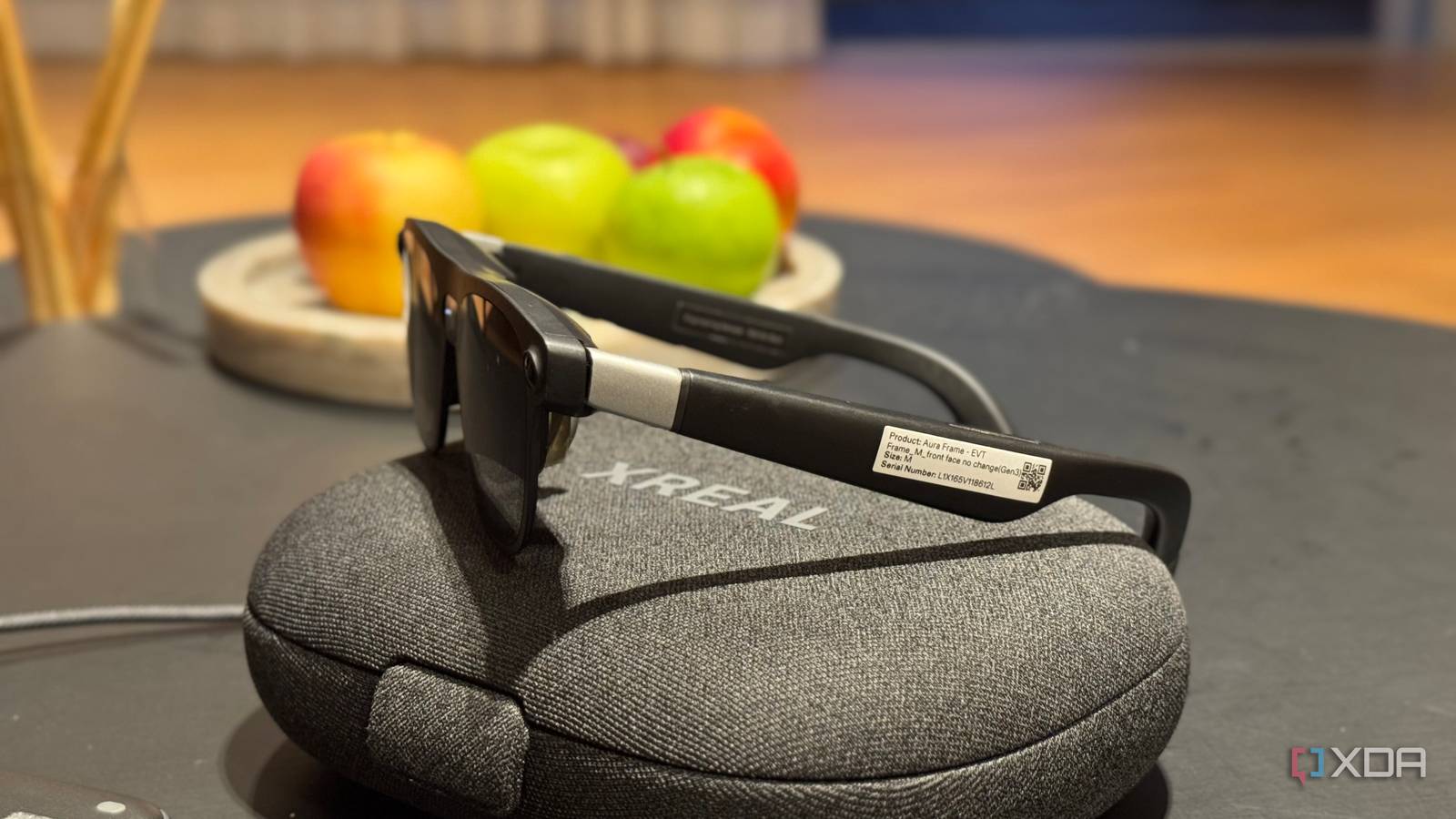
Like everyone else following the XR space, I’ve been reading about Android XR and Google’s plans for the platform for quite a while now. Ironically, I even wrote about XREAL’s Project Aura when the company first announced the glasses alongside Google at I/O last year. At the time, I understood what Google and XREAL were trying to build on paper. However, it wasn’t until I finally got to put the glasses on myself that I really got it. And, well, I didn’t want to take them off. XREAL Aura is getting very close to launch The finish line is in sight At Google I/O 2026, Google and XREAL first announced Project Aura, which was described as a pair of lightweight, tethered XR glasses built on Android XR,. At that time, though, there wasn't really much to go on beyond the basic idea. XREAL showed off the hardware, confirmed that Gemini would be built with, and promised a much wider field of view than its existing glasses. Of course, a lot has changed since then. Project Aura has since become XREAL Aura, and the glasses are officially expected to launch this fall. So while media certainly got to try Project Aura earlier this year at Google I/O 2026, the version I got my hands on at IFA comes at a very different point in the product's journey. Aura is now just months away from launch, reservations are already open, and XREAL has revealed considerably more about what the final experience is supposed to look like. That doesn't necessarily mean the unit I tried was final hardware or software, and there were definitely a few reminders during my demo that Aura isn't quite ready to ship just yet. But for the first time, I got to experience what XREAL and Google have been promising for myself — and it took me very little time to understand why they're so excited about it. The best of both worlds The easiest way I can describe XREAL Aura is that it feels like the Apple Vision Pro and a pair of Meta smart glasses had a baby. You get the sort of spatial computing experience I'd normally associate with a full-blown headset (floating windows, hand tracking, apps anchored around you, and all) but packed into something that looks and feels much closer to a pair of glasses. On paper, there's quite a bit going on here, too. Aura weighs under 95 grams and uses micro-OLED displays with a 70-degree field of view and a 120Hz refresh rate. There are also two SLAM sensors for depth and spatial tracking, along with a 12MP camera. Most of the heavy lifting is handled by the Snapdragon Reality Elite chip inside the 270-gram puck, while XREAL's own X1S chip sits inside the glasses and handles some of the spatial processing and display control. XREAL says that combination helps keep latency under 3ms, which definitely became noticeable once I actually started moving windows around. Of course, running Android XR entirely on a pair of glasses this light would be a pretty tall order, which is where that puck comes in. It's tethered to the Aura and handles most of the heavy lifting, essentially letting XREAL keep the glasses themselves relatively lightweight without stripping away the kind of spatial computing experience you'd normally expect from a much bulkier headset. On the glasses, you'll find a few physical controls as well. Pressing and holding the button on the upper-left side brings up Gemini, while the red button underneath lets you adjust the lens dimming. Holding that same button down clears up your workspace by tidying away the windows around you (similar to cleaning up a cluttered desktop on a Mac). There's also a simple volume rocker, so most of the basic controls are still within easy reach without having to rely entirely on gestures. Comfort-wise, I was pleasantly surprised. My demo lasted close to 40 minutes, and I never found Aura uncomfortable to wear during that time. XREAL also supports prescription lens inserts, which is an important practical touch for anyone who normally wears glasses. Using Android XR felt surprisingly natural Point, pinch, done If you aren't all that familiar with what Android XR feels and looks like in practice, the easiest way to think about it is Android reworked for a spatial interface. Instead of everything living on a single screen, apps can sit in floating windows around you, and you interact with them using hand gestures rather than taps and swipes. My demo began with learning a few of the basic hand gestures, and as someone who isn't exactly the greatest at picking up new gesture controls, it did take me a little while to adjust. But once I got the hang of them, everything started feeling surprisingly smooth. Within a few minutes, I was pinching to select things, dragging windows around, and moving through Android XR without really having to think too hard about what my hands were doing. XREAL walked me through a few different use cases, but Google Maps was personally my favorite. I've spent hours exploring random cities through Google Maps Street View on my 13-inch laptop. Now, imagine that same experience, except the city is blown up around you and you can look around it almost like you're actually there. I could zoom in and out, tilt my view, and move around different parts of the map using simple hand gestures. What's interesting about Aura is that you can still technically see your surroundings the entire time, since the glasses use an optical see-through display. If you want a little more immersion, though, you can darken the lenses using the dimming control and make the virtual content stand out much more against the real world. XREAL also walked me through a few interactive games, including one where I was surrounded by planets and had to use my hands to sling objects toward them. It was a simple demo, but it did a great job of showing off the spatial side of Android XR. Rather than interacting with something on a flat screen in front of me, I was physically looking around, reaching into the space around me, and using my hands to interact with objects that felt like they were actually sitting there. There was another experience that let me draw freely in the space around me, with the drawing later producing a tune when I touched it. What made it especially fun was that the drawing wasn't confined to a flat canvas in front of me. I could actually walk around the entire thing I had just created, look at it from different angles, and interact with different parts of it as if it were physically sitting in the room with me. All of it just felt extremely futuristic, and in the grand scheme of things, these were fairly simple demos. However. that was almost what made them so impressive. Gemini is where Aura gets really interesting Context really is king Think about it. AI becomes infinitely more useful when it has all the context. That's precisely why practically every prompt-engineering guide tells you to front-load context, and why "context is king" has become such a common phrase in the AI world. Now, if the LLM at hand can see exactly what you're seeing, a huge chunk of that work is already done for you. You don't have to explain what app you're in, what you're trying to do, or what's currently sitting in front of you. Gemini already has that visual context, which means you can simply ask the question you'd naturally ask another person standing beside you and have it respond based on what you're actually looking at. With the XREAL Aura, you can also plug it into your laptop and use the glasses as a spatial display. That becomes especially interesting once Gemini is thrown into the mix, because it can understand what you're looking at on that screen and help you based on the context already in front of you. So, instead of taking a screenshot of something you're stuck on, uploading it to an AI assistant, and explaining what you're trying to do, you can simply ask Gemini while you're still looking at it. For instance, I plugged in my Mac, opened Canva, and asked Gemini how I'd resize a window. Gemini then guided me based on the interface I was already looking at. The experience, as a whole, reminded me a lot of this tool called Clicky that I wrote about on XDA. Clicky can see what's happening on your screen and guide you through whatever you're doing in real time, without forcing you to constantly stop and explain the context. Gemini on Aura felt like a much more immersive version of that same idea, except instead of living beside your cursor, it can understand what you're looking at through the glasses and help you right there. XREAL Aura is coming this fall for no more than $1,500 While XREAL hasn't announced exact pricing for Aura just yet, the company has confirmed that the base model will cost no more than $1,500 before tax. Reservations are already open, with a $199 refundable priority deposit that goes toward the final purchase price. Aura is currently expected to launch in the US, UK, Korea, and Japan this fall, with Europe following shortly after. If I were writing this article before having experienced XREAL Aura, this paragraph might have been focused on how difficult it is to justify spending up to $1,500 on a pair of glasses. And don't get me wrong, that's still a lot of money. But after actually using Aura, I understand the price a lot more than I expected to. The Vision Pro starts at $3699, and while the XREAL Aura glasses certainly don't compare to them in every way, it's still trying to deliver a lot of the same spatial-computing appeal into something that's considerably lighter and closer to an actual pair of glasses! Ultimately, my short demo was enough to leave me wanting considerably more time with it. For once, giving the glasses back was easily the worst part of the demo!
I went hands-on with XREAL’s Android XR glasses, and I didn’t want to take them off
Full Article
Original Source
Read the full article at Xda-developers →KhanList aggregates and links to publicly available news content. We do not host full articles from third-party sources. Always verify important information with original sources.