
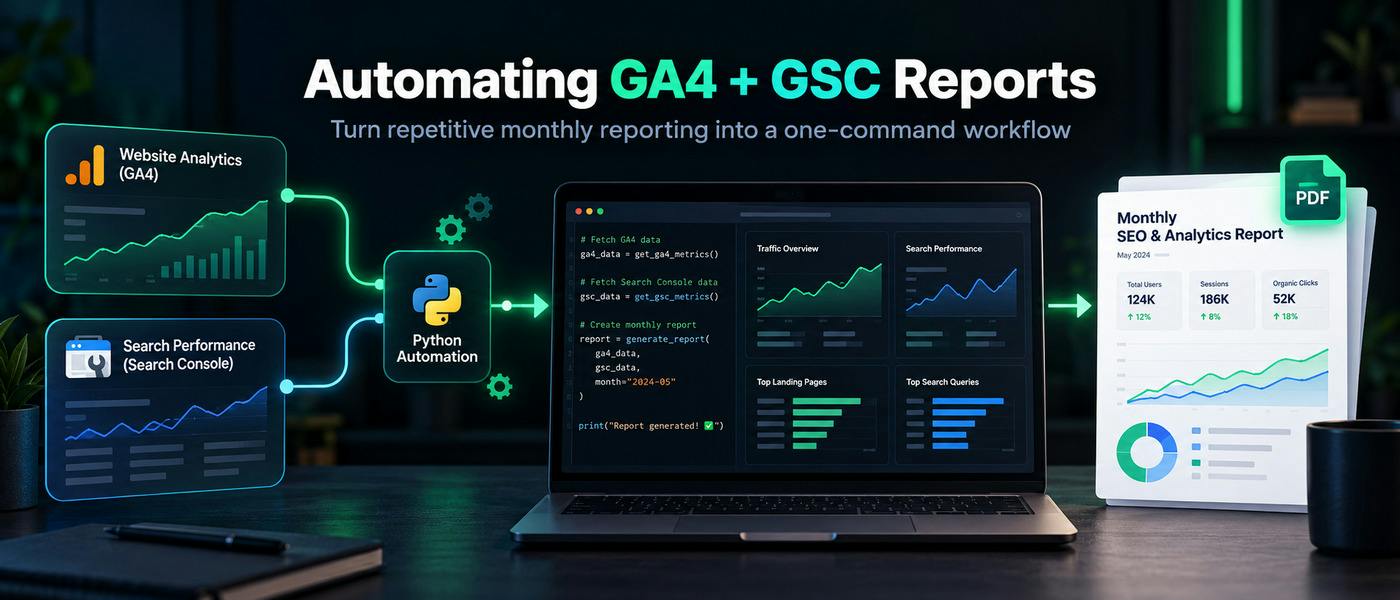
Every month, I found myself doing the same thing.Open Google Analytics 4.Open Google Search Console.Change the date range.Export the data.Repeat the process for another website.Then another.After that, I would clean the data, compare it with the previous period, build the report, and finally try to answer the question that actually mattered:What changed, and what should I do about it?The problem was not that GA4 or Search Console lacked data.The problem was that I was spending too much time collecting information and not enough time interpreting it.After doing the same routine several times, I realized something obvious:If I repeat the same reporting workflow every month, it probably should not be a manual workflow anymore.So I automated it.The Problem Was the Workflow, Not the DataGA4 already gives me information about how people behave on a website.Search Console tells me how people discover the website through Google Search.Both are useful on their own.HackerNoon has a useful introduction to GA4 that explains how its data collection, metrics, dimensions, and reporting structure work. It is worth reading if GA4 itself is still unfamiliar.Google Analytics 4 (GA4) for Beginners — Part 1But once I started managing several websites, the main problem became aggregation.For every website, I wanted to know things like:Did organic traffic increase or decrease?Which pages gained clicks?Which pages lost visibility?Did impressions increase without a corresponding increase in clicks?How many active users and sessions came to the site?Which website needs attention first?All of that information existed.It was simply distributed across different reports.My First Goal Was Very SmallI did not want to build another analytics platform.I did not want a giant dashboard either.I wanted one simple workflow:GA4 ↓ Google Search Console ↓ Python ↓ Normalize metrics ↓ Generate observations ↓ Create PDF report And ideally:python laporan_pdf.py That was it.One command.One report.Several websites.If you have worked with ETL or reporting pipelines before, this idea will sound familiar. HackerNoon has published walkthroughs about building Python data pipelines from scratch, covering ingestion, processing, storage, and automation. The reporting script I built is much smaller, but the underlying idea is similar: turn a repeated sequence of manual steps into a predictable pipeline.How I Built a Data Pipeline From Scratch Using PythonPulling GA4 Data With PythonFor GA4, I use Google's Analytics Data API.The script authenticates with a Google Service Account and retrieves the metrics needed for the monthly report.For my use case, I kept the metrics deliberately simple:Active Users Sessions You could pull many more dimensions and metrics, but this was one of the first lessons I learned:Just because the API can return something does not mean it belongs in the report.A reporting system becomes less useful when it collects everything.For example, the basic structure looks like this:from google.analytics.data_v1beta import BetaAnalyticsDataClientfrom google.analytics.data_v1beta.types import ( DateRange, Metric, RunReportRequest,)client = BetaAnalyticsDataClient()request = RunReportRequest( property="properties/123456789", metrics=[ Metric(name="activeUsers"), Metric(name="sessions") ], date_ranges=[ DateRange( start_date="2026-09-01", end_date="2026-09-30" ) ],)response = client.run_report(request) The important part was not writing this request.The important part was getting the same request to run reliably across all the websites I needed to report.Pulling Search Console DataFor organic search, I pull:Clicks Impressions CTR Average Position The Search Console API lets me retrieve this programmatically.A simplified example:request = { "startDate": "2026-09-01", "endDate": "2026-09-30", "searchType": "web"}response = ( service.searchanalytics() .query( siteUrl="https://example.com/", body=request ) .execute()) At this point the script already had the core pieces I previously collected manually.But gathering the numbers was only half of the problem.Raw Numbers Were Not EnoughA report that says:Users: 24,810 Sessions: 31,552 Clicks: 8,420 Impressions: 192,701 looks informative.But it does not tell me much.What matters is context.Did clicks go up?Did impressions go down?Was traffic flat while CTR collapsed?Once I started thinking this way, the reporting system became more useful.Instead of treating numbers as the report, I started treating them as input for decisions.For example:High impressions Low CTR → review title and search snippet Or:Traffic increased Engagement decreased → review landing-page intent Or:Users = 0 Impressions = 0 → verify tracking and API access That is a much more useful output than a dashboard full of numbers.One mistake I made earlier was looking at Search Console mostly as a way to check rankings and clicks.But Search Console can also reveal demand.For example, queries can show what Google already associates with a website, even when I never intentionally targeted that exact phrase.That idea is very close to what another HackerNoon author described in:I Stopped Asking AI for SEO Ideas and Started Feeding It Search Console Data InsteadThe author used actual Search Console queries to generate content hypotheses instead of asking an LLM to brainstorm topics blindly.That matches how I now think about the data.The API is not only useful for reporting.It can also tell you what to investigate next.The Report Generates Recommendations, but Only Simple OnesI wanted the report to do more than print numbers.So I added a few basic rules.For example:if impressions > 100 and ctr < 5: recommendation = "Review title and meta description." Or:if users == 0 and impressions == 0: recommendation = "Check GA4 and Search Console tracking." These are not advanced recommendations.That is intentional.I prefer simple rules that I can explain over sophisticated recommendations that I cannot verify.This is also where I think a lot of analytics automation goes wrong.A system starts by automating repetitive work.Then someone adds AI.Then suddenly the system begins confidently explaining why traffic dropped, even when the data does not actually prove the cause.I do not want that.The script can identify signals.I still want a human to investigate the reason.AI Traffic Makes Attribution Even MessierThere is another reason I think automated reporting needs to stay flexible.Traffic sources are changing.Visitors no longer come only from Google, social media, email, and traditional referrals.AI assistants are becoming another discovery layer.HackerNoon has already covered this problem in:Google Analytics 4 Is Lying To You About AI TrafficThat discussion highlights how AI-driven visits can be difficult to classify cleanly inside traditional analytics reports.That does not mean GA4 is useless.It means attribution is getting harder.A useful reporting system should therefore make it easy to add new dimensions and traffic-source logic later.I expect this part of my reporting workflow to evolve.What the Script Produces NowThe current version generates a PDF report with sections such as:Portfolio Summary Total Active Users Total Sessions Total Clicks Total Impressions Website-by-Website Analysis CTR Average Position Organic Reach Traffic Status Optimization Focus Recommended Actions The data is collected automatically through the Google APIs.Then the report is generated with Python using tools such as:google-api-python-client google-auth google-analytics-data ReportLab Matplotlib I documented the full setup, including Service Account configuration and the Python workflow, in my guide on:How to Automate GA4 + Google Search Console Reports With PythonI intentionally keep that implementation separate from this article because the more interesting lesson is not the exact script.It is deciding what should and should not be automated.What I Chose Not to AutomateI do not let the script decide things like:This article lost traffic because Google's algorithm changed.Or:Rewrite this page because the search intent changed.The data cannot prove either statement on its own.A traffic decline might come from:seasonality;lower search demand;ranking changes;competitor changes;technical problems;content decay;cannibalization;search-result changes.The script can tell me where the decline happened.Then I investigate.That separation has become important.Automation handles repetition.Humans handle ambiguity.The Biggest Benefit Was ConsistencyI originally built this because reporting was taking too much time.It did save time.But I eventually realized that consistency was the bigger benefit.When I manually create five reports, small inconsistencies creep in.One report might use users.Another uses sessions.One comparison covers 30 days.Another accidentally covers 31.One website gets extra analysis because I happen to notice something.Another does not.A script uses the same methodology every time.That makes the output easier to compare month after month.If I Built It Again, I Would Start Even SmallerMy advice to anyone building something similar would be:Do not start with a dashboard.Do not start with AI.Do not start by pulling every available metric.Start with one question.For me, that question was:Which websites improved, which declined, and where should I investigate first?Then collect only the data required to answer it.Once that works reliably, add more.This is the same lesson I see repeatedly in good data-engineering projects: a small pipeline that works consistently is more valuable than a sophisticated system that nobody trusts.What I Want to Add NextThere are several improvements I am considering.Content decay detectionInstead of comparing only two months, I could calculate multi-month trends and flag pages with sustained declines.Query clusteringSearch Console queries could be grouped by intent or topic.That would make it easier to see which subject areas are gaining or losing demand.Better traffic-source classificationEspecially for AI referrals and other emerging discovery channels.HackerNoon has also discussed how AI search is changing traditional SEO analytics and visibility measurement:AI Search Is Breaking Traditional SEO AnalyticsThat is one reason I think this problem is going to become more important rather than less.Anomaly detectionInstead of fixed thresholds such as:if traffic_change < -20: the system could eventually learn what a normal range looks like for each website.A 20% change might be unusual for one website and completely normal for another.One Command Changed the Way I Look at ReportingMy old workflow was:Open GA4 Export data Open Search Console Export data Clean data Compare numbers Create charts Write observations Build report Repeat Now most of it is:python laporan_pdf.py The script does not replace the analysis.It gets the repetitive work out of the way so I can spend more time doing the analysis.That turned out to be the most important part.If you keep producing the same report from the same sources every week or every month, you might not have a reporting problem.You might have an automation problem.
I Was Tired of Building the Same GA4 + Search Console Report Every Month, So I Automated It
Full Article
Original Source
Read the full article at Hackernoon →KhanList aggregates and links to publicly available news content. We do not host full articles from third-party sources. Always verify important information with original sources.