
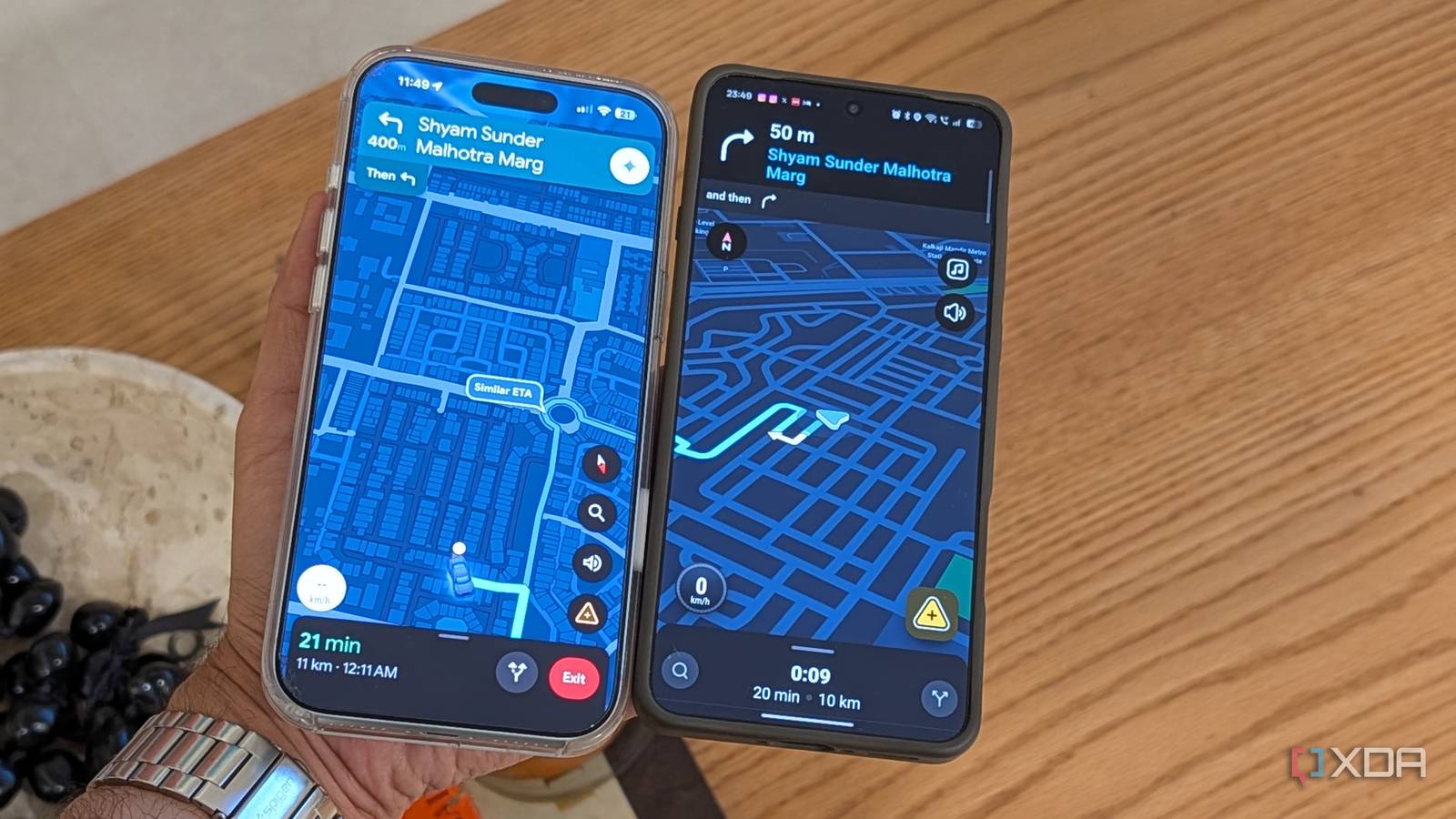
Published Aug 28, 2026, 8:30 AM EDT Dhruv Bhutani has been writing about consumer technology since 2008, offering deep insights into the personal technology landscape through features and opinion pieces. He writes for XDA-Developers, where he focuses on topics like productivity, networking, self-hosting, and more. Over the years, his work has also appeared in leading publications such as Android Police, Android Authority, CNET, PCMag, and more. Outside of his professional work, Dhruv is an avid fan of horror media spanning films and literature, enjoys fitness activities, collects vinyl records, and plays the guitar. Like most people, I've spent years using Google Maps for all my navigation needs. But lately, I've been dabbling in a different app. Based on a recommendation from a recent XDA article, I installed Waze right alongside Google Maps to see what the hype was all about. While both apps handle basic navigation just fine, it didn't take me long to discover the small but unmistakable ways Waze starts to pull ahead in the driving experience. Waze presents just the right amount of extra contextual information while driving, making it more useful for my specific needs. By helping me understand what's ahead on the road and giving me actionable warnings even before I reach the problematic section, Waze has completely changed the app I reach for when I get in my car. Waze gives you more context behind traffic and road conditions Get more useful alerts on longer road trips Look, I live in an area where traffic conditions and road conditions change on the fly. So, it shouldn't be a surprise that the most useful part of Waze is its incident reporting. Traffic data can indicate that traffic is moving slowly, but it certainly can't explain why. The built-in incident reports in Google Maps just don't pop up often enough or give you a good enough heads-up to be useful. In contrast, Waze shows reports of crashes, construction, blocked lanes, bad weather, and other problems with one tap. You can, of course, choose just what type of alerts you want. That makes a big difference when I'm driving somewhere unfamiliar or setting off on a road trip. All too often, I've been caught in a traffic jam with no understanding of why it's there. Waze makes it easy to spot that, instead of traffic congestion, there's an accident blocking the road a quarter mile ahead. Knowing that there's a crash or an accident changes how I approach the situation. For one, I'm not going to be as frustrated as I would be if I were wondering exactly what was causing the slowdown. But more than that, I might just prepare to change lanes or postpone an appointment, accounting for traffic after the accident. While both apps provide road condition data, I've found Waze to be more reliable on longer road trips. In that situation, I'm less interested in seeing a blocked-off road on the map, and more in knowing what caused it. A sufficient heads-up could let me take a bypass or an alternate route altogether. Waze also makes it easy not just to consume that information, but also to contribute back to the system that makes it work. Like I said before, both apps can do this, but any app that reduces friction while driving gets my vote. Waze takes over from Google Maps when I start driving Full control over alerts and notifications The other use case that I rely on a lot is deciding where I want to go. Often enough, this includes keeping an eye on opening hours. These are the kind of things where Google Maps comes out on top. If I'm heading out to a café or a restaurant, Google Maps remains my obvious choice. But once that's done, I switch over to Waze. The app just does a better job at getting me around traffic and finding the most efficient route. In my experience, Waze's algorithms have consistently proven much more efficient at helping me reroute around evolving traffic or poor road conditions along the route, so I can get to my destination as quickly as possible. None of that means that Waze will keep bombarding me with notifications. The app gives you significant control over exactly which alerts appear on the map and which can interrupt me. All of that put together means that I have much more control over the exact driving experience I'm trying to build for myself. Timely notifications about sharp curves or upcoming speed limit changes are useful when they arrive with sufficient time for me to take action rather than immediately before the moment. Google Maps gets me to my destination, but Waze makes the drive easier It goes without saying that Google Maps is excellent at the fundamentals. Not just that, it's perfectly capable of helping you with daily navigation. Between the live traffic updates, turn-by-turn navigation, and easy rerouting, it's a pretty solid choice. But much as I might use Google Maps to decide where I want to go, I invariably end up using Waze for actual navigation. Better rerouting algorithms and, more importantly, heads-up notifications about ambient road conditions make it a better tool for everyday use. Add to that the ability to customize the experience in granular detail, and it's easy to see why the tool earns my pick. Waze is a turn-by-turn navigation app that gives you contextual information about road conditions.
I used Waze and Google Maps side by side, and one quickly became my favorite
Full Article
Original Source
Read the full article at Xda-developers →KhanList aggregates and links to publicly available news content. We do not host full articles from third-party sources. Always verify important information with original sources.