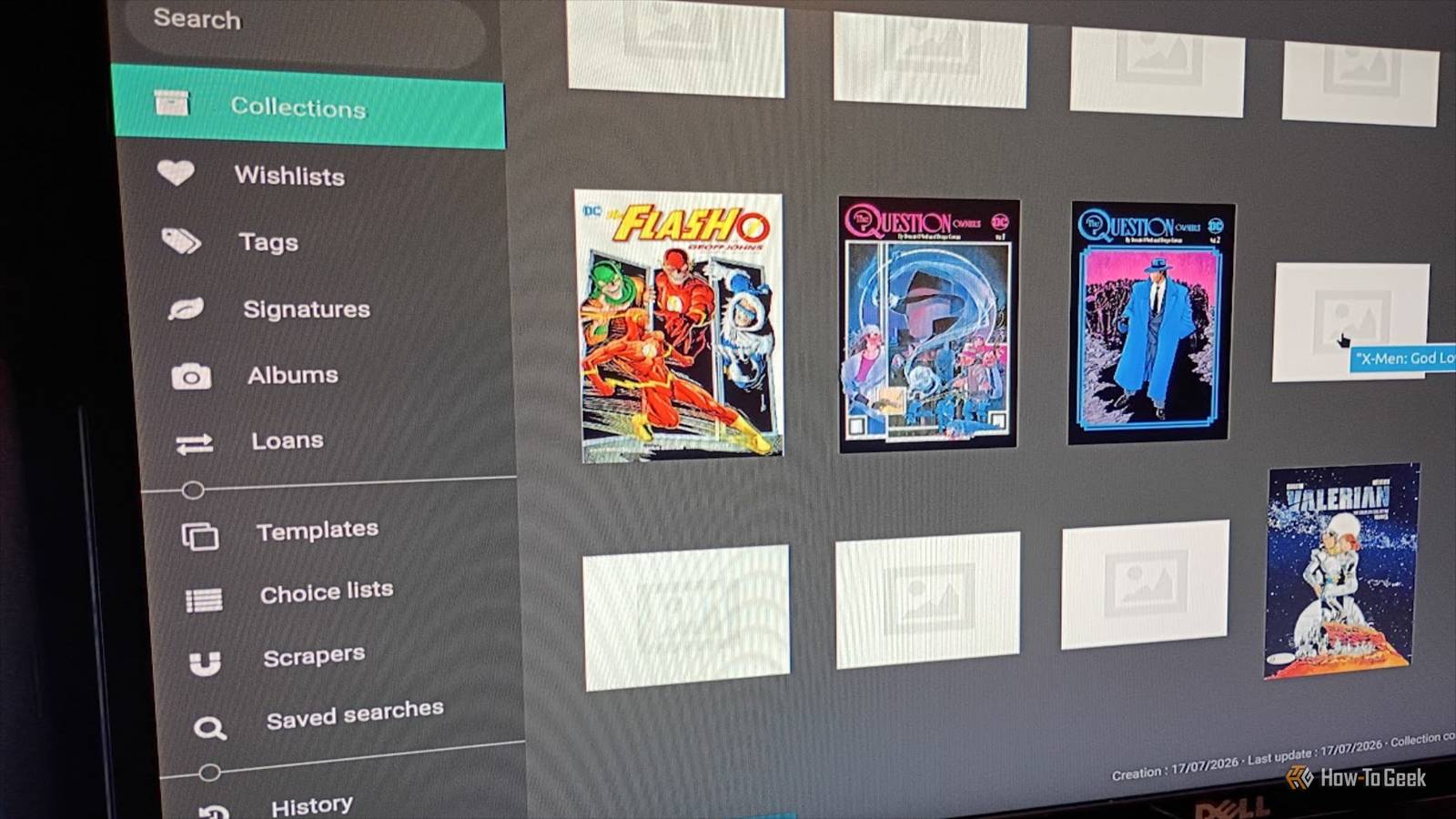
Published Jul 26, 2026, 12:00 PM EDT Former radio and TV guy (I Heart Radio and PBS). Now a writer, researcher, and musician who writes about the absurdity of our modern world and other offbeat topics. Specializes in weird music, the old web, retro video games and tech, and researching strange, yet interesting things. His work has appeared in Vice, Tedium, Star Trek.com, Today I Found Out, Typebar, SyFy Wire, and How To Geek. Currently working on a variety of music, web, and writing projects. Visit him on the web at https://djbuckfreelance.neocities.org/. Collecting stuff is a fantastic hobby. In my younger days, I would scour flea markets, yard sales, thrift stores, Craigslist, and eBay for the stuff I liked. I enjoy collecting entire artist discographies on CD whenever possible. Ditto comic books (mostly omnibus collections) and retro games (NES and SNES, if you're curious). Since I like to dabble with Docker applications, I used Koillection, an open-source utility that helps me keep track of my physical media easily. Getting Koillection going with Docker Two simple files will get you up and running I use containerized applications with Docker frequently and always check to see if an app can be run that way before installing it on my system. I like the isolation, customization, and control Docker offers. I used Docker Compose, as that seemed to be the most convenient method for the app (plus, the developer recommends it). The developer has detailed instructions for setting up your Docker Compose file on GitHub. The installation also requires an ENV (environment) file, so don't overlook that. I changed the ports in my file because I already have something else running there on my machine. Credit: David J. Buck / How-To Geek Don't give your ENV file a name. Just call it .env as Koillection won't load properly if it has name. After setting up my YML and ENV files, I launched Koillection with docker compose up -d. Koillection loaded right away, accessible through my browser at the localhost port specified in my YAML file. Logging your collection is fast and easy Starting and maintaining collections is very intuitive When you first load Koillection, it has you set up login credentials and creates what it calls your first connection. From there, you start inputting your items, add items to your wish list, and customize your experience. After setup, you can build your collection, set up a wish list, and tag things if you like, and you can even keep track of loans. The application is still under regular development, so some features will be implemented at a later date, while others are currently experimental (scrapers, for example). Having these distinct categories makes it easy to track not just what's on your shelves, but what's missing or out on loan. It's pretty handy when you have a lot of stuff. Setting up my first collection turned out to be the fun part Building my physical media database was pleasant and enjoyable Credit: David J. Buck / How-To Geek I would honestly argue that obsessively reading about, writing about, and organizing your physical media is half the fun of being a collector. But your experience may vary. Once I had it installed, I finally had the chance to start cataloging. For me, I started with a less obvious choice: my comics. I like reading entire runs whenever possible, so I gravitate towards trade paperback collections and omnibuses. To get started, I selected Collections, then clicked the folder icon to create a new one. I named it Totally Rad Comics & Graphic Novels. Now, I have an almost obscene number of comic books, so I'm just going to stick to graphic novels, omnibus collections, trade paperbacks, and one-off special issues for this collection. I tested Koillection out by cataloging a Batman omnibus, which being loaned to a friend. I wrote the titles of everything on my shelf, then placed them into a text file. I started building my list. Getting creative with creating a list Using Koillection for its primary purpose Credit: David J. Buck / How-To Geek The one somewhat significant downside to Koillection is the lack of an import feature (HTML, TXT, CSV). You can export CSV files via the Tools setting, but importing isn't an option yet—something the developer confirms via GitHub. Regardless, it didn't take long to put my list into the system. I literally just copied/pasted all the titles onto my collection page. It took less than 7 minutes. While there are ways to use API implementation and/or Python to import your lists, that's a bit overly complicated for something like this. That said, I experimented a little bit with Koillection's API implementations, but none of them wanted to work properly on my machine. I couldn't find a good reason why, but it seems like it might be on the maintainer's end. But now that I have my comic book collection going, I can add all the new issues of MAD, Swamp Thing, and Fury of Firestorm that are going to show up this year. The process I used for comics can be applied to a music collection. I made one called Killer Tunes on Compact Disc, but that's a story for another time. I used a scraper to import images It beats putting them in manually Credit: David J. Buck / How-To Geek The only thing my comic collection lacked were the images. So I used a scraper to grab them. A quick search revealed a collection of useful scrapers for Koillection. I grabbed the Amazon scraper and navigated to Scrapers > Import and then uploaded the JSON file. After that, I went to each item and scraped the Amazon listing for the image. The other option is downloading and adding the images manually. Again, this is a bit of a shortcoming with Koillection, but it's not that much of a hassle if you keep up with items as you add them. Tracking a physical media collection has never been more fun Credit: David J. Buck / How-To Geek You might be asking yourself, why use something like Koillection when you could merely write it down or make an HTML file? It has all the features, a permanent online/offline home for your lists, and a fun/interactive tracking interface. I like Koillection's interface and customization, but what really drives its value is how it turns a simple shelf of CDs, books, DVDs, etc. into an interactive archive. And, yes, I'm a DC fan, if you were wondering. Koillection is just a self-hosted, private space to genuinely appreciate your collections. It's something you take slowly and work on deliberately, rather than looking for a quick fix for something. That makes it all worthwhile.
I used this open-source, self-hosted Docker app to finally get my physical media collection under control
Full Article
Original Source
Read the full article at Howtogeek →KhanList aggregates and links to publicly available news content. We do not host full articles from third-party sources. Always verify important information with original sources.