
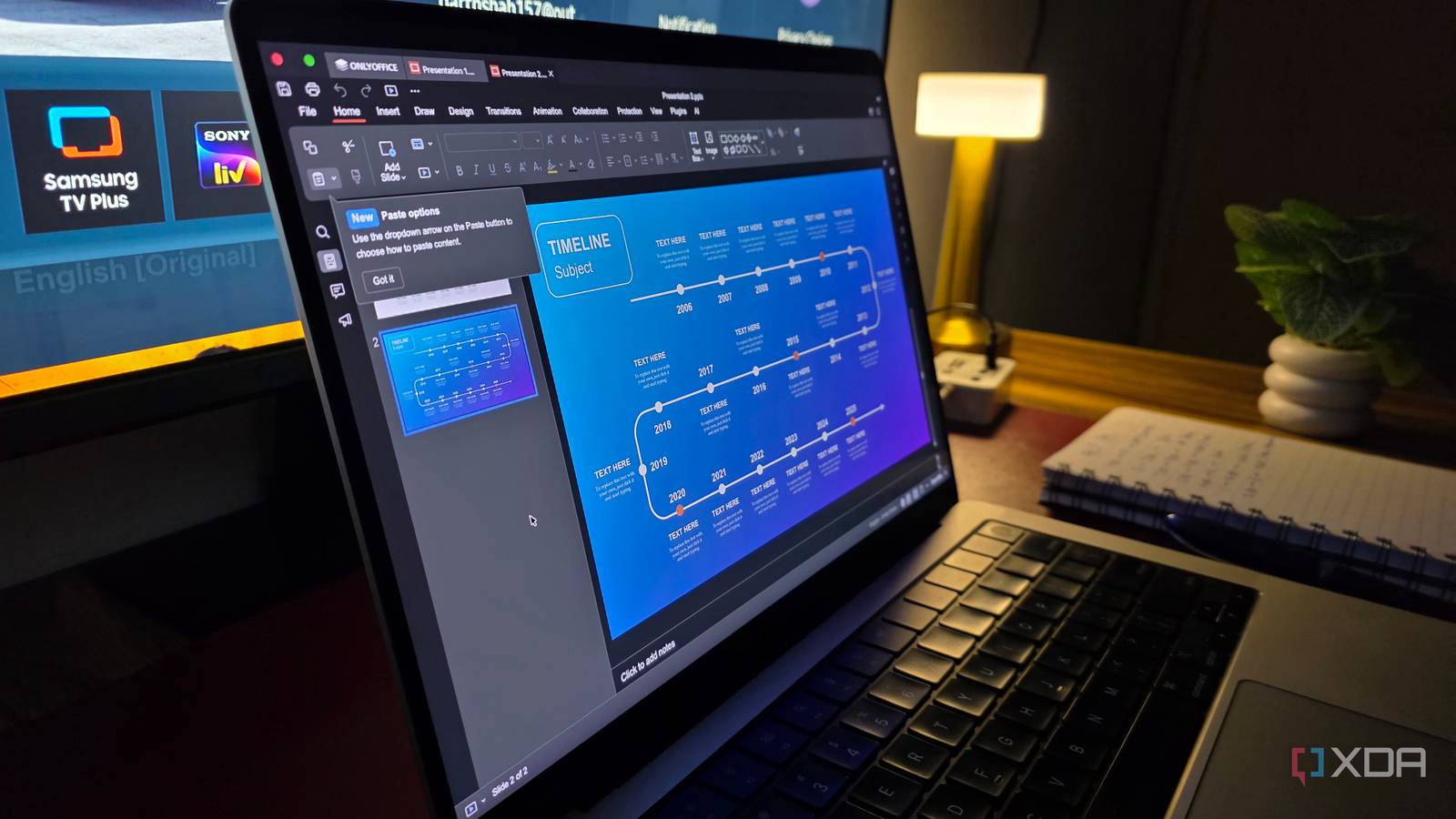
Published Oct 6, 2026, 4:00 PM EDT Parth, a seasoned tech writer, wields the keyboard (or pen) with finesse to unravel the intricacies of both Windows and Mac operating systems. He has covered evergreen content on mobile devices and computers for multiple publications over the last six years. You can find his work on AndroidPolice, GuidingTech and TechWiser. Whether it’s demystifying system updates, deciphering error codes, or exploring hidden features, Parth’s prose guides readers through the binary maze. When not immersed in tech jargon, you’ll find him sipping chai, pondering the next software review, and occasionally indulging in a friendly debate about mechanical keyboards. I have reached a point where almost every useful app seems to come with a subscription attached. Individually, a few dollars a month doesn’t sound like much, but stack enough of them together, and the bill starts getting ridiculous. So, I decided to run a simple experiment: for an entire month, I would avoid paid software wherever possible and rely only on free alternatives for my everyday work and personal tasks. Most of the apps I tested didn’t make the cut, but these five were good enough that I am keeping them installed even after the experiment ended. Obsidian My notes finally felt completely mine Obsidian was one of the easiest apps to keep after this experiment. It does offer paid services, but I don’t really need them for my workflow. My notes are stored locally as Markdown files, so I can put my vault inside the cloud storage service of my choice and keep everything synced across my devices. I use Google Drive for this, which gives me the convenience I need without adding another subscription. My biggest hesitation with Obsidian used to be its mobile experience. The desktop app has always been excellent, but the Android and iOS apps never felt quite as polished as the competition. That changed with the recent redesign. The developers have done an excellent job modernizing the interface with a floating bottom bar, and I now find the mobile experience good enough. The desktop app is still where Obsidian really shines. Markdown gives me complete control over my notes, while community plugins let me expand it almost endlessly. I can visualize connections with Graph view, brainstorm in Canvas, build databases with Bases, manage tasks, and customize practically every part of the experience. Obsidian OS Windows, macOS, Linux, iOS, iPadOS, Android Individual pricing Free normally; $4/month for Obsidian Sync Obsidian is a robust PKM tool. Flow Launcher Windows navigation suddenly became much faster The Windows Start Menu always felt basic to me. It works fine for launching an app or digging through a few settings. But when I need something more specific, it feels slow. Flow Launcher fixed it almost immediately. I now use it as my main way to get around Windows. A quick keyboard shortcut brings up the search bar, and from there I can launch apps, find files, run a quick calculation, and even trigger web searches without touching the Start menu. It feels much closer to Spotlight on macOS, but with far more room to customize how it works. Flow Launcher Flow Launcher is an open-source alternative to Windows Start Menu. OnlyOffice A free suite surprised me OnlyOffice was one of the biggest surprises from this experiment because I expected to miss Microsoft Office almost immediately. Instead, I got comfortable with it much faster than I thought I would. The interface feels familiar, the layout makes sense if you have spent years using Word, Excel, and PowerPoint, and I never felt like I had to relearn how to do basic things. The biggest win for me is document compatibility. OnlyOffice handled my existing documents well enough that I could keep working without constantly checking whether something had shifted or broken. It also covers the everyday tools I actually use, including formatting, comments, track changes, tables, spreadsheets, presentations, and even templates. Microsoft Office is still more powerful overall, especially once you get into advanced Excel and PowerPoint workflows. But for my day-to-day writing work, OnlyOffice gets the job done. OnlyOffice OnlyOffice is an open-source Microsoft Office alternative. PDFGear PDF editing stopped feeling unnecessarily expensive PDF software is one of those categories where I always expect the useful features to be locked behind a subscription. PDFGear was a pleasant exception. I started using it for the basic stuff, but it quickly became my default PDF tool because it handles far more than simple viewing. I can edit text, add or remove pages, merge PDFs, split documents, add signatures, and reorganize pages without constantly running into a paywall. That covers almost everything I need for invoices, contracts, article references, and other documents I deal with regularly. The interface is also clean enough that I rarely have to hunt around for the tool I need. PDFgear PDFGear is a free PDF editing tool. Affinity Creative work without another monthly subscription Affinity was an easy inclusion on this list because its value proposition has become almost ridiculous. Canva acquired Affinity in 2024, and the company has since taken things much further by making the new Affinity completely free. I don’t need professional design tools every hour of the day, but I regularly work with images, graphics, thumbnails, and other visual assets. Affinity gives me the precise editing and design controls I don’t get from basic image editors. I can work with layers, masks, selections, typography, RAW images, and more without feeling like I am using a watered-down alternative. Some premium AI features are still tied to paid Canva plans, but the core experience remains free. Affinity OS Windows, macOS Developer Serif (Canva) Affinity is an all-in-one design tool for professionals. Cost Free (optional paid subscription) Free tools I would happily recommend This month reminded me that ‘free’ doesn’t automatically mean ‘worth keeping.’ I tried plenty of well-known options, including Joplin, Bitwarden, LibreOffice, GIMP, and several others, but they didn’t quite fit my workflow well enough to make the final cut. Some felt dated, some required too many compromises, and others didn’t give me a strong enough reason to switch from what I was already using. Obsidian, Flow Launcher, OnlyOffice, PDFGear, and Affinity were different. Each one solved a real problem without constantly reminding me that I was using a free alternative. I kept reaching for them even after the novelty of the experiment wore off.
I used only free software for a month and found 5 apps worth keeping
Full Article
Original Source
Read the full article at Xda-developers →KhanList aggregates and links to publicly available news content. We do not host full articles from third-party sources. Always verify important information with original sources.