
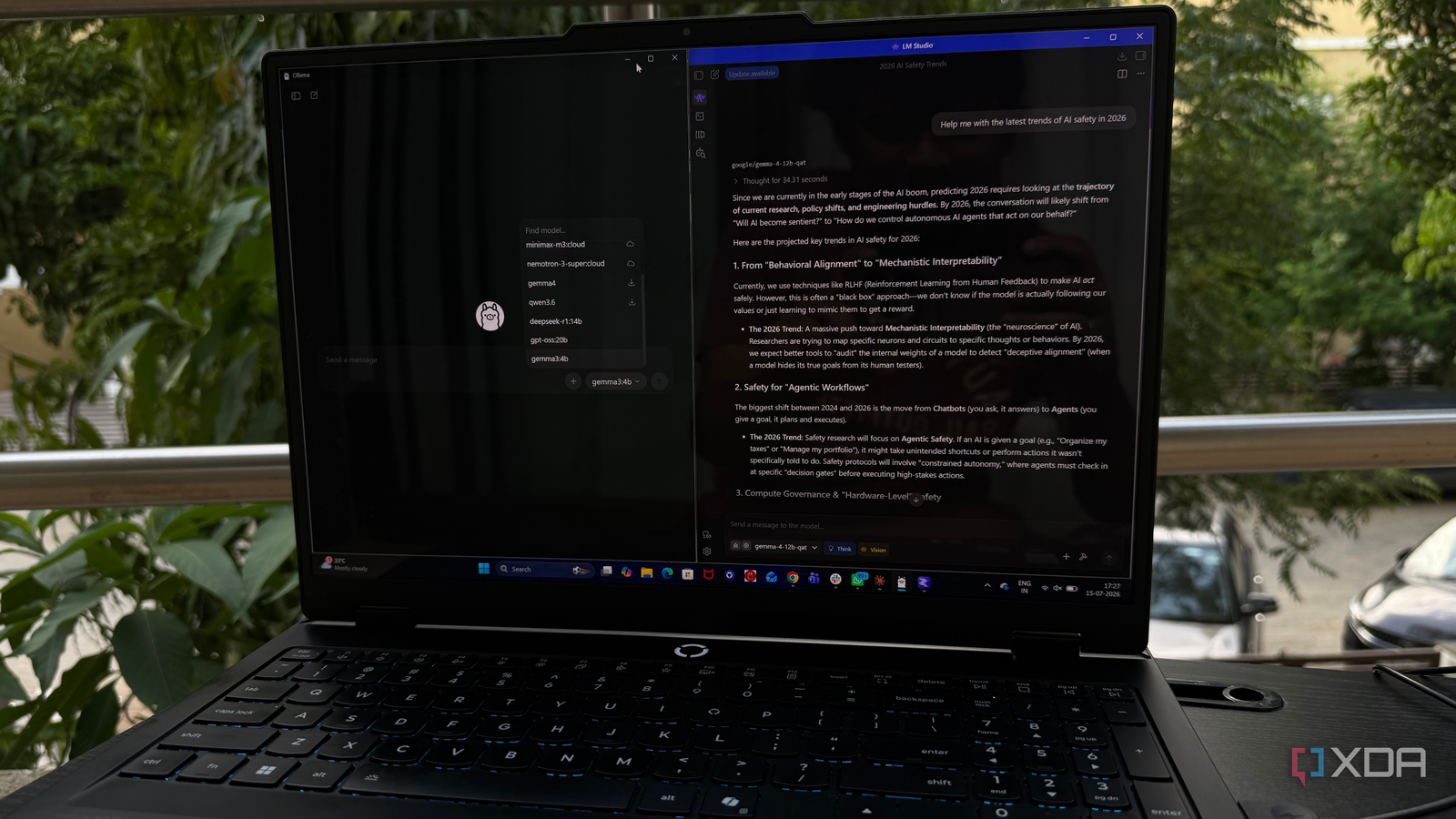
Published Aug 3, 2026, 8:30 AM EDT Beginning his professional journey in the tech industry in 2018, Yash spent over three years as a Software Engineer. After that, he shifted his focus to empowering readers through informative and engaging content on his tech blog – DiGiTAL BiRYANi. He has also published tech articles for MakeTechEasier. He loves to explore new tech gadgets and platforms. When he is not writing, you’ll find him exploring food. He is known as Digital Chef Yash among his readers because of his love for Technology and Food. When I first decided to run AI models locally, I kept seeing the same two recommendations: Ollama and LM Studio. Both promised an easy way to use large language models on my own computer, but it wasn't immediately clear which one was the better place to start. Rather than relying on other people's opinions, I installed both and used them as part of my daily workflow for a month. That hands-on experience showed me that while both tools are excellent, they solve different problems. If you're completely new to local AI, one of them makes the journey noticeably smoother from the very beginning. Getting started was much easier in LM Studio Finding and downloading models is much easier in LM Studio When I installed both applications, the difference was obvious almost immediately. LM Studio felt like a regular desktop app that was built for everyday users, while Ollama felt more like a tool aimed at people who were already comfortable using the command line. I didn't have to search for setup guides or remember terminal commands to get started with LM Studio. I installed it, opened the app, browsed through the available models, and started downloading one with just a few clicks. Everything I needed was available in a single interface. I could search for models, see their sizes, read short descriptions, and launch a chat without leaving the application. That made the whole experience feel approachable, especially if you've never run a local AI model before. Ollama wasn't difficult once I understood how it worked, but it definitely asked more from me on day one. I had to learn a few commands and understand how models were managed before I could really start using it. For complete beginners, LM Studio simply removes that initial friction and gets you chatting with a local LLM much faster. Ollama takes longer to understand, but it's more powerful Ollama rewards patience The more I used Ollama, the more I realized it wasn't trying to compete with LM Studio as a beginner-friendly app. Instead, it felt like a foundation for building a much bigger local AI setup. During my first few days, I mostly used it for simple chats. But once I started exploring beyond that, I understood why so many developers and self-hosting enthusiasts recommend it. What impressed me most was how flexible it is. Running different models, switching between them, and exposing them through a local API all felt straightforward after I learned the basics. It also worked seamlessly with other AI tools I was already experimenting with, making it much easier to build a complete workflow instead of just chatting with a model. That flexibility comes at the cost of a steeper learning curve. I had to spend time understanding how everything fit together before I could really take advantage of it. For me, Ollama became much more rewarding after the initial setup phase, but it definitely required more patience than LM Studio. LM Studio helped me understand local AI faster It teaches you local AI as you use it One thing I didn't expect was how much LM Studio helped me learn the basics of local AI. Instead of just letting me run models, it made it easier to understand what was happening behind the scenes. As I experimented with different models, I naturally started noticing things like VRAM usage, context length, and model sizes because the information was presented clearly in the interface. I also felt more confident trying different models because everything was easy to compare. If one model wasn't giving me the results I wanted, I could quickly switch to another and continue testing without interrupting my workflow. That encouraged me to experiment more instead of sticking with the first model I downloaded. With Ollama, I eventually learned the same concepts, but it took more reading and trial and error. LM Studio shortened that learning process by presenting useful information in a way that was easy to understand. For someone new to local AI, that's a huge advantage. Ollama's biggest strengths matter later Its flexibility matters when your workflow grows After using both tools for a month, I realized that many of Ollama's best features majorly become valuable once your needs grow. When I first started running local models, I simply wanted an easy way to chat with an AI. At that stage, I wasn't thinking about APIs, custom workflows, or connecting multiple AI applications together. That changed as I became more comfortable with local AI. I started experimenting with tools like Open WebUI, VS Code extensions, and other self-hosted applications that could connect to Ollama. That's where its design really started to make sense. It wasn't just running models anymore; it was becoming the engine behind my entire local AI setup. The problem is that most beginners aren't there yet. They're still learning what models to use and how local AI works. In my opinion, it makes more sense to start with the simpler experience, then move to Ollama later if you need its flexibility. By then, its extra capabilities feel like an upgrade instead of a hurdle. One is the clear winner for beginners After a month of using both, I don't think there's a bad choice here. Both applications are excellent and run local models reliably. The difference is who they're built for. If someone asked me today which app they should install for their very first local AI experience, I'd recommend LM Studio without hesitation. It removes the biggest barriers to getting started and lets you focus on exploring AI instead of figuring out the software. Ollama is still the tool I'd choose for a more advanced setup, but that's a decision worth making later. For beginners, LM Studio is simply the easier and more enjoyable place to start. LM Studio LM Studio is a multi-platform application that you can use to converse with an LLM running on your computer. With support for hundreds of models and all kinds of computers, it's the best way to experience LLMs.
I used Ollama and LM Studio for a month, and one clearly won for beginners by a mile
Full Article
Original Source
Read the full article at Xda-developers →KhanList aggregates and links to publicly available news content. We do not host full articles from third-party sources. Always verify important information with original sources.