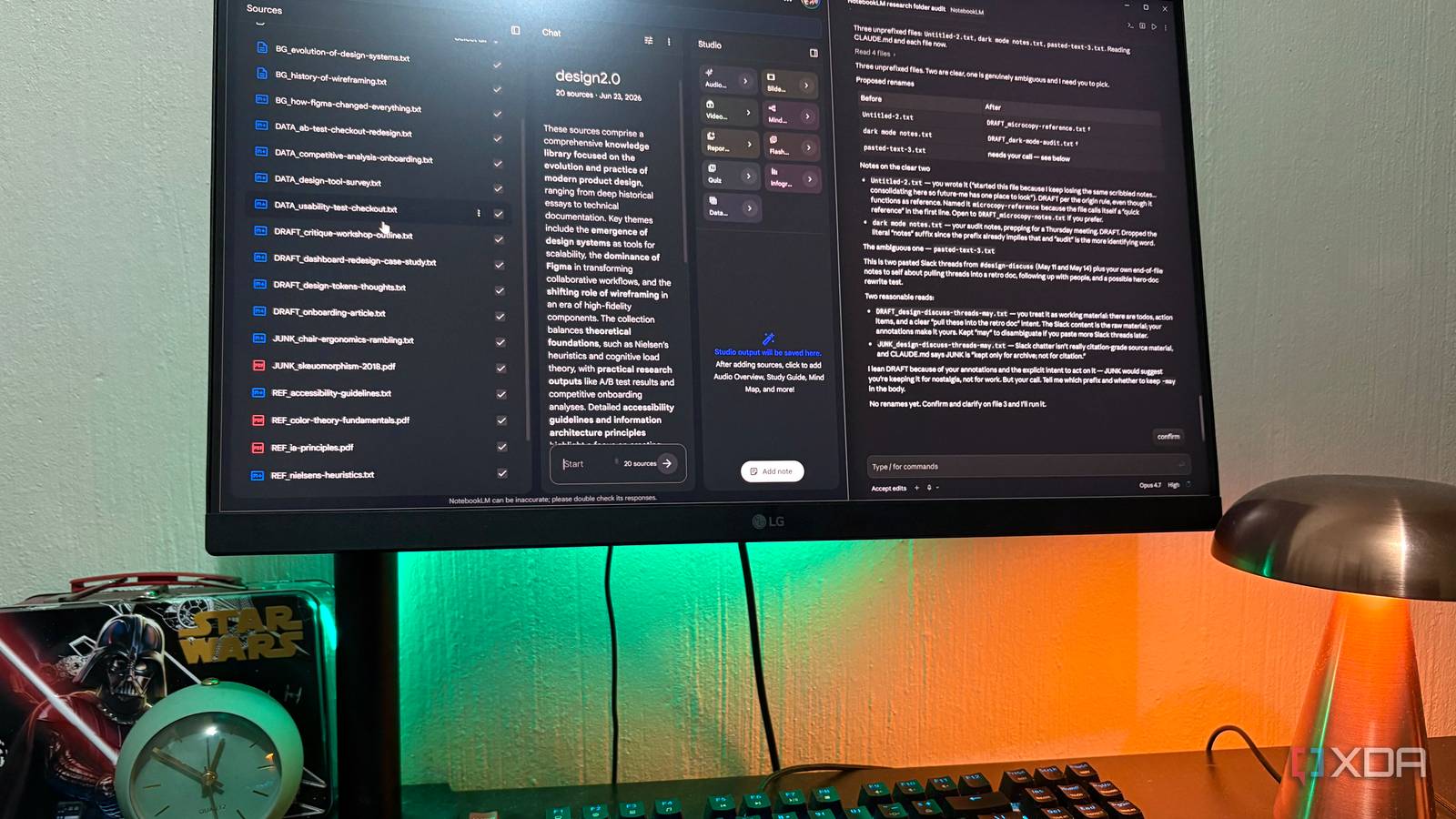
Published Jul 18, 2026, 10:30 AM EDT Nolen began their writing career in 2019, with three years dedicated to editing the Creative section at MakeUseOf. Their expertise lies at the crossroads of technology and creativity, covering areas like photography, video editing, and graphic design. Outside of work, you'll often find Nolen diving into a good book, writing their own stories, or playing video games. Notes apps used to be pretty passive. You wrote something down and if you wanted to find it again, you either remembered where you put it or you searched for a keyword you hoped you'd used, and that was pretty much the gist of it. Enter AI several years ago, and now you can interact with your notes and your own thoughts. Every note app under the sun has some type of AI fused with it now; Notion, Evernote, Apple Notes, even Workflowy have all rolled out some version of a chat-with-your-notes feature. But those built-in features are usually pretty shallow. For anything heavier, you go to a dedicated AI workspace, and the two most obvious ones for this kind of job are NotebookLM and Claude Projects. So I gave both my entire notes collection (which primarily lives in my Obsidian vault) and asked them to help me make sense of it. Want to stay in the loop with the latest in AI? The XDA AI Insider newsletter drops weekly with deep dives, tool recommendations, and hands-on coverage you won't find anywhere else on the site. Subscribe by modifying your newsletter preferences! NotebookLM notebooks fill up very fast And it requires a lot of prep My Google AI Plus plan gives me 100 sources per notebook, which seems like quite a lot until you point NotebookLM at a years-old vault and realize that's less than one note per two-and-a-half weeks of your archive. So you're either picking your favorite notes, or pre-merging groups of notes into consolidated docs, or creating a bunch of different notebooks. I ended up doing the latter. The upload flow doesn't help. There's no direct local folder option, so you're either syncing your vault to Google Drive first, or uploading files individually. I got several "source upload failed" with sources that should have uploaded fine because they were supported formats well within the word cap. This was pretty annoying. What NotebookLM does well, obviously, is source grounding. That's really valuable when the point of the interaction is accuracy, so it's less likely to make things up or put its own spin on things, and you simply get the answers directly grounded in your notes with citations. The mind maps are also the best visual overview of a corpus I've used - nothing else really touches them, and I actually think they're the reason to use NotebookLM at all for a task like this. But the trade-off is exactly the thing that makes NotebookLM NotebookLM; that it's source-grounded. So yes, it'll retrieve, but it won't reason across your notes the way you'd want for personal takes and chats. I asked it to surface abandoned ideas and it kept giving me summaries of what it found, not a read on what my notes were collectively pointing at. Two mind maps in and I realized the first one had assumed my vault was design-only because that's the densest materials in my note stacks - I had to explicitly prompt a second one focused on personal notes to surface anything outside that cluster. It maps what's loudest, not what's most representative. The other thing is that notebooks are isolated. Each one has its own chat memory now, but nothing carries across notebooks, so with a vault this size you'd end up with several parallel notebooks that don't know about each other. Which for a personal archive spanning multiple threads feels like the wrong tool. Claude Projects doesn't require you to prep anything A one-click setup, and it gets better from there I'm on Claude Pro, which gives me unlimited Projects, 30MB per file, and no stated cap on how many files can fit into a Project's knowledge base. When it overflows the context window, Claude switches to RAG and pulls relevant chunks per query, so effective capacity scales up well beyond raw context either way. The setup itself is where I knew that this was probably going to be the better option. Projects has a local folder option and you literally just point it at, say C:\Users\Name\Obsidian, and that's it. There's no need to set up Drive sync or upload files manually, or figure out how to disperse your notes across several different projects. A brilliant little piece of UX in my opinion; it makes Projects the most convenient option for this task, as opposed to NotebookLM, which requires a bunch of admin upfront. Memory is the standout workspace feature - Claude builds a persistent understanding of your notes and preferences over time, and it works across sessions. Custom instructions are also solid, and while NotebookLM has its own version of this, Claude tends to follow them more reliably, though I'll admit that's a feel thing and not something I can substantiate with a benchmark. It's likely because Claude's global memory of me is also more thorough. Model-wise, I prefer Sonet for personal notes because it has a more personable and conversational style than Opus. And because Claude pulls from global memory and outside context, it actually understands what my notes are. It knows "The Drowned Library" is a novel project, it knows my UX study track, and it maps my notes onto what it already knows about me. That's the thing NotebookLM structurally can't do. Claude gave me everything I asked for, including a grouped inventory of abandoned ideas across five years, a proper retrospective with a chart of subject areas, and a chronological timeline of how threads evolved. The visuals are also on another level than NotebookLM's; actual charts and note cards with real quotes pulled from real files, not like NotebookLM's AI-illustrated infographics that always feel a bit, well…they don't look great, in my opinion. The downside: citations. Claude will reference filenames when it's pulling from a specific note, but there's no numbered or clickable citation system like NotebookLM's where every claim gets a source stamp. So you're kind of trusting what it tells you, which is fine for personal notes where the stakes are low, but I'd want the citation rigor if I were working with research material. What five years of notes actually need It depends on the pile, but Claude handled mine Which one wins really comes down to what your vault on note stack looks like to begin with. If your notes are meticulously kept - consistent prefixes, tag hygiene, everything already synced to Drive - NotebookLM is genuinely fine, and the source-grounded model is valuable when your notes are reference material and hallucination-free retrieval is the point. The best use case for NotebookLM is lecture notes, research, or a project archive. If your vault is a five-year sediment layer of half-finished thoughts and inconsistent naming and folders reorganized twice and then left alone, Claude Projects is the only one that handles it without requiring you to sort it first. You just hand over your vault and it takes care of the rest. Personal and creative notes lean on Claude for the same reason: you want a tool that can interpret and reason across half-formed ideas, not just retrieve them. Which is what I needed.
I used NotebookLM and Claude Projects to organize five years of notes, and only one finished the job
Full Article
Original Source
Read the full article at Xda-developers →KhanList aggregates and links to publicly available news content. We do not host full articles from third-party sources. Always verify important information with original sources.