
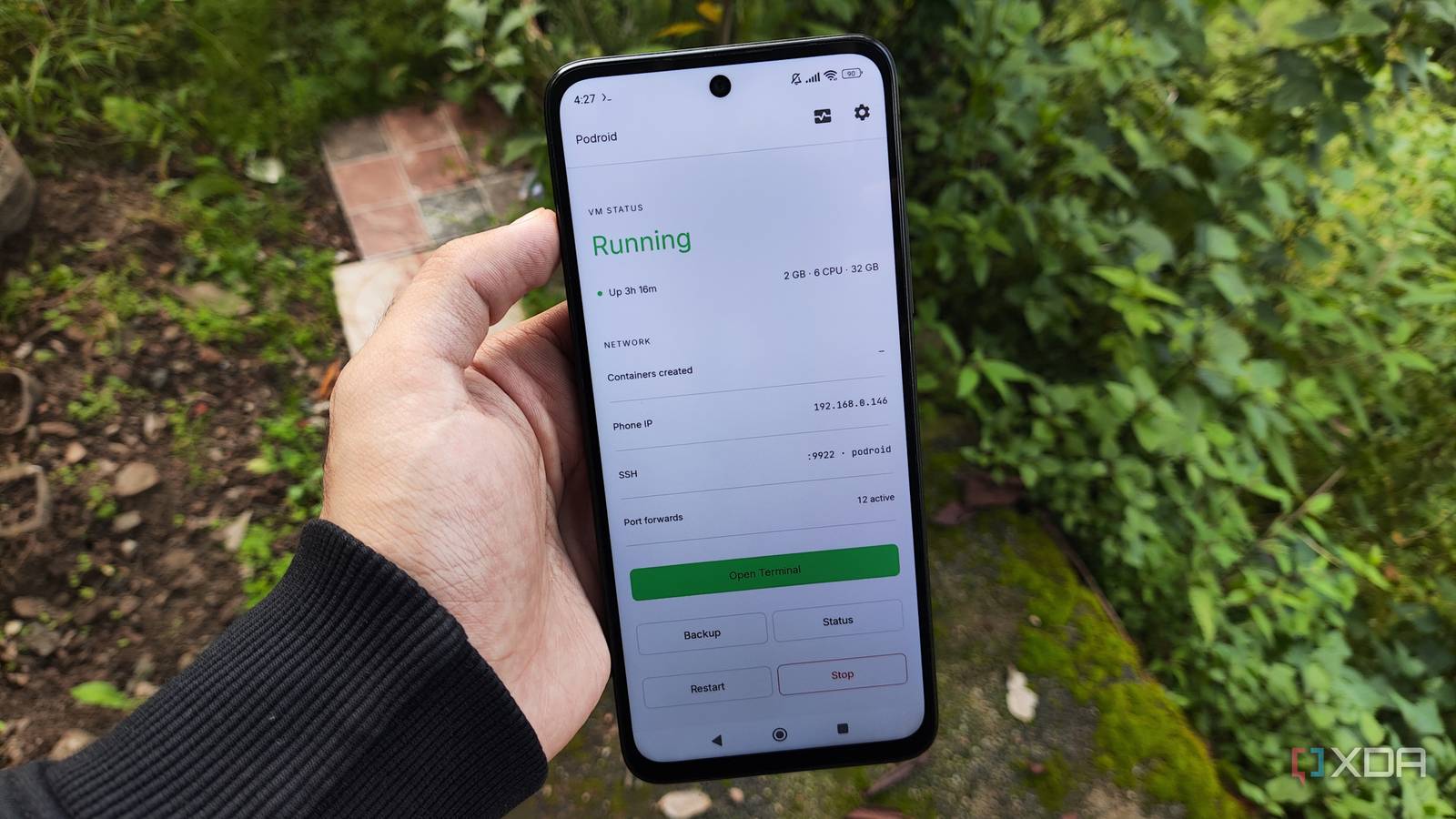
Published Oct 5, 2026, 9:00 AM EDT Ayush Pande is a PC hardware and gaming writer. When he's not working on a new article, you can find him with his head stuck inside a PC or tinkering with a server operating system. Besides computing, his interests include spending hours in long RPGs, yelling at his friends in co-op games, and practicing guitar. Contrary to what many new home labbers may believe, dinosaur rigs can be terrific self-hosting workstations. After all, containers mesh well with locally-deployed FOSS tools, and unlike resource-hungry virtual machines, most containerized environments have tiny footprints. As such, you can build a reliable Docker host from outdated hardware lying around. And I’m not just talking about old gaming PCs or retired office thin-clients, either. A few weeks ago, I tried experimenting with Docker on an aged Poco M6 Pro smartphone. Seeing as how my phone was in the budget-friendly range when I bought it years ago, I figured this DIY setup would result in broken Docker environments riddled with performance and compatibility issues. But to my surprise, even a non-rooted Android phone can serve as a reliable Docker host, provided I don’t go overboard with my container-hosting experiments. I rely on Podroid to run multiple lightweight Docker environments on my phone I can access simple productivity tools even when I’m away from my home server I stumbled upon Podroid when I was looking up ways to run FOSS apps on an Android device, and this app single-handedly solved my Docker woes. Despite its rootless design, Podroid manages to run an ultralight Alpine virtual machine on my smartphone – one that ships with Docker, Podman, and LXC packages pre-configured. Setting it up was also fairly simple, and although the app takes a few minutes to load the virtual environment every time I restart it, it works incredibly well with simple tools. For example, I often need to edit PDFs in my line of work. But when I’m on the go, there are times when I can’t remotely access my home servers even with Tailscale. But since I’ve already deployed a BentoPDF container on Podroid’s VM, I can head to its web UI and tweak documents directly from my phone. Likewise, I’ve got a ConvertX container running on my phone, and it’s what I use when I need to switch file extensions instead of dealing with privacy-intrusive, ad-riddled cloud-based converters and their paywalled “services.” For my non-PDF productivity tasks, I’ve configured an Omnitools container for its QoL-enhancing toolkit, with its video editor, data calculator, and data manipulation utilities making my office work pretty easy when I’ve only got my smartphone. Since these general-purpose apps aren’t all that taxing on my smartphone, I can just leave them running without any performance issues whatsoever. The container backup and folder-sharing provisions on Podroid are just as top-notch, and the X11 desktop and USB passthrough deserve a shout-out, too. And for apps that don’t necessarily need Docker, PRoot becomes a viable option as well… But the Termux + PRoot combo works surprisingly well for other services That’s how I got a Home Assistant instance up and running on my phone Technically, PRoot can only run Docker containers on rooted devices, but since it creates a virtualized environment for typical apps, there’s nothing stopping me from installing FOSS apps the conventional way. Take my recent Home Assistant experiment, as an example. Although Podroid let me create a Home Assistant container, I never managed to get it to detect my smart devices, automations, or integrations. However, I managed to find a GitHub repo that lets me run the now-deprecated (but still very much functional) Home Assistant Core instance on a PRoot environment within Termux. Now, Bluetooth obviously doesn’t work with this DIY setup, and I also can’t connect Zigbee/Z-Wave USB dongles to my Home Assistant Core container or rely on mDNS to auto-connect new smart gizmos to my phone. But my integrations, automations, and dashboards work without any compatibility issues whatsoever. The same goes for Jellyfin, and as long as you have enough storage capacity on your phone, you can still use your Android companion as a makeshift media server. I even tinkered with a Nextcloud-on-Android setup, and it was surprisingly responsive on my budget-friendly smartphone. Heck, I even managed to compile llama.cpp in Termux and use it for some LLM hosting experiments. Performance-wise, my outdated phone was able to handle the king of edge LLMs, Gemma-4-E2B, at 5-6 tokens/second, which is pretty good for basic inference tasks. Still, I wouldn’t use it to replace my dedicated home servers Although I’m satisfied with using my old phone for simple containers and light services, I wouldn’t go so far as to say that I’d rely on it for all my self-hosted experiments. I prefer running Jellyfin, Kavita, Immich, and other data archival apps on my centralized NAS, as my files require dedicated HDDs. My local LLM setups also need bulky graphics cards instead of the frail little GPU within my phone. On a non-rooted phone such as mine, I’d have a lot of trouble getting Pi-hole to work. Meanwhile, even my aged Raspberry Pi Zero SBC can tackle my ad-blocking needs just fine. The same holds true about my network stack, as I’d rather run it on dedicated mini-PCs instead of relying on quick workarounds on my Android phone. Termux Termux is a terminal emulator app for Android OS.
I used my old Android phone as a Docker server for a month, and it outperformed my expectations
Full Article
Original Source
Read the full article at Xda-developers →KhanList aggregates and links to publicly available news content. We do not host full articles from third-party sources. Always verify important information with original sources.