
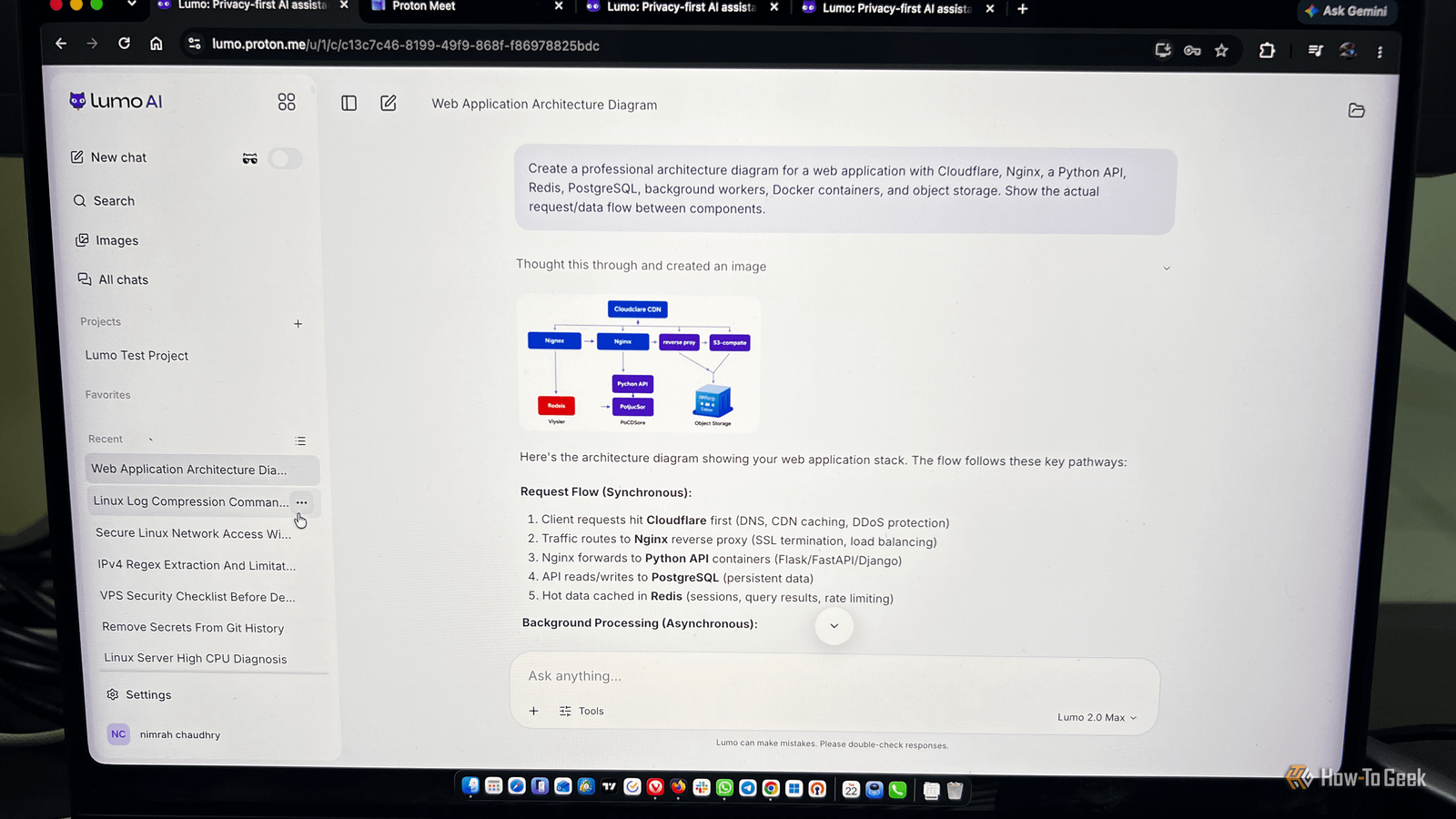
Published Sep 24, 2026, 10:30 AM EDT Nimrah has spent the last five-plus years writing about technology, with Linux being one of her favorite subjects to explore. Her work covers everything from Linux and open-source software to databases, cybersecurity, and everyday software. She has contributed to Baeldung, Make Tech Easier, and LinuxHint. She particularly enjoys turning a concept that initially seems complicated into something anyone can understand. Away from tech, she loves to read, cook new recipes, and try new restaurants and cuisines. Anyone who’s interested in security and uses open-source applications has probably heard of at least one Proton product, whether it’s Proton Mail, Proton VPN, Proton Wallet, Proton Authenticator, or Proton Drive. Proton’s agenda has always been clear: make the internet more private and give users greater freedom. In July 2025, Proton launched Lumo, a privacy-focused AI assistant. Recently, Proton updated it and renamed it Lumo AI, so it's now Lumo AI 2.0. We’ve all been telling our AI assistants things we’d avoid telling anyone else for years now. But have you ever noticed that after discussing a business idea or planning to buy something on your wishlist with an AI assistant, you suddenly start seeing relevant ads on websites and related content on social media? Why does that happen? Because many AI assistants can access our data and may share or sell it. That's where Proton wanted to draw the line and describes Lumo AI as a zero-access encrypted AI assistant that never logs our chats or trains on our data. First impression of Lumo AI Its mascot is cute, and there's a ghost mode If you’ve used ChatGPT or another AI assistant, Lumo AI will feel like home, and it won’t take long to figure things out. Its interface is familiar, its mascot is cute, and its branding feels warm and welcoming. However, that can’t be the sole reason to switch to any AI assistant. Lumo AI is free to use and also offers Lumo Plus, which costs $9.99 per month and comes with some additional benefits. I would advise you to use the free account initially unless you plan to switch permanently and decide to purchase the Lumo Plus package. Another detail I particularly liked was how Lumo shows what it’s doing before giving you an answer. Depending on the request, it can show that it’s reasoning through a problem or searching the web, along with the sources it used. This makes the process feel less like waiting for a mysterious answer to appear and more like watching the assistant work at your request. Putting Lumo AI’s memory to the test It doesn't remember everything by default Lumo AI’s memory behavior also caught my attention during my first use. Memory is turned off by default, so something you tell Lumo AI in one conversation won’t automatically carry over into a new one, even if you haven’t deleted the original conversation or used Ghost mode. If you want Lumo AI to remember information between conversations, you can enable its Memory feature in the Settings. Do research and ask everyday questions Lumo AI is surprisingly good at research and keeping secrets Research is one of the areas where Lumo impressed me most. When I asked it questions that required up-to-date information, it searched the web and showed me the sources it used. More importantly, I could inspect those sources and the reasoning behind its response before accepting the answer. The information I checked was accurate, the citations were relevant, and I didn’t run into any obvious hallucinations during my testing. That doesn’t mean you should blindly trust everything an AI tells you, but Lumo made fact-checking relatively painless. I also tested Lumo with everyday questions by giving it a few made-up emotional scenarios. Its responses were thoughtful, positive, and surprisingly helpful. But what impressed me even more was what happened afterward. The information I shared with Lumo didn’t suddenly show up in ads or related social media content. I found that surprisingly reassuring, especially given how much personal information we casually share with AI assistants. There was one small catch. Lumo AI’s initial responses weren't always as extensive or well-structured as I wanted. The good news is that this was easy to fix. When I explicitly asked for a more detailed response or better formatting, Lumo AI expanded the answer and presented the information much more clearly. So while Lumo AI generally gave me good research results, prompting still matters. If you want a detailed comparison, table, step-by-step explanation, or structured answer, say so. Try brainstorming and image generation The results weren't impressive I tried Lumo AI’s image creation and editing capabilities to see how well it handles visuals. I ran the same prompts on other AI assistants for comparison, and the results weren’t particularly impressive, although they were better than some. I wouldn’t personally use Lumo AI for image creation, especially when compared with some of the other AI assistants I tested. To judge an image generator, we shouldn’t just look at whether an image technically matches the prompt. Things like following instructions, handling revisions, and making useful edits matter just as much. Brainstorming was one of the skills I was most excited to try. However, it left me disappointed because I was expecting more. I tried several prompts, including detailed ones designed to give the model plenty of context. The resulting ideas were mostly average and sometimes felt like variations of the same suggestion rather than genuinely useful directions. The problem wasn't that Lumo AI couldn't generate ideas. It could, but they weren't fresh, creative, or well-developed as per the prompt. Ask Lumo AI about technical concepts and code It handled the technical questions and code pretty well I tried asking Lumo AI about some technical concepts to see how well it could explain them. It did pretty well, breaking down complex concepts into explanations that weren’t unnecessarily complicated. Its answers were actually easy to follow and understand. Apart from technical concepts, I asked Lumo AI to gather information about me using my online footprint and create a live portfolio site for me. It couldn’t create a live site (due to third-party plugin limitations), but it provided me with code that I could push to GitHub or Netlify to use for my portfolio. The output was good, but it lacked a few things. Some anchor tags weren’t working, and there was some unnecessary CSS styling. When I prompted it to correct those mistakes and make a few tweaks, it gave me a modified and better response. I also gave Lumo AI some broken Bash scripts to debug. It identified the problems and provided useful corrections. All in all, Lumo AI handled these technical tasks efficiently, but that doesn’t mean you should push any code generated by an AI assistant directly into production without reviewing and testing it first. Let's put Lumo AI privacy claims to the test Privacy is one of the biggest selling points of Lumo AI, so I tried to test it from a user's perspective. Obviously, I can't test what happens on the server side. One of the first things I noticed was that memory is turned off by default. Information from one conversation didn't automatically appear in another, which matched the behavior I expected from a privacy-focused assistant. Even when the memory feature is turned on, Lumo AI doesn’t always recall previous conversations easily. You often need to give it hints or explicitly ask it to remember something before it can connect it to an earlier conversation. I’m not sure whether this is a limitation of how its memory works or an efficiency issue, but I find it frustrating at times. Lumo AI also provides Ghost mode for conversations you don't want kept in your regular chat history. However, I would still say that using Lumo AI for one week, or even a longer period, can't independently prove everything Proton says about its backend. I did read Proton’s documentation about its backend, and it sounds promising on paper, at least. What I could test was whether Lumo AI's behavior matched the privacy experience Proton promises. So far, it largely did. Would I switch from ChatGPT to Lumo AI? After a week, I don't think Lumo is a universal ChatGPT replacement. But I also don't think it needs to be. Its web research is strong, its citations make answers easier to verify, and it handled my technical and coding questions well. Its privacy-first approach is another meaningful advantage, particularly if you're uncomfortable feeding personal conversations into an AI assistant. Brainstorming and image generation, however, left me wanting more. Also, its lack of third-party integrations limits what it can do compared with some competing assistants. I won’t say Lumo AI can replace ChatGPT for everyone, but people who value privacy and need an AI assistant for everyday questions and research can certainly consider switching to Lumo AI. Personally, I won’t be ditching ChatGPT for it, but I’ll definitely consider Lumo AI part of my AI toolkit. For oversharing sessions, its Ghost mode is useful. And if I’m researching something I don’t want to be followed by related ads across the internet, Lumo AI is where I’d go.
I used Lumo AI for a week instead of ChatGPT. Here's what I learned
Full Article
Original Source
Read the full article at Howtogeek →KhanList aggregates and links to publicly available news content. We do not host full articles from third-party sources. Always verify important information with original sources.