
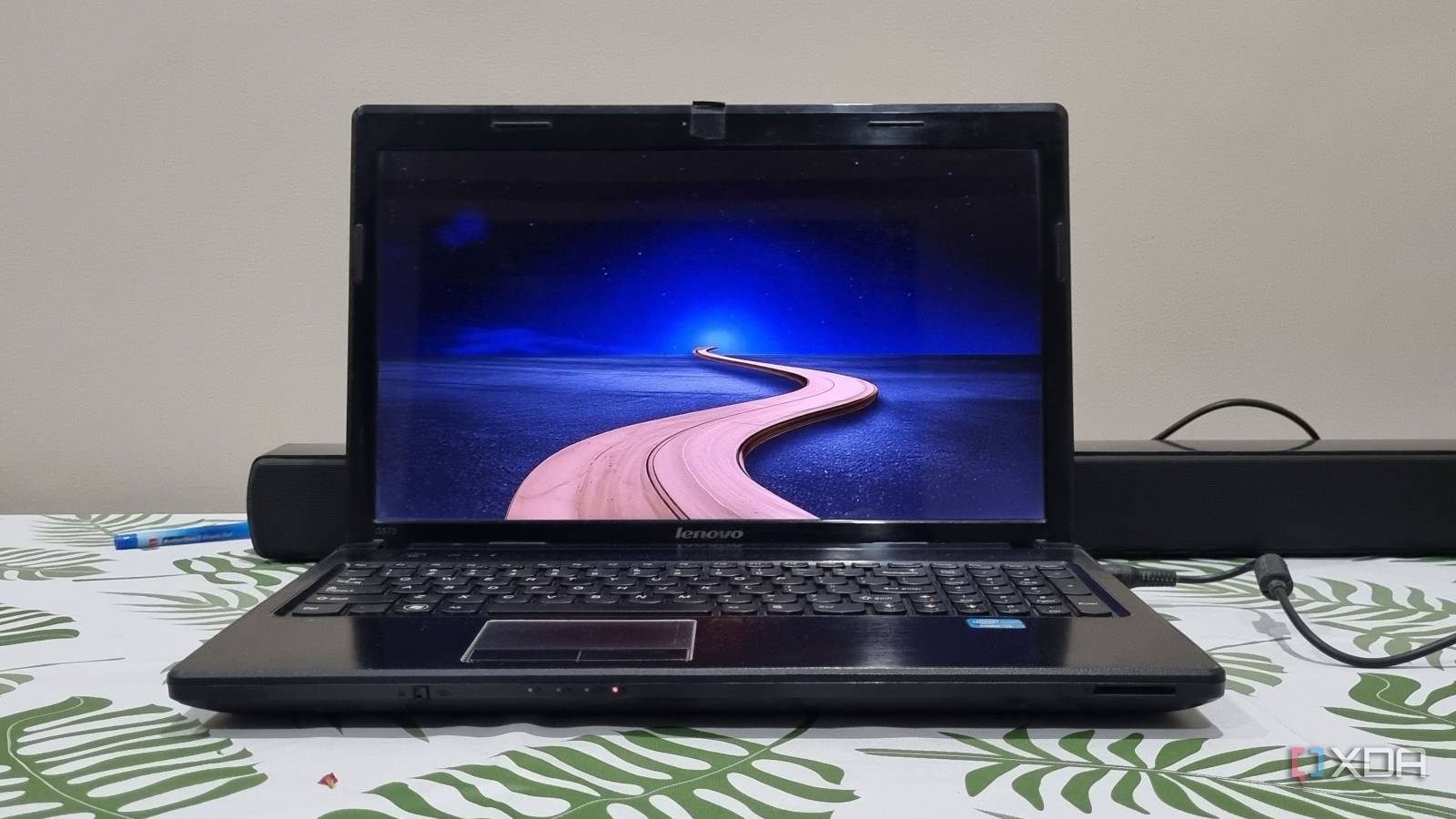
Published Sep 27, 2026, 7:00 PM EDT Abhishek is an author at XDA who covers computing. He has loved computers since he got the Lenovo G570 in 2012. Abhishek holds a master's degree in computer applications and began his writing career in 2018. He loves writing how-to articles, listicles, and informational posts on popular operating systems and web services. He closely follows the Windows Insider program and tests new Insider builds to discover upcoming experimental features and upgrades. His past work includes long-term collaborations with reputed publications like Tom's Hardware, and Windows Latest. When not writing anything, he is busy watching new episodes of One Piece or searching for something binge-worthy. Windows 11 made a bold move with its system requirements and pushed a huge section of legacy hardware into the past. The lack of TPM chips, high baseline memory requirements, and other BIOS features like Secure Boot weren't available on hardware released a decade ago. Surely you can upgrade some elements like memory and storage, but Windows 11 requirements are way more complex than that. The next best option is Linux, and Ubuntu is synonymous with Linux at this point. It's a mainstream distro now, and it powers most of the global server infrastructure. But my old laptop from 2012 is no match for the modern Ubuntu design. It's too demanding and bloated for an old machine like mine, and it urged me to look for truly lightweight alternatives. MX Linux Fluxbox became my savior and is a perfect pick if you're looking to revive an old PC. Ubuntu used to be a stellar choice But it changed with time Ubuntu didn't need the copious amount of memory it demands today. I've run Ubuntu when it needed less than 1GB of memory in a dual-boot configuration. But today, you'll need at least 4GB of memory to run Ubuntu with the bare minimum performance. The newest edition of Ubuntu recommends a minimum of 6GB of memory and an equally capable processor. So, it's understandable that Ubuntu isn't looking to tone down anytime soon. It's a mainstream Linux distribution and tries to look the part, which is a burden for old laptops with an integrated GPU. My laptop has an Intel Core i3 second-generation processor, and with two physical CPU cores, it cannot bear Ubuntu's load. It had a discrete GPU, but it got damaged with excessive use, and now it has to rely on the Intel HD graphics present in the processor. It also has just 4GB DDR3 memory, which is the baseline for Ubuntu and Windows 11. After spending a few hours searching for some lightweight distros, I stumbled upon MX Linux Fluxbox. It's a perfect match for very old laptops like mine because it sheds all the GUI weight. The distro uses a lightweight window manager instead of a desktop environment and yet remains functional. I was baffled by such low system requirements and decided to give it a try. I downloaded the distro from the official website, copied it to my Ventoy drive, and then booted the ISO file. MX Linux Fluxbox edition is very lean Retains only the essentials My system has an HDD, and it's not hard to guess that an OS installed on it will be quite slow. The primary laptop that I use has an NVMe SSD, and Ubuntu takes about half an hour to install on it. MX Linux Fluxbox edition took about 5–8 minutes to install on the old internal HDD, and the GUI installer made the whole process quite easy. It's similar to how you install other Linux distributions, and you need to configure disks, user accounts, and a few more things before the installation. The first boot loaded a very bland-looking desktop, and it was far from the polished designs of Windows 11, KDE Plasma, or Ubuntu that I use today. Still, it had a bottom panel that served as a taskbar, an application launcher like the Windows Start menu. In addition, there was a system tray area for controlling the network, audio, and a few other things. So, the overall setup was quite familiar compared to Ubuntu's design. Even if you are completely new to Linux, the whole desktop experience won't feel wildly unfamiliar. Before looking at apps and OS features, I quickly launched a new terminal session and opened the htop tool. The system stats were quite favorable, as the OS used under 500MB of memory for its core tasks. It's quite nice to see an OS that can work with such low memory while offering an extremely lightweight desktop experience. I have more than 3GB of memory for basic browsing tasks, applications, and other actions. However, it's best to keep expectations in check. It's fit for lightweight browsing and applications, and very basic multitasking. Another use case is building a server out of it, which is what I ended up doing later. Now, I have a laptop that hosts a few tools like NextCloud and BentoPDF while offering a desktop experience that I need to troubleshoot. You can even use it as a starter laptop for kids or parents who need it mostly for web browsing. AntiX needs even less memory but lacks features MX Linux Fluxbox remains my top pick Ubuntu is not even an option at this point because it needs about 1.5GB of memory for baseline operations. However, MX Linux Fluxbox has a competitor that uses even less memory. AntiX is an aptly named distro that works on old machines, but I won't pick it over MX Linux. Surely, it has fewer memory demands, about 300MB, but it cannot match the convenience that you get with MX Linux Fluxbox. The distro includes a full set of tweaks to tailor the OS to your needs. Along with that, it has built-in support for Flatpaks, which is available via the GUI package installer app. It expands your app library and ensures that you encounter fewer roadblocks while installing new packages. AntiX falls short in these departments, and saving 150–200 MB of memory isn't worth it for me. I need the features that MX Linux Fluxbox edition offers, and once you use it, you'll realize the difference. Lightweight distros are available Ubuntu's name might echo in every forum and Reddit thread, but it's not fit for old machines. There are several flavors available, but very few of them can match the resource-frugal nature of MX Linux Fluxbox. The major trade-offs include a very basic desktop experience, but you don't have a choice if your machine is weak. For slightly more powerful systems, there is an XFCE edition that offers a more modern desktop environment. XFCE is lightweight compared to heavy desktop environments like GNOME and KDE, and can work with processors with better integrated GPUs. The most popular mainstream Linux distro with long-term support.
I used lightweight Linux to revive a Windows PC that Microsoft gave up on, and it's not Ubuntu
Full Article
Original Source
Read the full article at Xda-developers →KhanList aggregates and links to publicly available news content. We do not host full articles from third-party sources. Always verify important information with original sources.