
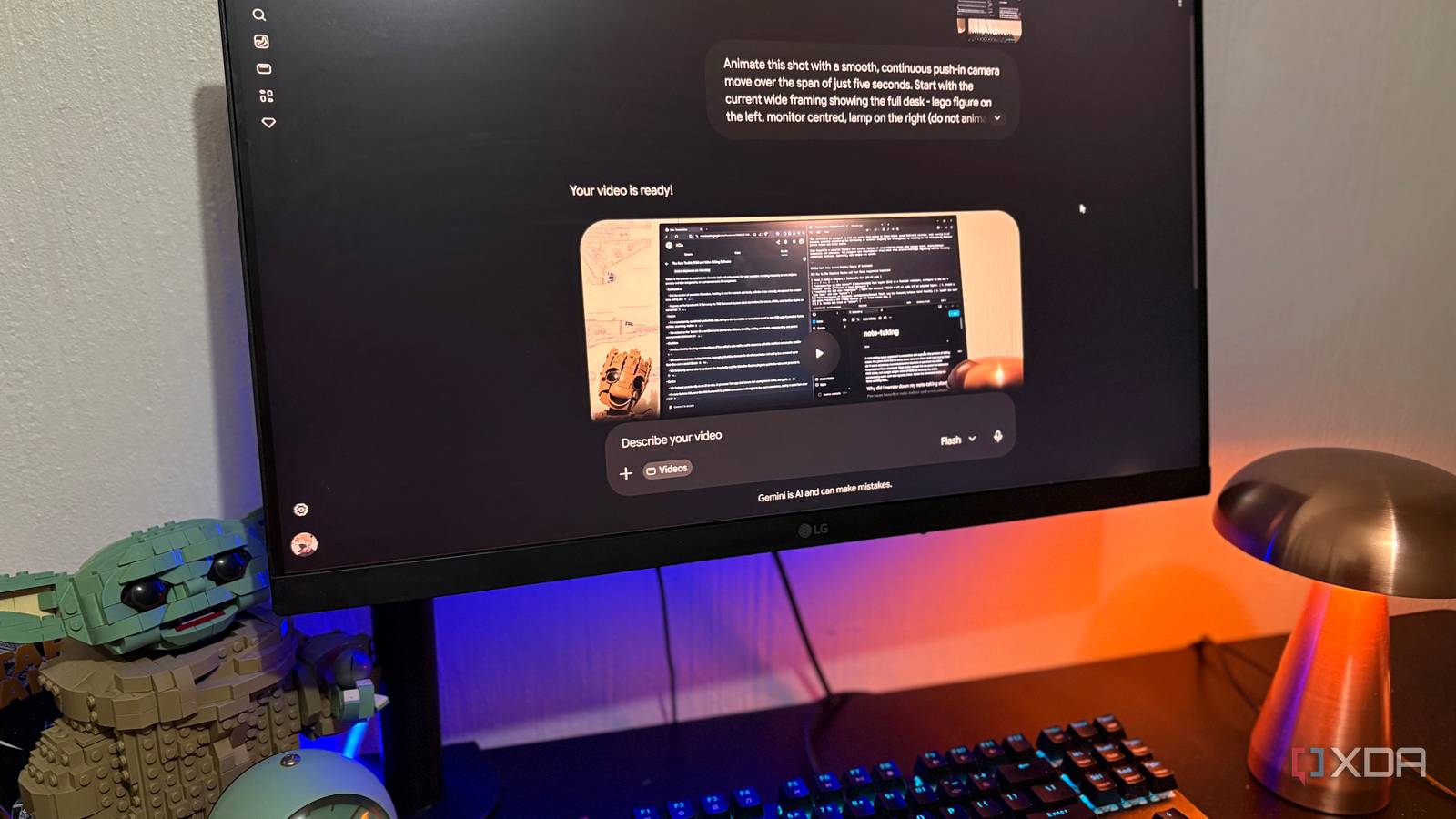
Published Jul 19, 2026, 8:30 AM EDT Nolen began their writing career in 2019, with three years dedicated to editing the Creative section at MakeUseOf. Their expertise lies at the crossroads of technology and creativity, covering areas like photography, video editing, and graphic design. Outside of work, you'll often find Nolen diving into a good book, writing their own stories, or playing video games. AI video was a total trip when it first hit the scene. It was hard to take seriously and that whole Will Smith eating spaghetti era from 2023 was genuinely unsettling. I was pretty convinced that AI video would stay stuck in the uncanny valley forever, and that actual filmmakers had nothing to worry about. Fast forward to now, and generated video is realistic to the point of sometimes being indistinguishable from something that belongs to reality. Which raises the obvious question. If AI can produce a whole scene from a sentence, what happens to the apps we've been using to cut, color, and animate footage for the last 20 years? Generation isn't quite the same job as editing, but it kind of folds the editing phase into the same step. That's the part I wanted to unpack... Want to stay in the loop with the latest in AI? The XDA AI Insider newsletter drops weekly with deep dives, tool recommendations, and hands-on coverage you won't find anywhere else on the site. Subscribe by modifying your newsletter preferences! Premiere still owns the fundamentals The features I was trying to replace with Omni Premiere Pro has been the standard for over 20 years now, and even though I haven't paid for a Creative Cloud subscription in a while, its toolset is still the benchmark. When I set up my Omni tests, this is basically what I was running through in my head as the checklist. So it wasn't just a matter of trying to generate the coolest visuals, but seeing if a generation tool could replicate the intricate controls of an advanced editor. The heart of Premiere is the Effect Controls panel paired with keyframing. You click the stopwatch on any property to enable keyframes, set a value at one point in the timeline, move the playhead somewhere else, change the value, and Premiere fills in the frames between them. That's how every zoom, pan, fade, and animation gets built. It works on all the standard transform properties too: position, scale, rotation, opacity, and anchor point. The Bezier curve controls are where the actual craft lives though, since that's what shapes the easing so motion doesn't feel robotic. Then there's Lumetri Color, Premiere's built-in color grading suite with proper wheels for shadows, midtones, and highlights, plus curves, HSL sliders, and LUT support. The Essential Graphics panel handles titles and lower thirds with extensive font control, and the redesigned masking tools in Premiere 26.0 give you better rounded-corner control and numerical adjustments too. So these are the features I was trying to see if a prompt could replicate. Omni is Google's answer to video editing without a video editor Testing Omni like it was Premiere Omni is Google's new video model that replaced Veo in the Gemini app, launched at I/O 2026 and pitched not as a video generator but as a "world model" that understands physics and spatial reasoning. Using it in Gemini is only available on paid Google AI plans. Plus at $8 gets you 200 Flow credits, Pro at $20 gets you 1,000, and Ultra scales from there. Even on paid plans, you're throttled. The free tier that has access to Omni through Google Flow hits a rolling 24-hour cooldown after 3 to 5 videos, and Pro users report roughly 3 generations per 5-hour window. So it's definitely not the kind of tool where you can just sit down and iterate freely, you need to know exactly what you want and craft your prompts accordingly. My first test was a royalty-free stock clip because I wanted to see how Omni handles existing footage rather than pure generation. I asked it to trim the clip, add a zoom, and drop in some text. The result was fine, some panning and mild zoom happened, but the text came in an ugly default font that I hadn't specified so that was on me. Decent enough, not amazing. Then I moved onto a short clip of my desk setup, and this is where things got interesting. I got specific about the camera movement (a slow continuous push-in ending with the monitor filling about 70% of the frame) and described the easing in natural language, telling it to start slow, reach full speed in the middle, and settle at the end. Which is basically describing a Bezier curve in words. It nailed the motion and the easing. The catch is that it also added a hand typing on the keyboard, complete with clickety-clack sound effects, and it changed what was on the monitor screen; this was a classic tell that Omni's default posture is to generate and not edit. Even when the source footage is right there, its instinct is to make the scene come alive. I added a line telling it not to add hands, people, movement of objects, or change what's on the screen, and it obeyed on the next attempt to my surprise. The motion was really good and the scene stayed clean. My third test went a little further and I tried to structure it more like a real edit. This time I gave it hex codes for the colors, specific font names, a lower-third position, and timing for the fade-in. It stuck to the "no generations" rule, got pretty close on the fonts and text colors, and nailed the motion again. The lower third rendered cleanly too. The one miss was the color overlay; the orange-teal grade I asked for never landed. I tried one more time, with a prompt specifically asking just for a color grade, and it still didn't render it, so I think it's safe to say that Omni falls short when it comes to overlays and grading. Omni is coming for Adobe, but not for all of it Motion is Omni's real strength, and precision is Premiere's Omni handled camera movement about as well as I could have set it up manually in Premiere's Effect Controls, and it did it in one prompt instead of ten minutes of clicking stopwatches and dragging Bezier handles. The push-in, easing, and timing all turned out perfectly, and it stuck to my instructions. Text and graphics were a little less consistent but close enough to what I asked for that I wouldn't say Omni struggled with them. And, again, it doesn't seem to understand color grading at all. The thing Omni is actually best at, though, is generating stuff that was never in the source. When it added that typing hand I hadn't asked for, the shadows and textures were correct and the perspective was also right. Frustrating when I didn't want it, but it's a generation tool at the end of the day, so that's where its training shines. Where Premiere still shines is, well, with everything else. That is precision, color editing, and frame-accurate control. Omni just doesn't think about that stuff because it doesn't work semantically. Adobe is also stacking generative features into Premiere 26.0 with AI object isolation and redesigned masking, so it's not exactly standing still. Google Gemini
I used Gemini Omni to edit a video instead of Premiere, and Adobe's days might be numbered
Full Article
Original Source
Read the full article at Xda-developers →KhanList aggregates and links to publicly available news content. We do not host full articles from third-party sources. Always verify important information with original sources.