
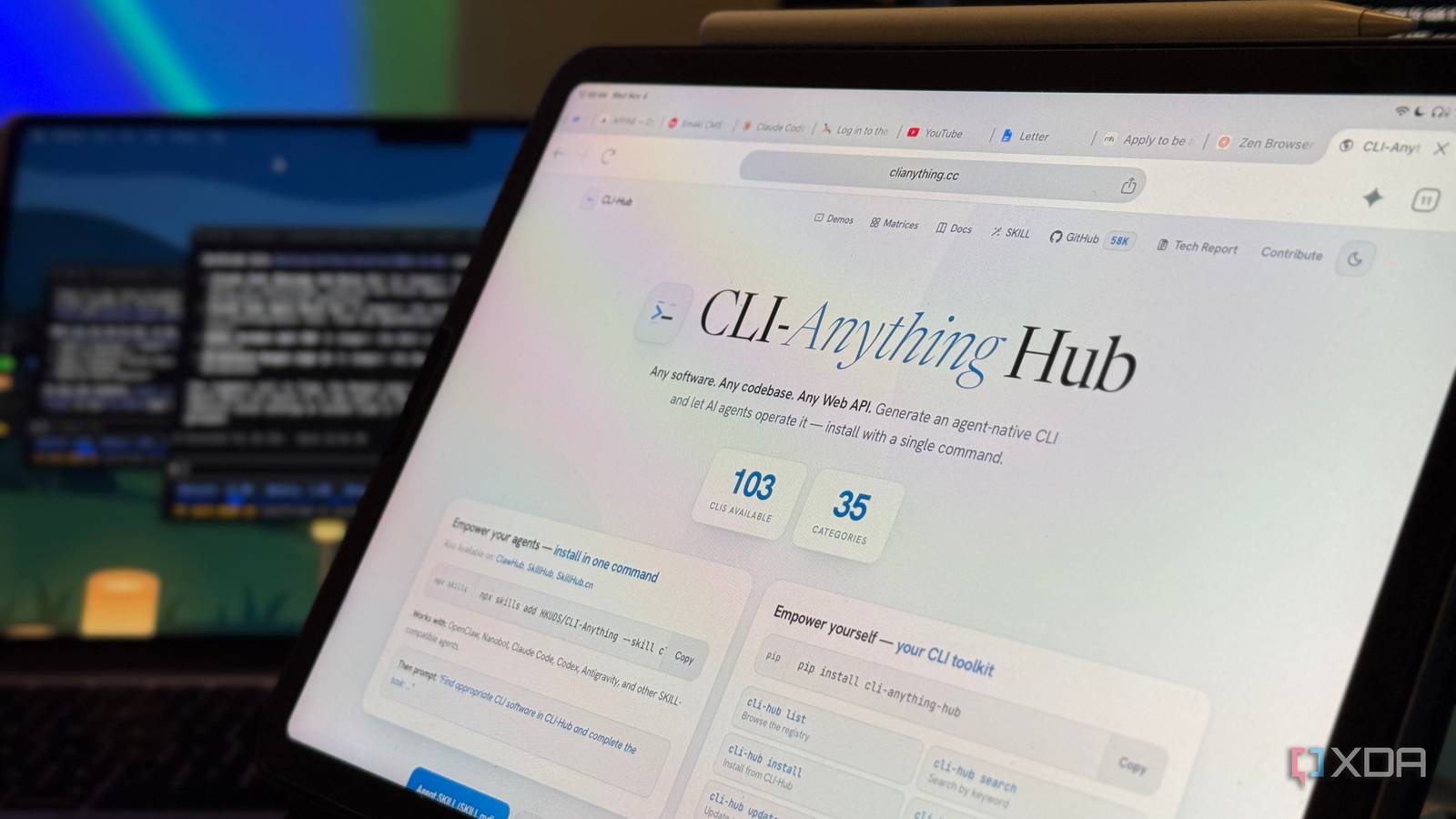
Published Nov 4, 2026, 6:00 AM EST Mahnoor Faisal is a tech journalist covering AI and productivity tools with bylines at XDA, SlashGear, MakeUseOf, Laptop Mag, and Android Police. She's been writing professionally since she was sixteen, and has since penned hundreds of articles. This includes in-depth coverage of AI tools like NotebookLM to breaking news across the AI space. Her passion for technology started when she received her first iPod Touch (4th generation) on her 8th birthday, and she's been deep in the tech world ever since. Currently pursuing a degree in computer science, Mahnoor brings both a journalist's eye and a technical foundation to her coverage of how AI is reshaping the way we work and learn. I’ll never side with AI giants coming for the parts of our work that make it feel like ours. Be it writing (cough, cough), drawing, framing a shot, or composing music, there’s a little bit of us in everything we create. The things we’ve lived through, the people we’ve loved, the little details only we would think to notice. I’d rather not see all of that reduced to something a better prompt could replace. However, AI is more than welcome to take the repetitive clicking, switching between apps, and moving files around just to get to the very tasks I actually enjoy off my plate. That’s why I’ve been finding ways to use Claude Code beyond coding, including plugins that connect it to my everyday tools. I wanted to see how much further I could take that though. Could I use it to control apps that weren’t built for AI in the first place? Turns out, with the help of an extension called CLI-anything, I could. Want to stay in the loop with the latest in AI? The XDA AI Insider newsletter drops weekly with deep dives, tool recommendations, and hands-on coverage you won't find anywhere else on the site. Subscribe by modifying your newsletter preferences! Giving my apps a second language Now, connecting the tools you use daily to your AI agents isn't a new concept. AI labs have been actively pushing this idea, and many AI tools already offer built-in support for connectors, plugins, or MCP servers. I've been using some of those integrations myself. What happens when the app you want to use doesn't have one, though? That's where CLI-Anything caught my attention. This is an open-source toolkit you can use with an AI coding agent to build command-line tools for existing apps. It ships with a collection of ready-made integrations, but you can also use its methodology to have your agent build one for an app you want to control. The agent examines how an app can be controlled, builds commands around those capabilities, and adds tests and instructions for using them. The resulting tool is what CLI-Anything calls a “harness.” Similar to when you're using a native plugin or an MCP server, the app itself still does the actual work when you access it through a harness. The harness simply gives Claude a way to ask it to perform specific actions and read the results back. Depending on the app, that could mean working with its source code, an API, or an existing scripting interface. I used Claude Code for this experiment, where CLI-Anything is available as a plugin. It's also available across other AI coding agents, including Codex, Cursor, Pi, OpenClaw, OpenCode, Hermes, Reasonix, Qodercli, and GitHub Copilot CLI. The developer lists that support for more AI coding agents including Cursor and Windsurf is planned, too. No need to reinvent this wheel I decided to use Claude Code for this experiment, where CLI-Anything is available as a plugin. To install it, you first add its marketplace, then install the plugin itself by entering these commands inside Claude Code: /plugin marketplace add HKUDS/CLI-Anything/plugin install cli-anything As mentioned above, CLI-Anything gives you two ways to get started: install a ready-made harness for an app it already supports, or have your AI agent build a new one. I tried both approaches, starting with NotebookLM’s existing integration before having Claude build custom tools for Apple Music, Notes, and Spotify. Right off the bat, something I liked is that getting CLI-Anything to install or build a harness didn't require some elaborate prompt. I simply had to tell Claude which app I wanted to use and ask it to check for an existing integration or build one using CLI-Anything's methodology. For NotebookLM, my request was literally, "Let's try the NotebookLM one." Once Claude finished installing the community-built harness available for NotebookLM, it opened a browser window so I could log into my account. Claude then confirmed that the NotebookLM CLI could see my notebooks and went ahead and listed them. To try it out, I asked Claude to find my “The Relational Model” notebook, list its sources, and ask it to explain primary keys versus foreign keys with an example. It brought the response back into our conversation, complete with references to my sources. NotebookLM was still the tool answering the question using the material I had uploaded, but it was Claude that was handling the back-and-forth. Given that I use NotebookLM a fair bit to understand technical documentation when I'm building something or to organize projects I'm working on, think about what this looks like in practice. Instead of switching from the terminal to the browser, looking for a specific notebook, querying it, and then heading back to the terminal to paste the result, I could handle the same workflow without leaving the terminal at all. Knowing me, I'd also get distracted if I had to open my browser halfway through a task, so having one less reason to do that was a win in itself. Bring your own tools, literally Now, I've previously tried using NotebookLM through a CLI using a MCP server, so this wasn't all that new to me. What I really wanted to see was how CLI-Anything would handle building a tool for an app that didn't already have a harness ready to install. Don't judge me on the choice of apps I went with here, but I asked Claude to use CLI-Anything's methodology to build command-line tools for Apple Music, Apple Notes, and Spotify. They were familiar apps I could test with straightforward requests and see whether the changes actually showed up. Claude first had to figure out how it could interact with those apps. For these tools, it used the scripting interfaces they already expose on macOS, then built commands around the available controls. Spotify’s harness was the very first I tested, with a simple “hey can you begin playing some music on Spotify” prompt. I had been listening to “Paid Time Off” by Noah Kahan a few minutes earlier, and Spotify picked the song up where I had paused it within seconds of me sending the prompt. I followed up with “ok stop it!” and Claude paused the song instantly. I know, I know. Playing and pausing music isn't groundbreaking at all. However, doing it through a casual conversation in the same terminal where I build things felt a little wild! Totally something I'd use, though! Then it was time to test the Apple Notes CLI. I started with another straightforward request: create a new note with three article pitches I had in mind. Claude saved them as bullets in a note called “Pitch ideas” and even pointed out that I’d accidentally mentioned Claude twice in one of the titles. I then asked, “Can you remind me of the NotebookLM interview questions?” It searched my notes, found the relevant one, and brought the questions straight into our conversation. This was something I could immediately see myself using while working. If an idea popped into my head halfway through building something, I could have Claude save it. If I needed notes I’d written earlier, I could ask it to pull them up without interrupting what I was doing. Finally, I tried asking Claude to “text XYZ that I was done building the tool for our project.” It found the contact and sent the message through the Messages app! Claude itself suggested that I could even combine the two CLIs, like pulling the "Pitch ideas" note and testing it to someone via a message. The terminal and I have come a long way I'm well aware the above are fairly basic examples. I could take this further with more complex tools like Blender for 3D modeling, GIMP for image editing, or Shotcut for video editing. But I wanted to start with apps I already use and examples that could demonstrate how useful a command-line tool can be when it lets me handle those little tasks without breaking my flow. I find it ironic, though. The terminal used to be an app I’d only open when I had to. Now, I’m finding ways to handle more of my workflow without leaving it!
I used Claude Code to control apps that weren't built for AI, and it opens up a whole new workflow
Full Article
Original Source
Read the full article at Xda-developers →KhanList aggregates and links to publicly available news content. We do not host full articles from third-party sources. Always verify important information with original sources.