
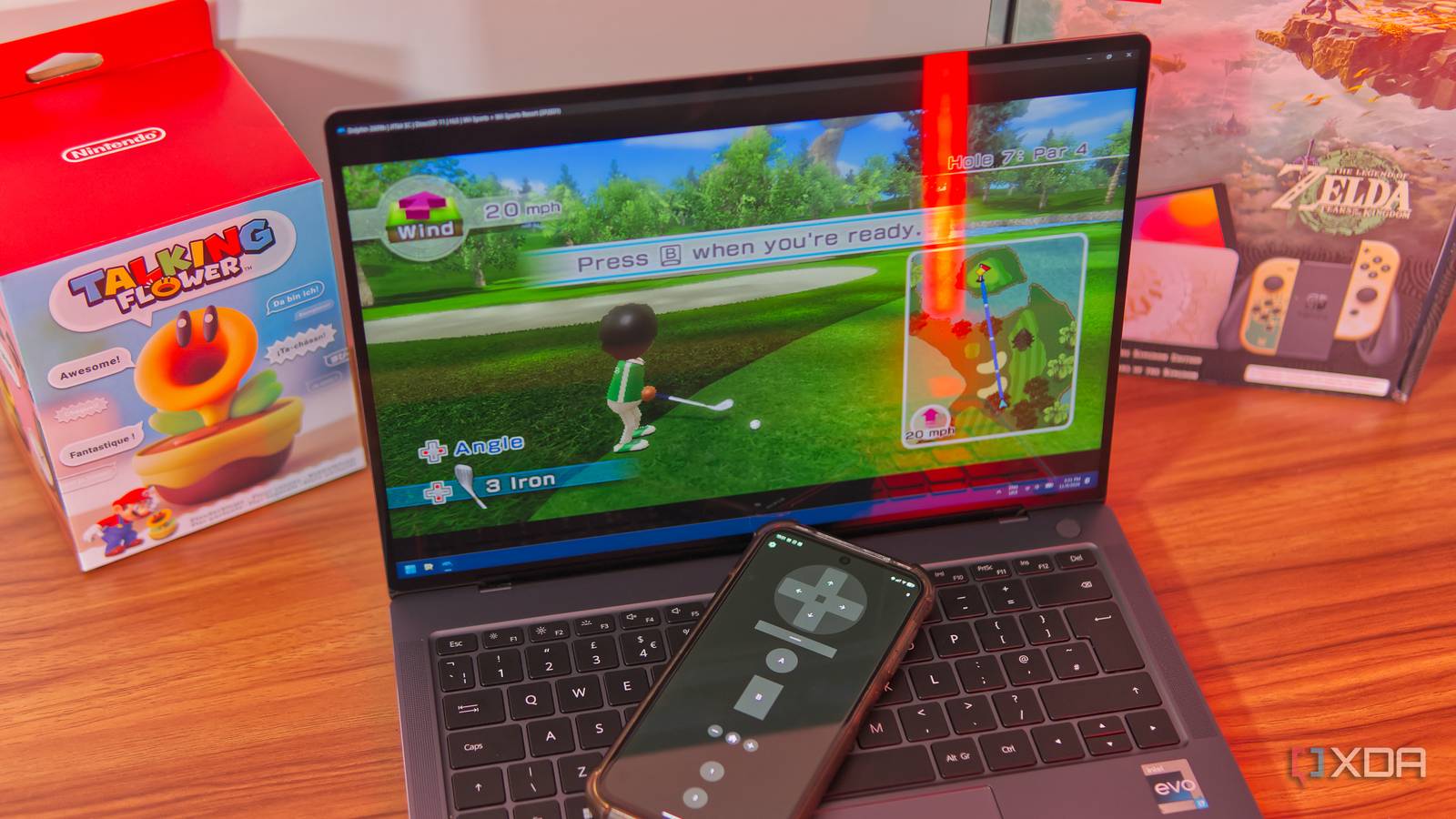
Published Nov 11, 2026, 8:30 AM EST João has been covering the tech world for over 7 years, with a heavy focus on laptops and the Windows ecosystem. I also love all things tech and videogames, especially Nintendo, which he's always happy to talk about. Prior to joining XDA in 2021, he worked at Neowin: https://www.neowin.net/news/poster/jo%C3%A3o-carrasqueira/ Emulation has conquered a lot of challenges over the years, but Nintendo has historically staved off some emulation efforts with its unique input methods. Sure, most modern devices can play DS, 3DS, or Wii games performance-wise, but it's the control mechanisms that get tricky. Playing a game like Rhythm Heaven or the DS's Zelda titles on a computer sounds miserable. I always figured the Wii was the same — unless you owned a real Wii Remote, motion-based games just wouldn't work on an emulator. Enter WiiMoteDSU, a project dedicated to proving me wrong. This simple Android and iOS app lets me control my Wii games in Dolphin using my phone's motion sensors, and it's better than I ever expected it to be. Phones and Wii Remotes are similar Motion sensors are standard now When the Wii first appeared in 2006, the idea of motion sensors in consumer devices was still very novel, and you weren't seeing a whole lot of phones with an accelerometer built-in. In 2009, Nintendo launched the Wii MotionPlus accessory, which added a gyroscope to the motion-sensing capabilities, bringing even more precision. At this point, smartphones had definitely become more popular, but the concept was still unique. But it wouldn't take long for pretty much every smartphone to come with advanced motion sensing, including both an accelerometer and gyroscope, just like Nintendo was cramming into its controllers (which has carried on to this very day). In theory, a modern phone could easily emulate the motion sensing capabilities of a Wii Remote. Multiple projects have been born out of this idea, including WiiPhone and Web GyroForCemuhook, which relied on using a web browser and server to make things work. But the best option right now is WiiMoteDSU, a dedicated app for Android and iOS that enables this feature in a much simpler way. Using your phone is easy It just takes a few seconds of setup WiiMoteDSU is a GitHub project and app for both Android and iOS that allows you to use your phone as a Wii Remote, and it's relatively easy to use in Dolphin. Essentially, the app creates a DSU server on your phone, a specific protocol for emulators like Dolphin and Cemu, which allow you to create custom inputs. Some of the other solutions I mentioned above also use this method, but the server runs on your computer, and you connect your phone using a web browser. You would then enter the localhost IP in Dolphin (127.0.0.1) to receive information from the server. I tried one of these options, but the motion controls were reversed, which WiiMoteDSU fixes. The smartphone app runs the server on the phone itself, so you insert the phone's IP address when setting up the controller in Dolphin instead. As a full-fledged app, it also gives easy controls so you can do things like reverse the motion axes in case they're not properly matched to the original Wii Remote. The vertical axis is inverted by default, which I found necessary for the controls to function correctly. You can also adjust the gyroscope sensitivity. With the app running on your phone, it's just a matter of setting up the controller in Dolphin. Go to the Controller settings (the option is shown right in the main window), and under the Wii Remote section, click the Configure button next to controller 1 (or any others you want to add). Here, set the extension option to None, since this tool doesn't allow you to use additional controllers like the Nunchuk accessory. Then, switch to the Motion Input tab and click Alternate input sources, click Add and enter your phone's IP address (it's shown on screen when you first launch the app, or you can check the settings) in the respective field. Leave the port field untouched. Once the input method is added, close the window and select your newly-created input as the primary input in the dropdown Device menu near the top of the window. Motion controls should work out of the box, but you'll need to go back to the General and Options tab to map all the controller buttons to the respective touch buttons on your phone. How well does it work? Better than you might think Even though it makes sense for this to work well, I wasn't completely sure what to expect when using this method for controlling Wii games. Unfortunately, your options might be a little limited without support for the Nunchuk, but I tried a couple of popular games, most notably Wii Sports Resort, which was Nintendo's showcase title for the Wii MotionPlus accessory. I played a few rounds of Swordplay, Table Tennis, Golf, and Bowling, and to my surprise, it all worked quite well. Holding a phone is quite a bit different from holding a Wii Remote because it's so much wider, so I think I had some trouble getting the motions just right, especially in a game like golf or bowling, where precise movements are so important to get the right shot or throw. But I still managed to get a couple of spares in bowling, so it was completely manageable, and I'm sure I'd get better with a little more practice. I also tried Flingsmash, another showcase title for Nintendo's enhanced motion accessory, and it worked similarly well. Again, the position for holding a phone is a little less natural, so some motions didn't seem to be quite as I'd hoped, but it felt like it would only take some more practice to get things right. The inability to play games that use the Nunchuk does rule out some notable titles in the Wii's library, perhaps most notably The Legend of Zelda: Skyward Sword, but you can also use this with a few other games, including Metroid: Other M or New Super Mario Bros. Wii, where motion isn't often required, but is essential for specific platforming challenges or power-ups. You could even try motion controls in Mario Kart Wii, though button controls are fully available for that one and often recommended, even if you're playing on the original hardware. It's not perfect, but it's a solid substitute While I wouldn't say this solution means you never have to buy a Wii Remote or that you can enjoy every Wii game without buying extra hardware, if you want to give some of these games a try, using Wii Remote DSU is a perfectly viable way to do so, and it works far better than I thought it might. It's completely free, so I'd say it's worth a shot if you've been thinking about playing these games on your PC. WiiMoteDSU OS Android, iOS Price model Free
I used an Android phone as a Wii Remote in Dolphin, and it works better than it has any right to
Full Article
Original Source
Read the full article at Xda-developers →KhanList aggregates and links to publicly available news content. We do not host full articles from third-party sources. Always verify important information with original sources.