
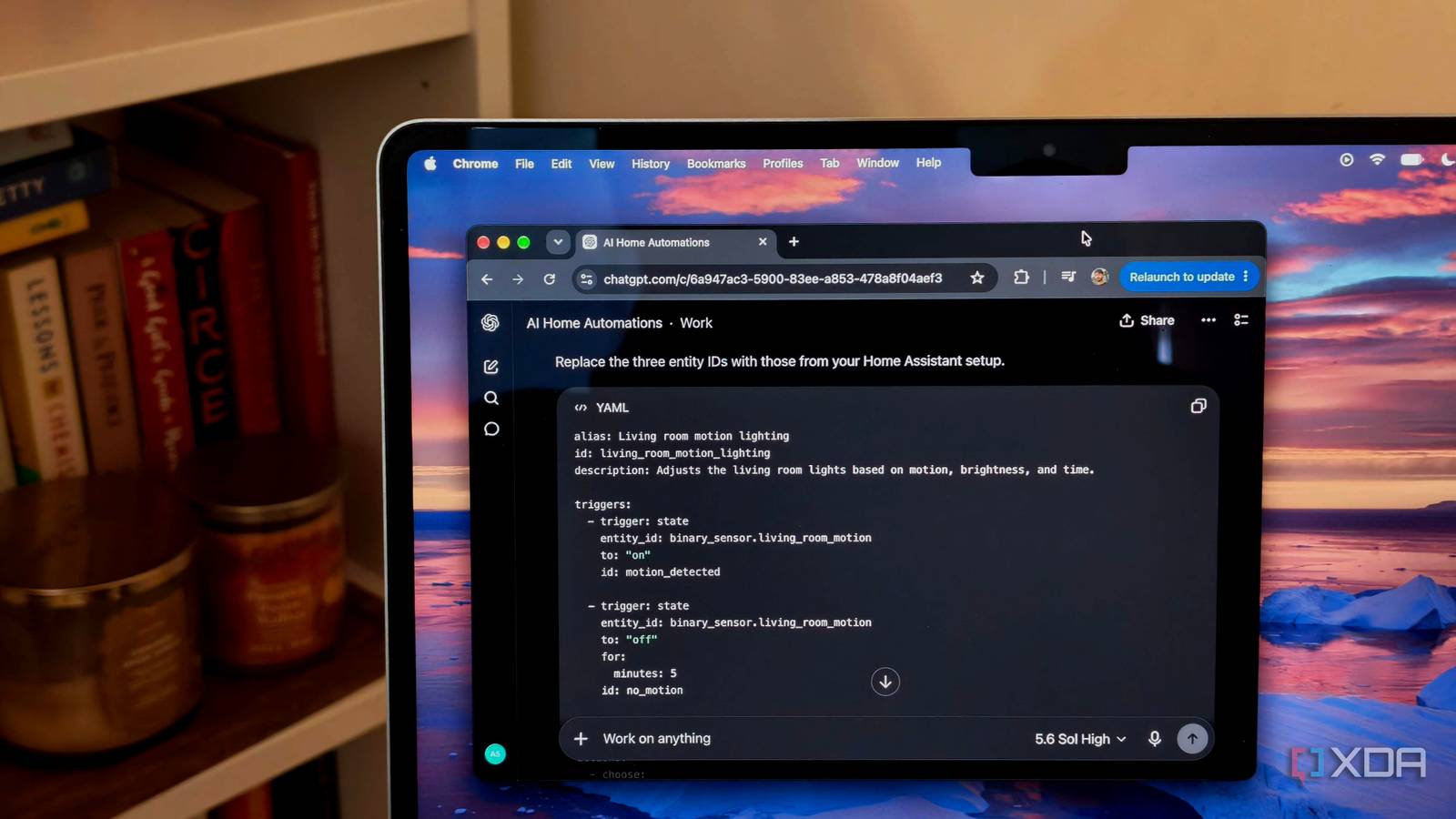
Published Aug 31, 2026, 5:00 PM EDT Anurag is an experienced journalist and author who’s been covering tech for the past 5 years, with a focus on Windows, Android, and Apple. He’s written for sites like Android Police, Neowin, Dexerto, and MakeTechEasier. Anurag’s always pumped about tech and loves getting his hands on the latest gadgets. When he's not procrastinating, you’ll probably find him catching the newest movies in theaters or scrolling through Twitter from his bed. Once you have the relevant sensors and smart home devices, there are plenty of advanced automations you can build. For instance, you could turn on the living room lights when motion is detected, but only when the room is dark. You could also set them to 70% brightness before 10:00 p.m. and 25% afterward, while having them turn off after five minutes without motion. This is an interesting automation, but it takes quite a bit of effort to actually build. The YAML file for something like this can get long and excessive, and I’ve always dreaded creating automations like these. What finally worked for me was using AI to build them. It’s much easier to describe what you want in a natural-language prompt than to write the YAML yourself. The AI actually did a pretty good job of building them, and the automations worked. AI takes care of the tedious part And it does it well Once an automation starts combining motion, time, sensor values, delays, and separate actions, building it can take an absurd amount of time. You may already know exactly what should happen, but you still have to translate every condition into Home Assistant’s visual editor or YAML. If you miss an entry or use the wrong syntax, the whole thing may refuse to work. I have personally given up on writing these automations by hand and now rely on a chatbot because these tools have come so far. They almost always get me 80% of the way there, and I can fix the rest with a bit of feedback. I use the regular ChatGPT app for these automations. There is no process as such. You can spend time writing one consolidated prompt with all the required information and entity IDs, or insert placeholders and let the bot complete the automation for you. If you don’t have an exact idea of what you want, you can use AI to plan it out. You could provide information about the sensors and smart home devices you have, and the model could suggest different ways to use them. If you have a problem you don’t know how to solve, you could simply describe it to the bot, and it could come up with an automation to address it. The response varies depending on the kind of information you provide. If your prompt is detailed enough, you can expect YAML that you can simply copy and paste. If you give a vague instruction, you’ll get a response full of assumptions and placeholders that you’ll then have to fill in and edit, which takes some time. I usually just dictate all the information in advance and then let it cook. You can also bring AI into Home Assistant Using AI Automation Suggester Something like ChatGPT only knows as much about your smart home as you tell it. You have to provide the entity IDs, explain what each device does, and describe how everything is connected. If your Home Assistant setup has hundreds of entities spread across several rooms, giving it all that context becomes a task in itself. I have recently been experimenting with AI Automation Suggester, which is a custom Home Assistant integration that scans your entities, devices, areas, and existing automations, then sends that information to an AI model. It also provides the accompanying YAML, which you can review and paste into Home Assistant. The integration supports several cloud AI providers, including OpenAI, Anthropic, and Google, along with local options such as Ollama. You can use it to generate suggestions manually, when new entities appear, or on a weekly schedule. You can also narrow the scan to specific domains or areas, limit how many entities are included, and add a prompt such as asking it to focus on energy savings or presence-based lighting. I think the more interesting use is finding connections between devices that you wouldn’t normally consider together. For example, a contact sensor, smart plug, presence sensor, and weather entity already give you everything needed for useful automation. However, you still have to come up with that combination yourself when using a chatbot, whereas AI Automation Suggester does all the work for you. Claude Code can work on the entire setup You can use the Home Assistant MCP Claude Code can take this quite a bit further because it can work across your Home Assistant configuration instead of returning one isolated YAML block. You can give it access to the relevant files, and it can inspect existing automations, follow includes across multiple YAML files, find repeated logic, update old syntax, and make changes without requiring you to copy everything into a chat manually. Home Assistant now has an official MCP Server integration with specific instructions for connecting Claude Code. This gives Claude access to the live state of entities you’ve exposed through Home Assistant, along with tools for interacting with them. If you also share the /config directory with your computer using Samba, Claude Code can work with the actual configuration files. That could help with jobs that are difficult to handle through a normal chat. For example, you can ask Claude Code to audit every automation for outdated syntax, merge several similar automations, turn repeated logic into a blueprint, or work out why two automations keep interfering with each other. It can prepare the changes across several files and show you the exact diff rather than dumping another large YAML block into the conversation.
I used AI to build Home Assistant automations I was too intimidated to write myself, and it worked
Full Article
Original Source
Read the full article at Xda-developers →KhanList aggregates and links to publicly available news content. We do not host full articles from third-party sources. Always verify important information with original sources.