
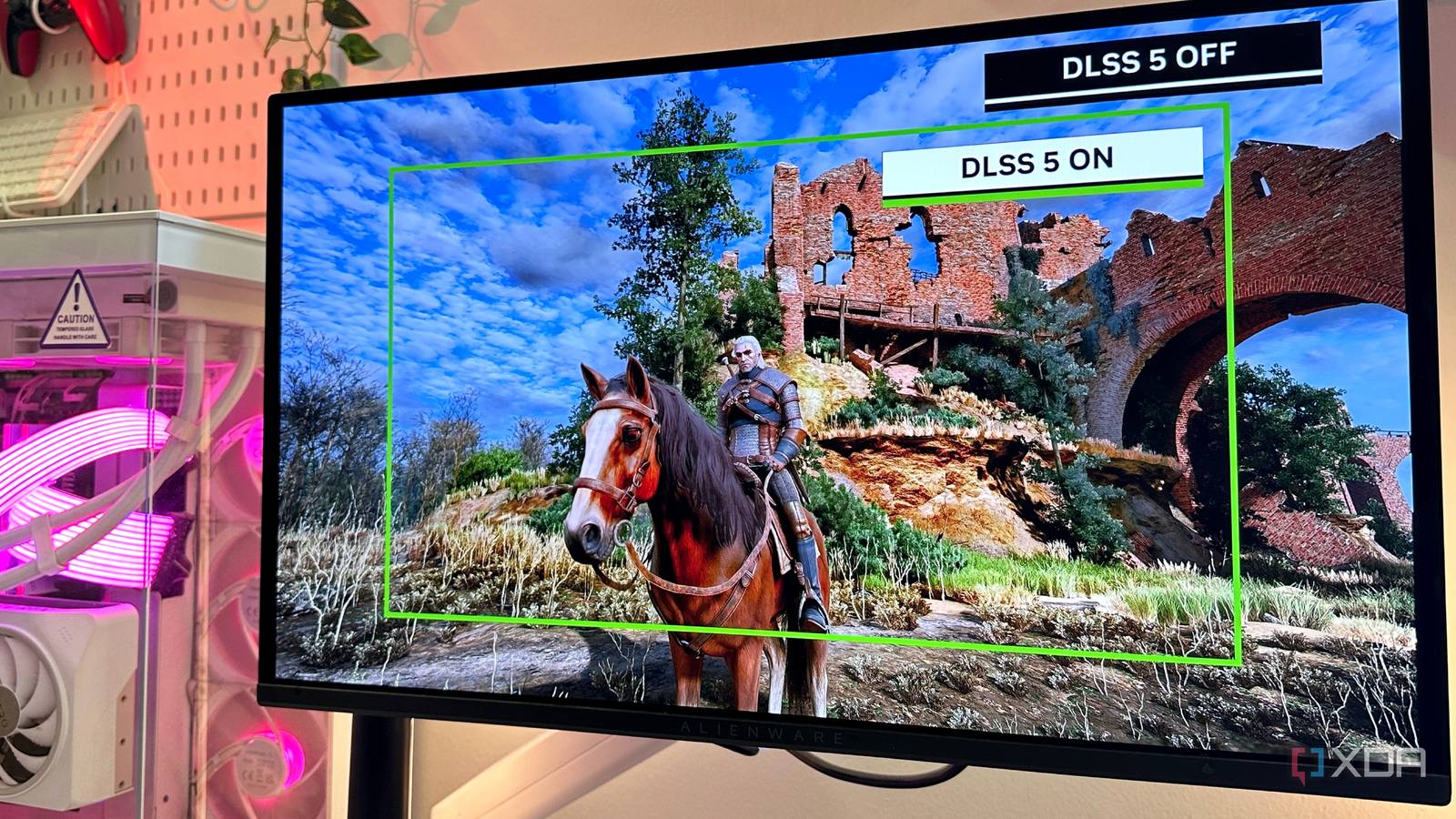
Published Nov 24, 2026, 4:30 PM EST Gaming has been Samarveer’s greatest passion, and the Literature graduate in him takes immense joy in dissecting games for their themes, messages, and impact. Samarveer holds a deep appreciation of gaming, and considers the platform to be the most immersive and impactful across all media. He can be found engaging with gaming communities online, always ready to debate the finer points of ray tracing or itching to write an 8-page collegiate thesis on any game that impacts him emotionally. DLSS 5 has quickly become one of those technologies I love using and hate benchmarking. When it works, its neural rendering can make a game look dramatically better, but the performance cost is difficult to ignore. I've already found ways to make that cost less painful, yet I recently stumbled across something that made me wonder if I was approaching the problem from the wrong direction entirely. Instead of finding a way to make DLSS 5 work harder for less performance, what if I simply stopped asking it to work so hard in the first place? That's exactly what I decided to test, and the results across two very different games were not quite what I expected. In fact, I think I may have found my favorite way to run DLSS 5 yet. DLSS 5 doesn't need to render every pixel equally Foveation gives DLSS 5 a much smaller job DLSS 5's neural rendering is impressive precisely because it does considerably more than conventional upscaling. The problem is that all that neural processing comes with a rather substantial GPU bill. Every frame gives the model an enormous amount of image data to work through, even though not every part of that frame is equally important to what I'm actually looking at. That's where foveated rendering comes in. Instead of treating the entire image equally, it divides the frame into regions, with the highest-quality processing concentrated around a central area. After all, a tree sitting in the corner of my screen doesn't deserve the same computational budget as the character I'm staring at directly. The further you move from the central, neurally-rendered region, the less work gets done. In fact, once you think about it, it starts sounding more and more like the most obvious optimization method. The open-source project CheekyFoveatedDLSS takes this very VR-centric principle and applies it directly to DLSS, including neural rendering. It applies foveation to any DLSS preset, including DLSS 4.5, and now supports DLSS 5's neural rendering. Rather than changing the game itself, it gives DLSS a different workload to chew through. Using this method, I can control how large the high-quality region is and progressively reduce the amount of the frame receiving expensive processing. So, I got curious enough to install the mod, fire up two DLSS-supported games, and find out how aggressively I could push it before I actually noticed the compromise. I put foveated DLSS 5 through its paces in The Witcher 3 Remastered A larger fovea made neural rendering far less expensive I started with The Witcher 3: Wild Hunt — Remastered using my DLSS 4.5 RT Ultra settings, DLSS Balanced, and three neural rendering passes enabled through a mod. I stick to three because that's where DLSS 5 earns its keep. I enabled foveation at 0.45 for both width and height. Immediately, it looked ridiculous. The foveated region formed a rectangle in the middle of the screen, and the separation was clear as day. So, I increased both dimensions to 0.75, and I found the sweet spot — it covered my character while pushing the transition outward. So much so, that I had to look for it deliberately, and I still couldn't find the separation sometimes. GeForce RTX 4070 Ti + Ryzen 5 7600X + 32GB DDR5 6000MHz RAM Game Configuration DLSS NR passes Foveation Avg FPS The Witcher 3: Wild Hunt — Remastered RT Ultra Balanced — Off 92 FPS Balanced 3 Off 58 FPS Balanced 3 0.75 74 FPS The performance difference, however, was much more interesting (and rewarding). Without foveation, using DLSS 5 dropped my baseline from 92 FPS to 56 FPS. Enabling the 0.75 preset brought that back up to 74 FPS, recovering the performance I surrendered to neural rendering. It was really the visual behavior that made the idea click. In a game world full of foliage, the peripheral detail doesn't matter too much when DLSS 5 is making 75% of it look fantastic, and the final quarter of it is, well, unimportant. The moment I do decide to give them attention, turning the camera to bring them toward the center of the screen is enough for the fixed foveated region to cover them. In a third-person game, that sounds like a compromise, but it felt pretty sensible — what I watched remained the priority. Foveation isn't limited to Neural Rendering DLSS Super Resolution can get the same treatment CheekyFoveatedDLSS isn't actually limited to neural rendering alone. It can also apply to DLSS Super Resolution itself, which means I can reduce the work done in peripheral parts of the image before DLSS 5 even gets involved. If anything, it's another way to claw back performance without simply dropping my DLSS preset. Super Resolution is already doing the heavy lifting of reconstructing the image from a lower internal resolution. Foveating it means the center of the screen gets the reconstruction while the edges receive less expensive treatment. Pair that with foveated Neural Rendering, and I'm telling DLSS where I want it to spend its computational budget twice. I find that more interesting than another quality slider. Instead of choosing between "better" and "faster" globally, I can decide where quality matters and where it doesn't. For games with a strong central focus, that could make foveated DLSS a surprisingly powerful performance tool. Foveated DLSS 5 might be the smartest way to run it I'm willing to trade peripheral detail for a faster Neural Renderer We usually talk about rendering performance as though every pixel deserves the same treatment. Foveation made me question that assumption. The center of my screen carries the information I watch, while peripheral detail is background noise. That makes foveation different from dropping the DLSS 5 quality setting. I'm not lowering Neural Rendering quality across the image. I'm deciding where its expensive processing matters most, then letting the rest take the cheaper route. I'm already using the new DLSS-NR model that Nvidia updated with better performance and less aggressive rendering, and now, with foveated DLSS 5, the performance cost of neural rendering is even more affordable. That could become important as neural rendering gets more ambitious. Making the model faster will help, but making its workload smarter could be just as valuable. If three NR passes spend their time where my attention goes, every pixel doesn't need the same budget. This entire experiment changed how I think about Neural Rendering — less about making everything equally expensive, and more about making expensive work count. Maybe I've been thinking about DLSS 5 backwards The more I play with foveated DLSS, the less convinced I am that brute-force performance is the only answer to expensive neural rendering. GPUs have never had infinite compute, and DLSS 5 certainly isn't going to change that. What can change is how intelligently we decide where that compute gets spent. That's why I find this experiment more exciting than another performance tweak. Through this, I can give DLSS 5 fewer reasons to waste its budget. If neural rendering is going to become a bigger part of PC gaming, I suspect tricks like this will matter more and more. This is where I see the future of rendering tech going — software improving and becoming smarter instead of just another generation of GPUs throwing more silicon at the problem. CheekyFoveatedDLSS
I used a VR trick to increase my DLSS 5 frame rate, and it's what everyone should be using
Full Article
Original Source
Read the full article at Xda-developers →KhanList aggregates and links to publicly available news content. We do not host full articles from third-party sources. Always verify important information with original sources.