
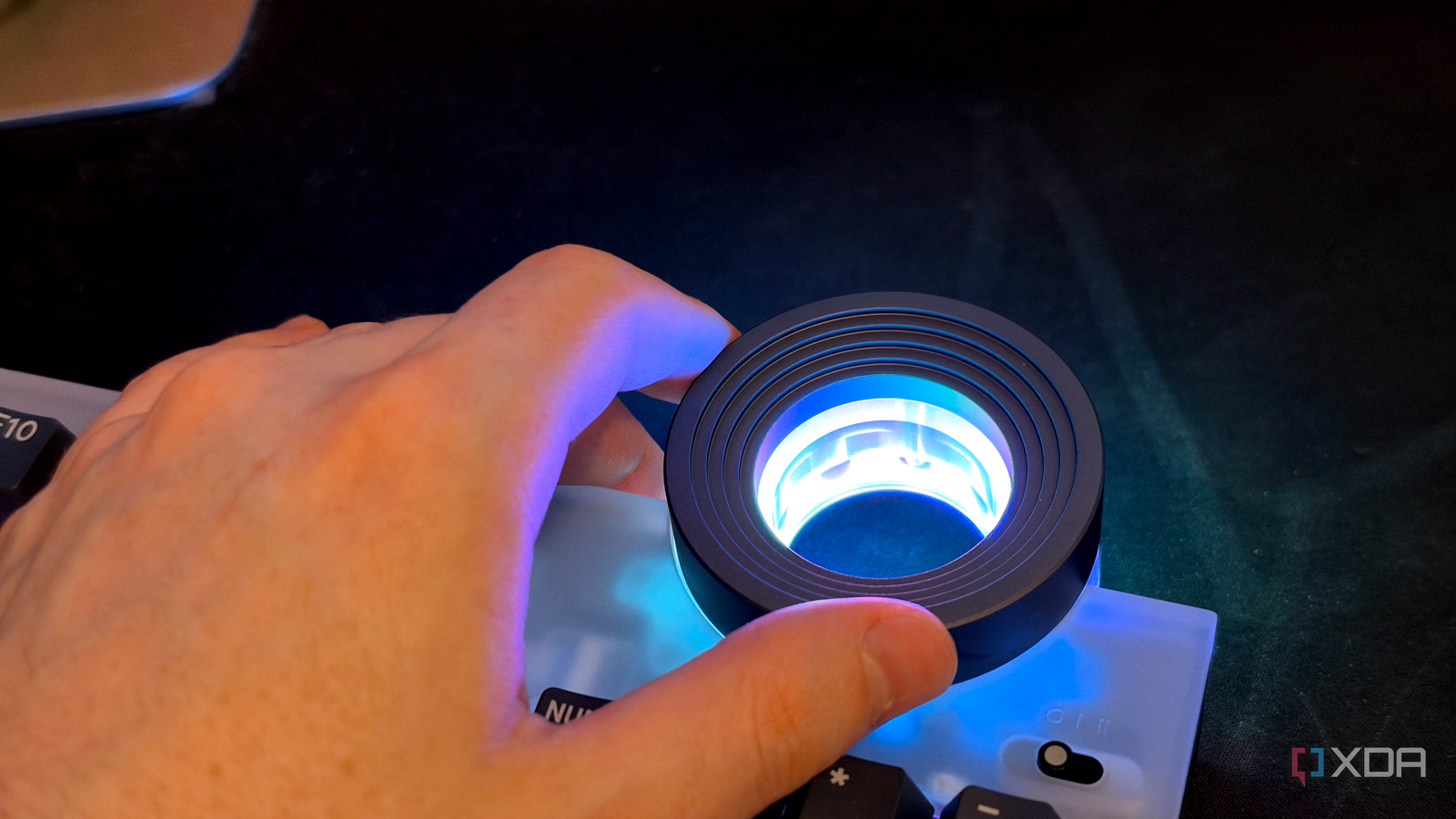
Published Oct 19, 2026, 7:00 AM EDT His love of PCs and their components was born out of trying to squeeze every ounce of performance out of the family computer. Tinkering with his own build at age 10 turned into building PCs for friends and family, fostering a passion that would ultimately take shape as a career path. Besides being the first call for tech support for those close to him, Ty is a computer science student, with his focus being cloud computing and networking. He also competed in semi-pro Counter-Strike for 8 years, making him intimately familiar with everything to do with peripherals. Every fan curve I’ve built has the same blind spot: it knows how hot my PC is, but it has no idea what I’m about to do with it. When I start a long render and walk away, I want the case fans running hard before temperatures climb, not after. When I hit record on a voiceover or other audio track, want silence immediately, and neither of these things is a temperature problem, so a regular hysteresis fan curve is not going to solve them. Manual intervention is needed, and thankfully, it's not too hard to configure, especially on Linux. I went ahead and put my case fan speed on the big knob of Lenovo’s Yoga Creative Keyboard AngryMiao Edition, and after a week of using it, it became the knob I can't replace. Fan curves only get half of the story They're not aware of noise levels Fundamentally, a fan curve is a simple lookup table based on temperature. It reads the temperature of the appropriate component and it sets the fan speed, usually in the case of chassis fans that temperature is taken from the CPU. For the vast majority of my use, like gaming, browsing, and light work, that curve takes care of everything I need, especially because I've tuned it to not be harsh on my ears during normal activity. The two scenarios that require special attention are productivity-related. If I start a long render or encode through something like Premiere Pro (or FilmCraft, these days), the curve only ramps up as temperatures rise, so the case slowly fills with heat while the fans are playing catch-up. This is fine if I'm sitting at my desk while waiting for it to complete, but that's rarely the case. I'm getting up and walking away, so I don't care about how loud the fans are. The second scenario is recording music or voiceover. The curve isn't aware that I'm trying to keep ambient noise to an absolute minimum, and in an airflow-attuned case like my Fractal Torrent, those large intake fans can produce a signature on my Shure SM7B microphone. I could open up some kind of fan software and set them manually with a dial, but when I have a physical one, why not use that? A knob with some heft now controls my fans As soon as I want them out of earshot, they are The hardware is what helps make this sort of setup possible. The Yoga Creative Keyboard AngryMiao Edition is Lenovo’s version of Angry Miao’s ATM 98. It’s a 98-key board sitting on a 2.6kg aluminum base under a fancy-looking frosted polycarbonate top, with two USB-C ports on the front that act as a hub. This thing is hefty, and typing on it is satisfying, quiet, and has all the bells and whistles a creative would want, including a knob. Lenovo pitches this knob as a way to scrub timelines and scrolling pages, and while it is useful for that, I've got the most out of it while controlling my case fans, ironically enough. Out of the box, the knob controls volume, but there's a three-position switch that can swap which function is being actuated. On my CachyOS Linux system, a small remapping tool called keyd watches for Ctrl being held while the knob turns, and when it is, keyd runs a tiny script instead of changing the volume. The script nudges a number stored in a file, and CoolerControl reads that file as if it were a temperature sensor. Set the dial to 60 and CoolerControl sees a 60-degree reading, which a straight-line curve turns into 60 percent fan speed. This allows me to maintain the core functions of the knob while also giving it a fourth function. In practice, I hold Ctrl and turn right, and the case fans spin up almost instantaneously. I turn the knob to the left and then settle back down. A good fan curve should make this pointless If the fans are quiet and your curve is tuned, the volume shouldn't be a concern anyway A well-tuned curve with sensible hysteresis exists so that you never have to think about your fans. Manual control brings back the weakest link in any cooling setup: a person who forgets. Turn the dial down for a recording, start a heavy job an hour later, and you’ve just made your PC run hotter than it needs to. There’s also the setup itself, which isn't trivial. I’m running a daemon that executes commands as root, a shell script, and a fake temperature sensor, all to replace a mode switch that was already two clicks away. And the render problem has a simpler fix: just make the curve more aggressive. Curves can't read my mind I've implemented a backstop to prevent human error This setup really doesn't put my system at any more risk than a normal fan curve would, and that's because of some safety levers I've implemented. First, the dial only controls the case fans. The CPU cooler and the GPU’s own fans stay on their automatic curves, so the components that would actually throttle still respond to heat. Moreover, the dial never runs the case fans on its own. A CoolerControl Mix profile combines it with a backstop curve and applies whichever one asks for more speed. That backstop sits low until the hotter of the CPU or GPU crosses 75 degrees, and then it ramps up hard. When I turn the dial down for something like a recording, it stays silent unless something gets hot enough that it needs to be cooled down. The dial's value also gets reset upon reboot, which prevents any poor settings from staying applied forever. Fan curves still do most of the work, but manual control is underrated Fan curves still do most of the work in my PC, and that's the way it should be. The knob doesn’t replace a curve and just covers the two situations they were never designed to cover. If your keyboard has a knob that has only ever changed the volume, it’s worth asking what else it could be doing. Lenovo Yoga Creative Keyboard AngryMiao Edition Connectivity USB-C Weight 2500 g (88.18 oz)
I use my keyboard knob to control my PC fans, and it's more practical than you think
Full Article
Original Source
Read the full article at Xda-developers →KhanList aggregates and links to publicly available news content. We do not host full articles from third-party sources. Always verify important information with original sources.