
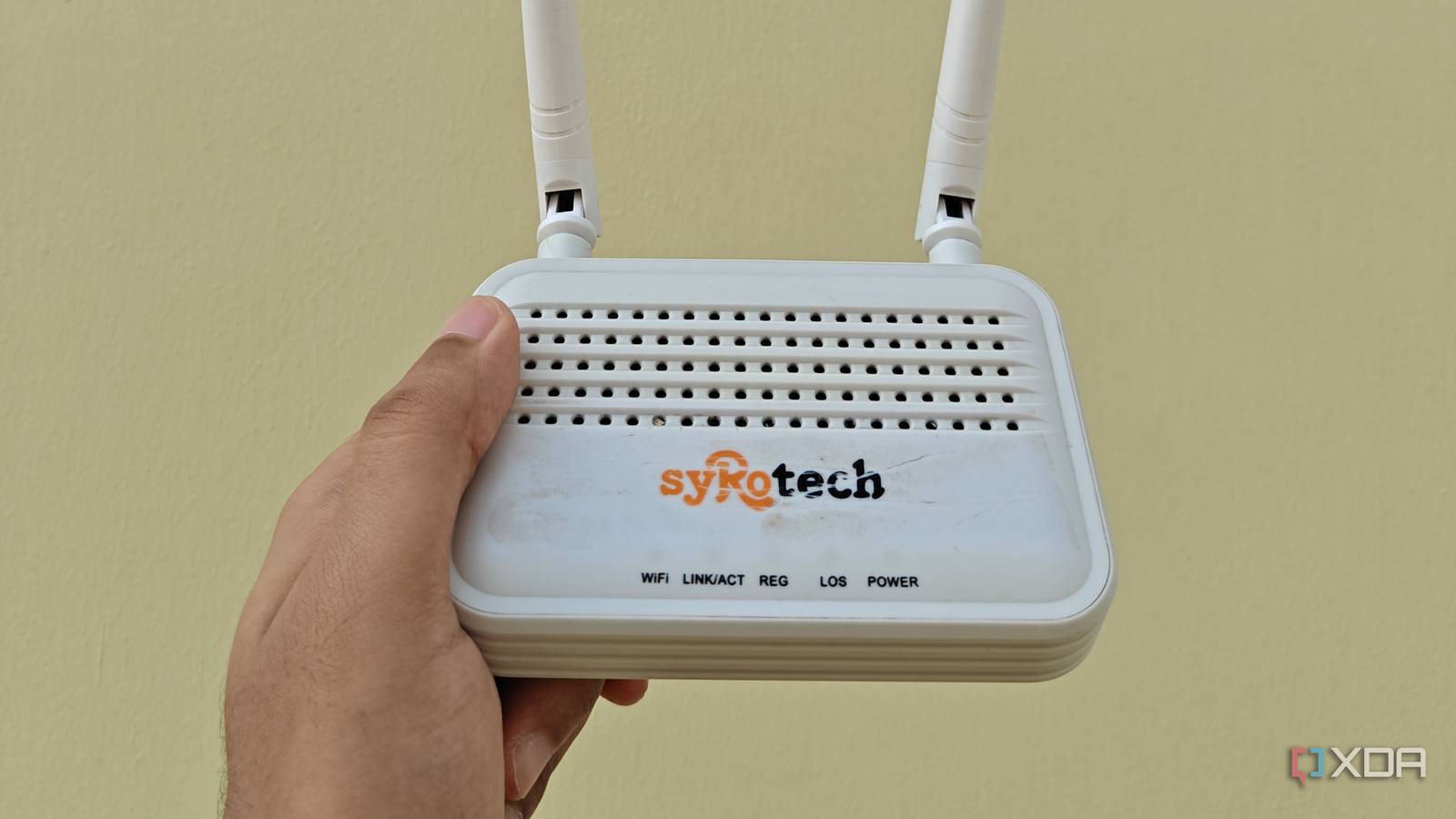
Published Oct 4, 2026, 1:00 PM EDT Shivansh began his tech journey as an avid reader of tech publications, which inspired him to launch his career in video media at Sillycorns. He has led content across multiple tech YouTube channels and Instagram accounts, crafted go-to-market (GTM) strategies for Vivo, and consulted on digital growth. Coming full circle to his roots in written media, he now delivers deep-dive tech journalism. Outside of his professional work, Shivansh loves watching movies, riding bikes, and playing cricket. You know that little pause after you tap a smart plug, when you wonder whether it heard you? On my network, that pause came from a setting older than most of my gadgets: 802.11b support, left on in my fiber router's Wi-Fi mode. I'd already worked through the router settings most people never change and dropped my 2.4GHz channel width to 20MHz, so I didn't expect much. My smart plugs lagged worse when the TV streamed OTT shows on Sundays. One Sunday evening, it annoyed me so much that I started trying stuff. As a step, I removed the B, and nearly everything got quicker. Nearly is the word to watch. My whole home runs on one 2.4 GHz radio My devices were paying for a standard no one used My ISP installed a Syrotech single-band fiber router, so every phone, laptop, TV, and smart plug in my home shares one 2.4GHz radio. There's no 5GHz band to escape to. Anything that slows 2.4GHz slows my whole network, and my phone counts 14 neighboring networks from my couch. Leaving 802.11b switched on is one of those slowdowns. Your router can't assume every device speaks newer Wi-Fi, so it sends its constant housekeeping traffic at 1 Mbps, the slowest rate an 802.11b gadget understands. That includes the beacon it broadcasts about 10 times a second, just to say the network exists. Cisco engineer Jim Florwick put a price on this back in 2014. He found each network name eats about 3% of the channel's airtime at those old rates, and the extra handshake around 802.11b traffic can cut usable bandwidth by up to half. He called it the 802.11b tax, which sounded dramatic until I saw my own numbers. How to disable 802.11b on your router Finding it took longer than changing it The switch lives on the router's admin page, not in an app, and on my Syrotech router it took four steps. Open 192.168.1.1 in a browser and sign in with the admin login from your ISP or the router's label. Go to WLAN -> Basic Settings. Change Band from 2.4 GHz (B+G+N) to 2.4 GHz (G+N). Click Apply Changes. I picked G+N instead of N alone on purpose. Dropping 802.11g too would lock out anything that never got 802.11n, and I wasn't in the mood to audit every gadget. Wi-Fi dropped for about 40 seconds while the router restarted its radio. Then everything trickled back in, my phone first, the TV last, and the smart plugs somewhere in between. Well, almost everything. Not on a Syrotech? On OpenWrt, the same switch is a checkbox called Allow legacy 802.11b rates, and the project's own documentation shows it has been off by default for a long time. On most other routers, look for a wireless mode dropdown and pick any option without a b in it. Every device on the network got quicker Enough for a crowded 2.4 GHz network I measured the same four things on two Sunday evenings, one before the change and one a week after, with the TV streaming an OTT show on Prime Video both times. Each number below is an average of 10 tries, timed on my Android phone or measured on my MacBook Air M2 in the bedroom. Test 802.11b on 802.11b off Smart plug, tap to click 2.6 seconds 1.1 seconds Camera live view, tap to picture 5.9 seconds 3.4 seconds MacBook Air M2 download, bedroom 44Mbps 57Mbps MacBook Air M2 jitter, bedroom 21ms 8ms The download bump is nice, but it isn't what I noticed first. The lamp was. Tapping it on in Google Home used to come with a tiny pause where I'd wonder whether it heard me, and that pause had lived rent-free in my head for months. Now it clicks before I've lowered the phone, so naturally I flipped it on and off 30 times that night. For science. Your gain depends on how crowded your 2.4GHz channel is. It increases with crowd. What breaks when you disable 802.11b Slow old Wi-Fi had one advantage: range The one device that never came back was the smart plug running the string lights on my balcony, two walls and a glass door away from the router. It had been hanging on at the edge of the signal, and those slow 802.11b rates are exactly what let far-off devices cling on. Wi-Fi toolmaker MetaGeek warns about exactly this: switch off the legacy rates, and coverage shrinks a little. I spent about 10 minutes being annoyed, then moved the plug to the indoor outlet beside the balcony door and ran an extension cord outside. It hasn't dropped once since. The string lights didn't care where they were plugged in. I cared a lot. If you're worried about older gear, the odds are on your side. Common smart plug chips, like Espressif's ESP8266 and ESP32, also speak 802.11g and n, so they just move up. The only thing in my house that truly needs 802.11b is the original Nintendo DS in my desk drawer. Nintendo's support page says DS games only connect to 802.11b or b/g networks with WEP or no security, so it was locked out of my WPA2 network years ago anyway. Two more legacy settings were hiding nearby One of them was capping my printer at 54 Mbps While I was poking around, I opened WLAN -> Security and found the encryption set to WPA2 Mixed, with both TKIP and AES ciphers allowed. TKIP arrived in 2003 as a stopgap, and it carries its own speed limit. Intel's support page explains that 802.11n doesn't allow its faster modes with TKIP, so a device that connects with it drops to 54Mbps, the old 802.11g ceiling. The router's client list showed my printer doing exactly that, parked at 54Mbps. I switched the cipher to AES only, and it reconnected at 72Mbps. It's a printer, so I won't pretend I felt it, but it's no longer the slowest talker on a shared radio. AES is also the stronger cipher, which is why it tops the list of security settings worth changing on any router. The other leftover, Preamble Type under Advanced Settings, exists for 802.11b-era radios, so with the B gone I left it alone. While you're in there, run through the settings worth changing before a router goes online too. Disable 802.11b unless something you own needs it I'd spent two years blaming a cheap fiber box for lag that a 1999 setting was causing. Removing that B took less time than a speed test, and the living room lamp now clicks on before I've finished tapping. If your router came from your ISP, open its admin page tonight and check the Wi-Fi mode. If there's a B in it and nothing in your home needs one, let it go. The Nintendo DS in my drawer won't mind. It hasn't been online since 2014 anyway.
I turned off 802.11b on my ISP's fiber router, and every smart device in my house got snappier
Full Article
Original Source
Read the full article at Xda-developers →KhanList aggregates and links to publicly available news content. We do not host full articles from third-party sources. Always verify important information with original sources.