
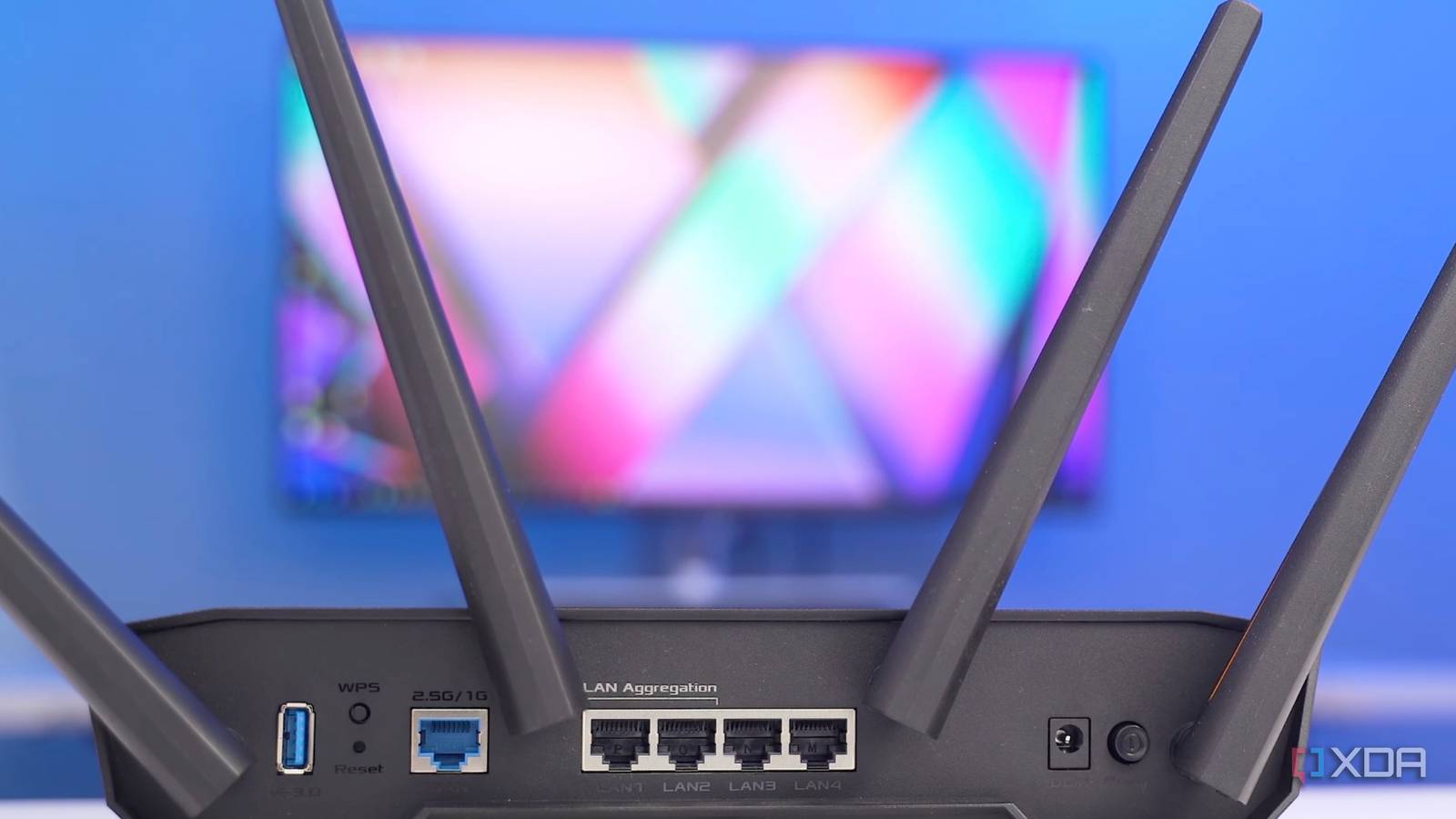
Published Oct 18, 2026, 5:00 PM EDT Shivansh began his tech journey as an avid reader of tech publications, which inspired him to launch his career in video media at Sillycorns. He has led content across multiple tech YouTube channels and Instagram accounts, crafted go-to-market (GTM) strategies for Vivo, and consulted on digital growth. Coming full circle to his roots in written media, he now delivers deep-dive tech journalism. Outside of his professional work, Shivansh loves watching movies, riding bikes, and playing cricket. My Asus TUF Gaming AX4200 moved its 5GHz radio to a new channel 11 times in two weeks. I felt almost every one as a frozen video call, a buffering show, or a smart plug going offline. The cause was the 160MHz channel width, the setting that can double your 5GHz speeds. In the US, a 160MHz channel on 5GHz almost always reaches into the DFS channels, which Wi-Fi shares with radar. When the router thinks it hears radar, it has to leave that channel within 10 seconds and stay away for 30 minutes. So I turned 160MHz off and pinned the router to a radar-free 80MHz channel instead of trusting auto channel selection. Two weeks later, the channel hops had stopped completely. Even the gadgets on 2.4GHz were behaving, which took me a while to figure out. The drops lined up with channel changes Rebooting fixed nothing, which should've been a clue Nothing ever fully broke, which is why the pattern took so long to see. A work call on my MacBook Air M2 would freeze for a few seconds, the living room TV would start buffering, and the smart home app would tell me the hallway plug was offline again. Then it all came back on its own. I tried the usual fixes first. I updated the firmware, moved the router off the floor, and rebooted it more times than I'd like to admit. Nothing changed, which felt a little rude from a router I'd paid $130 for on sale. The answer was in the router's own log, under System Log -> General Log. Each drop I remembered sat next to an entry about radar detection and a new 5GHz channel, mostly in the afternoon and evening. My router wasn't failing. It was following the rules. What are DFS channels, and why do they drop Wi-Fi The FCC's rules, in plain numbers A 160MHz channel is eight 20MHz channels glued together. On 5GHz in the US, that usually means channels 36 to 64 or 100 to 128, and both blocks reach into frequencies where the FCC's rules require Dynamic Frequency Selection, or DFS. Radar gets them first, and Wi-Fi only borrows them. The rules don't leave much wiggle room. A router has to listen for 60 seconds before using one of those channels, stop transmitting within 10 seconds of detecting radar, and stay off that channel for at least 30 minutes. Asus's own support page says devices can drop off before reconnecting on the new channel, and that a 160MHz network may fall back to 80MHz after a radar hit. That explained the laptop and the TV. The smart plugs took me longer. Whenever 5GHz vanished, my phone and laptop jumped to the saved 2.4GHz network and often stayed there all evening. The plugs only speak 2.4GHz, and suddenly they were sharing it with a video call. Turning 160MHz off took two checkboxes And one channel I picked myself Both settings sit on the same page, and the whole job took about two minutes. Open http://www.asusrouter.com on your home network and sign in. Go to Advanced Settings -> Wireless -> General and choose the 5GHz band. Untick the 160MHz option next to Channel bandwidth, then untick Auto select channel including DFS channels. Set the Control Channel to 36 or 149, and click Apply. At 80MHz, channel 36 covers 36 to 48, and 149 covers 149 to 161. Neither block has radar duty, so the router never runs that 60-second check or bails out mid-call. I picked 36 because fewer of my neighbors' networks showed up there. Every 5GHz device dropped once when I hit Apply and came back in about 20 seconds. It was the last surprise drop I saw for two weeks, and I was way too happy about that. Does 80MHz make Wi-Fi more stable than 160MHz My before-and-after results For speed, I ran five tests at my desk and five in the back bedroom on my phone, plus five at the desk on the MacBook Air, keeping the median. What I measured 160MHz 80MHz 5GHz channel changes 11 Smart plug offline alerts 19 1 Desk speed test (median) 884Mbps 693Mbps MacBook Air M2 at my desk (median) 702Mbps 709Mbps Back bedroom speed test (median) 214Mbps 263Mbps The zero is the number I care about. The single plug alert was me unplugging it to vacuum, which is on me. And yes, two weeks is short, but 11 to zero isn't a rounding error. The back bedroom was the plot twist. Doubling the channel width also doubles the background noise the radio has to hear past, about 3dB more, so a 160MHz signal runs out of headroom sooner through walls. Two walls away, 80MHz came out ahead. Fewer hops also meant my phone and laptop stayed on 5GHz. That left 2.4GHz to the plugs, the robot vacuum, and the doorbell, which is all they ever wanted. The speed I gave up is real, but small My laptop never used it anyway My laptop never used 160MHz at all. Apple’s spec table lists the MacBook Air M2 at 80MHz and 1,200Mbps on 5GHz, while the M3 and M4 Airs go to 160MHz and 2,400Mbps. Holding Option and clicking the Wi-Fi icon showed 80MHz and a 1,201Mbps link rate both before and after the change. The real cost hit my phone, which lost 191Mbps at my desk. I’d only notice that on a huge download, and calls, streaming, and cloud backups never come close to 690 Mbps. On Windows 11, run netsh wlan show interfaces in Terminal and compare the Receive rate and Transmit rate lines before and after. If your router's log shows no radar hits, keep 160MHz. If you want it without the radar rules, that's what a 6GHz band is for, and the TUF Gaming AX4200 doesn't have one. Even Wi-Fi 8 is built around reliability rather than raw speed, which tells you how many people have had my month. I'm leaving it at 80MHz I'm keeping my router at 80MHz, since 11 channel hops in two weeks became zero. The only place I see the cost is a speed test I no longer need to run. If your Wi-Fi drops at random with 160MHz switched on, check your router's log for radar entries before you blame your ISP or buy a mesh kit. My next router will have a 6GHz band, and that's where 160MHz goes.
I turned off 160MHz channels on my router, and my Wi-Fi got more stable for every device in the house
Full Article
Original Source
Read the full article at Xda-developers →KhanList aggregates and links to publicly available news content. We do not host full articles from third-party sources. Always verify important information with original sources.