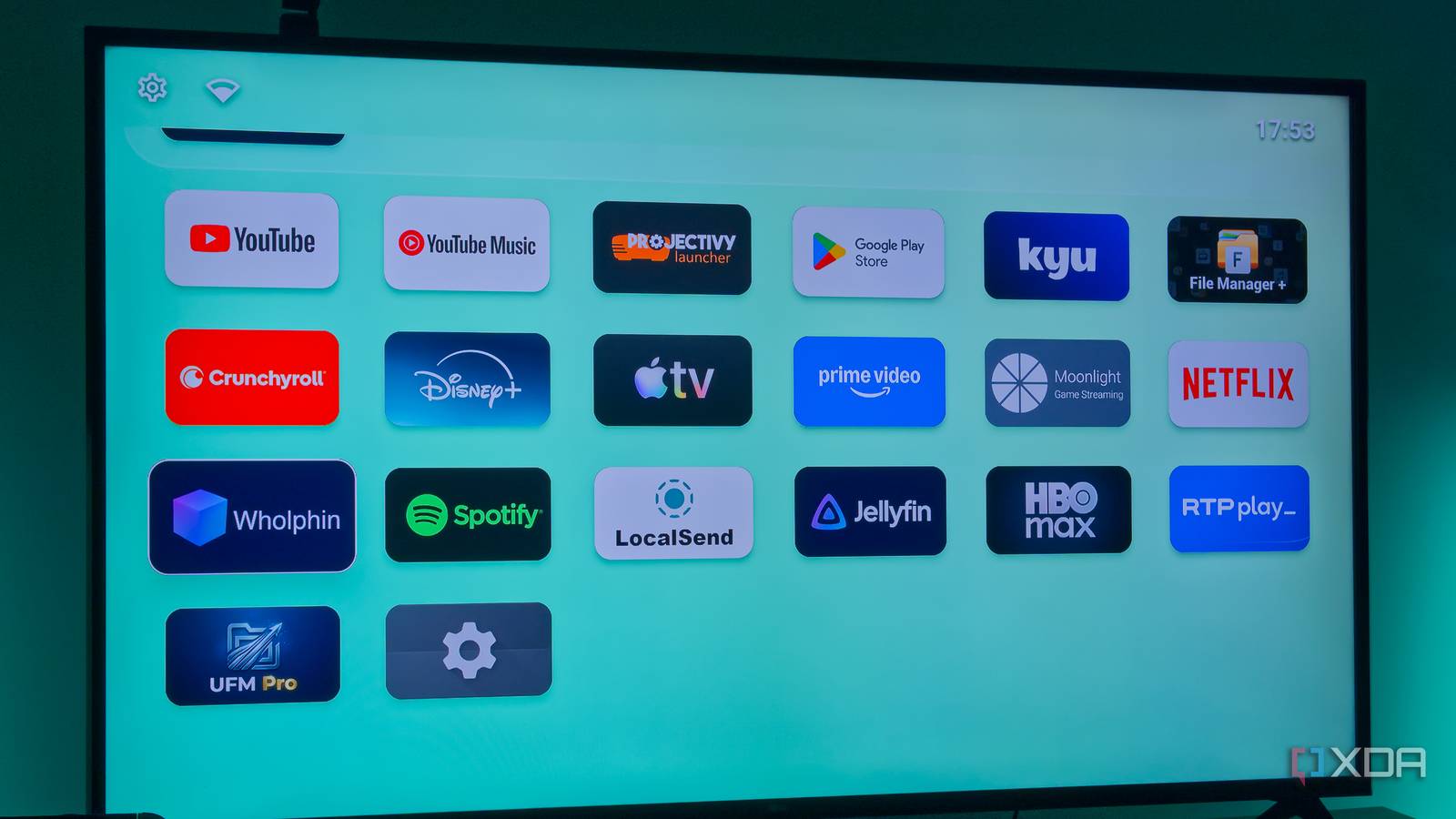
Published Aug 6, 2026, 3:00 PM EDT João has been covering the tech world for over 7 years, with a heavy focus on laptops and the Windows ecosystem. I also love all things tech and videogames, especially Nintendo, which he's always happy to talk about. Prior to joining XDA in 2021, he worked at Neowin: https://www.neowin.net/news/poster/jo%C3%A3o-carrasqueira/ Streaming sticks and boxes, such as the old Google Chromecast with Google TV, are the best way to upgrade a TV once the built-in software has become too slow, but that doesn't mean they're perfect. The UI can be cluttered with ads and "recommendations" that make it more bothersome than useful at times. Thankfully, this can be easily fixed with a custom launcher. I installed Arc Launcher on my Chromecast with Google TV to turn it into a simple app launcher, and doing so made it feel all the more useful. Google TV made my Chromecast slow Streaming sticks age too Like I said at the start, streaming sticks are a great way to upgrade a TV, and that can be for multiple reasons. Maybe you don't have a smart TV in the first place, so you can't access streaming services without one, or more likely, you do have a smart TV, but it's a few years old and the software is too slow. Streaming sticks are a cheap way to get better performance since they cost far less than a new TV. However, these streaming sticks also age, and my Chromecast with Google TV was definitely showing some signs of how old it is. The Google TV launcher is crammed with ads and recommendations I don't need, which takes a hit on performance. It doesn't help that apps themselves can be pretty slow, but when that's compounded by the launcher, it makes for a frustrating experience. Simply waking up the TV meant the first few seconds of using it were full of delayed responses to my inputs, and the same happened whenever I'd go back to the home screen from an app. I don't need appo and content recommendations Not that Google TV is great at it anyway Aside from the fact that it makes things slow, the recommendations on Google TV are worthless to me, both on a fundamental level and in terms of execution. I'm not going to pretend I'm completely against some kind of algorithm helping me find new content, but I don't want to be forced to see it every time I use my TV. When I want to have content recommended to me, I'll open the respective app and browse by category, or look for recommendations on social platforms. Of course, it doesn't help that Google TV is pretty bad at recommendations. I've never seen content on my Google TV's home screen that I was legitimately interested in, and I always get better recommendations by opening the streaming apps themselves. Plus, different Google TV profiles don't necessarily equate to different profiles in each app, so there's extra setup needed if you want recommendations tailored to each user on Google TV. I always see recommendations based on my wife's watch list, which makes them feel even more pointless. Again, if I want recommendations, it makes more sense for me to open a streaming service I like and sign in to my profile there to get recommendations I care about. They're more tailored, and at least I'm expecting them once I'm in the app. I don't need them in the launcher. Arc Launcher fixes it Though there are other great alternatives Enter Arc Launcher, a simple app launcher for Android TV that fixed all my problems with the built-in software. Arc has a single purpose on your TV: it launches your apps, and nothing more. Really, once you boot into Arc, all you see is a list of all your installed apps. There's no "continue watching" section, no recommendations, no ads. It's just apps, and it actually helps me get to what I want faster. Unlike the default launcher, Arc presents apps in a grid layout, so instead of scrolling endlessly through a single row, it's much easier to spot the app you want at a glance and quickly select it. Plus, its simplicity means there's a lot less content to load (and no internet-dependent content), so everything moves along much faster, whether it's navigating the home screen or simply pressing the Home button to exit an app. Arc Launcher is the best option if you want a no-frills app launcher without any extras like organization or "continue watching" features. It's the most straightforward "dumb" launcher you could ask for, and that's a good thing. All these streaming sticks need to be is a way to access your streaming services, not data-harvesting devices recommending content based on an algorithm. Plus, the simplistic approach may even be better for an older user. There are other launchers that are a bit more fleshed out and still provide a faster experience than the stock launcher, like Projectivy or Kyu Launcher. These still don't feature ads or recommendations, but they do have a "continue watching" feature for content you've already started, though you can disable this if you don't need it. Making my streaming stick useful again I was tired of Google TV feeling so slow and full of fluff, and Arc Launcher is easily the cleanest, fastest way to get to your apps without any of the unnecessary recommendations. If you have an older streaming stick, or you just want a cleaner experience, Arc Launcher is for you. You do have to sideload it, which is a bit more cumbersome than I'd like, but it's worth the effort. Arc Launcher
I turned my streaming stick into a dumb app launcher, and that's all it should be
Full Article
Original Source
Read the full article at Xda-developers →KhanList aggregates and links to publicly available news content. We do not host full articles from third-party sources. Always verify important information with original sources.