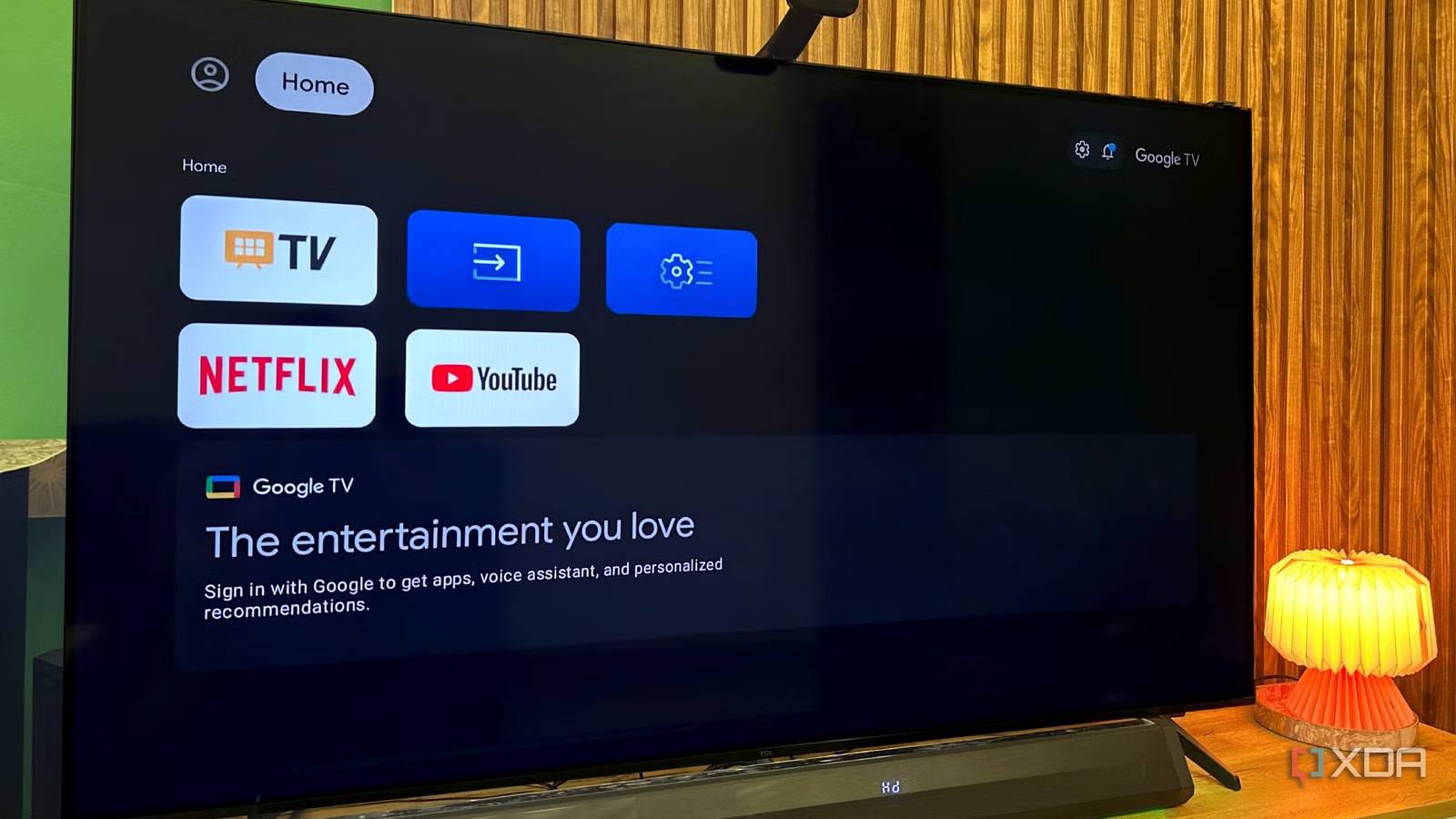
Published Jul 27, 2026, 11:30 AM EDT Gaming has been Samarveer’s greatest passion, and the Literature graduate in him takes immense joy in dissecting games for their themes, messages, and impact. Samarveer holds a deep appreciation of gaming, and considers the platform to be the most immersive and impactful across all media. He can be found engaging with gaming communities online, always ready to debate the finer points of ray tracing or itching to write an 8-page collegiate thesis on any game that impacts him emotionally. Summary I switched to Basic Mode to strip Google TV's recommendations and reclaim my TV as a display. Basic Mode keeps HDMI, tuner, and picture features while removing Play Store, Assistant, and Chromecast. I pair a capable streamer (Apple TV/Nvidia Shield TV) — it's cheaper to replace and avoids sluggish built-in software. Powering on a TV you paid good money for should always be instant, or at least that's what I thought. While using my new TCL 4K 144Hz Mini-LED TV, I'm always greeted by a wall of recommendations for shows I have genuinely no interest in, on streaming services I'm not even subscribed to. I'd bought a display, but the software kept behaving like a storefront. There's a setup option that I had breezed past during first-time installation, and that's what I went back to. Choosing it didn't strip away my TV's capabilities, but it did change who's in charge. Instead of making my smart TV less capable, it cleanly separated the screen from the software running it. Basic Mode isn't a downgrade It just strips away Google's software, not the TV's hardware I saw Google TV's Basic Mode during the initial setup process, right after connecting the TV to Wi-Fi. Much like I assume countless other users do during first-time setup, I clicked past it. After all, everything nudged me toward signing in with a Google account. Now that I've switched back over to Basic Mode, it has fundamentally changed how my TV behaves. Instead of dropping me onto Google's content-first homepage, I'm taken to a much cleaner interface where the TV becomes just a display. The HDMI inputs still work, the live TV tuner operates well, and all the panel's picture processing features remain intact, too. Switching from Google TV mode to Basic Mode on your smart TV (or vice versa) requires a factory reset and running through the setup process again. It was Google's software layer that disappeared when I turned on Basic Mode. Gone was the Play Store, Google Assistant, and Google Account. I also had to say goodbye to Chromecast, but the endless rows of personalized recommendations competing for my attention also disappeared. Basic Mode isn't an internet kill switch, either. Wi-Fi remains a separate decision, so I've been able to stay connected for firmware updates without handing over my Google account or turning my TV into another content platform. Basic Mode isn't about giving things up It's about choosing where your apps actually live The obvious question I had, that anyone else would, too, is what happens to Netflix, Prime Video, YouTube, Plex, or Jellyfin. You lose them on the TV itself, since that's exactly what Basic Mode is designed to do. It removes Google's software experience, not just the recommendations. If you're expecting the same app ecosystem without the ads, this isn't that. Instead, the apps come from whatever you've connected over HDMI. For me, that's a PS5 Pro and an Apple TV 4K. The PS5 Pro is excellent for the major streaming services, but it isn't a complete replacement. I don't get a native Jellyfin client, Dolby Vision support on streaming apps is missing, and every time I want to watch a quick episode of Brooklyn Nine-Nine or put on my playlist on YouTube, I don't like having to sit through the boot time of a console. It's a solid entertainment device, yes, but just not the one I'd want to handle all my media consumption. That's where a dedicated streamer earns its place. Replacing Basic Mode with a Fire TV Stick made zero sense, since I'd have been trading the same Google TV experience for one through HDMI and just replacing Google's recommendations with Amazon's instead. An Apple TV 4K, or a Nvidia Shield TV if you still have one, keeps the experience fast, polished, and largely free of the content-first clutter that pushed me toward Basic Mode in the first place. Word to the wise, however: don't cheap out on the streaming hardware. An underpowered dongle can become the weakest link in an otherwise excellent TV, bottlenecking performance and making a premium panel feel anything but premium. Basic Mode makes more sense than you might think It's less about today's experience and more about the next five years To be fair, Basic Mode on your TV isn't a setting that everyone should enable. It is, however, pretty easy to justify. A rental property, for example, doesn't require personalized recommendations, and neither does the TV in the guest room or your parents' living room, if all they ever do is switch between cable and one streaming box. Plus, it sidesteps a problem that almost every single smart TV develops with age — the panel may very well look fantastic years later, but the built-in software inevitably slows down, picking up more ads and slowly losing support as time passes. On the other hand, replacing a streaming box every five years is far cheaper, and far less wasteful, too. Basic Mode also removes Google's account layer, which you might consider better for privacy. It still doesn't disable your TV manufacturer's own data collection, though. Features like Automatic Content Recognition (ACR) often remain enabled unless you switch them off manually by going into Settings > Privacy (or Terms & Privacy, depending on the brand) and disabling ACR and ad personalization. It's a small change, but one that gives you a quieter TV, lasts longer, and asks for a lot less in return. A truly smart TV gets out of the way Basic Mode isn't something absolutely everyone should be turning on immediately once they get their TV. If you're the kind of user who relies entirely on your TV's built-in apps, or you're willing to pair it with the cheapest streaming stick you can find, then you might as well have a better experience with Google TV as it is. However, if you own (or plan on buying) a genuinely capable streaming box, then a Basic Mode setup makes a lot more sense. The whole point here is that a great display can genuinely last a full decade, if not more. The software attached to it, however, almost certainly won't. So separating the two makes sense, because you could always upgrade the brain without touching the screen, which is the ideal level of flexibility when it comes to smart TV ownership.
I turned my smart TV into a dumb TV with this hidden feature, and I finally have control again
Full Article
Original Source
Read the full article at Xda-developers →KhanList aggregates and links to publicly available news content. We do not host full articles from third-party sources. Always verify important information with original sources.