
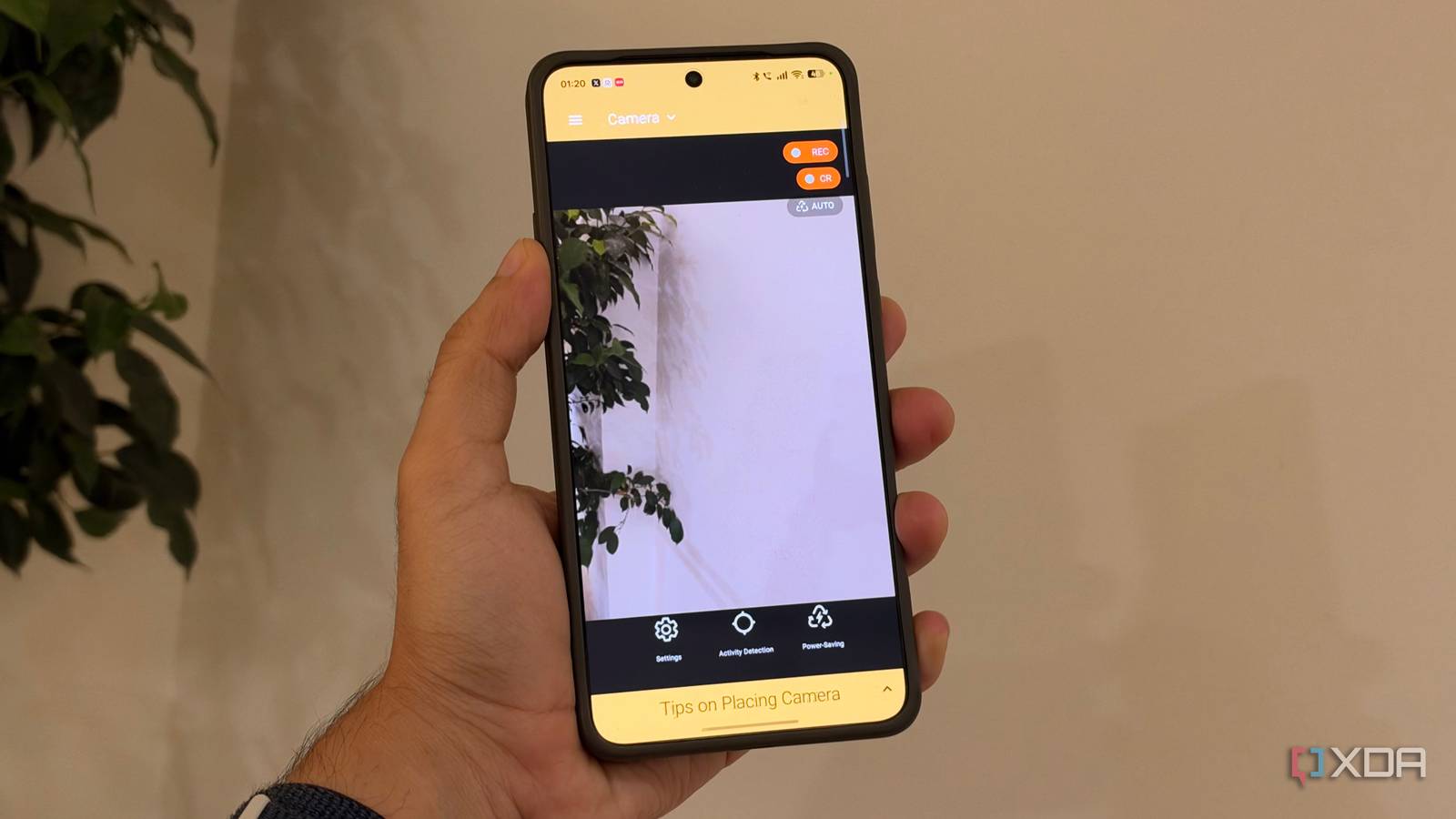
Published Nov 11, 2026, 5:00 PM EST Dhruv Bhutani has been writing about consumer technology since 2008, offering deep insights into the personal technology landscape through features and opinion pieces. He writes for XDA-Developers, where he focuses on topics like productivity, networking, self-hosting, and more. Over the years, his work has also appeared in leading publications such as Android Police, Android Authority, CNET, PCMag, and more. Outside of his professional work, Dhruv is an avid fan of horror media spanning films and literature, enjoys fitness activities, collects vinyl records, and plays the guitar. I've got a pretty robust security system at home, but it comes with a caveat. The entire security system runs over Power over Ethernet and connects to my Ubiquiti NVR. This makes adding additional security cameras a bit of a headache, so to speak. I can't run PoE everywhere, nor does every room need it. Stepping out for a weekend trip, I wanted to add one more security camera to the mix. So, instead of trying to set up a temporary cable across my home, I decided to use an old Pixel smartphone as a security camera instead. There are plenty of apps that claim to enable the feature, but I wanted something tried, tested, and reliable. So, I turned to Alfred Camera. This app gives you remote streaming, motion detection, notifications, and even two-way audio. Basically, all the features you expect from a security system. Sure, some of the features are locked behind a paywall, but it's turned out to be a surprisingly practical way to reuse an old smartphone as a security camera, and I can see myself using this more than I expected. Setting up Alfred Camera takes minutes at most Turn any smartphone into a remotely accessible security camera Alfred Camera is a very simple app in concept, and needs two devices to work effectively. Just install the app on two smartphones, designate one as the camera and the other as a viewer. I installed it on my Pixel and paired my current smartphone as a viewer using a QR code. However, if you choose, you can even use a web browser as a viewer. The entire process is extremely simple and doesn't require you to mess around with network configurations, opening ports, or setting up a device on your home network. Alfred Camera handles the remote connection and lets you stream the camera feed from your designated camera device anywhere in the world. In my case, since I was only looking at occasional use, the fully integrated app and viewer ecosystem means I don't need to integrate the camera into my existing Home Assistant-based smart home. Sure, the footage won't be going to my UniFi NVR, but for one-off use, that doesn't really matter. As far as usage goes, the biggest thing you'll need to worry about is positioning your smartphone. Since I was primarily interested in monitoring activity inside my home while I was away, I placed it on a table with a clear view of the rest of my study. It goes without saying that I also connected it to a charger so that the phone won't burn through its battery in just a few hours. With the basic setup done, that's basically it. I could log in from my phone and laptop and view the stream practically immediately. Alfred Camera has plenty of features up its sleeve From two-way audio to low-light enhancements and motion detection While the base feature is pretty amazing on its own, Alfred Camera offers a lot more under the hood to bring the experience as close to a proper security camera as possible. For example, you'll find two-way audio support. While for my use case, I've never really needed this, the feature lets you use the microphone and speaker on the Pixel or any other smartphone to communicate with someone at the other end. If you so choose, you can even use it to listen to ambient in-room audio at the camera end. Another handy addition is the low-light filter. Your smartphone obviously doesn't have infrared lights built in to illuminate dark corners of the room, so software processing is the next best step. Alfred Camera uses processing to bring out more contrast in an image, making it just a bit easier to view darkened rooms. All that said, being able to view a camera feed is certainly useful, but I don't want to keep an app open all the time to check what's happening. To solve that problem, Alfred Camera includes motion detection support. The app can detect changes in movement in front of the camera as part of its monitoring and can shoot across an alert anytime that happens. It also captures a quick event clip anytime it does that, exactly like a proper security camera. As I mentioned, some of the features are locked behind a subscription paywall. That includes high-resolution live streams, longer-duration recording, as well as smart detections. While the free plan includes basic motion detection, smart detections can tell you exactly what it detected, be it a pet, a person, a vehicle, or even ambient sound level. If you plan to use this setup with any frequency, you might want to look into the premium tier because those smart alerts mean the difference between being alerted to something as basic as the light shifting in your room and getting alerted only when something deserves your attention. All that said, there's one more difference between the free and premium versions worth keeping in mind. While the free version of the app stores all footage directly on the phone, the premium plan offloads camera footage in eight-hour blocks to the cloud, making it much easier to review the footage. A handy way to add temporary security without buying fresh hardware Like I mentioned when I started off this article, my home already has a comprehensive security setup. That also means that adding additional cameras is a bigger chore than it needs to be. For one-off use, Alfred Camera allows me to turn one of the many phones I have lying around into a proper security camera. I get live streaming, motion alerts, and two-way audio without having to buy another piece of hardware. It's not something you should be using for 24/7 monitoring because phones aren't meant for it, but if you need a bit of extra security in a part of your home or office, this setup handily serves in a pinch. AlfredCamera The AlfredCamera app allows you to repurpose your smartphone as a security camera, or monitor your webcam's feed from your computer remotely.
I turned my old Pixel into a remote security camera, and it beat buying another camera
Full Article
Original Source
Read the full article at Xda-developers →KhanList aggregates and links to publicly available news content. We do not host full articles from third-party sources. Always verify important information with original sources.