
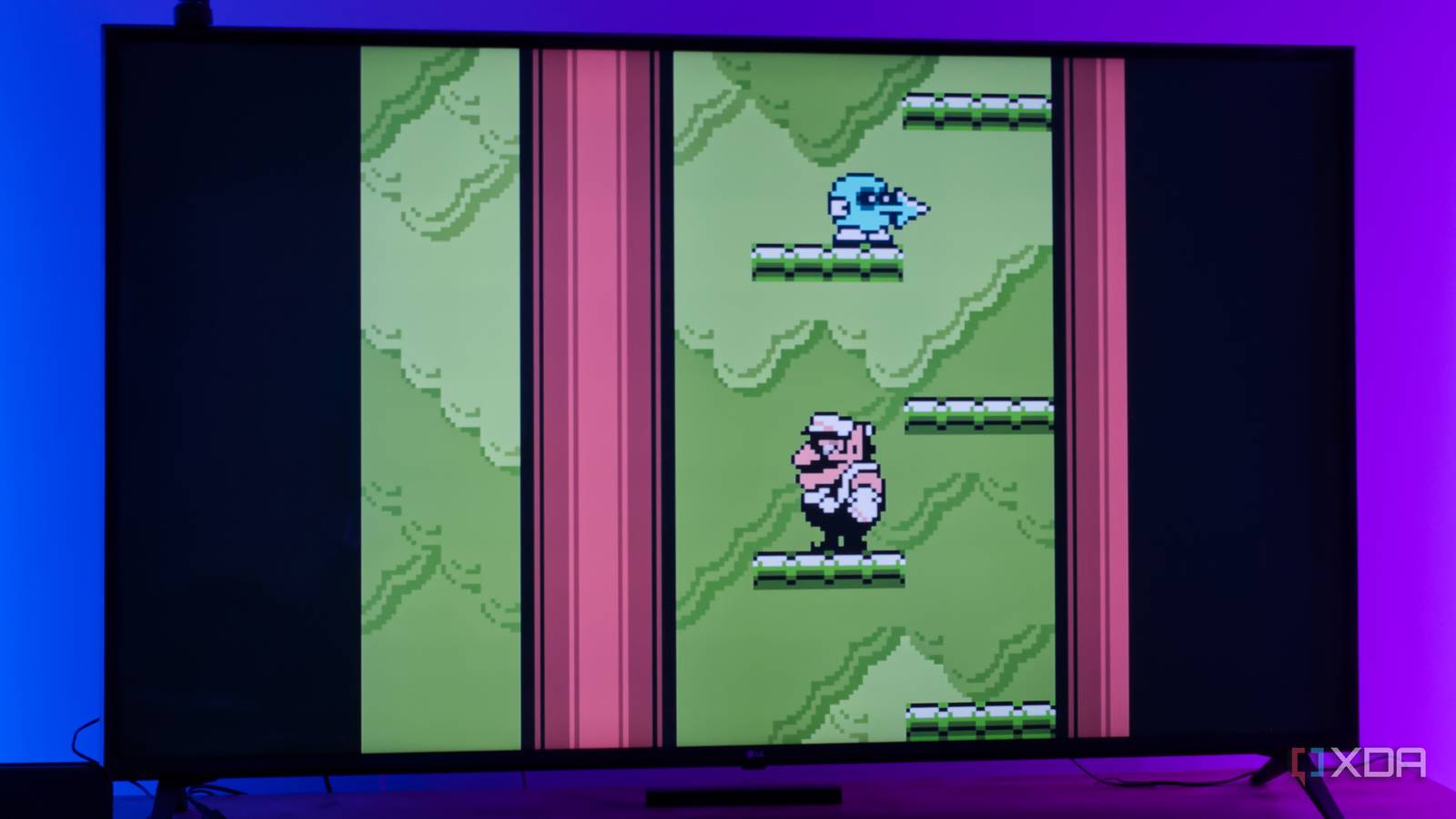
Published Oct 26, 2026, 11:30 AM EDT João has been covering the tech world for over 7 years, with a heavy focus on laptops and the Windows ecosystem. I also love all things tech and videogames, especially Nintendo, which he's always happy to talk about. Prior to joining XDA in 2021, he worked at Neowin: https://www.neowin.net/news/poster/jo%C3%A3o-carrasqueira/ There are plenty of ways to enjoy your retro gaming collection these days, and almost any device can handle retro gaming without too much of an issue. The problem with turning an old PC into a retro console for the living room is that it's still another big box next to your TV, and another outlet and HDMI port being taken. You probably already have a TV box and other devices connected, so adding more to the mix isn't exactly enticing. But what if your TV box could be your retro gaming machine? I decided to try exactly that with my old Chromecast with Google TV by installing RetroArch on it, and it's become the most convenient way to play retro games on my TV. It's not the fastest, but that's mostly up to my hardware. What I needed Downloading files on the TV is near impossible Unsurprisingly, downloading files on a TV, even one running Android, is not easy. You can find internet browsers and the like, but browsing the internet and controlling the entire UI with a remote or even a controller is far from ideal. Thankfully, there's an app called LocalSend that works on pretty much every platform, and yes, that includes Android TV. So the first order of business was to take the game ROMs on my PC, boot up LocalSend, and beam them over to the TV. LocalSend is on the Play Store for Android TV devices, so getting started is very easy. Likewise, I had to send over the APK file for RetroArch. I advise you to run the installer right off of LocalSend, otherwise you'll also need to install a file manager app to find the downloaded file and install RetroArch. Also, make sure to download the universal RetroArch APK file, as the specific Arm64 build strips out TV support. Lastly, I just had to pair my Xbox Wireless Controller over Bluetooth. It took the two devices some time to get along, but eventually, I got it working. Finding the right solution RetroArch is the way to go Making my games playable on the TV isn't just about putting them the big screen, but also doing it in a way that looks and feels great. Going into this, I had hoped to use the iiSU frontend I wrote about for phones a while back, but this wasn't a successful attempt. While the frontend launched, there's an error when setting up the library folder that makes it unable to pass games over to an emulator. I also thought of ES-DE, but this one wouldn't install at all, even using a streamed install over ADB. That meant it ultimately came down to RetroArch, and frankly, that's not a bad thing. I'll admit I love the UI for the other two, but RetroArch's default Switch-inspired skin gets the job done perfectly fine, and I can still customize it if I want to. I've just never bothered because I've always used it more as an intermediary between ES-DE and the actual emulation. Because it has everything built-in, things were easy. I just had to download cores for the platforms I wanted to play, and add my games to the device so I could play them. Considering how slow the Chromecast with Google TV feels for basic tasks, I knew better than to try anything beyond 2D sprite-based games, so I focused on the NES, SNES, Game Boy, and Game Boy Color. It was fine for simpler games This hardware is surprisingly weak I knew going in that the Chromecast with Google TV isn't particularly powerful, but I still came away somewhat surprised with my results. Playing Game Boy and Game Boy Color games went about as smoothly as one could hope. Games like Kirby's Dream Land, Pokémon Crystal, or the Game Boy Color port of Donkey Kong Country all run just fine and played well with the Xbox Wireless Controller. However, the cracks start to show quickly on this hardware. Even NES games have a noticeable slowdown throughout the entire experience, especially any busier scenes. The same extends to the SNES, which is naturally even worse, yet somehow not as bad as I thought it might be. For the NES, a turn-based RPG could still be enjoyed this way, and even other kinds of games are technically playable. For the SNES, I wouldn't recommend this setup. But ultimately, none of that is a problem with the software here. RetroArch works great on a TV and the emulation itself is rock solid. It's just that the Chromecast with Google TV is over six years old, and streaming boxes are never designed to be especially powerful in the first place. But if you have the new Google TV Streamer or, for those in Europe, something like the Xiaomi TV Box S 3rd Gen, you're going to have a way better experience. Your mileage will vary if you have a TV with Android TV built in. Even with those limitations, even just Game Boy and Game Boy Color games already give me plenty to choose from, and it's really about the convenience. This little box was always going to be plugged into my TV anyway, and now it has another form of entertainment I can enjoy without streaming or anything of the kind. It's all on the device, and that alone is great. Reliving your childhood favorites has never been so easy If you find yourself wanting to play games from our childhood, or if you're like me and simply have an interest in learning the history of videogames, this is a great way to make that easier than ever. Without any extra hardware next to my TV, I can experience some well-known classics, or even learn about some more obscure gems. I wish I could expand that to the NES and SNES, but I'm still pretty happy with this setup, and if anything, I have something to look forward to when I upgrade my TV box. RetroArch OS Windows, macOS, Linux, Android, iOS, Others
I turned my old Google TV box into the easiest way to play retro games on my TV
Full Article
Original Source
Read the full article at Xda-developers →KhanList aggregates and links to publicly available news content. We do not host full articles from third-party sources. Always verify important information with original sources.