
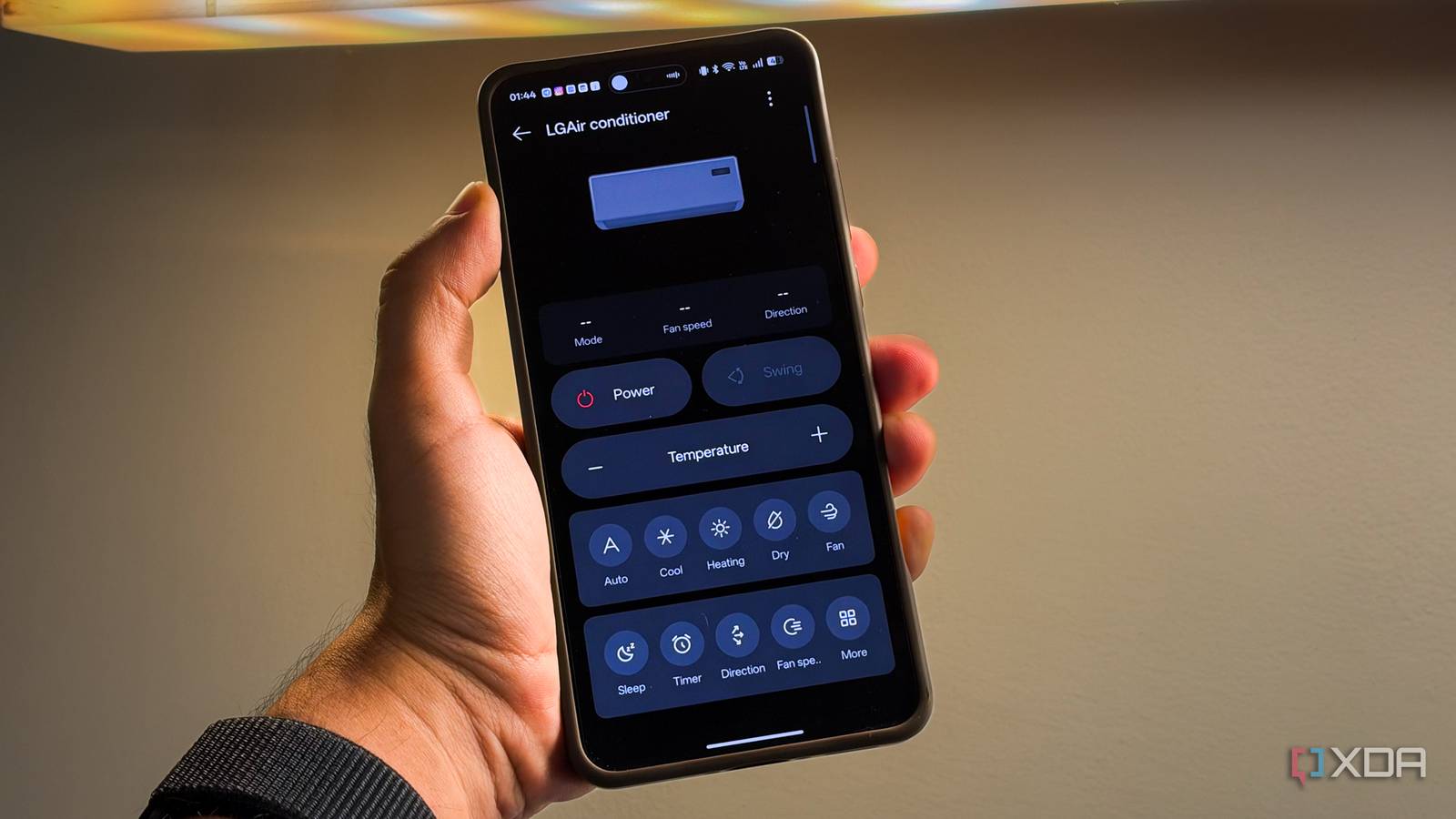
Published Oct 5, 2026, 3:00 PM EDT Dhruv Bhutani has been writing about consumer technology since 2008, offering deep insights into the personal technology landscape through features and opinion pieces. He writes for XDA-Developers, where he focuses on topics like productivity, networking, self-hosting, and more. Over the years, his work has also appeared in leading publications such as Android Police, Android Authority, CNET, PCMag, and more. Outside of his professional work, Dhruv is an avid fan of horror media spanning films and literature, enjoys fitness activities, collects vinyl records, and plays the guitar. I don't know about you, but it irks me to no end that I need a remote for nearly every device in my home. Between my television, air conditioners, air purifiers, audio systems, and more, I have five or more remotes sitting in a bin in my living room. Every room has one. It detracts from the aesthetic, is annoying, and forces me to keep track of batteries across devices. With universal remote options running thin on the market, I've been looking for a simpler solution. As it turns out, the solution was a spare Android phone. Okay, you might be wondering how I'm controlling a television setup or even an air conditioner with an Android phone. The answer is simple. Many Android phones, including my old Oppo phone, include a programmable infrared remote at the back. That little sensor is all it takes to turn it into the most useful universal remote in my house. Select the brand and model, test a few buttons for compatibility, and you're good to go. It doesn't get easier than that. Setting up your Android phone as a universal remote You don't need a smart home hub First things first: many Android phones ship with a built-in infrared blaster, but not all do. So, first check your phone's spec sheet. If your phone doesn't include one, I'd recommend picking up a cheap Xiaomi phone off eBay. The company's affordable, mid-range hardware almost always includes the necessary equipment. The setup process is largely the same for phones that support the feature. Most Android phones with a built-in infrared remote also include a dedicated app. This IR Remote app ships with a pre-populated database of hundreds of brands and equipment lists. If you can't find your specific model, I'd encourage you to try models in the same series, since infrared codebases are often shared across model numbers. All that said, once you've selected your product's model, be it an air conditioner, a television, or even something like a remote-controlled fan, you're good to go. The key is to test a few profiles before assuming your device isn't supported. A few things to keep in mind, though. For example, OPPO says that its IR Remote control app works with televisions, air conditioners, and a few other appliances. Xiaomi's Mi Remote targets a much broader range of devices, including set-top boxes and projectors. Compatibility isn't universal, so it's worth checking beforehand. That said, if the first-party app doesn't support your product, plenty of third-party apps can tap into your phone's infrared blaster to support your device of choice. The best part is that you don't need a smart home hub or accessory to get this working. It all works entirely off your phone, fully offline and private by emulating the physical remote your device shipped with. A remote that's always sitting on my desk No battery replacements needed On to the more important part, then: how I'm integrating this into my setup. Television is the obvious example. But you'd be surprised to know that the utility here is relatively limited for me. Once I've switched on the television, it automatically moves to the Apple TV interface, which you can't really control over infrared. Sure, you could enable HDMI CEC and pass the commands through over infrared, but the latency is enough to make it a less-than-enjoyable experience. Moreover, most televisions already come with companion apps, giving you another way to control them from your phone. Instead, I most often use my phone as a remote for my air conditioner. I use it to change the temperature, adjust swing mode settings, and control basic settings. Ironically, the infrared remote app on my phone gives me a better and easier-to-understand interface than the actual remote. That convenience extends to other facets as well. For example, if I'm sitting at my desk, I don't need to go rummaging around for a remote. I can just point my phone at the appliance and control it right from my desk. Elsewhere, there's the obvious benefit of not needing to keep a dozen or so remotes on hand to control all the surrounding devices. Finally, using your phone as an infrared remote means you have one thing to keep charged. Most infrared remotes use AA batteries, and I'm perpetually out of them exactly when I need to replace them. Using a smartphone as an infrared remote means I never have to. A cheap Android phone might be all the universal remote you need I'm well aware that not everyone will have access to this feature. However, if you're using an Android smartphone, it's worth checking whether your hardware supports it. Meanwhile, if you've been looking to add a universal remote to your setup and are shocked by the sky-high prices of some modern alternatives to the Logitech Harmony remote, a cheap Android phone might be exactly what you need. While I didn't buy my phone for this specific feature, it's become one of my favorites, and I hope more smartphone brands adopt it. Universal TV Remote Control This universal remote control app lets you use the infrared blaster built into your Android smartphone to control a range of devices including televisions.
I turned my old Android phone into a universal remote, and it replaced five devices in my living room
Full Article
Original Source
Read the full article at Xda-developers →KhanList aggregates and links to publicly available news content. We do not host full articles from third-party sources. Always verify important information with original sources.