
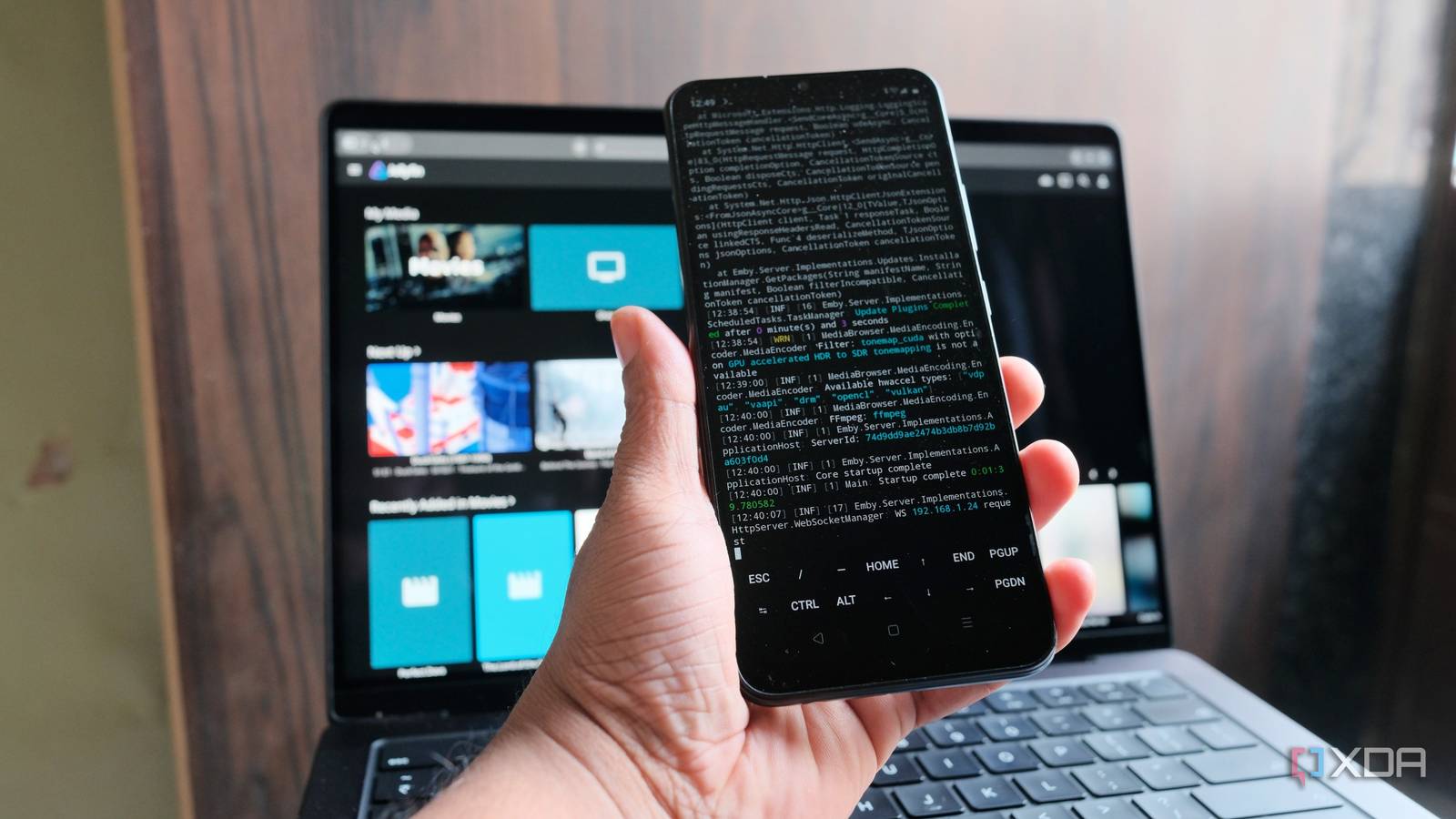
Published Sep 21, 2026, 3:00 PM EDT Samir Makwana is a technology journalist and editor from India since past 18 years and his work appears on MakeUseOf, HowToGeek, GSMArena, BGR, GuidingTech, The Inquisitr, TechInAsia, TechWiser, and others. He has written news, features, and gadget reviews for national technology media publications. His passion is to help people with their technology problems and gadget purchases. For that, he has worked for some of the biggest international technology publications, covering news, explainers, how-to guides, listicles, and product-buying guides. He has worked as an editor and managed teams since 2015. His expertise broadly covers computers, smartphones, game consoles, headphones, smart home products, browsers, and apps. An old budget phone can serve as a smart home dashboard, but it shouldn't run a media server. At least, that's what I thought, until I started wondering what else the old Android could do. That's how I ended up trying to run a Jellyfin server on it. The phone in question is a Realme C11 with 4GB of RAM running Android 11. It has no business serving movies, but I figured its Unisoc processor might handle streaming videos if it didn't have to store any. The media library sits on my home server, and the phone reaches it over the network through an SMB share. Jellyfin runs on the phone, and everything else stays where it already lives. Here's how I put it all together and where it pushes back. A budget phone is good enough Android 11 and root access made it possible Before I began, I rooted my phone. Root access matters more than it sounds. Since the phone doesn't store any of the files, it has to treat my network share like a normal folder, and only root access lets the phone write and save the network share configuration. After all, who wants to fill up a budget phone's storage with movies and shows? Everything runs inside Termux, a terminal app that gives Android a small Linux environment. That way, I didn't need to flash a specific custom ROM or replace Android. To avoid interruptions like calls, notifications, and background load, I removed the SIM and uninstalled as many apps as I could. Termux Termux is a terminal emulator app for Android OS. Termux runs the Jellyfin server An older Jellyfin release fits the phone Android has plenty of Jellyfin client apps, but no official server app. So Termux does the heavy lifting. However, figuring out the right Jellyfin server version required knowing the Android version and processor type. My phone's 32-bit processor meant I needed a server built for 32-bit ARM architecture. Jellyfin dropped 32-bit ARM support in version 10.11, so newer releases are out. That's why I chose a specific Jellyfin build from the archives, which still supports 32-bit ARM devices. I had to dig through the Jellyfin Archives to find the right build to download. Next, I installed ffmpeg and libicu libraries before installing the Jellyfin server and Jellyfin web packages. In Termux, I used a tool called proot-distro to set up a Debian Linux environment, then installed the Jellyfin server there. Once the server was running, I opened up the phone's IP address and Jellyfin's port (8096) in my laptop's browser. I noticed that the setup wizard didn't appear on its own. If that happens to you, open http://phone-ip:8096/web/index.html#!/wizardstart.html directly in the browser to start the setup. If that doesn't work, stop the server, open the system.xml file in Jellyfin's config folder, and change the "IsStartupWizardCompleted" value to false. Then start the server again. The media never needs to live on the phone Loading up my phone with media files was never the plan. That's where rclone comes in. It connects to all kinds of remote storage. Inside Termux, it maps the SMB share on my home server to a folder on the phone. Jellyfin points at that folder and has no idea the files are somewhere else. One trade-off is that the phone expects my home server to always be online. The part I struggled with the most was getting the connection details right. When I entered my home server's hostname, rclone couldn't find it. So I used its IP address instead. The share name also needs to match exactly, or you'll get a "no file or directory" error for that name. With that sorted, the share appeared as a regular folder on the phone. The first library scan was slower than it would be on local storage, and it took a bit over 20 minutes. That's because Jellyfin had to read every file over the network. Besides that, the metadata provider plugins didn't work properly. So fixing metadata felt like an ongoing endeavor. Post-install setup matters A few tweaks made it dependable Getting Jellyfin to run on my phone was the easy part. Making the setup dependable took a few more tweaks. First, I built my library around direct play. Jellyfin sends files untouched, and the TV or player app does the decoding. No conversion happens on a phone, and that's how even a budget phone can earn its keep. The one thing the phone can't handle is on-the-fly transcoding. When I tried it, the phone froze and rebooted. So I stuck with 1080p files my TV could play as-is and skipped 4K remuxes. I streamed them to my TV over Wi-Fi. The phone got a bit warm while streaming. Some high-bitrate files buffered when I skipped ahead. The Wi-Fi or network share possibly played a part. Another key point was keeping the phone awake and always reachable. Since Android tends to close apps running in the background, I turned off battery limits for Termux and used its Wake Lock option to keep the phone out of deep sleep. To keep the phone reachable, I gave it a static IP and reserved it on my router. The last thing I haven't set up is a script for Termux that reconnects to the network shares and restarts Jellyfin after a reboot. For now, I do both by hand. An old Android phone can be a Jellyfin server I didn't expect my old Android phone to even load the Jellyfin server. But now it serves a small library over the network, and does the job better than I thought it would. It's a compact device that serves simple media files, the ones already on my home server. One thing I'd do differently is avoid picking a bottom-of-the-barrel budget Android. If you need a device that can convert video and handle your 4K remuxes, a mini PC or a NAS is a better option. For direct play, it earned its place. Next, I want to try remote access to see if it holds up. Jellyfin iOS compatible Yes Android compatible Yes Desktop compatible Yes
I turned my old Android phone into a Jellyfin server, and it actually works
Full Article
Original Source
Read the full article at Xda-developers →KhanList aggregates and links to publicly available news content. We do not host full articles from third-party sources. Always verify important information with original sources.