
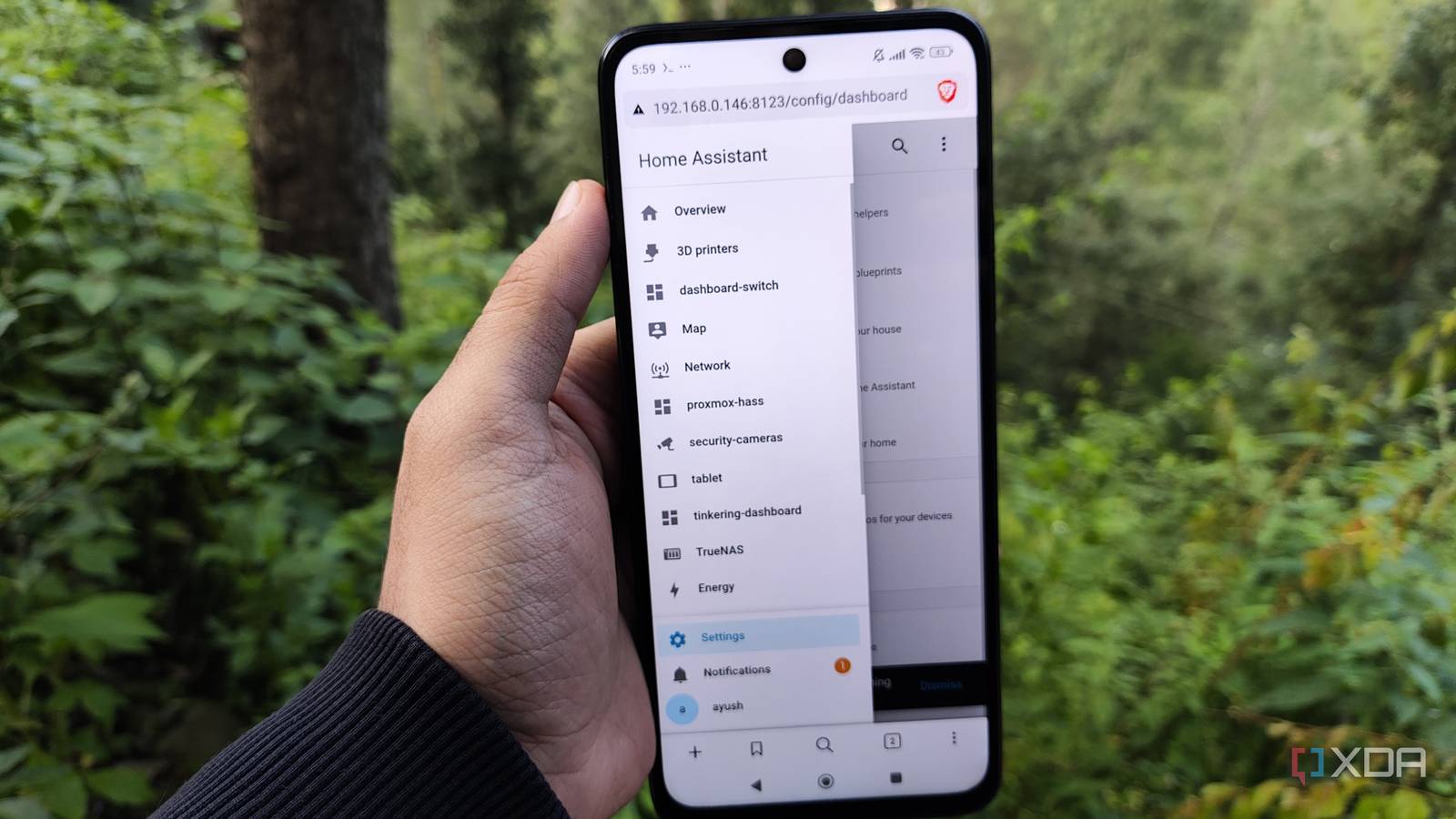
Published Sep 16, 2026, 10:01 AM EDT Ayush Pande is a PC hardware and gaming writer. When he's not working on a new article, you can find him with his head stuck inside a PC or tinkering with a server operating system. Besides computing, his interests include spending hours in long RPGs, yelling at his friends in co-op games, and practicing guitar. Having started my descent into the smart home rabbit hole with Home Assistant, it’s hands-down one of the most important utilities in my self-hosted arsenal. Between its terrific compatibility with hundreds of IoT gizmos, sleek dashboards, and powerful automation provisions, HASS packs enough features to replace Google Home, Alexa, and other cloud platforms. And that’s before I talk about the sheer number of custom integrations and containerized apps that mesh with it. In fact, I’ve used host configurations for Home Assistant over the course of my home lab journey, with a Proxmox VM powering my current setup. That said, I’ve recently started reusing old Android smartphones for conventional self-hosted apps. But since most of the services I run on my outdated portable companions are extremely lightweight Docker containers, I wanted to try running my HASS instance on them. And while there were a couple of hiccups, this wacky experiment turned out far better than I’d anticipated. I initially went with a Podroid-based setup for Home Assistant Unfortunately, I had trouble connecting this HASS instance to my smart home devices When I tried deploying Docker containers on my old smartphone, Podroid was the only platform that let me do so without rooting it, and it’s the one I currently use to host ConvertX, BentoPDF, and a handful of other QoL services. As such, it was my first choice for this project. For the setup process, I ran the docker run command for Home Assistant’s Container instance from the official docs within Podroid’s machine and waited almost half an hour for the app to pull, extract, and deploy the HASS image. Interestingly enough, I decided to leave the --privileged and --network-host flags in the command when deploying the Home Assistant environment. Since Podroid doesn’t mesh well with privileged containers or environments with system port mappings, I expected this container to fail right off the bat. But to my surprise, the Podroid-based Docker runtime managed to deploy HASS, and after running podroid-forward add 8123 8123 tcp, I was able to log into the HASS environment using http://localhost:8123 on my phone’s browser. Just to add even more spice to this experiment, I used good ol’ Pairdrop to toss the latest Home Assistant backup from my actual HASS VM to my phone and used it as a recovery file for my freshly-deployed smart home control hub. And well, even that worked without a hitch, though Home Assistant reported that it couldn’t run any of the apps I use on my VM-based setup, which makes sense considering I was using the Container variant of the platform. Although this HASS instance was able to detect my dashboards as well as the IP address and credentials of my smart gizmos, it just couldn’t connect to them. I tried all sorts of things, redeploying the container without the extra and tweaking the firewall rules and network settings on Podroid, but everything led to the same result. I’m willing to bet that it’s very much possible to get a working instance of HASS running via Podroid, but I was starting to run out of time and didn’t want to spend extra hours brute-forcing my way through all the potential solutions. So, I decided to ditch the Podroid setup and look for alternative methods, which thankfully didn’t take too long… Switching to the Linux-Android repo was just what I needed to deploy Home Assistant Most smart devices worked with this Termux-powered instance without any hassle The Linux-Android repository by genius developer mayukh4 is what popped up when I was looking for ways to get HASS up and running on my phone, and it single-handedly salvaged this project… for the most part. But unlike my original attempt, which relied on Podroid, the Linux-Android route requires Termux and runs HASS within an Ubuntu container running via proot. Configuring it was fairly simple, as all I had to do was run curl -O https://raw.githubusercontent.com/mayukh4/linux-android/main/setup-homeassistant.sh within Termux to pull the installation script, before executing bash setup-homeassistant.sh to let it work its magic. While the installation process took a little longer than my Podroid method, the UI itself felt a lot more responsive. This time, I logged into the HASS web UI using my phone’s IP address (and port 8123, of course) instead of localhost, which worked flawlessly. Once again, I tried recovering the Home Assistant backup file, but the apps also didn’t work this time. That said, I was able to access most devices on this HASS instance right away, and the same holds true for my automation pipelines, dashboards, and default integrations. The UI also felt more responsive than its Podroid equivalent. Honestly, it’s not all that awful for a simple Home Assistant hub, but this wacky setup has a handful of massive drawbacks. Sadly, this makeshift arrangement has some caveats But it’s still a cool project The fact that both methods I’ve highlighted so far don’t support the typical app store services (or add-ons, as we used to call them back in the day) is already a shame when you’re accustomed to running ESPHome Device Builder, Node-RED, and other smart home utilities on HASS like I am, but the Linux-Apps route has another deal-breaking problem in the form of its Home Assistant Core backend. You see, Open Home Foundation discontinued this version last year, and the firm only supports the Container and OS variants. Sure, it’s working just fine at the moment, but it’s still not officially supported, making it less than ideal for folks who don’t want to troubleshoot weird compatibility errors if (or rather, when) things go south. On a rooted device such as mine, it’s impossible to pass Zigbee/Z-Wave USB sticks to the container. Likewise, I can’t get smart home devices relying on Bluetooth to connect to my Android-based HASS, even though my phone technically has Bluetooth functionality built into it. Another minor issue with this DIY arrangement is that auto-discovery via mDNS is still broken, so if I didn’t restore from my backup data, I’d have to add all the devices manually to this Home Assistant instance. Nevertheless, it’s a fun project that has some practical utility Honestly, I don’t think my Android-based Home Assistant Core is going to replace its HAOS counterpart running on my PVE node anytime soon. But if I didn’t have any other choice and really wanted to get a working instance of Home Assistant up and running, going down the Linux-Android route isn’t a bad idea. Of course, it has some major issues, but considering how well it runs on a non-rooted smartphone, I have to say that it’s worth trying out. Whether you’re a newcomer looking to get some hands-on experience with this smart home platform or are simply lacking the funds to invest in a dedicated HASS machine, it supports most of the Core integrations, automation provisions, blueprints, dashboards, and other basic Home Assistant features. Home Assistant OS Windows, macOS, Linux iOS compatible Yes Android compatible Yes
I turned my old Android phone into a Home Assistant server, and it actually works
Full Article
Original Source
Read the full article at Xda-developers →KhanList aggregates and links to publicly available news content. We do not host full articles from third-party sources. Always verify important information with original sources.