
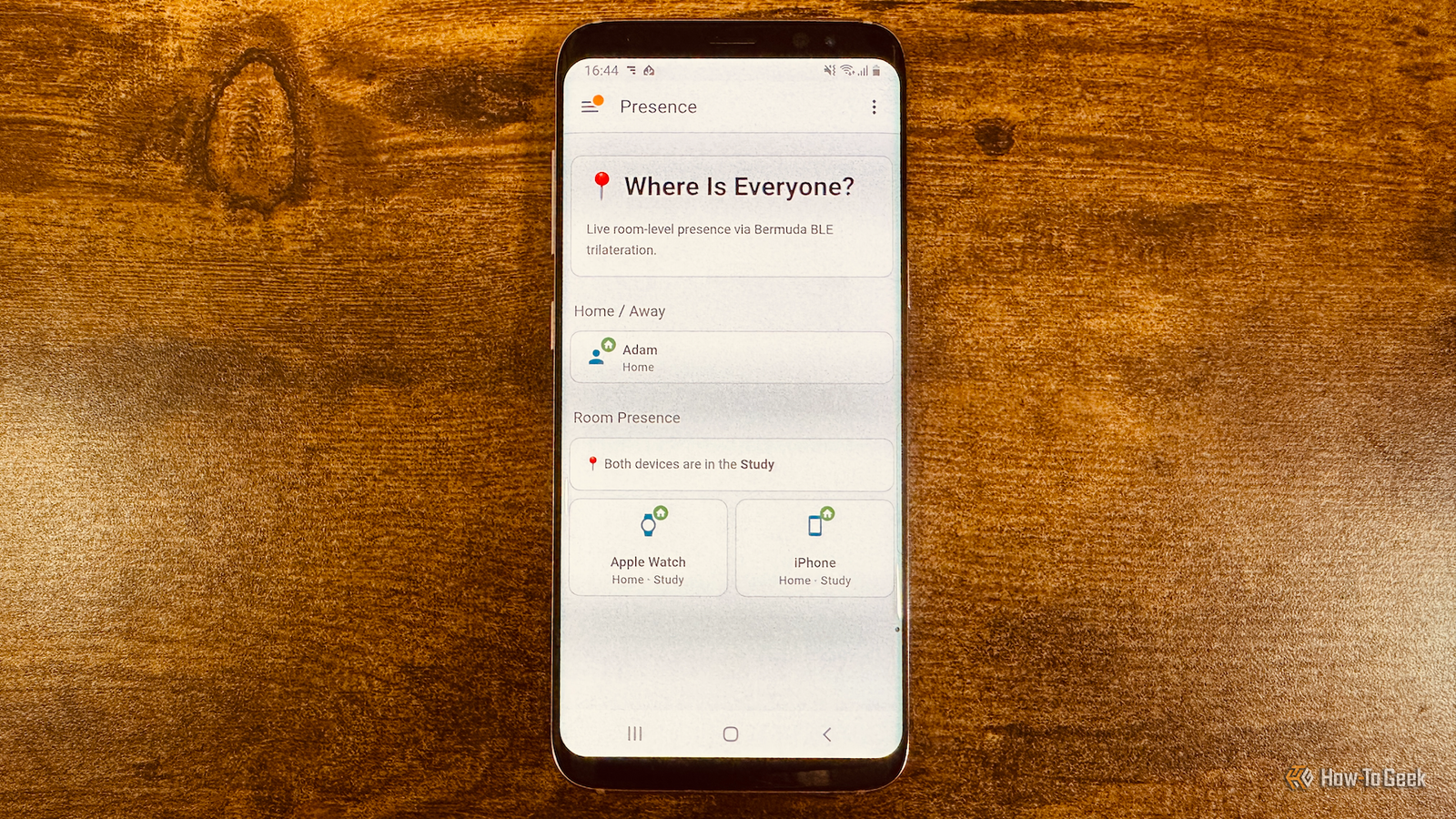
Published Aug 19, 2026, 9:45 AM EDT Adam has a degree in Engineering and has a life-long interest in technology. He has been writing for over a decade for various print and online publications, with a focus on consumer tech. He joined How-To Geek in 2024 while working at Pocket-lint. As well as being a long-term fan of Apple products, he also has a strong interest in smart home tech, running a Home Assistant server at home to automate all his smart home devices. He believes that the ideal smart home should work with minimal interaction from the user, with automations running as if by magic rather than requiring you to push buttons on a control panel. You can find more of his work on Muck Rack. I've owned a lot of smartphones in my life, so it's always good to be able to put older phones to good use. I wanted to make a small dashboard that could display information from my ESP32 boards, and my old Android phone was the perfect solution. I was tired of always losing my phone and watch Both devices can find each other, but you need at least one with you Credit: Adam Davidson / How-To Geek Smartphones and smartwatches are really useful devices, but their size and shape also make them incredibly easy to lose around the house. Smartphones can easily slip down the side of a couch cushion and become infuriatingly hard to find. As soon as you take your smartwatch off, it’s at risk of falling under some furniture or getting lost under something. One of the features I love most about my Apple Watch and iPhone is that I can use either device to find the other. If I lose my phone, tapping one button on my Apple Watch makes my iPhone play a loud sound so I can track it down. The process works in reverse; tapping an icon in the iPhone's Control Center makes my Apple Watch play a sound. The trouble is that if I want to find either device, I need the other one. If I don't know where my Apple Watch is, I can't use it to find my phone, and vice versa. A Home Assistant integration can track my devices down to specific rooms It's great for room-based automations Credit: Adam Davidson / How-To GeekCredit: Adam Davidson / How-To Geek After losing my phone for about the seventh time in the same week, I decided to do something about it. I set up an integration in Home Assistant that can tell me which rooms my iPhone and my Apple Watch are in with a pretty impressive level of accuracy. It works by using ESP32 boards as Bluetooth proxies. I have ESP32 boards in various rooms around my home that can communicate with nearby Bluetooth devices and pass information back and forth to Home Assistant over the Wi-Fi network. Using the Bermuda integration, it's possible to determine the approximate location of Bluetooth devices in my home. It works by comparing the signal strength for specific devices from each of the Bluetooth proxies. If the signal strength from the kitchen ESP32 is fairly low, but the signal strength from the living room ESP32 is much higher, then it's likely that the device is in the living room rather than the kitchen. With multiple ESP32s placed around my house, I can track the location of devices with reasonable accuracy. Both my Apple Watch and iPhone can be tracked at the same time. Automations only work when I have my devices with me If my phone and watch are in different rooms, things fall apart As well as helping me locate my devices, using the Bermuda integration allows me to create automations that work on a room-by-room basis. For example, if I play music in the living room and then get up and move to the kitchen, the music can stop playing in the living room and carry on from the exact same place in the kitchen. If I move to the dining room, the music follows me there. If I have my phone on me and I'm wearing my Apple Watch, it works really well. These types of room-based automations start to fall apart when my phone and my watch are in different rooms. If my phone is in the kitchen and my watch is in the living room, Home Assistant can't be completely sure which room I'm in. I wanted a way to see at a glance where both my phone and my watch were. That way I could not only spot if I didn't have either my phone or watch with me, but also which room I'd left them in. My old Android phone is now a dedicated dashboard I can see where both devices are at a glance Credit: Adam Davidson / How-To Geek Since I spend most of my working day in my home office, it made sense to set up a dashboard in that room so that I could see where my phone and watch were currently located. I wanted the information to remain visible at all times, rather than being part of a multi-purpose dashboard. I could have bought a dedicated device such as a Cheap Yellow Display to do the job, but it would be a little small for the job, and I didn't really want to have to spend any money. I had an old Android phone in a drawer, and I knew it could do the job. All I had to do was install the Home Assistant Companion app on the phone and set it to display a dedicated Home Assistant dashboard that shows the location of my phone and watch. By connecting the power cable to a smart plug, I can preserve battery health by cutting power when the battery reaches 80% and turning it back on again when it drops below 20%. My old phone has a new life My dedicated ESP32 dashboard is just what I need. I can see at a glance when my phone and watch are in different rooms, and if I lose either device, a quick look is all I need to know where to start looking.
I turned an old Android phone into a wireless ESP32 smart home dashboard
Full Article
Original Source
Read the full article at Howtogeek →KhanList aggregates and links to publicly available news content. We do not host full articles from third-party sources. Always verify important information with original sources.