
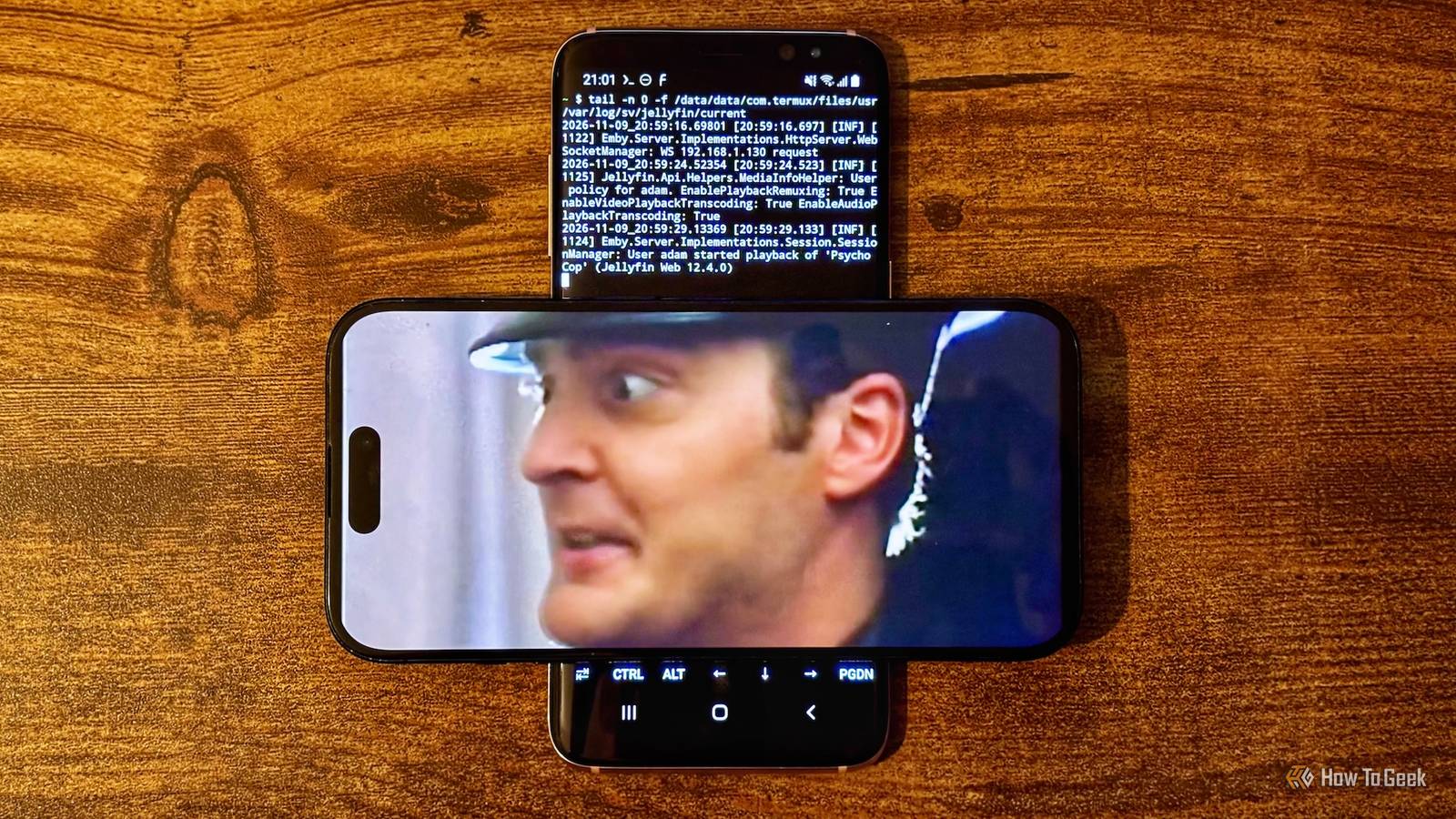
Published Nov 10, 2026, 9:00 AM EST Adam has a degree in Engineering and has a life-long interest in technology. He has been writing for over a decade for various print and online publications, with a focus on consumer tech. He joined How-To Geek in 2024 while working at Pocket-lint. As well as being a long-term fan of Apple products, he also has a strong interest in smart home tech, running a Home Assistant server at home to automate all his smart home devices. He believes that the ideal smart home should work with minimal interaction from the user, with automations running as if by magic rather than requiring you to push buttons on a control panel. You can find more of his work on Muck Rack. Jellyfin is a self-hosted media server that you can use to stream your TV show and movie collection to other devices. It's a popular alternative to Plex that many people run on a device such as a Raspberry Pi or a mini PC. However, an old phone can also work, and there are some significant benefits over other options. A smartphone is just a small computer I've run Jellyfin on a Raspberry Pi, on a mini PC, and I currently run Jellyfin on an old Dell OptiPlex PC. It runs well on all three devices, and I much prefer it to Plex, which is what I used to use before Jellyfin. I've messed around with the front end and even set up a virtual video store for choosing my next movie to watch. I use Jellyfin to stream content to my phone all the time, but I'd never considered actually hosting the media server itself on a phone. However, I had an old Android phone lying around that had everything you need for a Jellyfin server. My Samsung Galaxy S8 has an Exynos 8895 processor, 4 GB of RAM, 64 GB of internal storage, and is expandable via microSD card up to 256 GB. On paper, this makes it better suited to running Jellyfin than the Raspberry Pi 3B+ that I'd run it on in the past, with more cores, more RAM, and more internal storage, as well as an internal battery and a screen. Termux made my phone into a Jellyfin host I can run Jellyfin without replacing the OS The biggest problem with running Jellyfin on my old phone is that the Jellyfin server software is designed to run on a computer. There's no official Jellyfin server app for Android. I was able to get around this by using Termux. Termux is a terminal app that runs on Android phones and provides a Linux-style environment within Android. It has a typical command-line interface and a package manager that you can use to download and install software and dependencies. This includes a version of the Jellyfin server specifically created for running in Termux. By installing Termux on my Galaxy S8, I was then able to install Jellyfin and a service manager to keep it running on the phone. Termux was then given access to the phone's internal storage, and a wake lock to keep it running even when the screen is off. The first movie proved the phone could do the job Streaming a movie from one phone to another I was excited to see whether I could stream content from Jellyfin running on my old phone, so I didn't wait around to upload a ton of movies onto the phone. I uploaded a single movie to the phone's local storage and then added the folder containing the movie to the Movies library in Jellyfin. The movie was an MP4 with H.264 video and AAC stereo audio at 640 x 480 resolution, ripped from an old DVD. On my current iPhone, I signed in to the local web address of the Jellyfin server now running on the Galaxy S8, and there on my iPhone was the Movies library, containing the single movie file that I'd added. It was time for the moment of truth. I'd chosen the file because I knew that my iPhone would be able to play it without the file needing to be transcoded, which is something that my Galaxy S8 would be likely to struggle with. Using direct play, the video played on my iPhone perfectly, just as if I'd been streaming it from my Dell OptiPlex. I then tried a short section of a 4K movie, averaging around 69 Mbps. It took an age before the video would start playing, but once it started, it played smoothly throughout. Jellyfin preserved the 4K video without transcoding it, and converted the DTS audio to AAC. It demonstrated that the Galaxy S8 could serve a 4K movie file, even if it took a long time for the movie to start playing. My phone is now a portable movie hub No router, no SIM, and no power outlet required This proved that I could run Jellyfin on an old phone, but the more important question is: why would you want to? It occurred to me that there was potentially a very good reason. If you go away camping, for example, you may not have Wi-Fi or even a mobile network connection. There's no way to stream shows and movies from your Jellyfin server back home if your phone can't connect to the internet. However, I thought it might be possible to stream shows and movies from my Galaxy S8 using its own local hotspot. This would make it a perfect portable Jellyfin server that I could take with me anywhere, and which could run even without being plugged into power while the battery lasts. I quickly hit a wall, as the old phone no longer has a working SIM card, and Samsung's built-in local hotspot wouldn't work without one. However, the free NetShare app lets you set up a wireless network that my iPhone was able to join. Using this setup, I could connect to the Jellyfin server on the Galaxy S8 and stream the movie to my iPhone, without any external internet connection at all. It means the next time I go on vacation, I can bring an entire movie collection with me, even if there's no Wi-Fi available. Running Jellyfin on a phone isn't as dumb as it sounds I wasn't sure whether running Jellyfin on an old phone would be a waste of time, but it worked surprisingly well. The ability to stream from the phone's own wireless network connection is genuinely useful, and I'll definitely be bringing the phone with me the next time I go away on vacation.
I turned an old Android phone into a Jellyfin media server that beats any Raspberry Pi
Full Article
Original Source
Read the full article at Howtogeek →KhanList aggregates and links to publicly available news content. We do not host full articles from third-party sources. Always verify important information with original sources.