
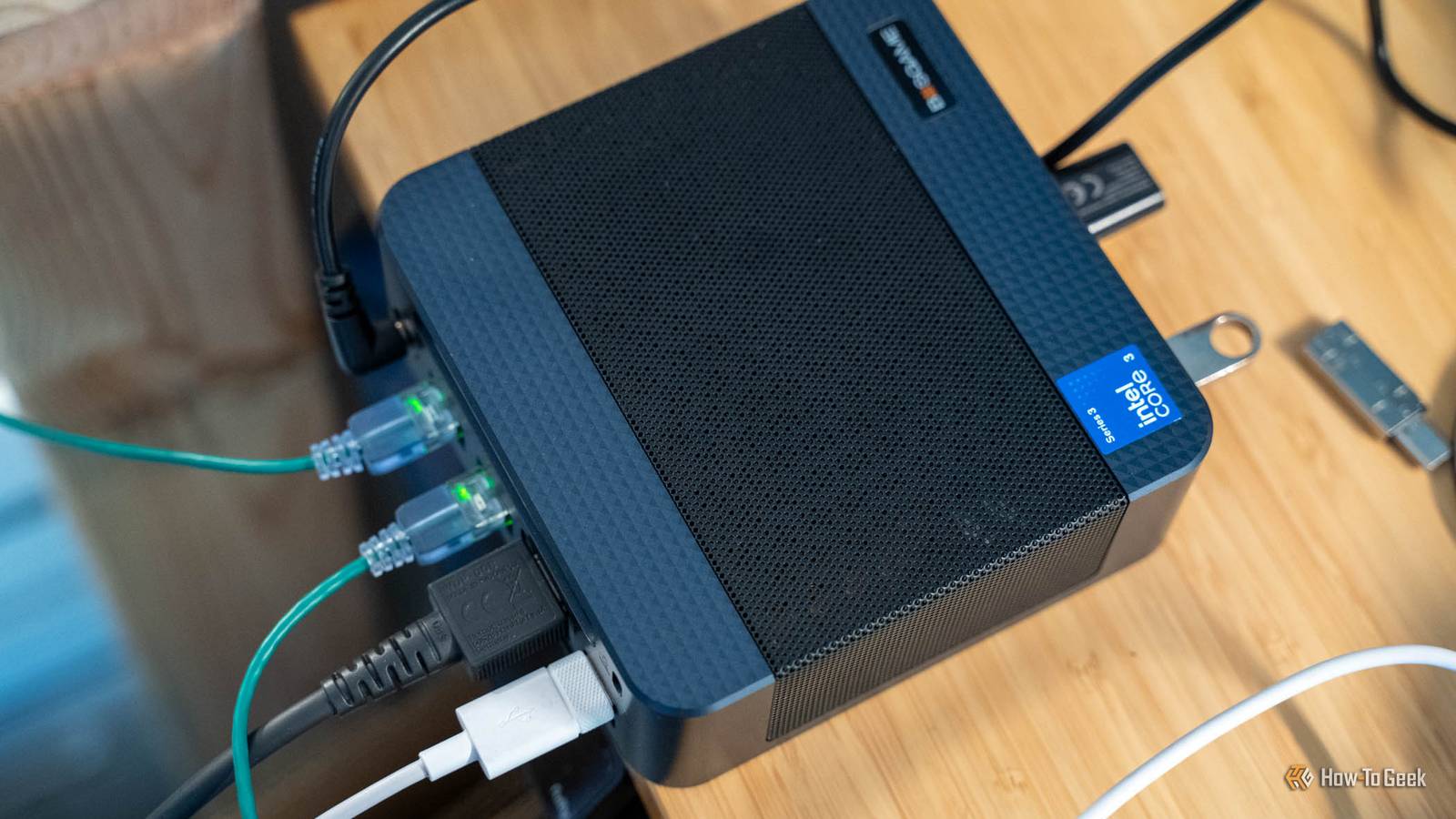
Published Nov 13, 2026, 7:30 AM EST Patrick Campanale has been in the tech space for well over a decade, specializing in PC/gaming news and reviews, as well as maker-focused products to build small businesses. With a start in technology back in 2010 surrounding the Palm/webOS ecosystem, Patrick spent his formative years developing mobile applications as well as blogging for various publications, eventually leading to starting his own website in 2014. After running a technology blog for a few years, he stepped out of that role and into the world of high-end custom PC manufacturing and building, with a focus on YouTube video production and overclocking. Then, in 2017, Patrick joined the 9to5Toys team as an editor/writer/reviewer with over 14,000 articles being published during his time there, ranging from deals and roundups to in-depth reviews on the latest technology, video games, 3D printers, and more. In his free time, Patrick loves to create projects from wood using various robots and methods, including leveraging the technologies of CNCs and lasers. If Patrick isn't working on a computer or playing video games, he's likely in his 2-car garage workshop creating something unique. In addition to all this, Patrick is also the media director at his local church where he feels God has called him to serve, and he loves every minute of it. "Did I make a mistake in choosing my UniFi network over building my own?" That's a thought that has gone through my mind many times before. So, I decided to put it to the test by deploying my own DIY router in my homelab. The goal was to see how capable OPNsense was and if it could reasonably replace my UniFi setup. It honestly had way more features than I expected it to—more features than my UniFi system has, actually. In the end, I chose to stick with UniFi, but only because I'm so heavily invested in the ecosystem already. If you are looking for a new router to keep your homelab secure, then OPNsense might be the perfect option for you. I wondered if my UniFi gateway was worth it, or if I should run my own hardware for my network So I made a sub-$500 mini PC my router for a day before committing to anything I've been running a UniFi-based home network for nearly two years now. The one thing I've always wondered is if I should have gone with a DIY router instead of a ready-made system? So, I decided to try it out with a cheap mini PC to see how it would work as a router. I had to find a mini PC that had two Ethernet ports though, which is actually a little harder than you might think. You see, a purpose-built router has a WAN port (wide area network) and LAN ports (local area network). This comes in the form of at least two Ethernet ports, but often many more. Each port is another connection point that the router can control. My UniFi Dream Router 7, for instance, has four Ethernet ports on the back plus an SFP+ port. These combine to deliver up to four WAN connections and the rest as LAN. Each LAN connection is "managed" with a UniFi switch, meaning that connection can be controlled in ways like setting up a VLAN (virtual local area network) or modified and tracked in some other way. I did eventually find the BOSGAME Eco E6 (which BOSGAME was kind enough to send out for me to test with). The mini PC has two gigabit Ethernet ports on it, ships with 12GB of RAM, and a Core 3 304 processor. It's low-power, plenty capable, and fairly affordable given its specs and features. OPNsense was the obvious choice It's open source and does everything a homelab could want from a networking perspective Once I was ready to take the plunge and had my hardware sorted, I had to find the software to use. There are two options most people go for: pfSense and OPNsense. I don't really know why I chose OPNsense over pfSense outside of the fact that it has a more modern interface and is a bit easier to use overall. I started off the journey where everyone does—installation. I started by loading the OPNsense ISO onto my Ventoy flash drive and began the installation procedure. I was stopped dead in my tracks just a minute or so in once it booted the ISO. Ventoy stalled at the mountroot> prompt and I couldn't get it to go past that. I ended up having to write the actual vga .img file with balenaEtcher to a dedicated flash drive to get OPNsense to install. I also had to disable Secure Boot, but that's normal for installing operating systems like this. Once I had the dedicated drive, though, things went much smoother from there. Since I was using OPNsense behind my existing UniFi router for internet access, I had to put the OPNsense router on its own subnet, so, I chose 10.10.10.x that way it could work completely separately from UniFi. This worked, but configuration took a hot minute for me to figure out. I have never set up a networking stack like this, so I had to go through OPNsense's terminal on a connected monitor to get everything configured. Figuring out what assignments to hand out for WAN and LAN took me a good 20 or 30 minutes. I definitely struggled a bit here, but I did eventually get it figured out. Once I did get everything configured, I was able to start testing out the various functions of OPNsense to see how they compared to UniFi. While the interface wasn't quite as streamlined as UniFi, I feel like OPNsense gives a lot more capability and functions for network defence, and I especially love that I can choose the hardware it runs on, meaning it can be as powerful as I need it to be. Suricata caught my fake attack without costing a single megabit 941 Mbit/s with it off, 941 Mbit/s with it on One of the main reasons that I wanted to get a better networking setup for my homelab was for IDS and IPS. IDS is intrusion detection system and IPS is intrusion prevention system. Both of these technologies can help secure a homelab from bad actors gaining access to the network. My UniFi Dream Router 7 is capable of 2.3Gb/s throughput on IDS/IPS, which is fine on my gigabit network, but would start to fall apart if I went to a 2.5Gb/s or faster network. While I don't have a faster network right now, I do like the idea of being able to upgrade hardware to handle more throughput. With OPNsense, it's as powerful as you make the hardware. I ran iperf3 between two machines connected to OPNsense both with and without Suricata (IPS/IDS) enabled, and saw zero speed drop whatsoever. On my UniFi network, I actually have IDS/IPS disabled because, even on my gigabit connection, it was slightly slowing me down, and I just really didn't want that. So, even though I can use IDS/IPS on UniFi, I'm not. After enabling IDS, I simulated an attack on the network from one of the connected devices. I only had IDS enabled for this because it was simulated, but it immediately found and logged the attack. Honestly, logging attacks is equally as important as blocking them. I personally don't plan to run IPS much as there's a chance of catching false flags, but IDS with notifications set up would alert to intrusions and allow me to decide whether to block it or not. I also currently run a completely separate ad/content blocker on my UniFi network because I don't like how I don't have as fine-grained control over the stock one built into my Dream Router 7. I use Pi-hole for this, and it honestly works great. But, it was nice that, with OPNsense, I was able to set all of that up right inside of the user interface of the router. There are some pre-configured block list options available, but you can also block or allow specific domains that you might want. This is ideal for parents to be able to block adult sites at a router-level without having to worry about another piece of equipment to maintain. This was another huge win for OPNsense. BOSGAME E6 ECO Mini PC Brand BOSGAME CPU Intel Core 3 304 (Wildcat Lake), 5 cores / 5 threads (1 P-core up to 4.3GHz, 4 LP E-cores up to 3.3GHz), 6MB L3 Graphics Intel Graphics (1 Xe3 core) Memory 12GB LPDDR5X-6400 (soldered, not upgradeable) Storage 512GB PCIe 3.0 NVMe M.2 2242 SSD; second M.2 2242 slot (PCIe 4.0 x1); up to 4TB Ports Front: 2x USB-A 10Gbps, 1x USB-C (DisplayPort Alt Mode, USB PD in), 3.5mm combo jack. Rear: 2x RJ45 Ethernet, HDMI 2.0, DisplayPort 1.4, 2x USB 2.0, 19V DC jack The BOSGAME E6 ECO is a mini PC that packs a punch for its price class. With the Core 3 304 processor and 12GB of LPDDR5X RAM, this tiny desktop offers Wi-Fi 7, dual RJ45 Gigabit Ethernet, and support for up to three 4K displays. I'm going to keep using UniFi, but only because I'm already invested in the ecosystem Honestly, OPNsense is way more capable than I was expecting it to be, and getting it running was a fun project that I'm glad I did. Really, if I didn't have a UniFi system in my house already, I would definitely go with OPNsense on this mini PC as my daily router. It's simple and effective and does everything that I need it to do.
I turned a sub-$500 mini PC into a router that spots attacks without slowing down
Full Article
Original Source
Read the full article at Howtogeek →KhanList aggregates and links to publicly available news content. We do not host full articles from third-party sources. Always verify important information with original sources.