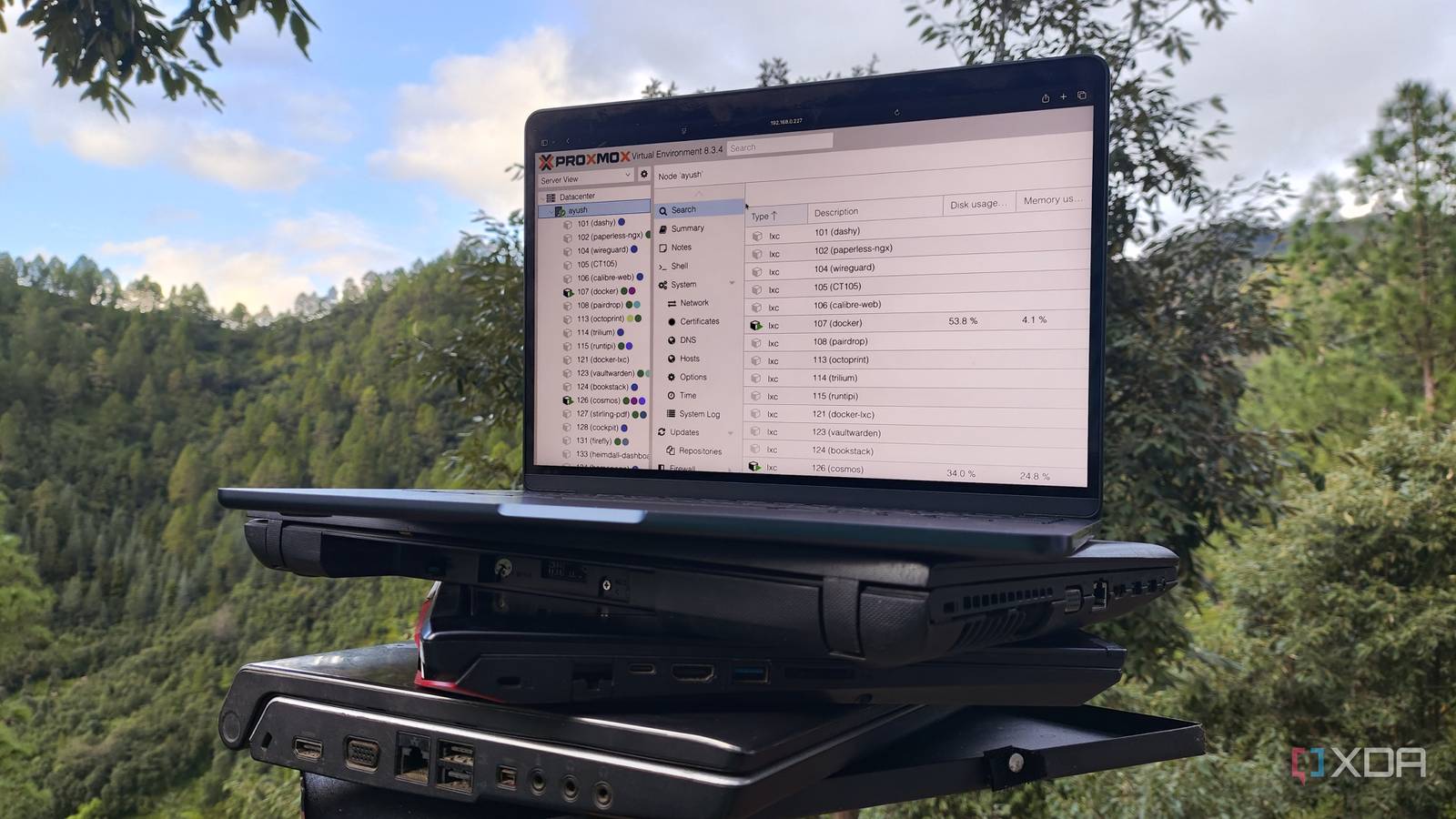
Published Jul 29, 2026, 5:30 PM EDT Ayush Pande is a PC hardware and gaming writer. When he's not working on a new article, you can find him with his head stuck inside a PC or tinkering with a server operating system. Besides computing, his interests include spending hours in long RPGs, yelling at his friends in co-op games, and practicing guitar. For the longest time, I’d imagined container and VM-hosting workstations to require cutting-edge hardware. After all, I’d grown up drooling over Xeon rigs with dozens of CPU cores and an ungodly number of RAM sticks that could drive hundreds of virtual guests on powerful server platforms without breaking a sweat. However, it wasn’t until I began my descent into virtualization projects that I realized how wrong these misconceptions were. Sure, ex-enterprise hardware has its perks, but considering the sheer number of server-centric distros and self-hosting tools out there, outdated systems can double as incredible workstations for DIY computing projects. In fact, I’ve repurposed an entire pile of outdated hardware into a fully-functional home lab that not only powers my DevOps experiments but also saves my wallet from getting bled by paid subscriptions. Proxmox single-handedly converted half my outdated machines into self-hosting hubs Despite its terrific home lab features, it can run on dinosaur machines When I first heard of Proxmox Virtual Environment’s KVM tools, built-in cluster provisions, and killer network stack, I figured it’d require a somewhat powerful workstation. However, PVE has surprisingly low minimum system requirements, to the point where it can work on any old x86 system as long as it has 1GB of memory. Now, there’s no denying that I’d need decent hardware if I wanted to configure ZFS pools, nested VMs, and high-availability Ceph solutions for my Proxmox home lab. But for the average virtualization experiments, even a 5-10 year-old budget-friendly system can drive plenty of virtual guests. Source? Yours truly, who has a Ryzen 5 1600 Proxmox server that runs everything from FOSS apps within LXCs to Windows 11 virtual machines. I’ve connected my old GTX 1080 to this system, and it currently drives bulky MoE models. Heck, I’ve even used the same setup to experiment with remote gaming VMs by passing the entire GPU to a Windows 11 virtual machine, and it works pretty darn well considering my first-gen Ryzen system doesn’t even meet the minimum requirements to run Microsoft’s bloatware-riddled OS. And that’s just one PC in my arsenal. I’ve tested PVE with cheap mini-PCs, a gaming laptop from 2017, and even a budget laptop from 2014, and it works without any issues on any of these systems. The last one, in particular, can even host a dozen productivity services, despite possessing merely 2GB of RAM. Proxmox Proxmox is an open-source platform built on Debian Linux designed for server virtualization. But a minimal Ubuntu Server workstation works wonders for DIY servers While ZimaOS can power lightweight NAS workstations Although I’ve revived quite a few old machines with Proxmox over the years, it’s far from the only elixir for dinosaur rigs. In fact, if you prefer a more DIY approach, starting off with a barebones Ubuntu Server and arming it with additional utilities is a decent way to breathe new life into decrepit systems. And no, Ubuntu Server is nowhere near as bloat-heavy as its desktop counterpart. The Ubuntu Server + Canonical's MicroCloud combo, for example, can provide LXD and VM-hosting functionality to a minimalist setup, and it’s light enough to run on something as weak as a Raspberry Pi. Meanwhile, pairing Ubuntu Server with ZFS packages and Cockpit can turn any old machine into a reliable network-attached storage unit. Speaking of NAS setups, OpenMediaVault remains my top recommendation for DIY storage rigs that lack enough processing horsepower to run something as bulky as TrueNAS. A barebones OMV configuration can deliver the essential file systems and network shares you could want from a NAS, and you can further enhance its capabilities using additional plugins. Then there’s ZimaOS, which is by far the most beginner-friendly NAS distro I’ve ever used, and it meshes exceedingly well with underpowered hardware. Running FOSS services on repurposed hardware spares my wallet from paid subscriptions My self-hosted stack is vital for my productivity needs Besides serving as a safe experimentation environment for my tinkering shenanigans, my makeshift home lab nodes also help me save a lot of money that I’d otherwise have to spend on paid tools. On the productivity front, I’ve got Nextcloud (and all its companion apps), BentoPDF, Firefly III, Syncthing, Paperless-ngx, and a bunch of other services deployed on my home server, and thanks to their FOSS nature, I don’t need to waste extra money to unlock more features on their cloud counterparts. Then you’ve got the large language models running on these machines. Specifically, my gaming laptop can handle up to 8B models, though I tend to stick with Gemma 4 E4B for simple tasks. It’s also responsible for providing nomic-embed-text to every containerized app that can use embedding models for my RAG tasks. Meanwhile, my decade-old GTX 1080 often drives 20B and 26B models at 14–18 tokens/second thanks to MoE offloading, and it’s the one powering most of my FOSS apps that support AI features. I’ve optimized the performance settings to lower the energy rates on my old paraphernalia Although I love reusing old devices, I can’t end this article without addressing the biggest elephant in the room: the power siphoned by my hardware. There’s no denying the old machines aren’t as energy efficient as modern systems, but leaving my outdated Xeon workstation aside, my consumer-grade devices don’t hog too much electricity. That’s because I’ve tweaked the BIOS settings to enable all the power saving options as well as optimized the CPU scaling governor on my server nodes.
I turned a pile of old hardware into a home lab that saves me money every month
Full Article
Original Source
Read the full article at Xda-developers →KhanList aggregates and links to publicly available news content. We do not host full articles from third-party sources. Always verify important information with original sources.