
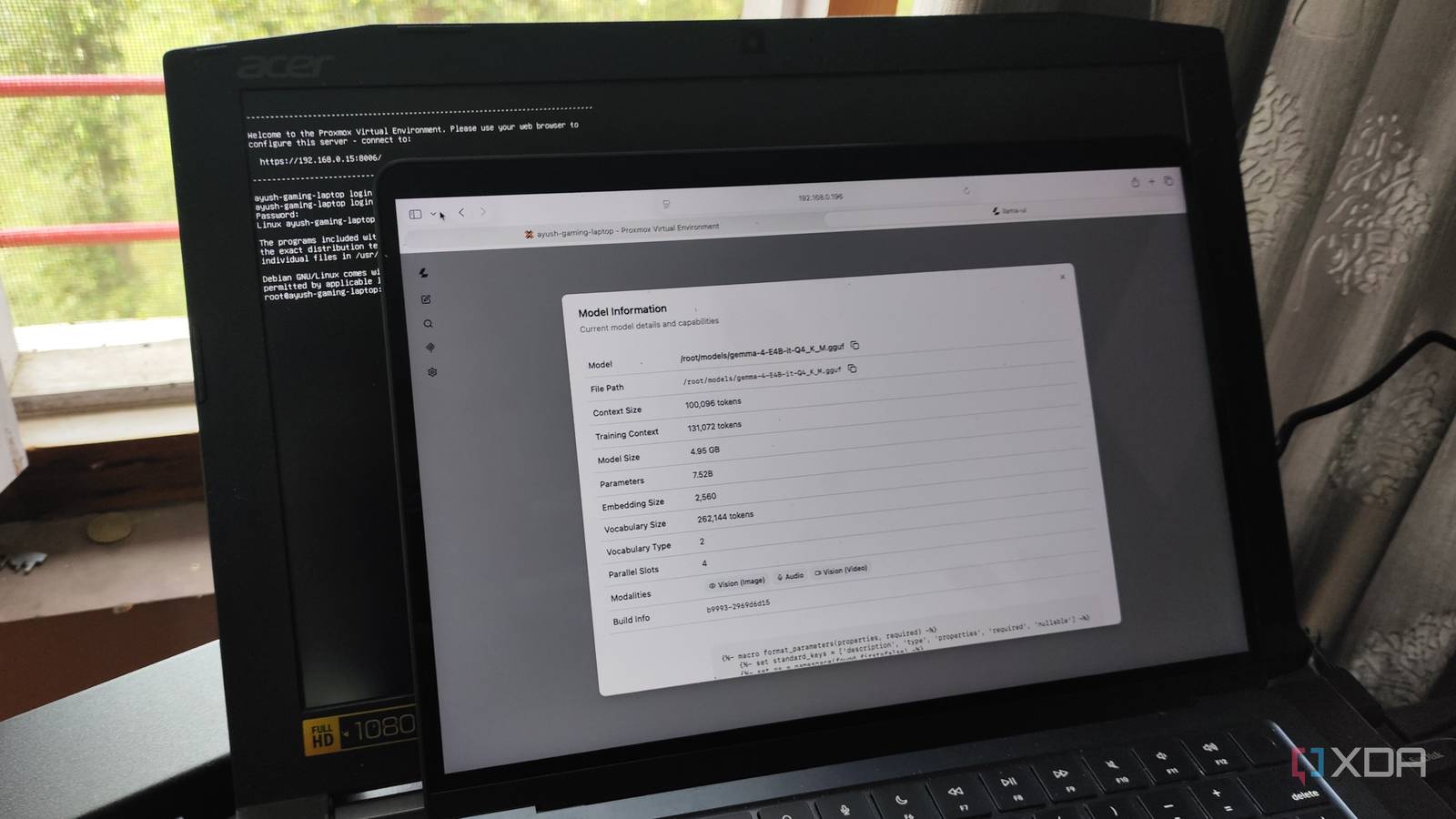
Published Aug 6, 2026, 8:00 PM EDT Ayush Pande is a PC hardware and gaming writer. When he's not working on a new article, you can find him with his head stuck inside a PC or tinkering with a server operating system. Besides computing, his interests include spending hours in long RPGs, yelling at his friends in co-op games, and practicing guitar. Despite spending my teenage years drooling over enterprise-tier hardware, my current home lab mostly consists of consumer-grade systems, with the only outlier being a Xeon workstation from 2016. In fact, running a few Proxmox experiments on my old gaming PC proved that I don’t need top-of-the-line specs to access its virtualization features, and today, I’ve got everything from mini-PCs and thin clients to x86 single-board computers fueling my tinkering escapades to some extent. The wackiest of them all has to be the gaming laptop (specifically, the Acer Predator Helios 300 G3-571-77QK) I tried to repurpose into a Proxmox workstation last year. Truth be told, I didn’t have too many expectations from this system, and I’d even figured I’ll arm it with some different distro once I was done testing its virtualization prowess. But one project led to another, and today, this almost 10-year-old relic of a laptop serves as a vital part of my tinkering hub. And that includes essential networking tools Having spent years exploring FOSS tools, containerized services, and cool distributions, I’ve got dozens of virtual guests across my home server nodes. But with that many services, I need additional tools just to ensure they’re in tip-top shape. The problem? Running them on the same PVE systems where I conduct my DevOps experiments and virtualization projects would be a dumb idea, as a broken package is enough to cause my admin stack to go offline. Take Pulse, for example. I’m currently using it to keep an eye on practically every PVE node, Docker host, and even everyday Windows (and macOS) machines in my arsenal. I’d initially deployed it on my bulky Proxmox workstation, but a botched project opened my eyes to the chicken-and-egg problem with this setup, where my monitoring station would become inaccessible along with the rest of my app stack, and I wouldn’t know about this problem until it’s too late. The same applies to the Gotify hub I use to receive notifications (including alerts from my Pulse container) and Homarr, which provides a neat web dashboard for accessing my self-hosted services. And don’t even get me started on how big of a mess I’d be in if Nginx Proxy Manager, Authentik, and other networking tools conked out randomly. However, moving my home lab admin tools to a laptop ensures that they’ll remain online even if the rest of my server nodes go down. I chose my laptop specifically because it has a built-in display and keyboard, so even if something untoward were to happen to this node, I wouldn’t have to scurry around looking for the I/O peripherals. It also helps that my laptop sips less energy than the average outdated home server. As for the graphics card built into it, I’ve repurposed it to power my LLM-hosting (mis)adventures… It’s just as useful for light LLM-powered workloads Thanks to LXC passthrough, I found a proper use case for my GTX 1060 Seeing as how the Helios 300 has a built-in GTX 1060 (6GB) graphics card, I figured I could try using it for some cool projects. Unfortunately, I had trouble assigning it to a virtual machine when I first turned this laptop into a Proxmox node, though LXC passthrough is very much on the table. In fact, I’m currently using a custom llama.cpp container that uses its outdated graphics card to run large language models. Personally, I’ve had the most luck with Gemma 4 E4B, which, despite having 8B total parameters, uses per-layer embeddings and optimized routing mechanisms to have the same footprint as a conventional 4.5B model. That way, it fits inside the 6GB VRAM on my laptop’s GTX 1060 without taking a hit to its reasoning prowess. I’ve got it running consistently at 30+ tokens/second, which is good enough for simple inference tasks. Plus, I host nomic-text-embed on this setup, and this embedding model is responsible for the RAG search functionality on Blinko, Open Notebook, and Paperless AI. But I had to make an important tweak to make this project safe for my tinkering tasks After all, the built-in battery makes it a potential fire hazard As much as I love using this laptop as a hybrid home lab control panel and AI-hosting node, I need to address the elephant in the room: its battery. On paper, the built-in battery might seem like a free UPS, as it can prevent my laptop from shutting down in case a random outage targets my backwater town, But in reality, it’s more of a double-edged sword than a hidden benefit. Leaving the laptop plugged in continuously even when the battery is at 100% can cause it to degrade considerably faster than it would with normal power cycles, eventually turning it into something that you’ll find on r/spicypillows. So, I needed a way to ensure my battery wouldn’t become a potential fire hazard later down the line. My initial plan was to unplug the battery altogether, but having tinkered with laptop-based servers in the past, I’ve got a better solution – one that doesn’t involve ripping the chassis apart. The monitoring utility Glances (not to be confused with Glance) includes provisions to check the battery percentage, so I installed it on the underlying Proxmox Shell on my laptop. Then, I used the Glances integration on Home Assistant to pull the battery metrics into my HASS server. Since I’ve got my laptop’s AC adapter connected to a smart plug, I created an automation that turns the latter off when my battery hits the 80% mark and another that powers it on when the battery falls under 30%. Proxmox Proxmox is an open-source platform built on Debian Linux designed for server virtualization.
I turned a nearly 10-year-old laptop into the most useful machine in my home lab
Full Article
Original Source
Read the full article at Xda-developers →KhanList aggregates and links to publicly available news content. We do not host full articles from third-party sources. Always verify important information with original sources.