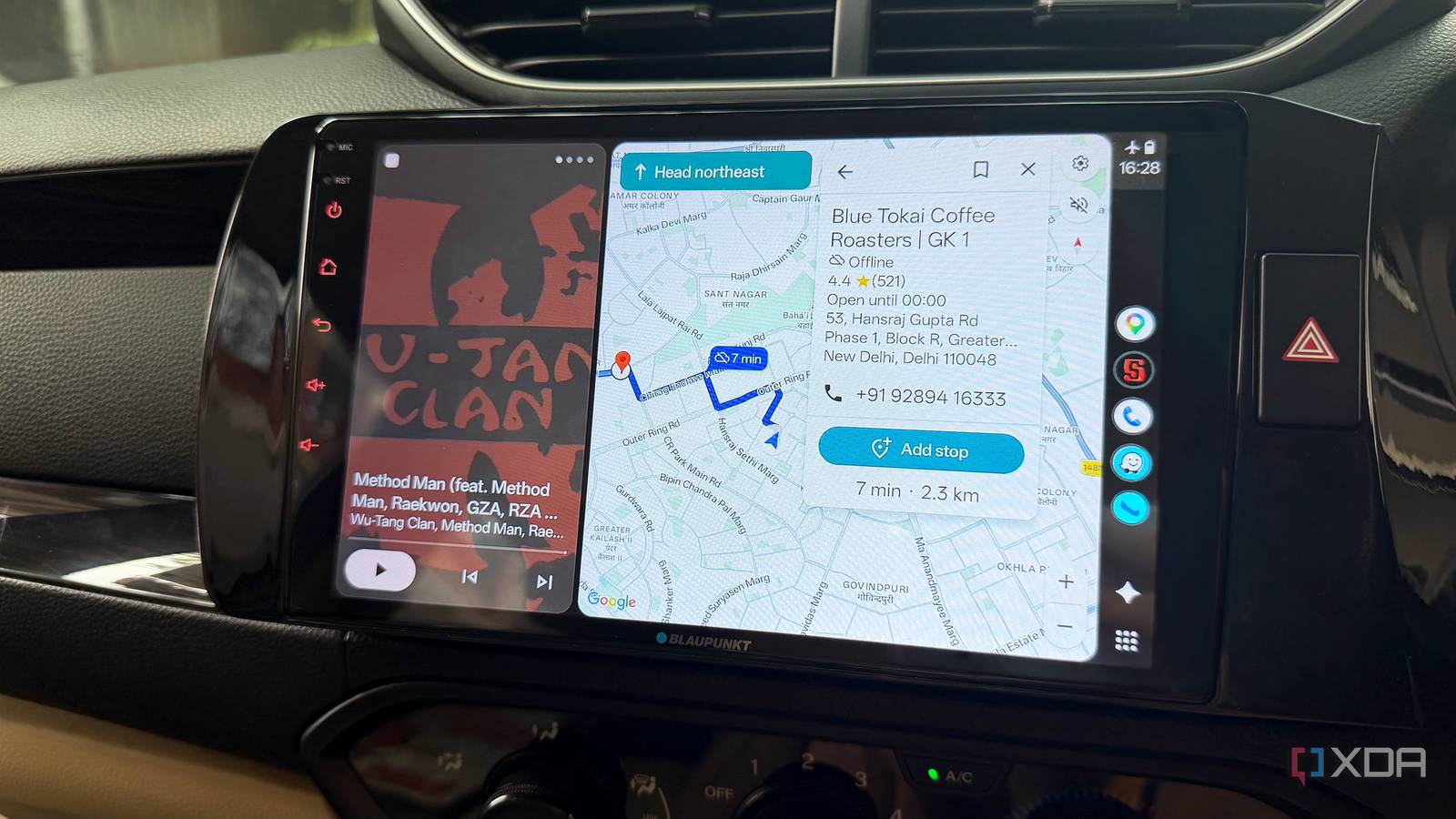
Published Aug 16, 2026, 11:30 AM EDT Dhruv Bhutani has been writing about consumer technology since 2008, offering deep insights into the personal technology landscape through features and opinion pieces. He writes for XDA-Developers, where he focuses on topics like productivity, networking, self-hosting, and more. Over the years, his work has also appeared in leading publications such as Android Police, Android Authority, CNET, PCMag, and more. Outside of his professional work, Dhruv is an avid fan of horror media spanning films and literature, enjoys fitness activities, collects vinyl records, and plays the guitar. For those of us who mostly drive in the city, ever-present mobile data has been the norm for years. I can't remember the last time I couldn't snag a solid 5G signal, and by extension, you're able to get rock-solid map and traffic data for navigation with Android Auto. Unfortunately, even in 2026, that assumption of reliable connectivity just doesn't hold true once you drive outside the city. Be it the expressway or the mountains, there are long stretches with no internet. I can give up on streaming music for a bit, but giving up Google Maps in Android Auto because the signal isn't good enough is a risky proposition. That's why I've started downloading large sections of the map offline in Google Maps anytime I'm setting off on a long drive. It's not a replacement for mobile data, as I'd still prefer to get traffic information, but it works well as a fallback when mobile data fails. And it's made the experience a lot more dependable for me. I download my entire road trip route offline before setting off on the journey Offline maps kick in when connectivity fails I'll be honest here, you probably don't need this in the city. But when you're setting off on a road trip, a wrong turn can mean a long detour. Or driving through rural terrain, which is something I try to avoid. Before setting off on the road trip, I open Google Maps on my phone, go into the Offline Maps setting, and select the largest area I can to cover my route. Since I expect to make some detours to grab a snack or stop for a rest, I prefer to cover a larger area than my current route does, but that's down to personal preference. It just gives me some breathing room. Once downloaded using Wi-Fi, this serves as my fallback option. Let me be clear: the offline map isn't my default or replacement for regular Google Maps. As long as I have data connectivity, I want live traffic information, updated road conditions, and Google's excellent ability to recalculate routes based on what's ahead. But when connectivity fails, I'm not left stranded with a blank map. Even if it can't account for changing traffic conditions, navigation continues as normal since Google Maps already has the map and terrain data available offline. You can see how that comes in handy. And it's not just about continuing navigation when connectivity fails; you can even start a fresh route using offline map data. Just download everything offline when you're on Wi-Fi at home, instead of relying on mobile data to pull down the map data. Offline maps are a great fallback, but not a replacement for online Google Maps Keep navigating when the signal drops As I mentioned earlier, you need to consider offline maps in Google Maps on Android Auto as a fallback option. It doesn't offer the exact same experience as using regular Google Maps. When you lose connectivity, you lose some of the most critical information that Google Maps has to offer. There is no live traffic data, so Maps can't tell you that a breakdown is causing congestion ahead. And while you do still get alternate routing, it obviously can't account for traffic conditions. While that's a no-go for everyday use, as a fallback, that's a reasonable trade-off. If I'm driving through an area with no connectivity or signal, my number one priority is to make sure I'm on the right path. As long as it can tell me where to turn and give me my bearings, I would rather have these basics available than be entirely dependent on mobile connectivity. You don't need to be completely offline to enjoy these benefits either. Having offline maps available can also smooth out intermittent drops. All that said, there are two things to keep in mind to enjoy the feature. For one, Google Maps won't auto-download an offline itinerary or database. You have to manually go and cache this information depending on where you're going. Moreover, offline Google Maps has an expiration date. In fact, Google will tell you exactly when the data will expire, and you'll need to refresh this information from time to time. It's better to be safe than sorry Offline Google Maps is a critical feature I use every time I'm heading out on the road. For all practical purposes, Google Maps works perfectly fine day to day. It is the edge cases that get you. When the data connectivity drops in the middle of nowhere, that's when you realize the importance of the feature. And that's why I've made grabbing offline maps a part of my routine anytime I'm setting off on a long drive. It takes at most a few minutes, costs me nothing, and can save my butt in a pinch.
I trusted Google Maps' offline mode in Android Auto over mobile data, and it paid off
Full Article
Original Source
Read the full article at Xda-developers →KhanList aggregates and links to publicly available news content. We do not host full articles from third-party sources. Always verify important information with original sources.