
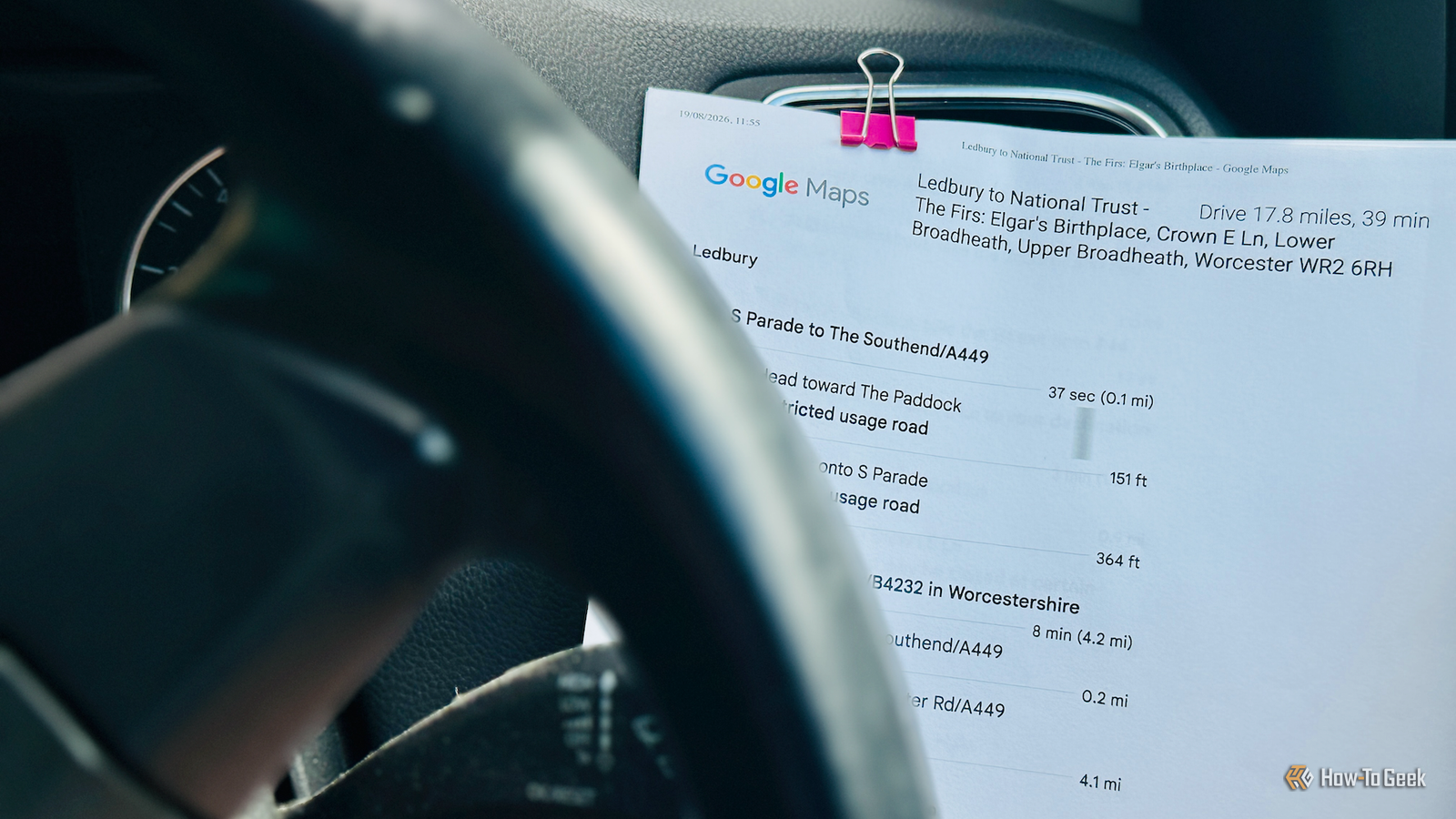
Published Aug 25, 2026, 11:30 AM EDT Adam has a degree in Engineering and has a life-long interest in technology. He has been writing for over a decade for various print and online publications, with a focus on consumer tech. He joined How-To Geek in 2024 while working at Pocket-lint. As well as being a long-term fan of Apple products, he also has a strong interest in smart home tech, running a Home Assistant server at home to automate all his smart home devices. He believes that the ideal smart home should work with minimal interaction from the user, with automations running as if by magic rather than requiring you to push buttons on a control panel. You can find more of his work on Muck Rack. Even though I lived in the time before Google Maps, I still find it hard to imagine how people ever got anywhere or found anyone without it. That got me thinking about how much Google Maps has changed over the years. I decided to try to recreate what it was like using Google Maps 20 years ago, when it was still in its infancy. Navigating with a printed list of directions There was no iPhone app because there was no iPhone Credit: Adam Davidson / How-To Geek The first thing I needed to do was put my iPhone away. There was no Google Maps iPhone app available in 2006, mostly because there was no iPhone. Apple's smartphone wouldn't arrive until a year later. There was a Google Maps mobile app for some compatible phones in 2006, but I didn't own one back then. I would have used Google Maps on my computer instead. To recreate the experience, I opened Google Maps in a browser on my desktop and entered a route I wanted to navigate. I then did exactly what I would have done in 2006 and printed off the directions. I didn’t include the map, as I wanted to rely on the printed turn-by-turn directions alone. For an 18-mile journey, the turn-by-turn directions covered a couple of pages. Missing a turn is a major catastrophe With no live location, finding your way back to the route is hard Credit: Adam Davidson / How-To Geek I started driving with the directions clipped to one of the air vents of my dashboard. I'm pretty sure I didn't use this method back in the day, but I didn't want to risk causing an accident by constantly glancing down at some sheets of paper on the passenger seat. I remember getting whoever was in the passenger seat to shout out the directions, but I was doing this drive alone. I immediately realized just how good turn-by-turn directions are. My sheets of paper had no idea where my car currently was and couldn't give me spoken instructions about where to go at the next junction. The first few turns were fairly close together, and trying to follow the instructions on the sheet was hard, but then the gaps between turns got longer and navigating became a little easier. About halfway through the journey, things had been going well, and I started to get cocky. I had a stretch of more than five miles before the next turn, and my mind started to wander. Without my phone telling me that the turn was coming up, I sailed right past. It took me another couple of miles before I realized. The problem is that with no map and nothing showing your current location, finding your way back to the route is hard. I turned around when I could, but then had to try to find the turn that I'd missed coming from the wrong direction. I eventually managed to find it, but it made me appreciate how the Google Maps app will automatically correct your route if you miss a turn, rather than forcing you to go back on yourself. I now appreciate how useful live traffic is Google Maps didn't have live traffic information in 2006 Credit: Adam Davidson / How-To GeekCredit: Adam Davidson / How-To Geek After missing my turn, I tried as hard as I could to concentrate on my directions from then on. I found myself repeating directions out loud, chanting "turn right, second exit, first exit" over and over like an idiot. It was far more stressful than relying on my phone to tell me where to go, but I was doing ok. Then I hit a major problem. When I'd set up my journey on the Google Maps website, I'd deliberately chosen a travel date a month in the future, so that the route wouldn't be impacted by current travel conditions, which weren't available to me in 2006. I'd failed to spot a small note under one of the directions. It read "Parts of this road may be closed at certain times or days." When I checked later on my phone, it clearly showed that this road was closed. Without live traffic information, Google Maps had given me the shortest route, which involved going down a closed road, and this is exactly what it would have done in 2006, too. Thankfully, I was less than half a mile from my destination, and there were signposts on the main road for the exact place that I was navigating to. I was able to follow these signs to my destination. If I'd come across a closed road earlier in my route, I would really have been stuck. There are so many Google Maps features we take for granted Sharing your location wouldn't arrive for another decade Credit: Adam Davidson / How-To Geek I managed to reach my destination using my 2006 version of Google Maps, but it was not a fun experience. It really made me appreciate just how good the mobile app really is. Voice directions, location tracking, live traffic, and automatic rerouting are things I don't want to live without. There are plenty of other great features that Google Maps has added over the years, such as location sharing, street view, and incident reporting. Appreciate what you have with Google Maps, because you've never had it so good. I take a lot of apps for granted There are plenty of apps that I use on a daily basis that are truly incredible when I take a moment to stop and think about them. Apple Music gives me access to more songs than I could listen to in eight lifetimes, and the ChatGPT app lets me ask an insanely powerful AI anything I want. It's only when you remember what life was like before these apps existed that you realize just how awesome they are.
I tried using Google Maps like it was 2006, now I'm not sure how I survived back then
Full Article
Original Source
Read the full article at Howtogeek →KhanList aggregates and links to publicly available news content. We do not host full articles from third-party sources. Always verify important information with original sources.