
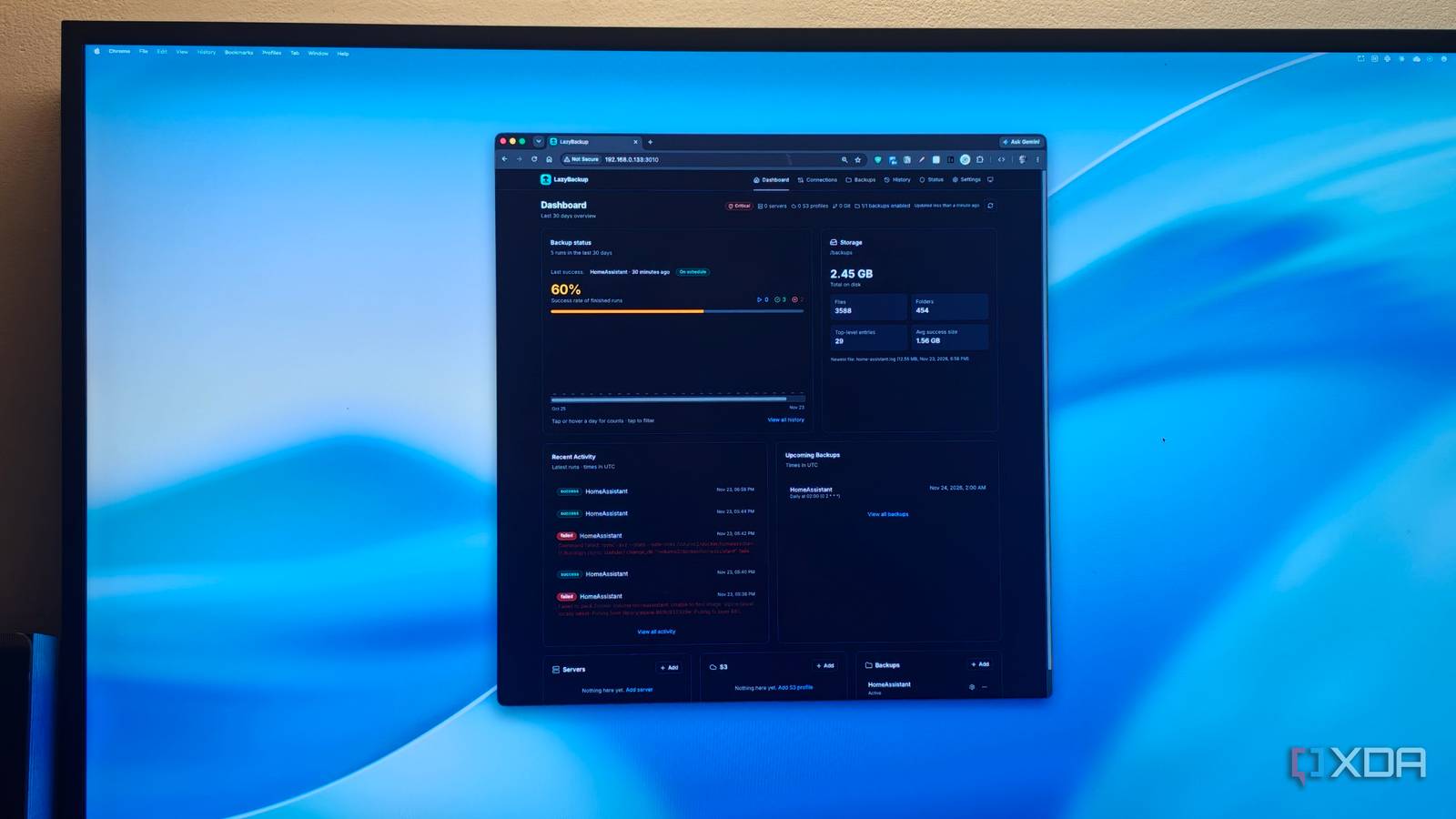
Published Nov 24, 2026, 6:00 AM EST Dhruv Bhutani has been writing about consumer technology since 2008, offering deep insights into the personal technology landscape through features and opinion pieces. He writes for XDA-Developers, where he focuses on topics like productivity, networking, self-hosting, and more. Over the years, his work has also appeared in leading publications such as Android Police, Android Authority, CNET, PCMag, and more. Outside of his professional work, Dhruv is an avid fan of horror media spanning films and literature, enjoys fitness activities, collects vinyl records, and plays the guitar. Running Docker containers on my NAS is easy enough using built-in tools and Docker managers like Portainer. Where it gets more complicated is making sure that these mission-critical services are properly backed up. I run quite a few self-hosted applications on my NAS, from Home Assistant to Immich, RomM, and many other services. While I have a reasonably elaborate 3-2-1 backup strategy in place for my essential files, I've been procrastinating on setting up backups to get essentials like Home Assistant and Immich back in action in case of catastrophic failure. So, I decided to give LazyBackup a shot. This self-hosted backup manager is designed to be a simple option for lazy homelabbers like me, bringing backups for Docker volumes and databases under one interface. I don't need to write a script or remember which directories need backing up. This single dashboard handles it all, and it took only a few minutes to set up. LazyBackup makes Docker backups simple Supports Docker volumes, databases, and filesystem paths LazyBackup, as the name suggests, is a self-hosted application that handles backups between different storage endpoints. You can back up to your local directory, a remote server accessed over SSH, or even S3-compatible storage if you prefer. The app supports Docker volumes, filesystem paths, database dumps, and even GitHub repos as backup sources. The idea is actually pretty simple: choose where the data comes from, where it needs to go, and the frequency of your backups. That's it. Set and forget. I installed LazyBackup on my Synology NAS using Portainer, which is where I already manage most of my Docker containers. The deployment is straightforward using the Compose file provided on GitHub; all you have to do is set up a persistent directory for application data and map a folder on your NAS or server to store backups. With the web interface up and running, I like how easy LazyBackup has made it to get started with backups. Truly, this is a piece of software that even someone new to self-hosting can figure out. As I mentioned earlier, my NAS hosts a wide range of applications that use named Docker volumes, while others use directories mounted directly from the NAS. LazyBackup supports both from the same interface, which means you don't need separate backup workflows. Setting up Home Assistant backups with LazyBackup Setting up my first backup barely took a few minutes For my first test backup, I started with Home Assistant. It's one of the most important services running on my NAS, and in the worst-case scenario, it would also take the longest to rebuild. I've accumulated a lot of custom integrations, automations, scripts, and custom configurations. I also have a substantial amount of data stored in the internal database. Suffice it to say, I don't want to start from scratch. My Home Assistant installation uses a filesystem path where the container maps the Home Assistant directory on my NAS to the internal configuration directory. This is where Home Assistant stores all the unique bits like my configuration YAML, automations, and more. So, I swapped out the Docker Volume option for the filesystem path in LazyBackup. From here, I pointed to the actual configuration directory on my NAS. With that done, the next step is to configure the backup destination and schedule. Hit Run, and you're done. The dashboard gives you an easy way to see the backup history and inspect how much data has been transferred, all without having to SSH into your NAS or manually check individual directories. More importantly, it lets you validate the backup setup from the same interface by checking the source and destination before a run. All too often, we set up backups and forget to check if the files are still accessible to be used in case of a restore. Having that option built in is handy, to say the least. Beyond the basics, LazyBackup includes support for logical database backups, allowing it to handle everything from PostgreSQL to MySQL, MariaDB, and SQLite rather than just the underlying files. That's useful because databases are constantly being written to, and you wouldn't want to copy the files while they're active. Having database-specific backup options alongside the regular filesystem and Docker volume backups makes LazyBackup a lot more versatile. There are a lot more features under the hood here, like the ability to set multiple backup locations and even set up co-located backups with another friend who is running LazyBackup. These are nifty features, but I haven't had an opportunity to test them out, as they don't fit my personal use case. Finally, there's a built-in MCP server too, as seems to be the case with most popular open-source software these days. This allows you to coordinate and query your backups via Claude or your AI agent of choice. Again, a nice-to-have, but a backup on schedule is all I really need, with as few interruptions as possible. LazyBackup makes backing up your homelab a lot less tedious I've been on the self-hosting train for years, and backing up the configuration files has always been the one job that I know I should be doing better. LazyBackup has been one of the best tools aimed at solving that problem that I've come across lately. It gives you a much more organized way to manage different backup sources, destinations, schedules, and retention policies. For anyone running a growing collection of Docker applications or a home lab on a NAS or server, LazyBackup is well worth a look. LazyBackup LazyBackup is an open-source, self-hosted application that lets you backup your Docker volumes and databases to host, S3 compatible endpoints as well as other users running LazyBackup.
I tried this Docker backup tool, and it solves a problem I’ve been ignoring for years
Full Article
Original Source
Read the full article at Xda-developers →KhanList aggregates and links to publicly available news content. We do not host full articles from third-party sources. Always verify important information with original sources.