
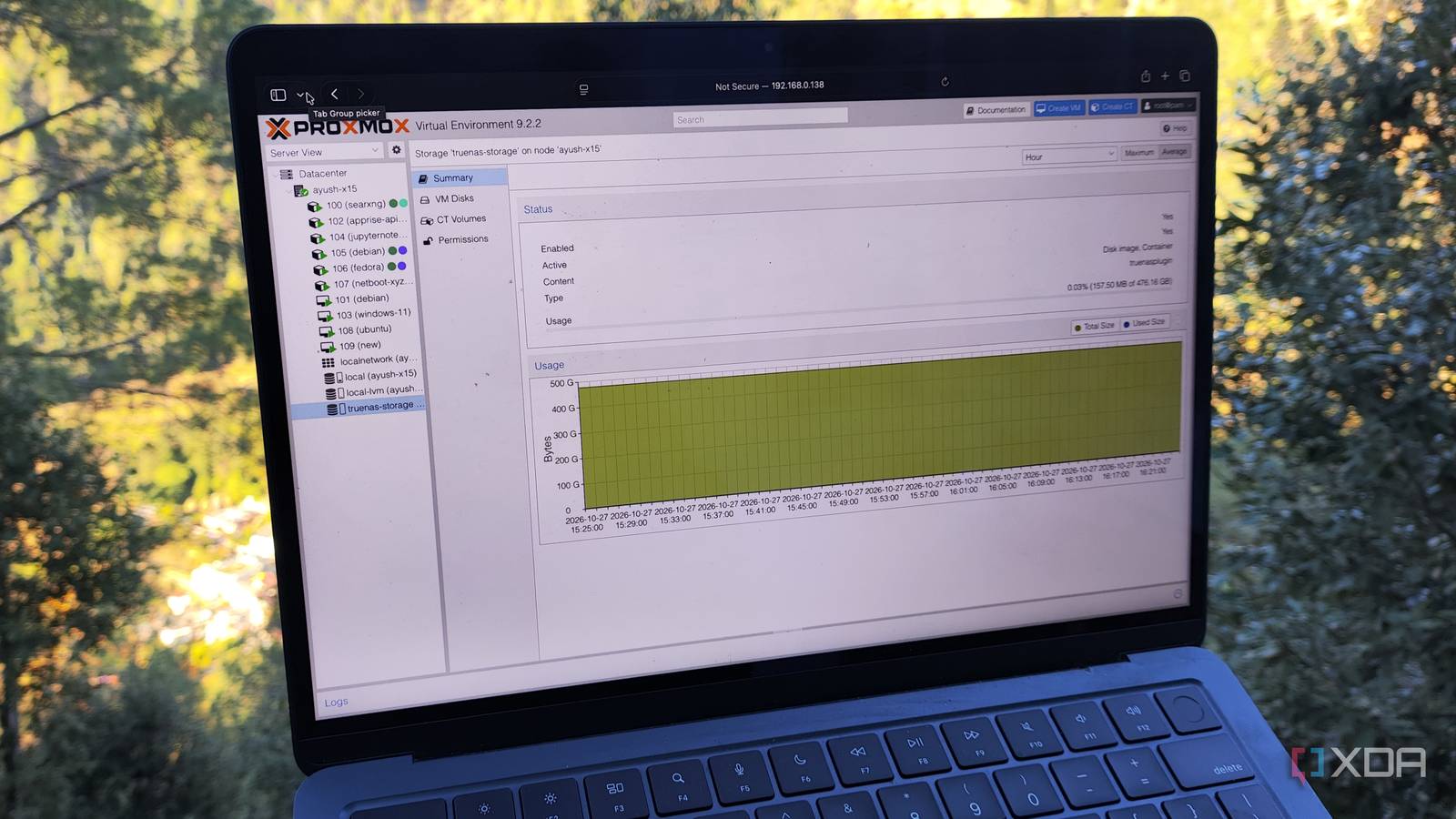
Published Oct 27, 2026, 2:30 PM EDT Ayush Pande is a PC hardware and gaming writer. When he's not working on a new article, you can find him with his head stuck inside a PC or tinkering with a server operating system. Besides computing, his interests include spending hours in long RPGs, yelling at his friends in co-op games, and practicing guitar. I tend to use both TrueNAS and Proxmox in my home lab, with the former serving my backup, archival, and file-sharing tasks, while PVE handles all my self-hosted tools, DevOps experiments, and wacky DIY projects. But even if both platforms have their own distinct roles, I often use them in tandem. For one, I’ve got a TrueNAS rig running Proxmox Backup Server, and it accepts snapshots from my experimental PVE cluster. Likewise, I’ve got another pre-built chassis that runs TrueNAS as a VM within Proxmox, but it’s mostly for random experiments and not something I use for everyday tasks. However, I recently stumbled upon yet another way to mix my home server and NAS platforms. To be more specific, I'm talking about the official TrueNAS-Proxmox plugin, which lets me use good ol’ iSCSI and NVMe-over-TCP shares to house VM disks and LXC volumes on my storage server. And the TrueNAS-Proxmox plugin gets rid of almost all these problems Technically, you can use network shares to accommodate different aspects of your Proxmox setup without the plugin. Good ol’ iSCSI block storage, for example, can handle your virtual guest data once you pair it with your PVE datacenter. Unfortunately, this setup has a couple of annoying problems, which can get rather aggravating when you work on as many DIY Proxmox projects as I do. Although you can still configure full-fledged snapshots for these iSCSI-backed virtual guests, you’ll have to jump through different hoops to ensure they work on your network share. Automatic volume management and disk resizing are also known for causing issues on raw iSCSI pools, and the same holds true for container storage – the latter being an absolute deal-breaker for self-hosting workstations. The TrueNAS-Proxmox plugin, on the other hand, doesn’t have the same problems as pools relying on classic iSCSI shares. When I connected my iSCSI pools to Proxmox via this plugin, I had no issues with my snapshots, clones, or thin-provisioning facilities. Sure, it may not be able to handle ISOs or serve as backup storage the way NFS mounts can, but it doesn’t suffer from the painfully slow snapshots like the latter. Auto resizing, pre-flight checks, and even ZFS comparison work without any hitches on network shares hooked up to PVE via this plugin. And the best part? It doesn’t take that long to get everything up and running. The plugin itself is fairly easy to configure I went with an iSCSI setup for my home lab The TrueNAS-Proxmox plugin supports both iSCSI and NVMe-over-TCP shares, but since I’ve mostly got spare HDDs that I’ve crammed into my makeshift storage servers, I decided to roll with the former for this project. On the TrueNAS front, I headed to the Wizard section of Block (iSCSI) Shares, created a fresh dataset called proxmox within the proxmox-iscsi dataset as the Target and chose Modern OS as the Sharing platform. As for the Protocol settings, Extent type, and other iSCSI options, I left pretty much everything else in its default value. But since I also needed an API key to pair this iSCSI pool with Proxmox, I quickly created one from the My API Keys section and saved it to my Bytestash LXC. With the TrueNAS configuration complete, I switched to the Shell tab on my Proxmox node and ran the bash command to pull the plugin’s installation script and install it on my home server. Within a few seconds, the script detected I was on PVE 9 and pulled all the necessary packages needed for this project. Then, I used the nano /etc/pve/storage.cfg command to access the configuration file for my storage pools and added the following snippet of code under my main drive: truenasplugin: truenas-storage tn_api_host 192.168.0.208 tn_api_key ayushs-secret-key tn_api_insecure 1 tn_target_iqn iqn.2005-10.org.freenas.ctl:proxmox tn_dataset pve/proxmox-iscsi tn_discovery_portal 192.168.0.208:3260 content images,rootdir shared 1 For reference, I’d left the iqn.2005-10.org.freenas.ctl ISCSI base at its default value on TrueNAS, while proxmox was the name I’d give to the share. I messed up the first time by accidentally adding the zvol created for the share, which caused all my LXC and VM deployments to fail, even though Proxmox would report the pool as perfectly operational. So, I chose the overarching dataset (in my case, it’s pve/proxmox-iscsi) this time and added my secret API key into the tn_api_key field. Soon, Proxmox had finished adding my iSCSI share, and I decided to test things out by deploying a couple of virtual guests. And sure enough, my iSCSI-backed dataset was able to store my virtual machines, containers, and their snapshots without any issues. That said, this setup may not be for everyone As much as I plan to push the TrueNAS-Proxmox plugin to the limit by experimenting with it over the coming weeks, I have to admit that it may require specialized setups to run well. For example, I tested things out over a 2.5G network and an HDD-powered storage pool, and although the overall experience was more responsive than I’d expected, the boot times are a bit longer than what I’m accustomed to with the internal drives on my PVE server. Sure, the results were much better once I used an NVMe drive for the dataset on my TrueNAS system and switched to a 10GbE connection, but I doubt the average tinkerer would need to invest that much just to add a few TBs of space to their home server. But for folks with limited storage estate on their PVE node or tinkerers with overenginnered setups, you’ll probably love this plugin as much as I do. Proxmox Proxmox is an open-source platform built on Debian Linux designed for server virtualization.
I tried running Proxmox VMs and LXCs straight off my TrueNAS pool, and they worked better than I expected
Full Article
Original Source
Read the full article at Xda-developers →KhanList aggregates and links to publicly available news content. We do not host full articles from third-party sources. Always verify important information with original sources.